My EAP235-Wall stopped working

My EAP235-Wall stopped working

My EAP235-Wall stopped working
2026-04-16 18:23:05 - last edited 3 weeks ago
Tags: #Wifi
Model: EAP235-Wall  
Hardware Version: V1
Firmware Version: 3.2.3 Build 20240815 Rel. 33684 (4555)

Hello,

I am super new to the world of Vlans and working with TP-LINK. I’ve purchased my equipment this past couple of weeks and for the past 3 days I’ve been slowly setting it up with a lot of searching in here, lot of googling and some help from chat gpt.

Today my EAP235-Wall came to my mail and I connected it to a port. It worked for a couple of hours. Then I must have changed something and while I (most of the times) connect to it, my phone says that there is no internet.

My equipment in order is:

ISP Router / Modem > TP-LINK ER605 > SG2218P (Here is my EAP235 with POE) > TL-SG108E

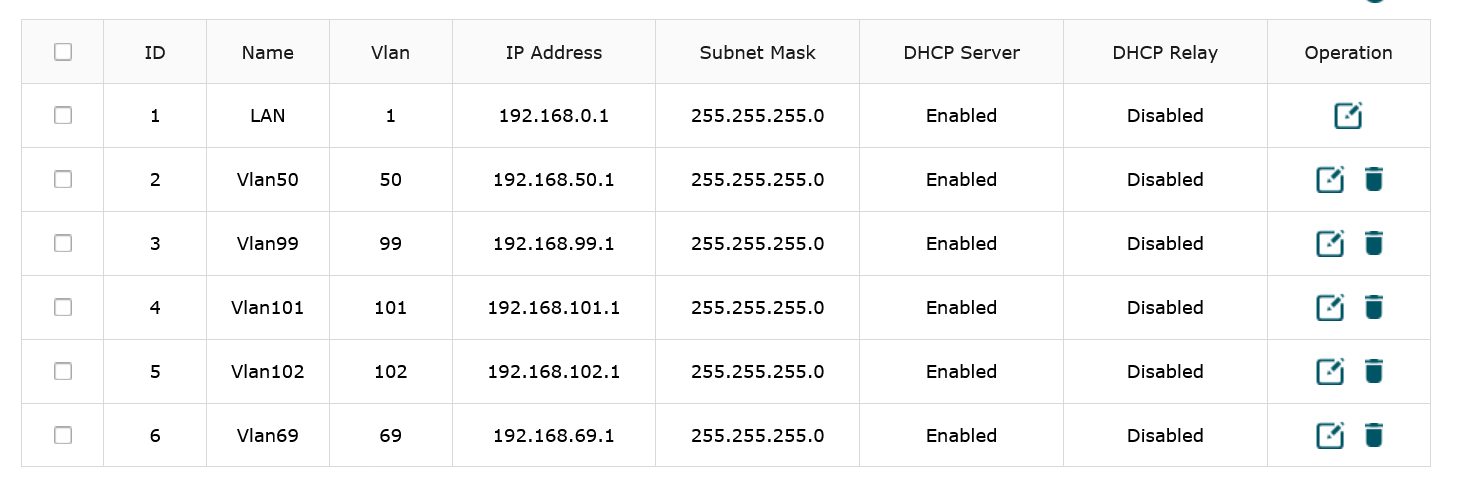
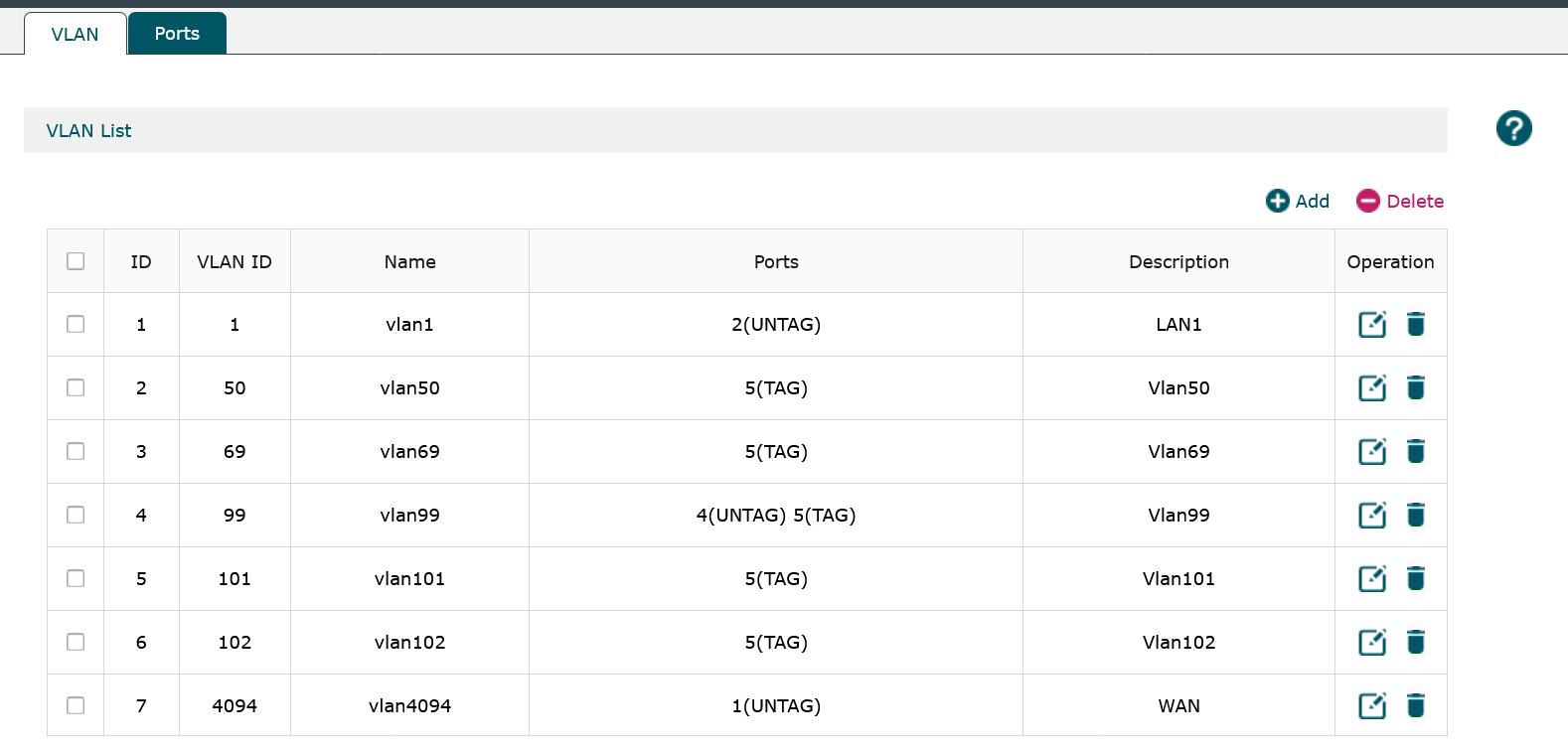
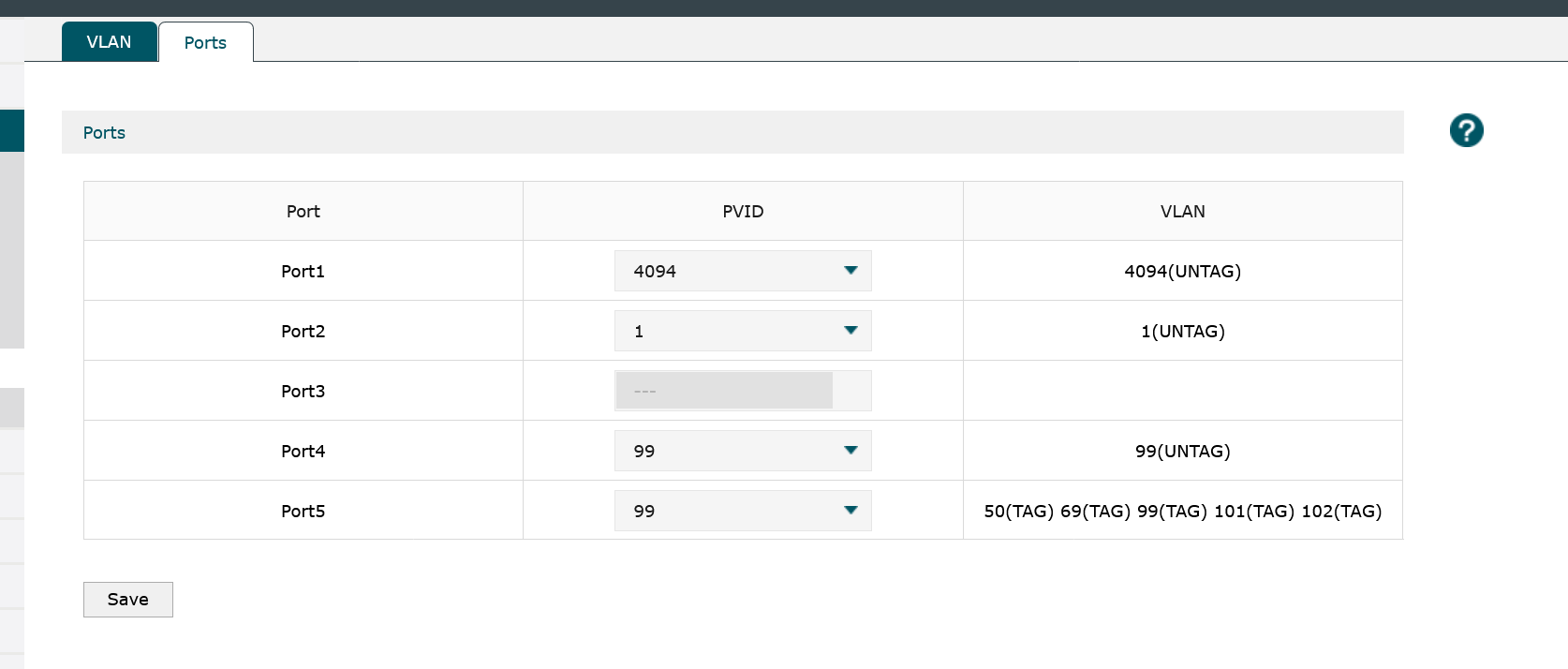
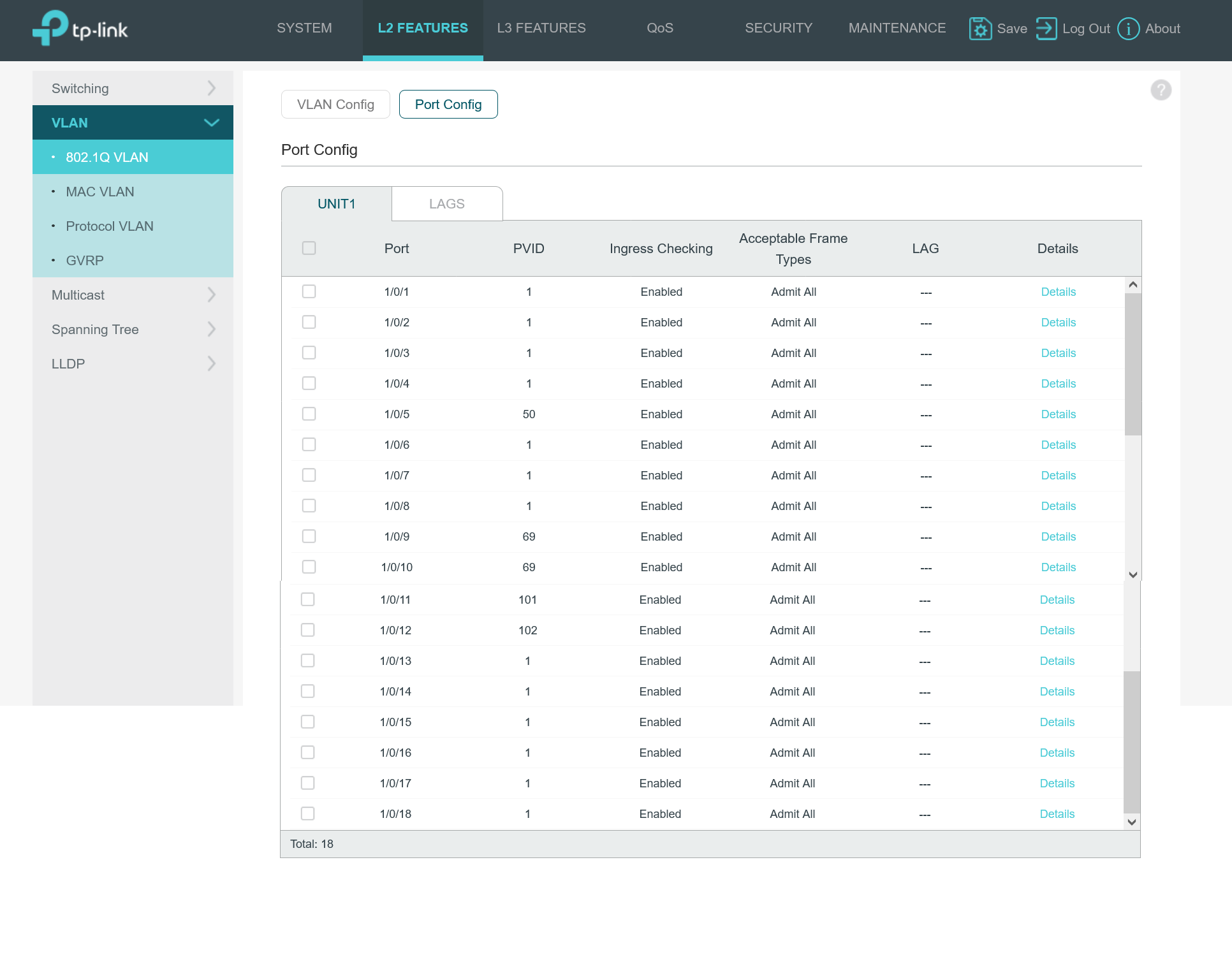
I’m going to post a lot of images, with the hope that someone can spot my mistake.

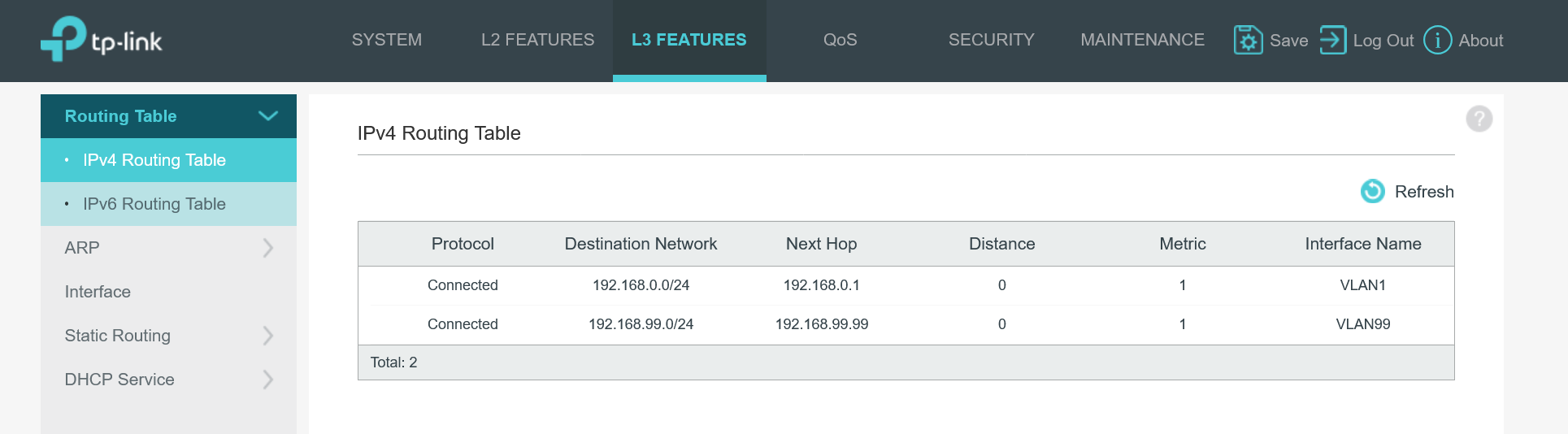
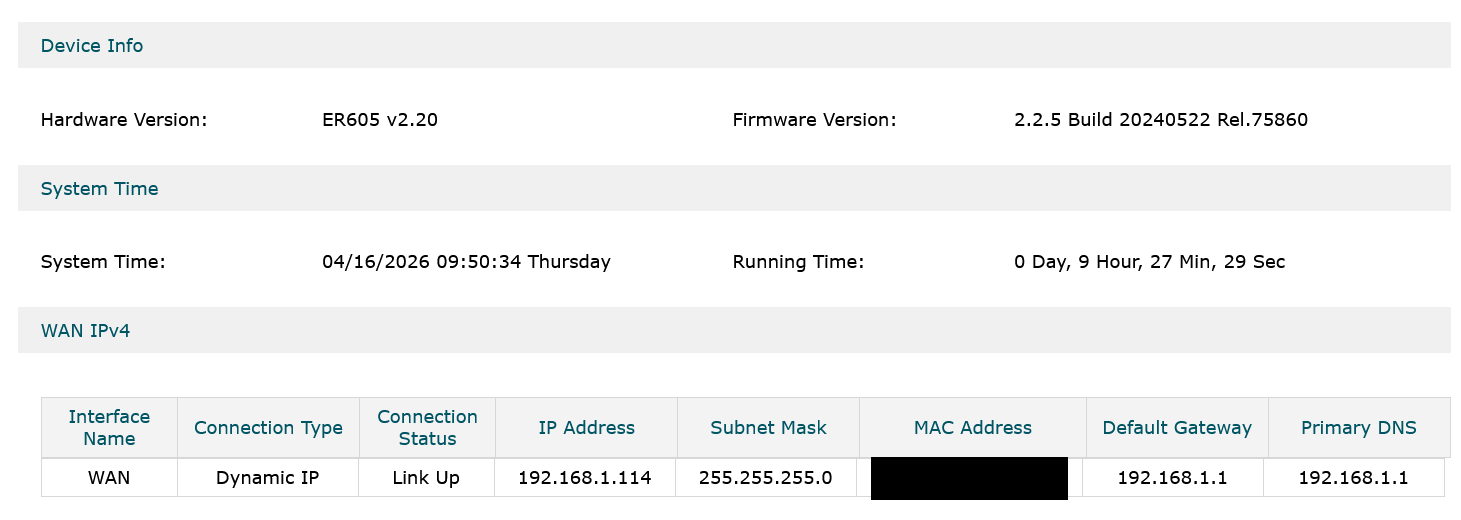
Router
Proof EAP235 is alive on POE.
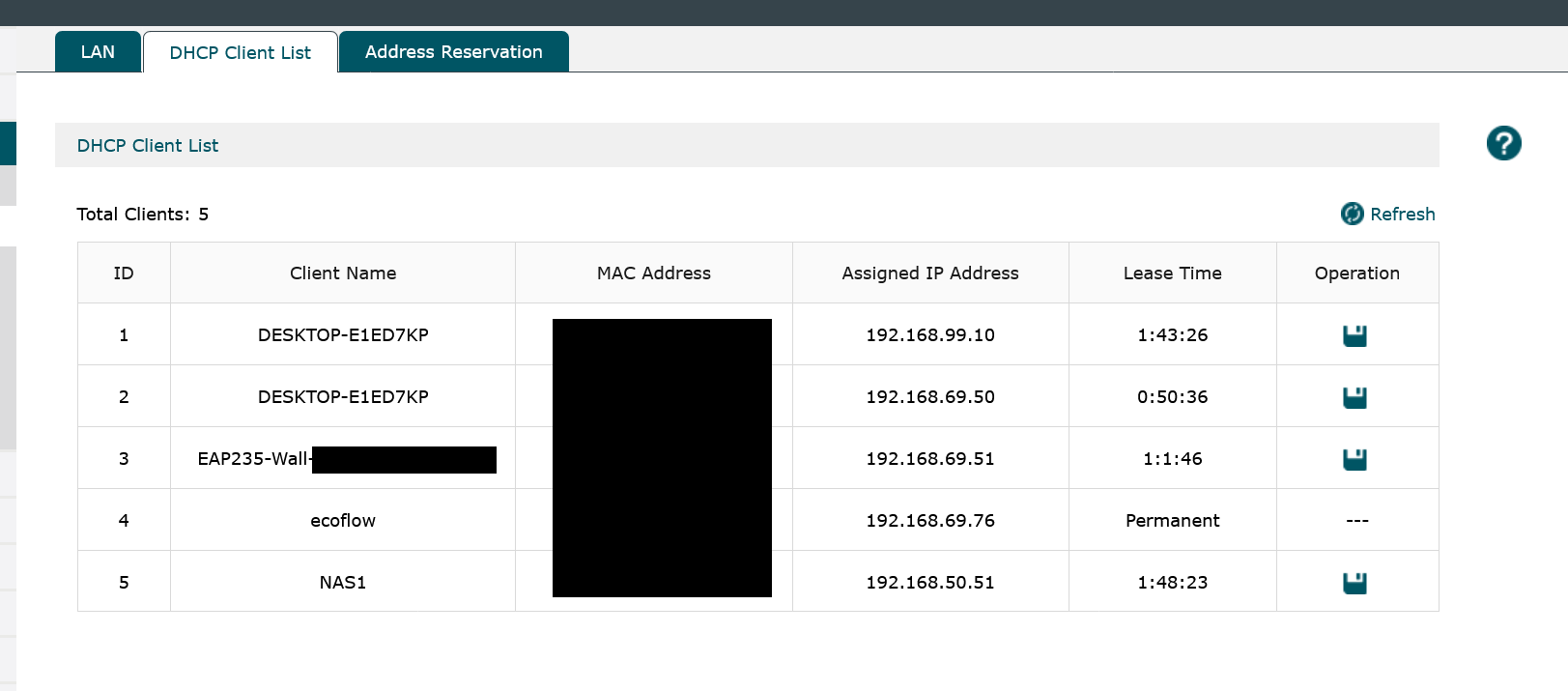
Now the POE switch settings:
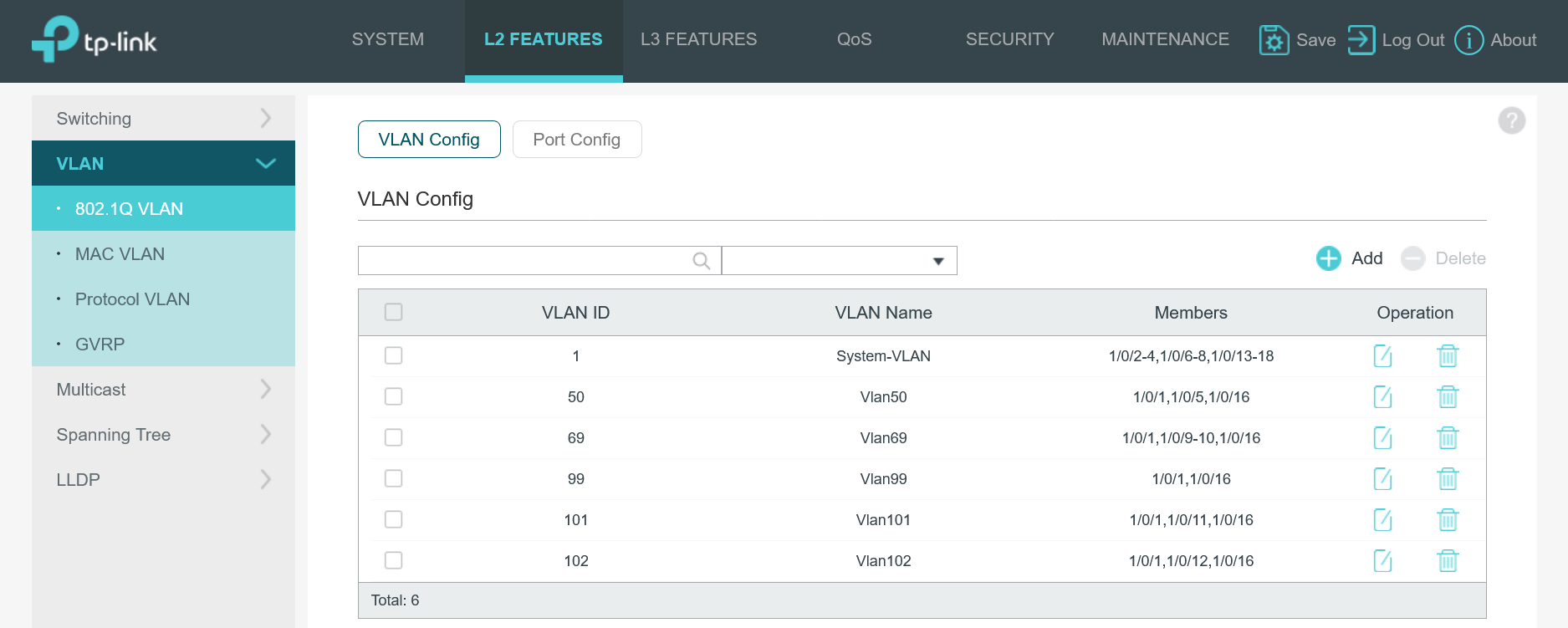
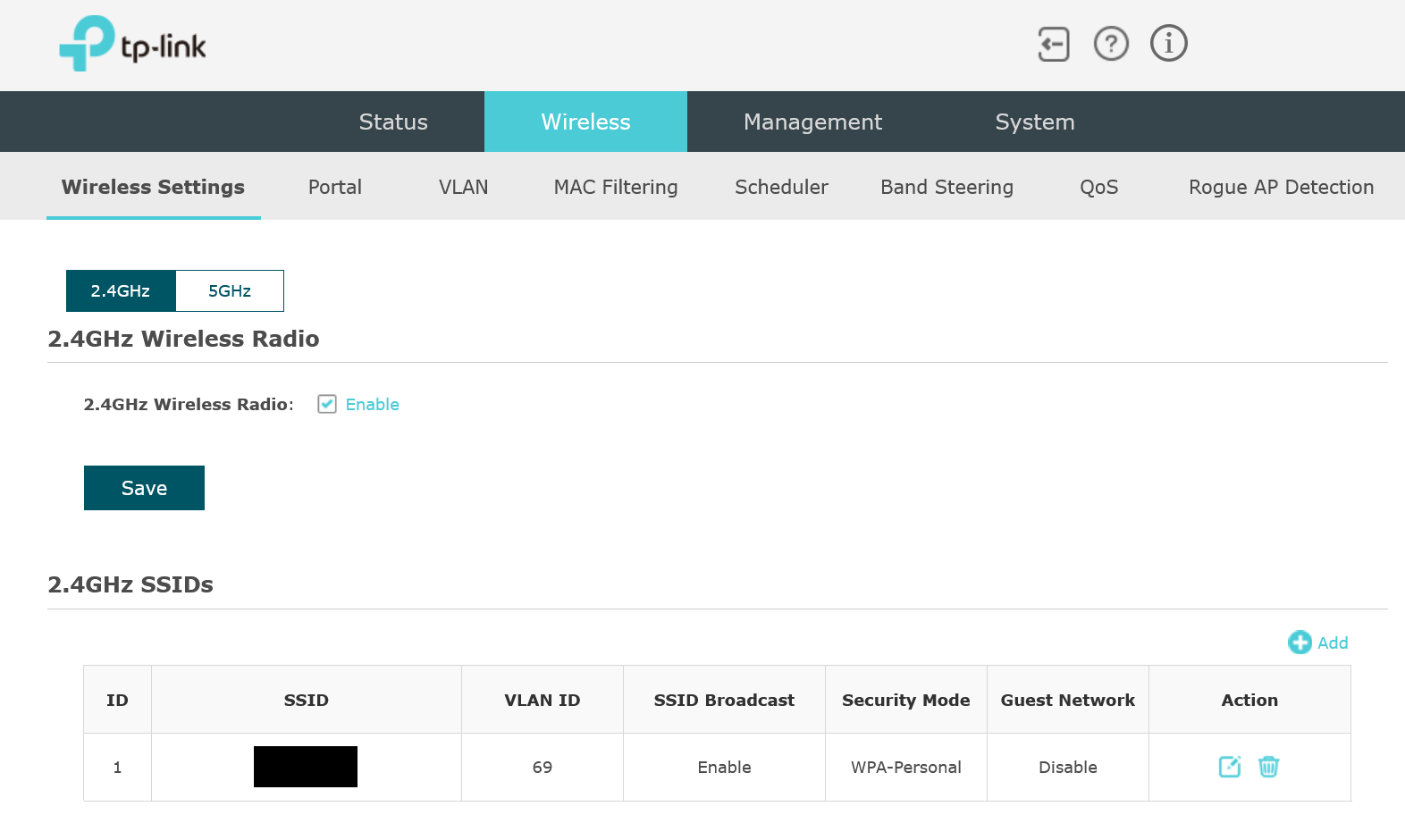
And the EAP settings:
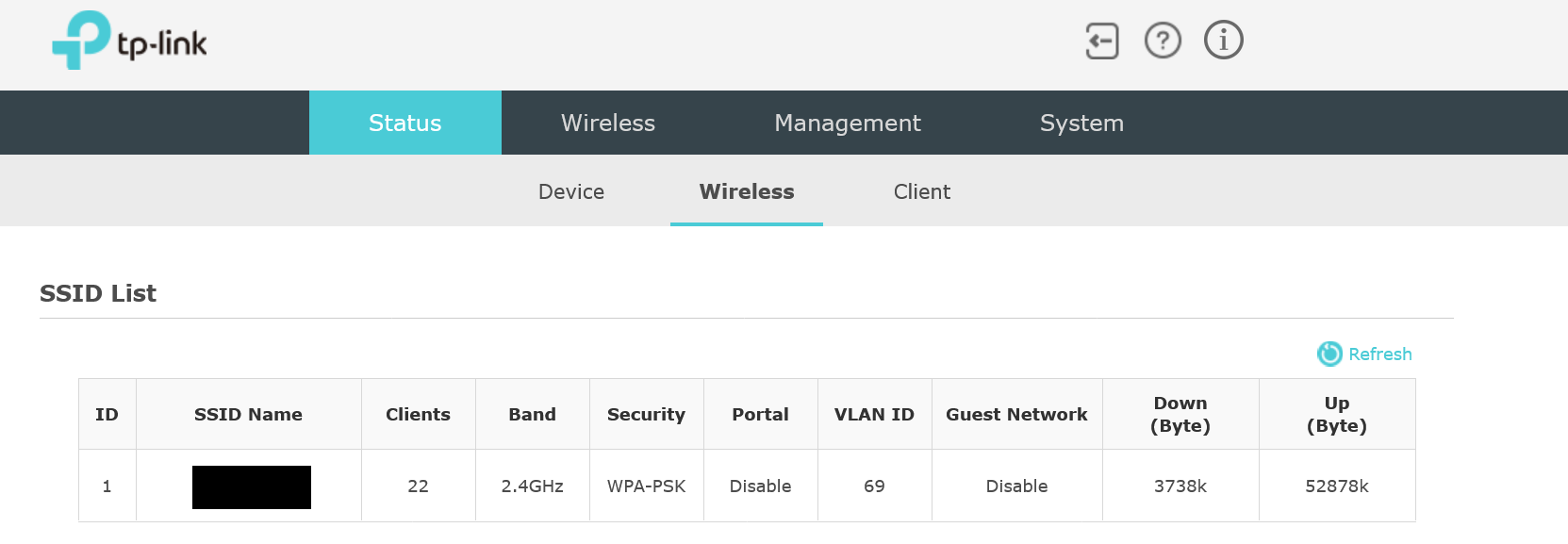
Can someone spot what I am missing.. what have I changed that made it stop working? I think I have deleted something. A network @68 for old IOT that was transfered @69 but I can't remember exactly. I have reset the EAP but nothing seems to work.

Someone please, share some info.

  0      
0
#1
Options
1 Accepted Solution
Re:My EAP235-Wall stopped working-Solution
2026-04-17 06:15:03 - last edited 3 weeks ago

  @NeilR_M ,


Thanks for replying.


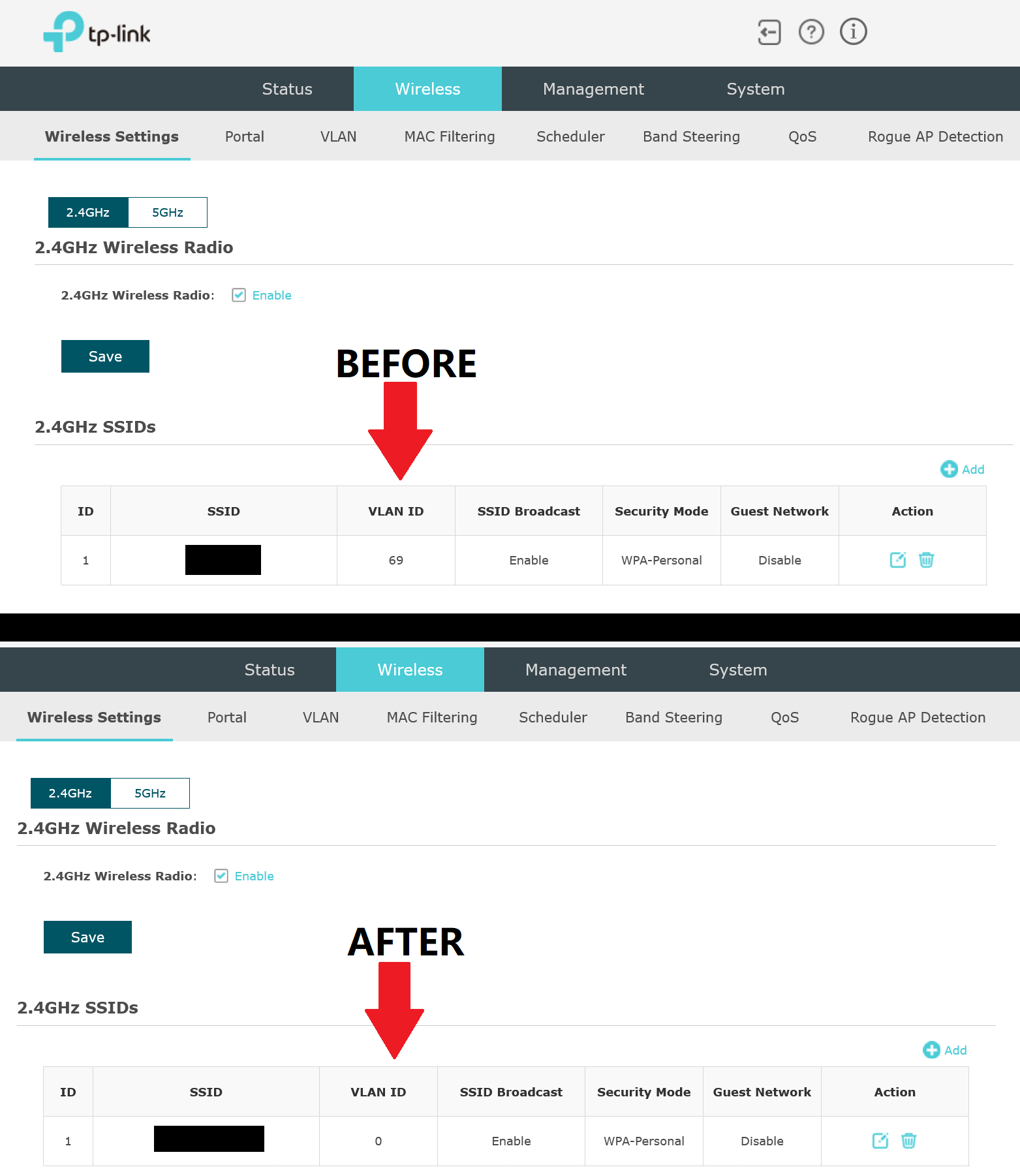
It seems like it works now. I reset it like a dozen times. I think this is what it caused the issue:


Port 10 on  SG2218P, is untagged Vlan 69 for the wireless IOT. So I kept editing and selecting VLAN ID 69. But that move caused issue. Or so I think. Because now that is set to 0, it works. I can't understand why. I would like to know though. smiley


Recommended Solution
  0  
0
#3
Options
3 Reply
Re:My EAP235-Wall stopped working
2026-04-16 23:28:55

  @BDKs If you set another port on your switch to the same configurations that your EAP is on and plug in a computer to that port, can it get internet? If not, you have a VLAN configuration issue and not an EAP issue. What are you trying to achieve with your VLANs here? Also, which ports have the connections between your devices? (ex: ER605 port 5 -> SG2218P port X)

Check out our subreddit, r/Omada_Networks! Want to help test and give feedback on new products? Sign up for the US Enterprise Beta Program here! Need a ticket? Contact Technical Support
  0  
0
#2
Options
Re:My EAP235-Wall stopped working-Solution
2026-04-17 06:15:03 - last edited 3 weeks ago

  @NeilR_M ,


Thanks for replying.


It seems like it works now. I reset it like a dozen times. I think this is what it caused the issue:


Port 10 on  SG2218P, is untagged Vlan 69 for the wireless IOT. So I kept editing and selecting VLAN ID 69. But that move caused issue. Or so I think. Because now that is set to 0, it works. I can't understand why. I would like to know though. smiley


Recommended Solution
  0  
0
#3
Options
Re:My EAP235-Wall stopped working
3 weeks ago

Hi  @BDKs 


Thanks for sharing the solution. Here is an explanation:

The EAP235-wall itself is a device that can handle VLAN tags. Previously, you configured it to a specific VLAN (VLAN 69), which caused the EAP to only forward data tagged with VLAN 69. As a result, it could only operate within VLAN 69. When you tried connecting to an SSID associated with a different VLAN, you were unable to obtain a valid IP address and connect to the network. By changing its VLAN ID to 0, you effectively cleared the specific VLAN setting for the EAP. This means the EAP will now directly forward data from the router in all the VLANs without processing VLAN tags.

  0  
0
#4
Options