
Update mobile app with WIreguard options

Now that setting up Wireguard for SurfShark use is super easy, the options don't appear in the app. I understand I can just go to the dashboard via mobile browser but I'm lazy and would rather just open an app and flip a switch. If this ever happens, thank you in advance
- Copy Link
- Subscribe
- Bookmark
- Report Inappropriate Content


Hi @royjovero
Thanks for posting here.
This is already implemented in the latest Omada APP. Below is the interface for your reference:
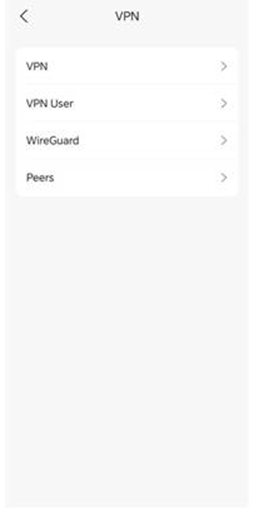
If you can't see the option, please let us know the following info:
1. The type of the controller you are using, and its firmware version;
2. The model number, hardware version and firmware version of the gateway router you are using;
3. The APP OS and its version, please make sure it's up-to-dated.
- Copy Link
- Report Inappropriate Content
@Vincent-TP This is what I see when I configure my VPN
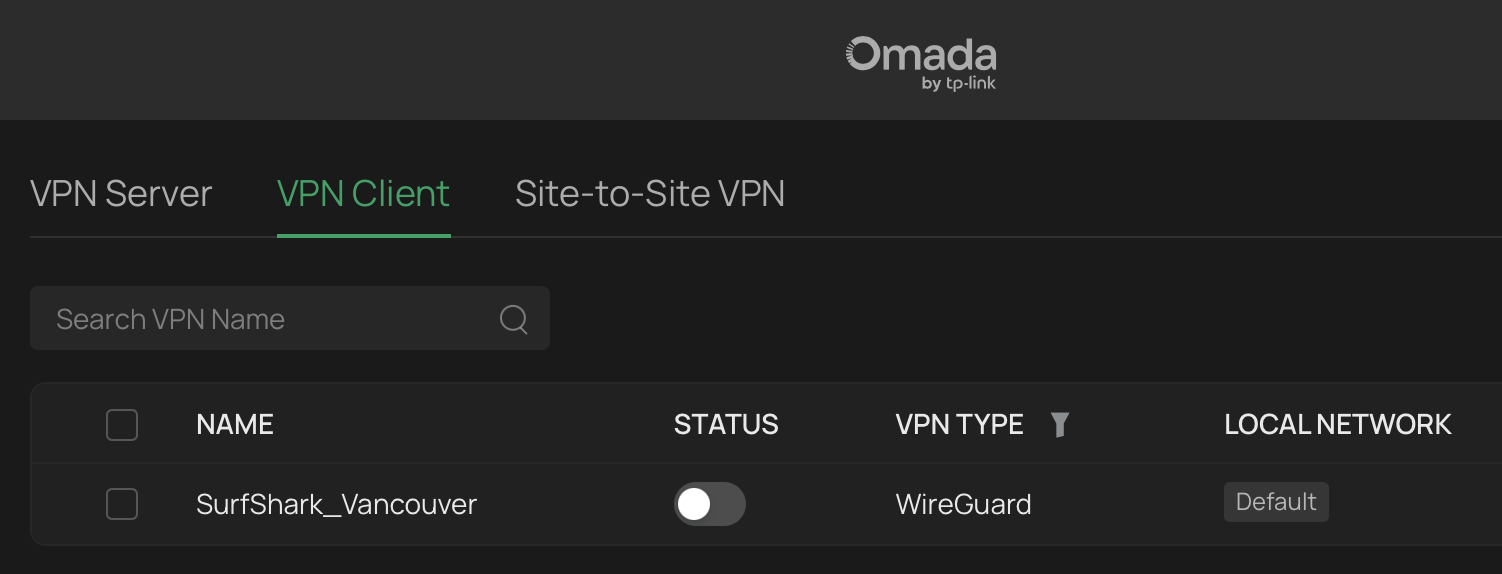
When I tap on WireGuard in the screenshot you shared, this VPN entry isn't visible there. It's not in VPN either
Everything is up to date
- Copy Link
- Report Inappropriate Content
Hi @royjovero
Thanks for the reply.
The original request is to add the feature to configure WireGuard VPN via the Omada APP, right?
Please check it on your phone. The screenshot you shared was from the Omada web interface.
Some old gateways didn't add this feature, so we would like to know the model number of your gateway to confirm if this is possible.
- Copy Link
- Report Inappropriate Content
Information
Helpful: 0
Views: 377
Replies: 3
Voters 0
No one has voted for it yet.