
Business Community > Wireless > the device is not compitable with current controller to manage update the device first
< Wireless
the device is not compitable with current controller to manage update the device first
the device is not compitable with current controller to manage update the device first
Posts: 2
Helpful: 0
Solutions: 0
Stories: 0
Registered: 2026-05-10

2026-05-10 09:16:46 - last edited 3 weeks ago
Posts: 2
Helpful: 0
Solutions: 0
Stories: 0
Registered: 2026-05-10
the device is not compitable with current controller to manage update the device first
2026-05-10 09:16:46 - last edited 3 weeks ago
Tags:
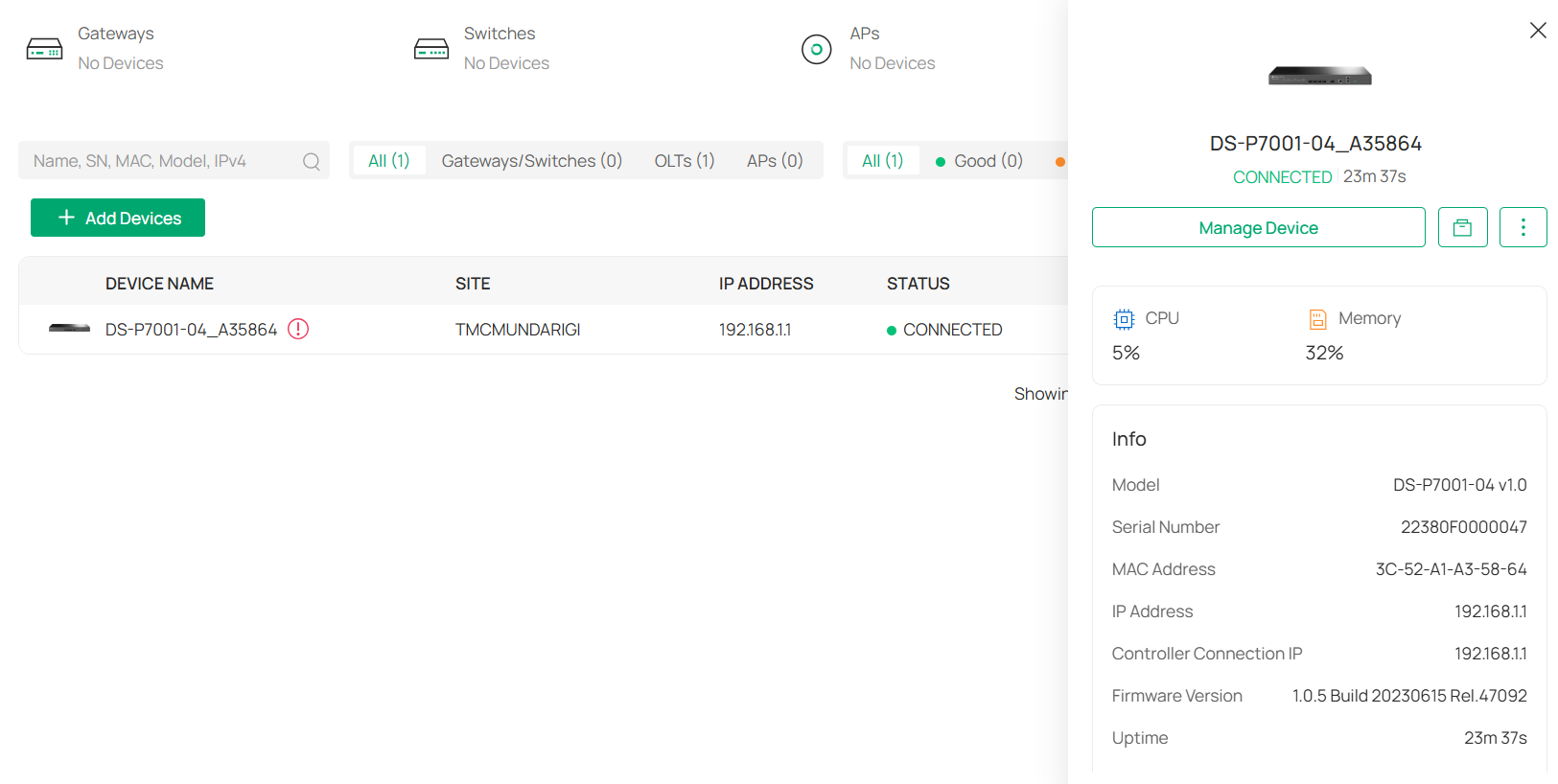
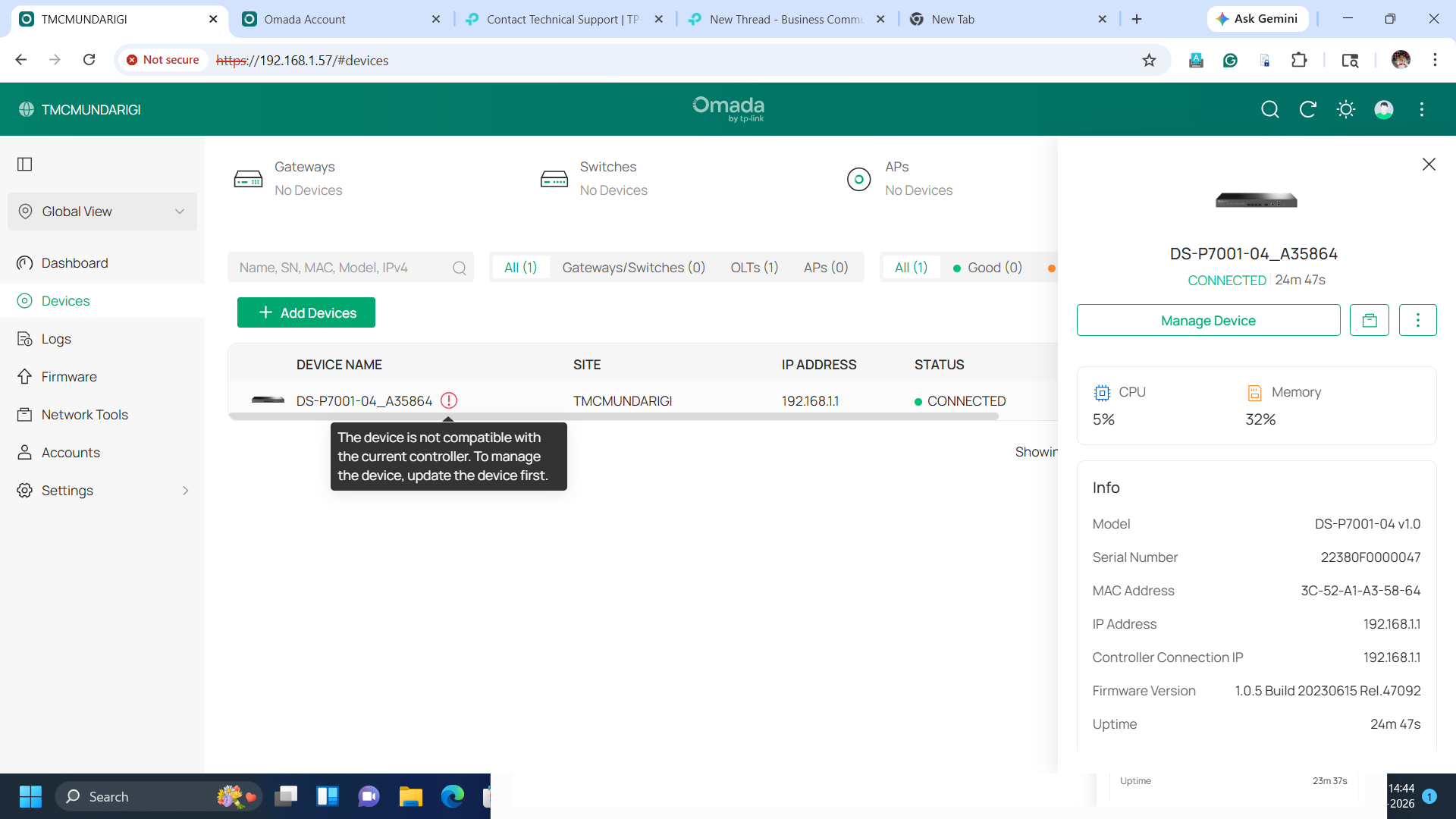
i cannot able to manage the device
#1
Options
- Copy Link
- Subscribe
- Bookmark
- Report Inappropriate Content
Thread Manage
Module Manage
Announcement Manage
1 Accepted Solution
Posts: 161
Helpful: 11
Solutions: 62
Stories: 0
Registered: 2026-04-21


2026-05-11 01:07:59 - last edited 3 weeks ago
Posts: 161
Helpful: 11
Solutions: 62
Stories: 0
Registered: 2026-04-21
Re:the device is not compitable with current controller to manage update the device first-Solution
2026-05-11 01:07:59 - last edited 3 weeks ago
Hi @punda
Thanks for reaching out to TP-Link Business Forums.
Can you click on "Check for Update" to see if there's a newer firmware?

If not, you may manually update it to the latest firmware version: Download for DS-P7001-04 | TP-Link
Recommended Solution
0
We appreciate your feedback. Feel free to let us know more. Log in to submit feedback.
0
We appreciate your feedback. Feel free to let us know more. Log in to submit feedback.
#3
Options
- Copy Link
- Report Inappropriate Content
Thread Manage
Module Manage
Announcement Manage
1 Reply
Posts: 161
Helpful: 11
Solutions: 62
Stories: 0
Registered: 2026-04-21
2026-05-11 01:07:59 - last edited 3 weeks ago
Posts: 161
Helpful: 11
Solutions: 62
Stories: 0
Registered: 2026-04-21
Re:the device is not compitable with current controller to manage update the device first-Solution
2026-05-11 01:07:59 - last edited 3 weeks ago
Hi @punda
Thanks for reaching out to TP-Link Business Forums.
Can you click on "Check for Update" to see if there's a newer firmware?
If not, you may manually update it to the latest firmware version: Download for DS-P7001-04 | TP-Link
Recommended Solution
0
We appreciate your feedback. Feel free to let us know more. Log in to submit feedback.
0
We appreciate your feedback. Feel free to let us know more. Log in to submit feedback.
#3
Options
- Copy Link
- Report Inappropriate Content
Thread Manage
Module Manage
Announcement Manage
Posts: 2
Helpful: 0
Solutions: 0
Stories: 0
Registered: 2026-05-10
2026-05-10 09:16:46 - last edited 3 weeks ago
Posts: 2
Helpful: 0
Solutions: 0
Stories: 0
Registered: 2026-05-10
Information
Helpful: 0
Views: 196
Replies: 1
Voters 0
No one has voted for it yet.
Tags
Report Inappropriate Content
Transfer Module
New message