
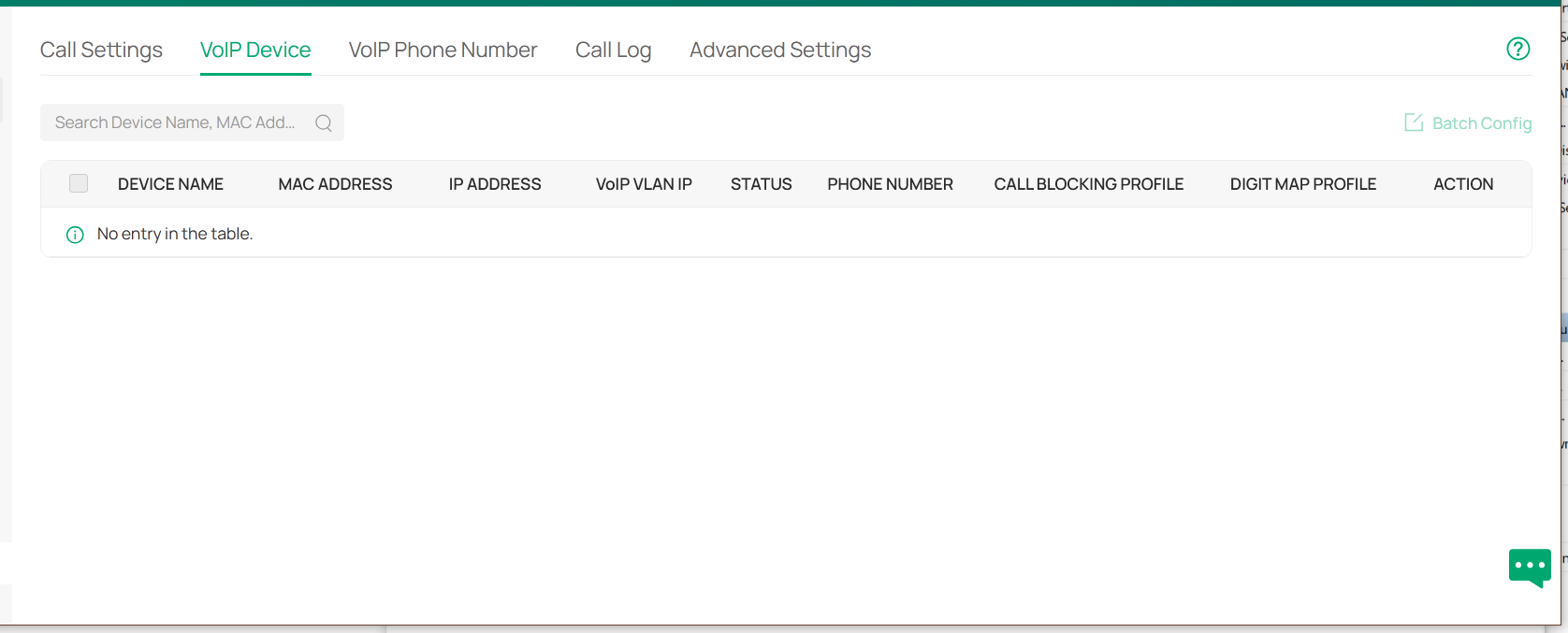
Where is the “Add Device” button under “VoIP Device”?

Hello
How do I add my Yealink SIP phone here?
- Copy Link
- Subscribe
- Bookmark
- Report Inappropriate Content


@Linkworkx That setting is not to add your IP phones but rather to configure any FXS ports on your network devices. What will work with your IP phones is to use the OUI-based VLAN feature to configure your switch ports based on the MAC address of your IP phones, as shown here.
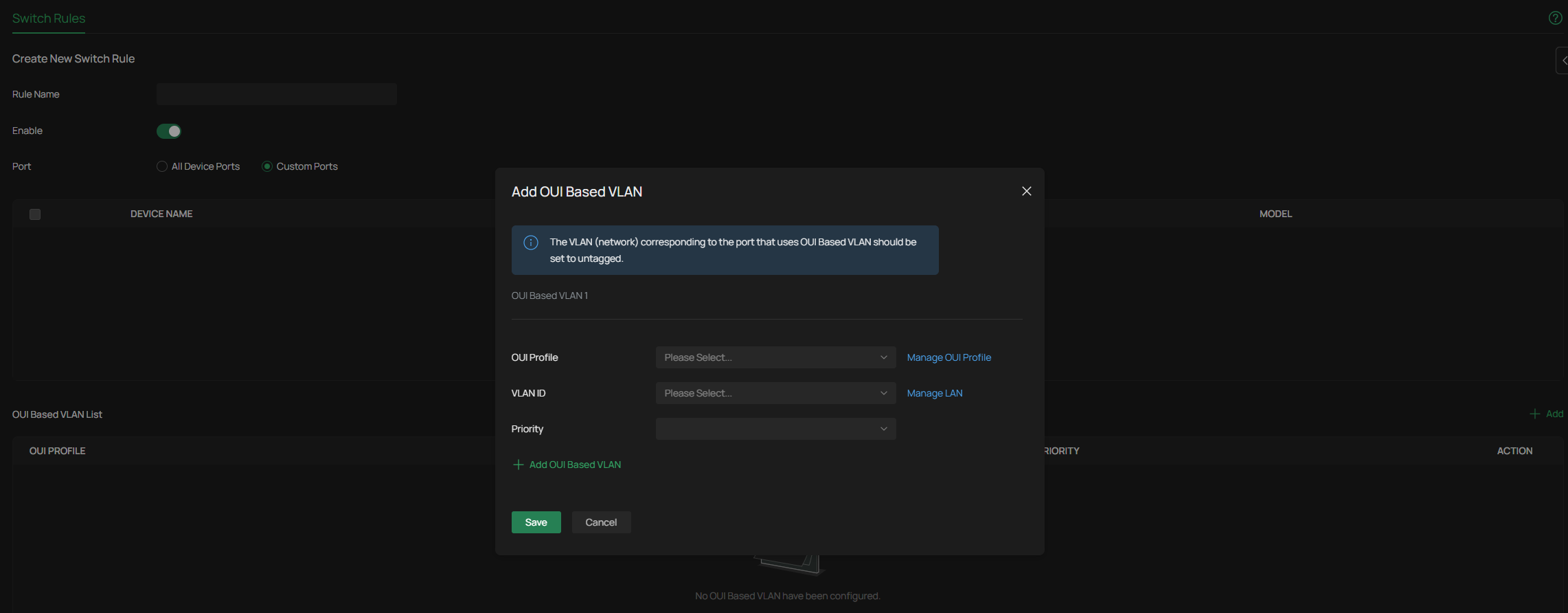
You can find a video guide for it here: How to plan and create VLANs and their related configurations
- Copy Link
- Report Inappropriate Content
@Linkworkx That setting is not to add your IP phones but rather to configure any FXS ports on your network devices. What will work with your IP phones is to use the OUI-based VLAN feature to configure your switch ports based on the MAC address of your IP phones, as shown here.
You can find a video guide for it here: How to plan and create VLANs and their related configurations
- Copy Link
- Report Inappropriate Content
Information
Helpful: 0
Views: 178
Replies: 1
Voters 0
No one has voted for it yet.