SM5310-T in SG3428X connected to 2.5G LAN port in ER7412-M2 does not pass data

SM5310-T in SG3428X connected to 2.5G LAN port in ER7412-M2 does not pass data

SM5310-T in SG3428X connected to 2.5G LAN port in ER7412-M2 does not pass data
Saturday
Model: TL-SM5310-T   SG3428X   ER7412-M2  
Hardware Version:
Firmware Version:

Environment:
Omada OC200 v1.40.18 Build 20260506 Rel.74003

Gateway: ER7412-M2 v1.30 1.1.1 Build 20251112 Rel.54883

Switch: SG3428X v1.30 1.30.19 Build 20260310 Rel.11233

SFP+ installed in SFP+ socket of SG3428X: SM5310-T, connected via 3m long Cat6A cable

Flow control enabled on both 2.5G Ethernet in gateway and SFP in switch


Issue is that only management data is being passed.  The switch adopts perfectly and is fully manageable and visible.


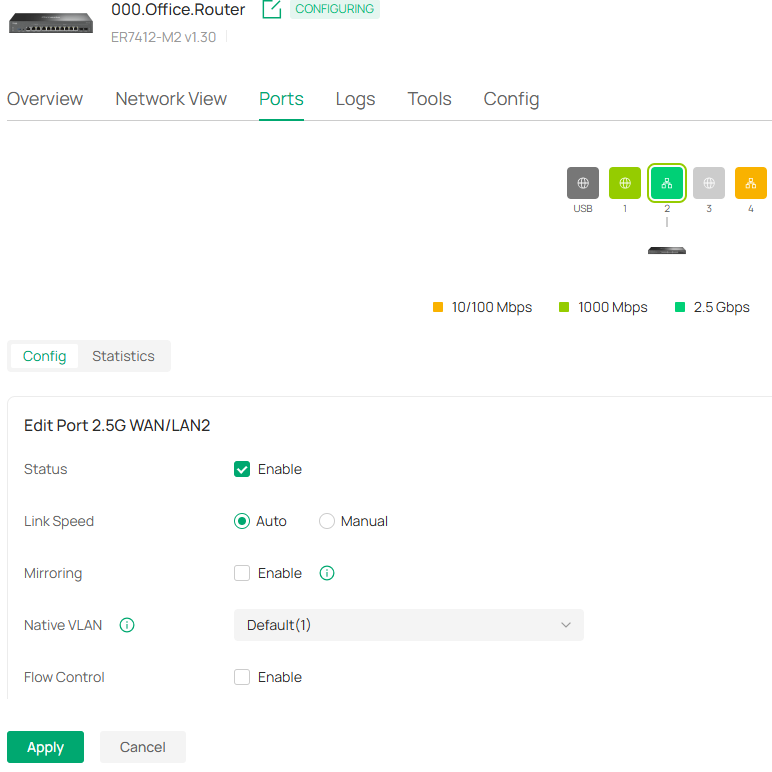
2.5G port set to auto/auto speed, Native VLAN set to Default(1), flow control enabled


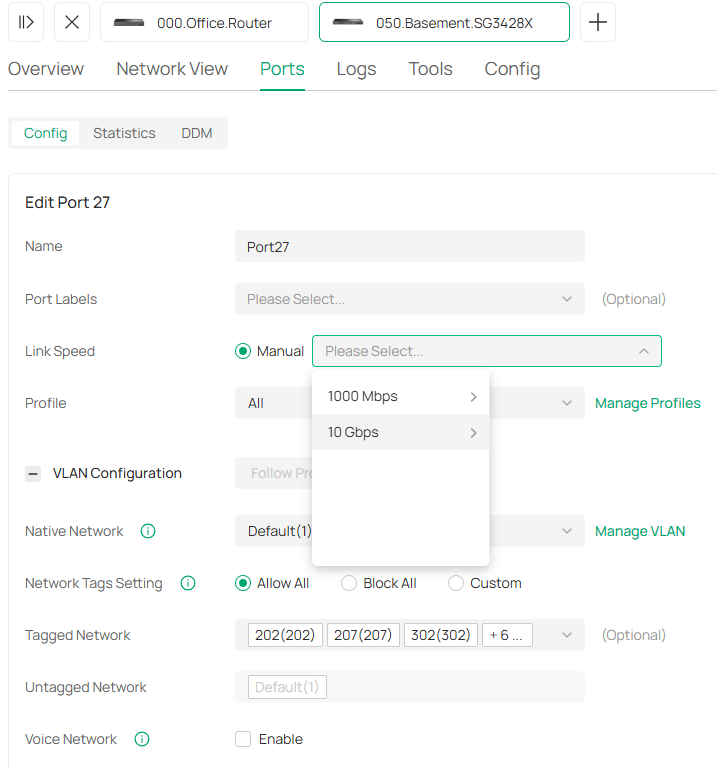
SFP+ port in switch set to 10G/Full duplex, Native network is Default(1), Network Tags set to Allow All, Operation=switching, Flow control enabled


Maybe I'm just missing something but there is nothing that I can do to allow any device connected to the switch to communicate through the gateway using this setup.


If I change to using a 1GE port on the switch then all is ok, so has to be something to do with the SFP+ module or config.  I've tried different cables and moved the SFP+ module into other slots too.

All suggestions greatly appreciated.

0
0
#1
3 Reply
Re:SM5310-T in SG3428X connected to 2.5G LAN port in ER7412-M2 does not pass data
Yesterday - last edited Yesterday

Hi  @thmark 


Thanks for posting here.

Is your installation as below?

 ER7412-M2 <2.5G RJ45port>---SM5310-T---<SFP+ port>SG3428X


Where is the OC200 plugged in? Is it the switch SG3428X?


but there is nothing that I can do to allow any device connected to the switch to communicate through the gateway using this setup.

>>>Does this mean, all clients plugged into the switch SG3428X have no Internet access? Can they obtain valid IP address from the gateway?


SFP+ port in switch set to 10G/Full duplex, Native network is Default(1), Network Tags set to Allow All, Operation=switching, Flow control enabled

>>>Is it possible to change the speed to 2.5G? please share us with a screenshot.


In the meantime, please disable the Flow Control for the ER7412-M2 port and see if it helps. Thanks.

0
0
#2
Re:SM5310-T in SG3428X connected to 2.5G LAN port in ER7412-M2 does not pass data
2 hours ago

  @Vincent-TP , thank you for your message
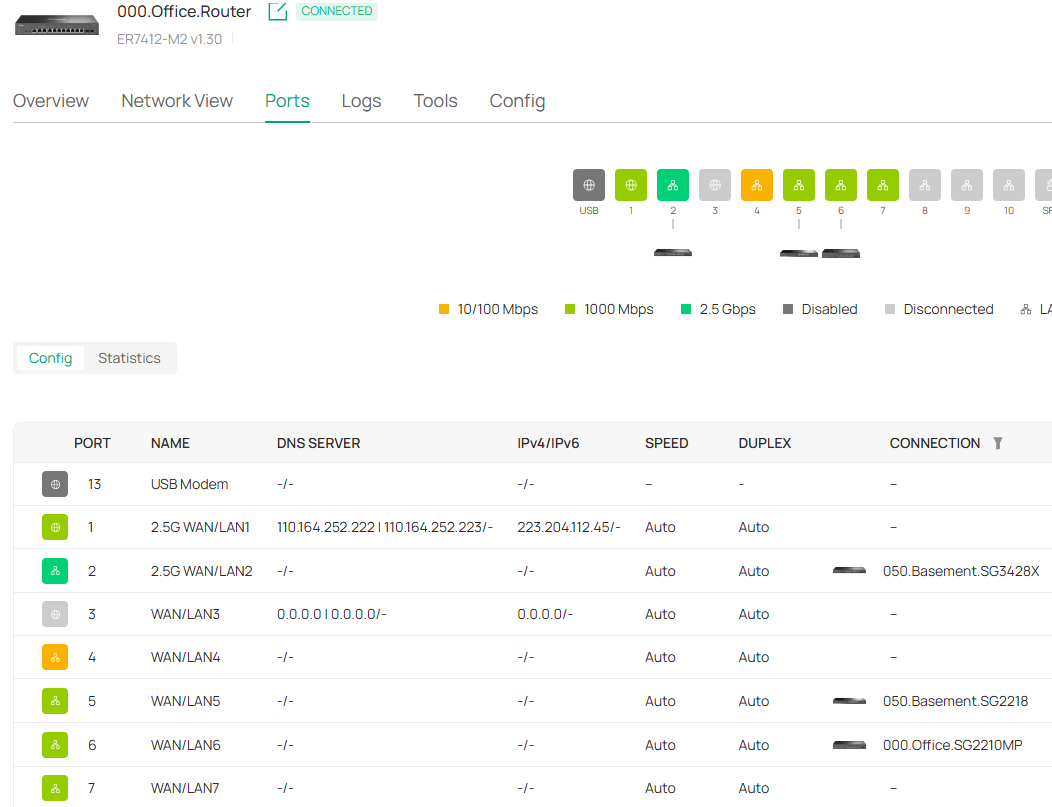
OC200 is connected to ER7412-M2 port 4

You can see ER7412-M2 is showing port 2 at 2.5G


Now flow control on ER7412-M2 port 2 has been disabled but did not change anything


SFP+ port on SG3428X only allows selecting between 1G and 10G (no 2.5G option)


I appreciate your help with this and am willing to try anything to oversome this hurdle.  Thank you very much


0
0
#3
Re:SM5310-T in SG3428X connected to 2.5G LAN port in ER7412-M2 does not pass data
45 minutes ago

Hi  @thmark 


Thanks for the reply.

Please also let us know this info, thanks:


but there is nothing that I can do to allow any device connected to the switch to communicate through the gateway using this setup.

>>>Does this mean, all clients plugged into the switch SG3428X have no Internet access? Can they obtain valid IP address from the gateway?

0
0
#4