
NVR1004 Timelapse

Hi everyone. I have just purchased a NVR1004H nvr, and was wondering if it can do timelapse photos at defeined intervals?
Thanks
- Copy Link
- Subscribe
- Bookmark
- Report Inappropriate Content


Hi @ixlix
Thanks for reaching out to TP-Link Business Forums.
May I confirm if you are saying this feature? How to configure Capture and view captured images on VIGI camera | TP-Link
It supports Scheduled capture and Event-triggered capture.
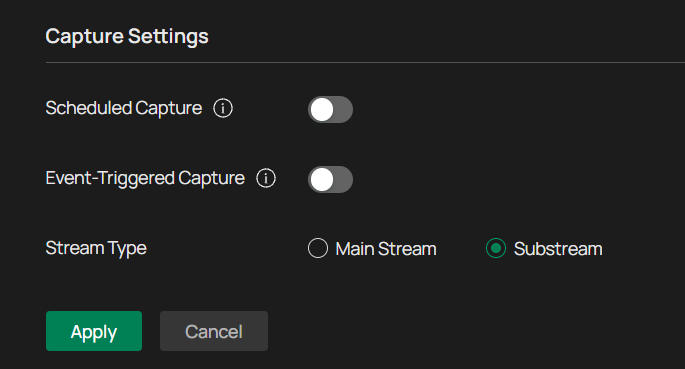
However, this feature is only available in VIGI IPC not on the NVR.
Do you have our VIGI IPC?
- Copy Link
- Report Inappropriate Content
Hi @ixlix
Thanks for reaching out to TP-Link Business Forums.
May I confirm if you are saying this feature? How to configure Capture and view captured images on VIGI camera | TP-Link
It supports Scheduled capture and Event-triggered capture.
However, this feature is only available in VIGI IPC not on the NVR.
Do you have our VIGI IPC?
- Copy Link
- Report Inappropriate Content
@Gabriel-TP thanks for the reply. I have two Insight S485 cameras.
Can i set this up through the Vigi app or do I need to use the webui? Can i set it to use the HDD in the NVR rather than having to buy sd cards for the cameras?
- Copy Link
- Report Inappropriate Content
I dont seem to have the CApture Management button on my screen.
- Copy Link
- Report Inappropriate Content
- Copy Link
- Report Inappropriate Content
Hi @ixlix
This feature is only available in the IPC's GUI, so you can only log in to it to enable this feature.
It also requires an SD card to store the captured data.
- Copy Link
- Report Inappropriate Content
Information
Helpful: 0
Views: 121
Replies: 5
Voters 0
No one has voted for it yet.