0
Votes

Disabling NVR event notifications has no effect, still receiving notifications

 
0
Votes

Disabling NVR event notifications has no effect, still receiving notifications

Disabling NVR event notifications has no effect, still receiving notifications
Wednesday - last edited Yesterday

Hello,


I have a VIGI NVR1008H-8MP recorder, and VIGI C485 and C340 cameras. I use the VIGI mobile app for Android. Sometimes I want to disable notifications on my phone when I expect me or my relatives to walk by the cameras during the day.


To do so, I launched the VIGI mobile app, tapped the "three dot"  menu to the right of the name of my NVR (to open the NVR options). Then, I tapped the cog icon in the upper right hand side (to open the NVR settings). Then, I tapped "Notifications", and I disabled "NVR Event Notifications":
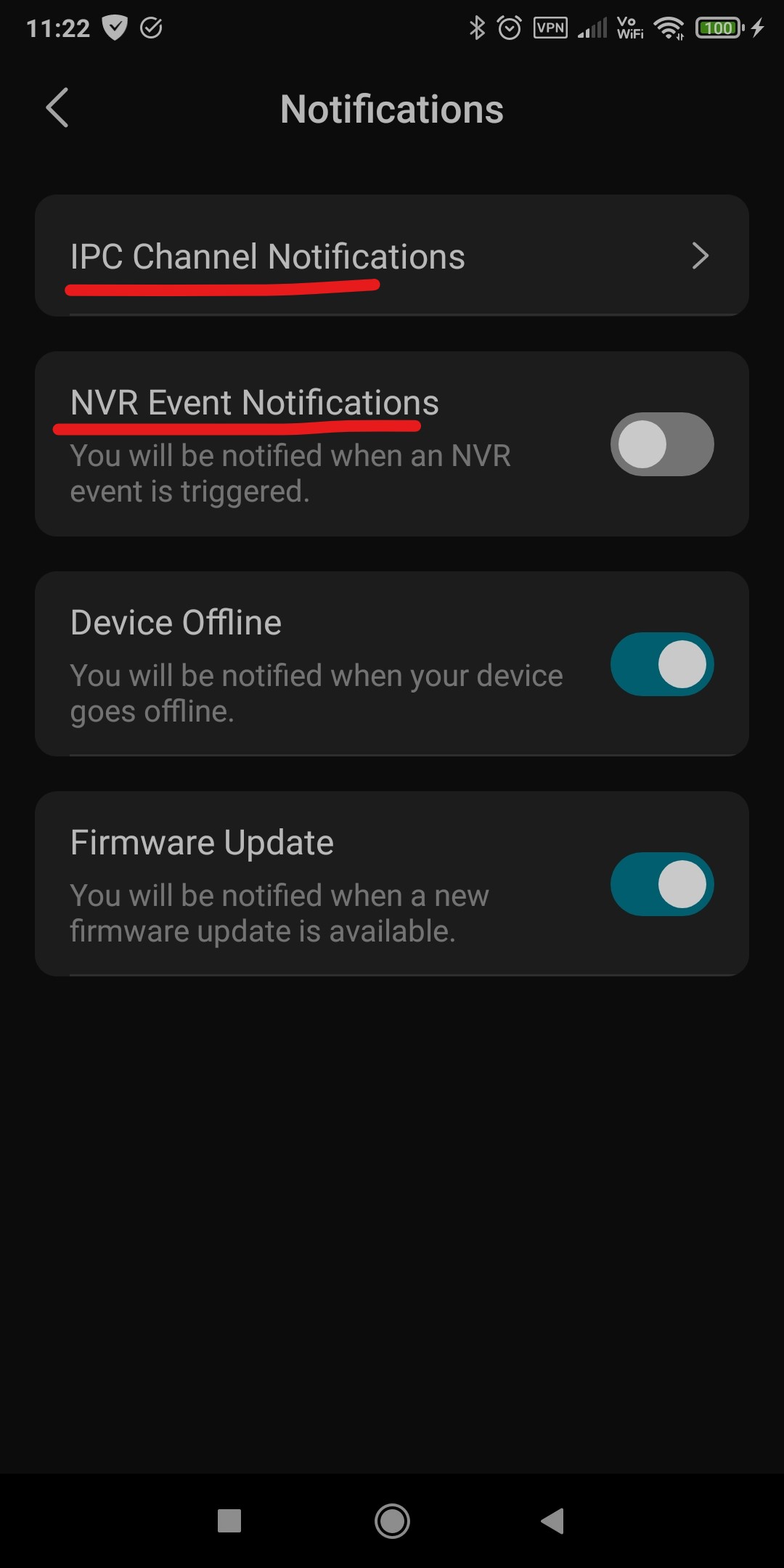


One would expect the NVR not to send any more event notifications when someone walks in front of the cameras. This doesn't work. If "NVR Event Notifications" is disabled and I walk in front of the camera, I still get push notifications on my phone. To stop receiving notifications, I need to tap "IPC Channel Notifications", and disable every single camera manually 🤔


By the time this is fixed, is there a way to enable/disable push notifications from the NVR, in the mobile app, a more convenient way?

Could you forward this bug report to the department that designs the VIGI NVRs, so they can look into it, please?


Thank you.

#1
Options
3 Reply
Re:Disabling NVR event notifications has no effect, still receiving notifications
Yesterday - last edited Yesterday

Hi  @calande 


Thanks for reaching out to TP-Link Business Forums.


NVR Notification is a feature to notify you of a system detection like IP Conflict, No Disk, etc., while the IPC Notification is about the IPC detection like motion detection or human detection.

That's why turning off NVR Notification cannot stop pushing notification when a motion detection is detected.

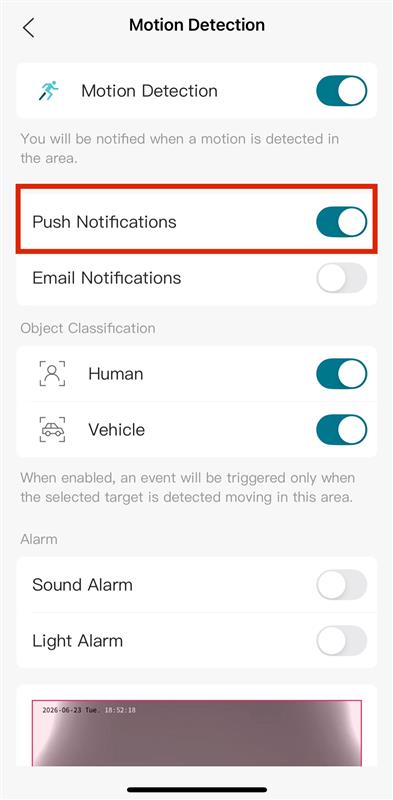
Currently, if a VIGI IPC is not managed under a VIGI NVR, the Push Notification can be turned off under the Detection Settings.

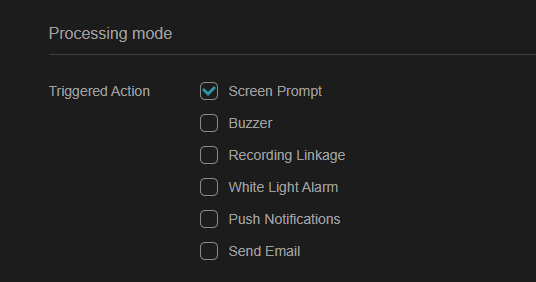
You can also access the NVR GUI and navigate to Settings > Event > Basic Event > Motion Detection/Human Detection > Processing Mode > Push Notifications. This will help disable pushing notifications to your phone.

However, there is no such design in an NVR management way via the APP.

While we don't have any specific details if this feature will be added into the future release, I'll make sure to log this feature request and pass it along to the team.


Thanks for your input and feedback.

#2
Options
Re:Disabling NVR event notifications has no effect, still receiving notifications
Yesterday - last edited Yesterday

Thank you  @Gabriel-TP , yes, this would be a great addition to be able to enable/disable push notifications of all cameras connected to an NVR easily, at a tap on your smartphone screen (instead of having to enable/disable one by one, for each camera, which is tedious and time consuming).

#3
Options
Re:Disabling NVR event notifications has no effect, still receiving notifications
Yesterday - last edited Yesterday

Hi  @calande 


Thank you.

I'm moving this conversation into the ‘Feature Request' area for better visibility.

Feel free to let us know of any other feature requests you may have, we’d be happy to send them up for you.

#4
Options