
EAP770 v2 fails to connect with Wifi-5 devices

Hi,
I'v recently upgraded my setup (OC200, 2x EAP245) and replaced one of the EAP245 with a EAP770. I am able connect to the EAP770 with my smartphone and my notebook. However, some of my IoT devices don't get connection. Although I did NOT change my wifi settings: So, passwords, encryption, band stayed the same.
I've already deleted the devices from the list of known clients and DHCP reservations. Still, that did not change anything. I've tried to reconnect the devices (Amazon Echo, HP printer), but they don't get a connection.When I am replacing the EAP770 with the EAP245, everything works fine.
Pls advise.
Best, Steve
- Copy Link
- Subscribe
- Bookmark
- Report Inappropriate Content

Hi @Vienna_Steve, if the issue is only with 5Ghz devices, it could be that the new AP is using a DFS channel. Just edit the AP's Radio configuration and select a non-DFS channel.
- Copy Link
- Report Inappropriate Content


Thanks for posting here.
Please refer to the following guide and let us know if it helps:
- Copy Link
- Report Inappropriate Content
@D-C Thanks. It's 40, so this is not the problem ...
- Copy Link
- Report Inappropriate Content
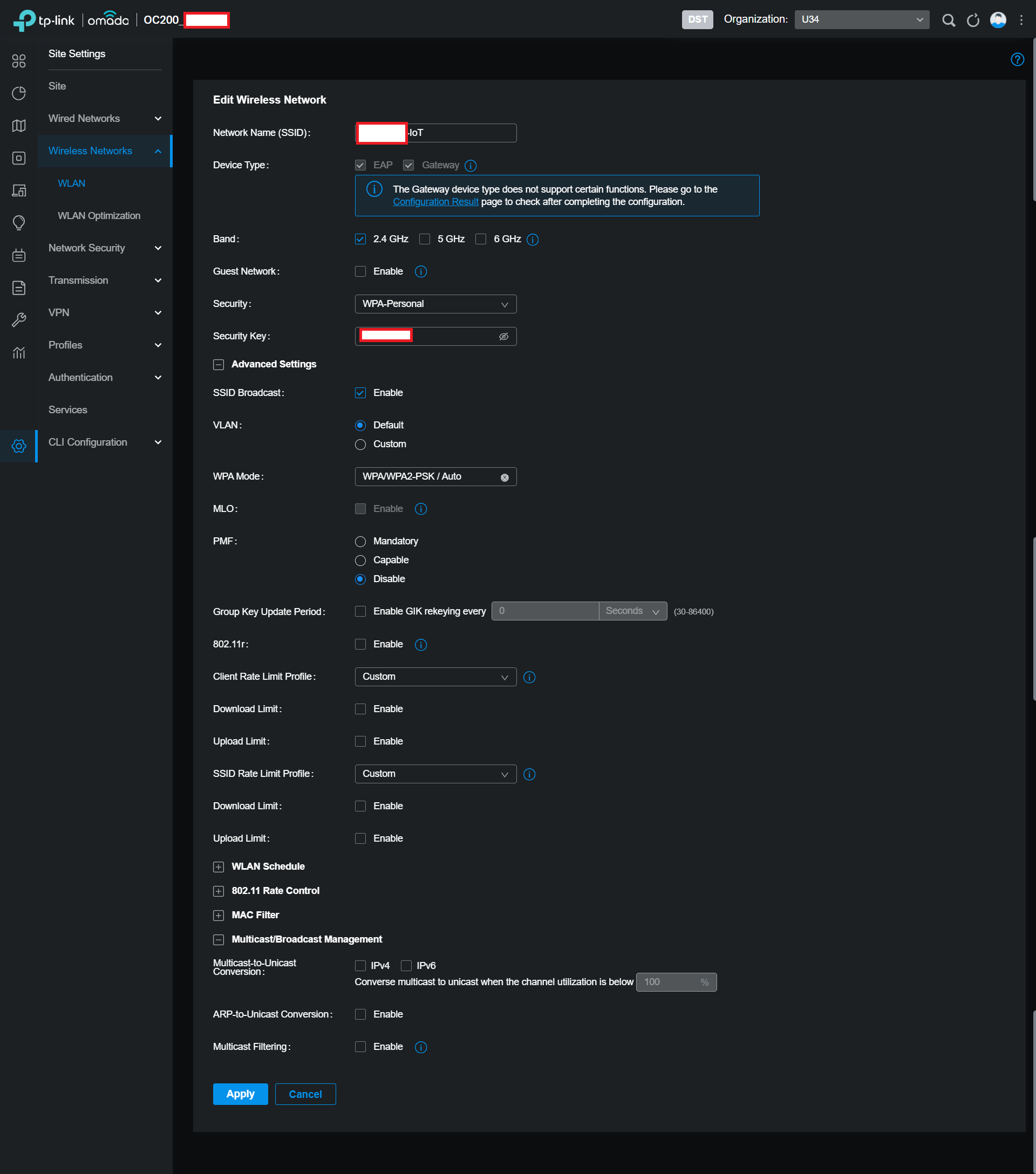
@Vincent-TP Thanks, I've already configured an IoT-SSID. I've double checked the configuration.
At the moment, I have both APs up and running right next to another for testing purposes. The second I switch off die IoT SSID from the EAP245 (after enabling it on EAP770), my printer loses its connection, although it does support WPA/WPA2, and does not recover even after a restart.
The affected devices are an HP printer, an Echo and a Bosch oven.
- Copy Link
- Report Inappropriate Content
@Vienna_Steve, any differences in the AP->Config->Radio settings or AP-Config->WLANs (overrides)? You might also try changing the Channel Width and/or the Wireless Mode to see if that makes a difference.
- Copy Link
- Report Inappropriate Content
@D-C I have tried setting EAP770 to b/g/n and 20MHz channel width. Again, all of the devices are losing their connection.
- Copy Link
- Report Inappropriate Content
Thanks for the reply.
I want to confirm the situation:
1. Does this issue only happen when the EAP770 is powered up?
2. If you unplug the EAP770, the IoT devices will connect to the EAP245 again?
Please test the following:
1. change the WPA mode to WPA-PSK/Auto
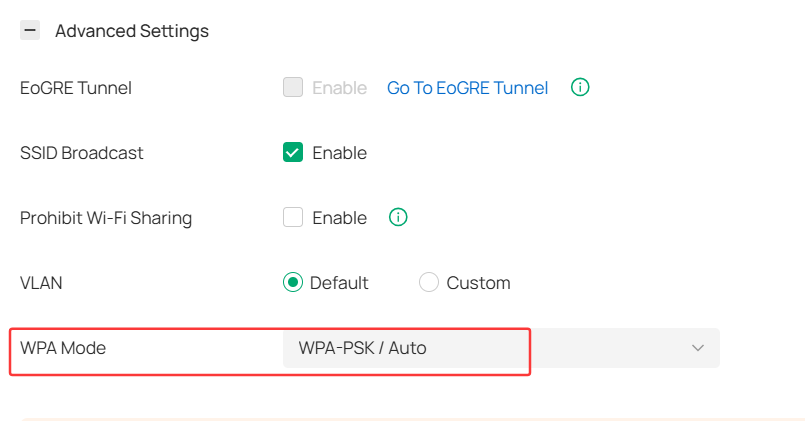
To rule out any other misconfiguration from the controller, please factory reset the EAP770, create a 2.4 GHz only SSID with the above config, and test if the IoT clients will connect or not. To distinguish the SSID from the EAP245, better give it a different name, such as "test".
- Copy Link
- Report Inappropriate Content
@Vienna_Steve, in the client settings, are the devices locked to the old AP?
- Copy Link
- Report Inappropriate Content

disable ofdma
- Copy Link
- Report Inappropriate Content
Information
Helpful: 0
Views: 75
Replies: 9
Voters 0
No one has voted for it yet.