
VIGI PC Client: Internet Server Error during Cloud Login and blocked

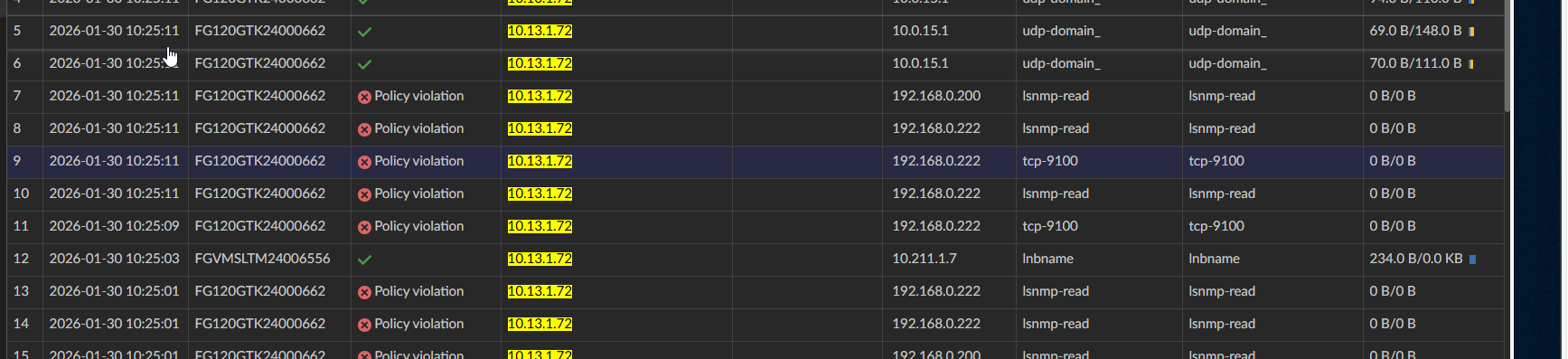
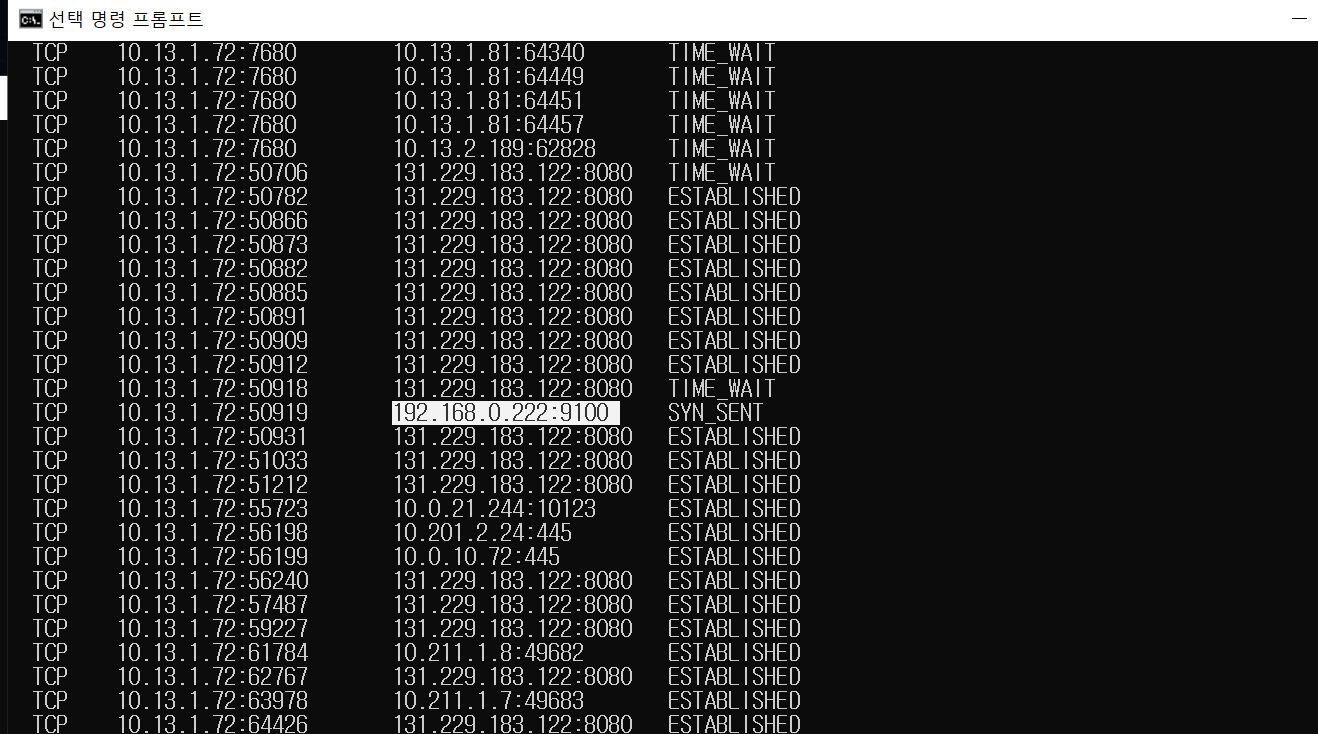
I am experiencing an issue where I cannot log into the Cloud Service on the VIGI PC Client. Every time I attempt to log in, I encounter an "Internet Server Error."
Upon investigating my firewall logs, I discovered that the VIGI PC Client is attempting to initiate TCP connections to private IP addresses (192.168.0.222 and 192.168.0.200), which are being blocked by my security policy.
I have a few questions regarding this behavior:
-
Reason for Private IP Access: Why does the client attempt to connect to these specific private IPs during the cloud login process? Are these hardcoded discovery attempts, or is the client trying to sync with local NVR/cameras before completing the authentication?
-
Resolution: How can I resolve the "Internet Server Error"? Do I need to explicitly allow these internal connections for the cloud login to succeed, even if I only intend to use cloud features?
-
Configuration: If these IPs are cached from previous sessions, is there a way to clear this configuration or reset the client's network discovery settings?
Any insights or recommended firewall configurations to bypass this error would be greatly appreciated.