
Stuck on Firmware 2.0.0 — "Failed to check for updates" error on PC and Mobile

 Hi everyone,
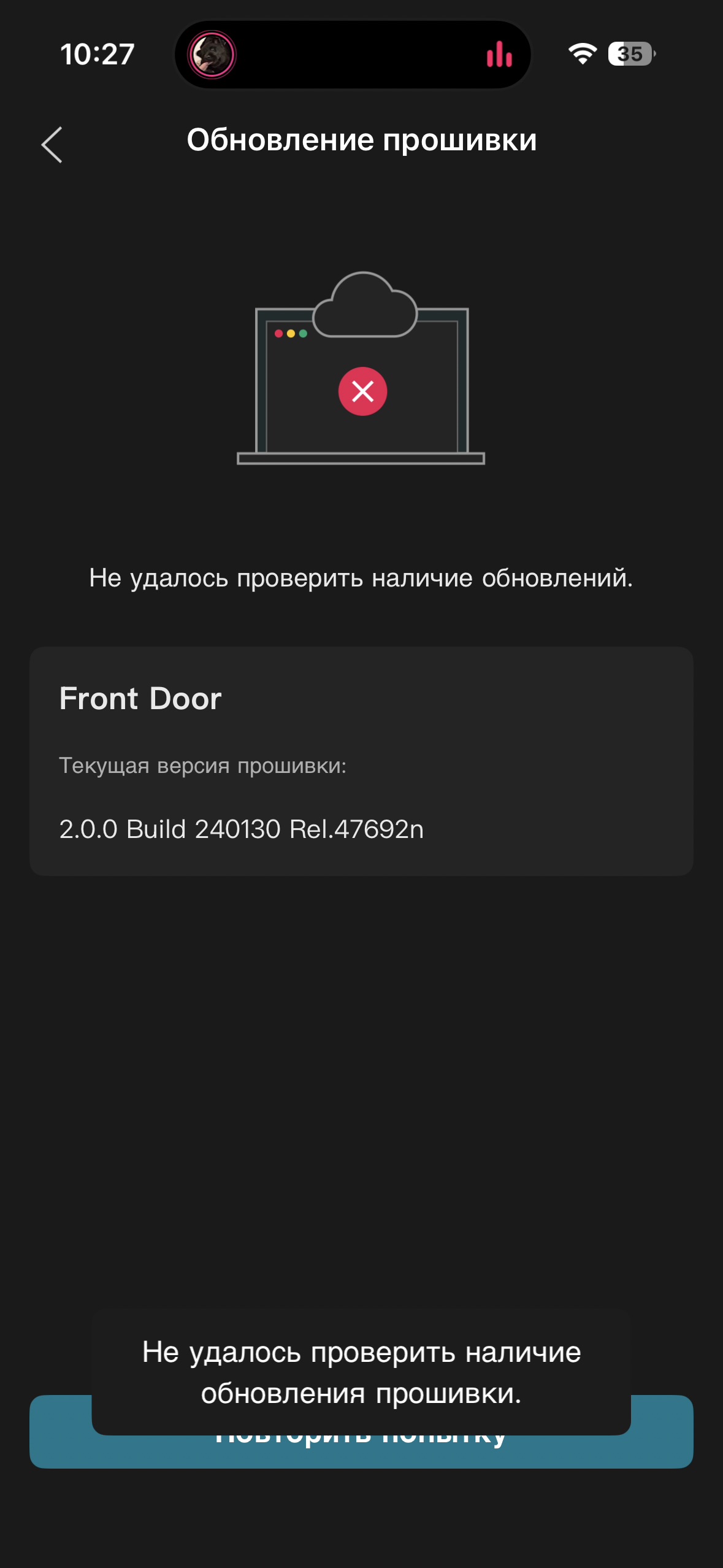
I'm having a persistent issue trying to update my camer. It's currently running on version 2.0.0 Build 240130 Rel.47692n, but whenever I check for a firmware update on both my mobile app and via PC, it immediately fails.
The error message reads: "Failed to check for updates"
Here is what I've tried so far to isolate it:
- Replicated the error on both an iOS device and a Windows PC web interface. Tried all apps from official website all same failed to check updates
- Manually changed my router’s connection settings to use Google DNS (8.8.8.8 / 8.8.4.4) to bypass any potential ISP restrictions.
- Performed a full power cycle on the camera unit.
Because it's happening simultaneously on entirely different devices, it feels like either a cloud handshake block or a regional server issue (I am located in Georgia/GE).
Has anyone else dealt with this specific 2.0.0 build being blocked from the update server, or is there a known manual workaround for this?
Any advice or moderator help would be highly appreciated. Thanks!