0
Votes

EAP235-Wall: port status of built-in switch not shown in Controller mode

 
0
Votes

EAP235-Wall: port status of built-in switch not shown in Controller mode

EAP235-Wall: port status of built-in switch not shown in Controller mode
a week ago
Model: EAP235-Wall  
Hardware Version: V1
Firmware Version:

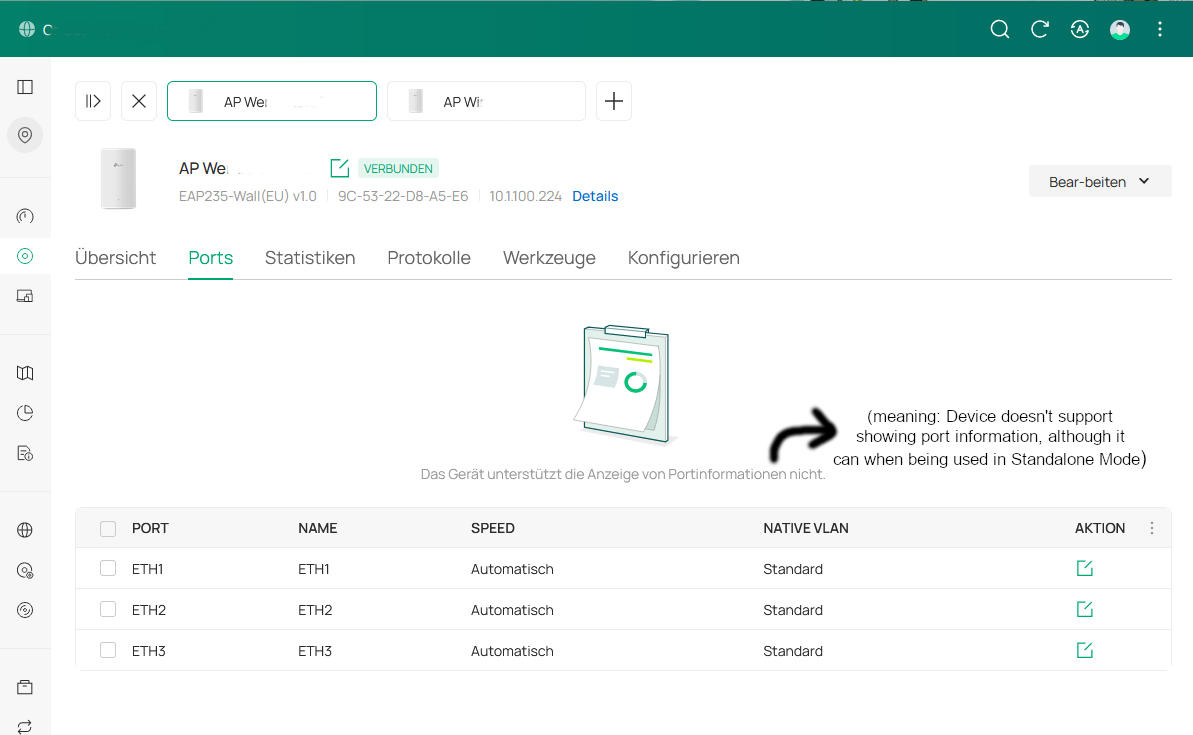
Well, no one is expecting a L2+-style switch inside the Wall-AP with built-in 3-port-switch, not even the same functionality than the Easy-Smart switches. However, when being used in single mode, one can see the connection status of every port in the AP's web interface. Unfortunately, when being connected to an Omada controller, the EAP235-Wall (and probarbly any other Wall-AP, too) is only recognized as Access Point and not as a switch, too. Any wire-connected device on the EAP235 is only shwon on the next upstream-Omada-switch. There is no possibility to at least view the port status of the AP's built-in switch.


But since it is available in Stand-alone mode, I don't think this is a hardware limitation. Are there plans to show the port connection status (10/100/1000 Mbit) in the controller, too?


#1
Options
3 Reply
Re:EAP235-Wall: port status of built-in switch not shown in Controller mode
a week ago

  @_be_ How are you trying to view the ports? Also, what version of the Controller are you using? 

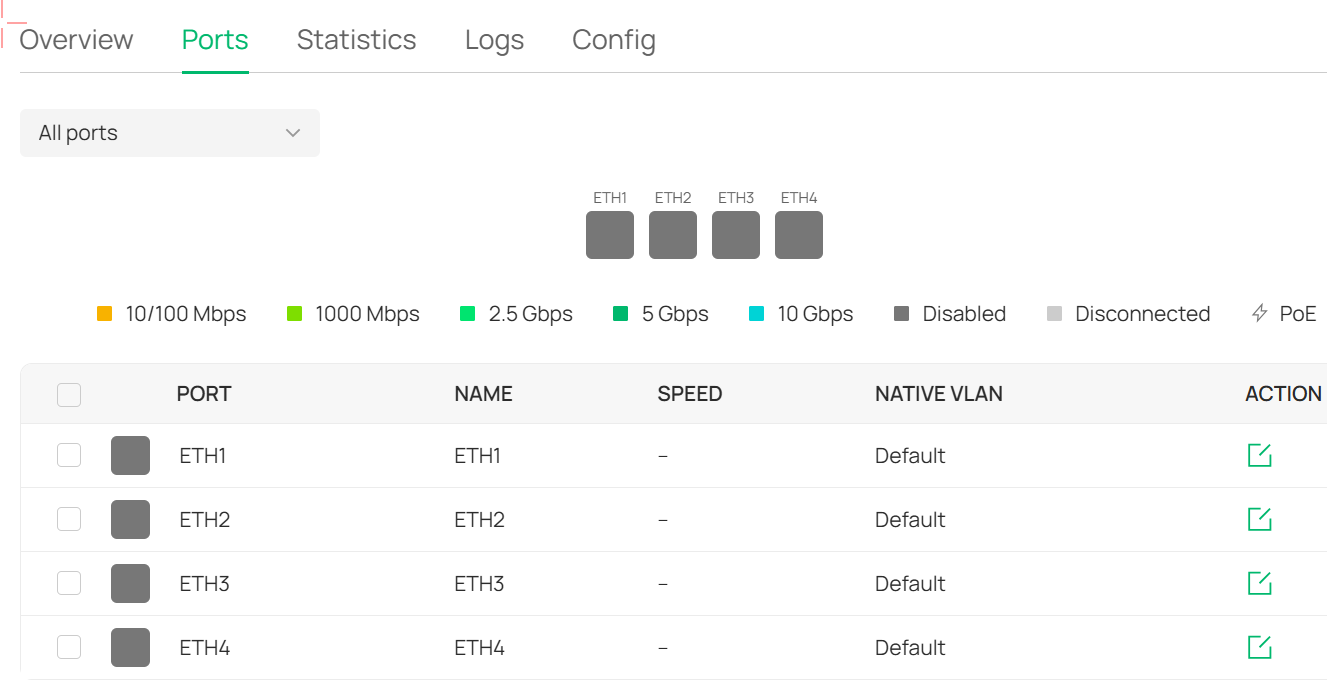
Please see an example of a different model of AP, you should be able to see the connection status of the ports from within the device configuration window. 

#2
Options
Re:EAP235-Wall: port status of built-in switch not shown in Controller mode
a week ago

  @_be_ 

#4
Options
Re:EAP235-Wall: port status of built-in switch not shown in Controller mode
Thursday - last edited Thursday

  @NeilR_M 

As Wall-EAP, we only have the EAP235. Controller is 6.0.0.25 Debian, the EAPs are running on the current 3.2.5


We have some permanently wire-connected devices on both EAP.


I understand the EAP235 are not capable to assign the actual traffic for each wire-connected device separately since it is not done though the main processor in the firmware design. But showing the port status can't be that big of a deal when being available in Standalone mode, also assigning the devices to the port instead of showing them only connected to the next uplink switch on the same port as the AP itself.


Best would be to have the port list shown in the info section like on regular switches as well. The way it is, the EAP-built-in switches are even less than those unmanaged 5 € plastic 3-Port switches (they at least show connection status via LED).

#5
Options