
Access Point F65 - WIreless Meshing

Hi,
how do I configure Access Point F65 to use Wireless Meshing as Uplink Port?
I get no connection if the access point has no ethernet connection.
Regards
Daniel
- Copy Link
- Subscribe
- Bookmark
- Report Inappropriate Content


@ebenhoeh Unfortunately, Wireless Meshing can only be accomplished with other Festa APs. It also does not support acting as a repeater for other APs/wireless routers.
- Copy Link
- Report Inappropriate Content
@ebenhoeh Unfortunately, Wireless Meshing can only be accomplished with other Festa APs. It also does not support acting as a repeater for other APs/wireless routers.
- Copy Link
- Report Inappropriate Content
My Router is the fr365 and the f65 should act as a Wireless Meshing Access Point.
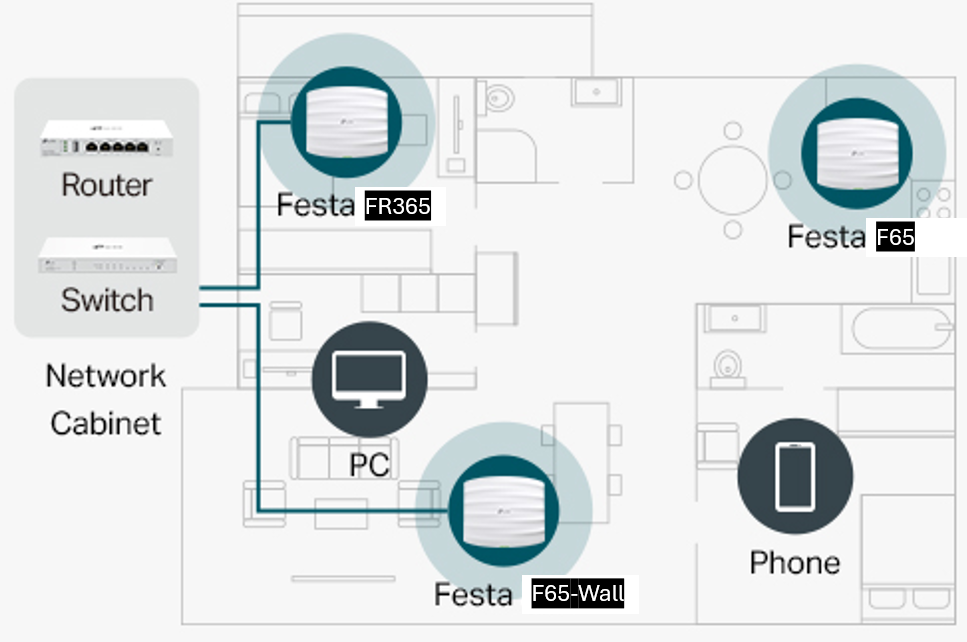
Do i really need two f65 and one has to Connect via Ethernet that the second can Connect via wifi?
- Copy Link
- Report Inappropriate Content

- Copy Link
- Report Inappropriate Content
I brought everything back to the store.
Too many annoying restrictions.
- no wireguard
- wired devices Are Not show on Gateway (no ip reservation)
- no the wireless Meshing on all Access points
- no detailed logging (Internet Connection and so on)
So i went back to the Unifi solution.
bye
Daniel
- Copy Link
- Report Inappropriate Content
Hi @ebenhoeh
Thanks for the reply.
The features you mentioned are all supported by our Omada products.
The Festa product line, compared with Omada, has fewer features and is better suited for home use.
Anyway, we respect your choice.
- Copy Link
- Report Inappropriate Content
Information
Helpful: 0
Views: 553
Replies: 5
Voters 0
No one has voted for it yet.