ER605 V2 firmware update failed due to HTTPS despite ports being open

ER605 V2 firmware update failed due to HTTPS despite ports being open

ER605 V2 firmware update failed due to HTTPS despite ports being open
2026-01-09 10:15:44 - last edited 3 weeks ago
Model: ER605 (TL-R605)  
Hardware Version: V2
Firmware Version: 2.3.2

Good day everyone


I've got a curious situation whereby I cannot update the firmware of an ER605.

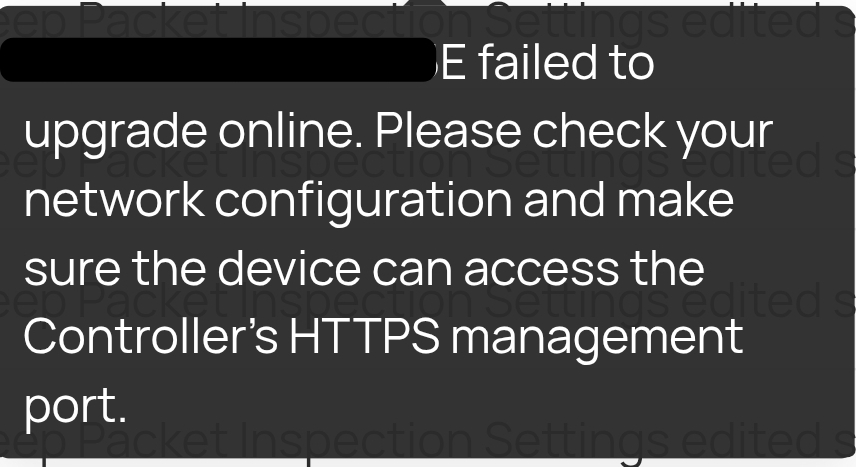
Every time I try I get the below message

"[MAC] failed to upgrade online. Please check your network configuration and make sure the device can access the Controller's HTTPS management port"


I'm using a software controller running on an Ubuntu VM and the ER605 is local, on the same network.

Controller is running 6.0.0.25 and ER605 is 2.3.2.


Initially, I had this issue trying to update 2x EAP access points of which I've never had this issue before. I ended up disabling the firewall on the VM which allowed the EAP devices to update, however the ER605 still fails.

I'm aware this is a common issue since more recent updates, especially for remote networks but this is local, ports are open and other devices are updating so this has got me confused for sure.


I have attempted to update manually by uploading the relevant binaries to the router and same error.


Any help appreciated.


Port Scanner Host:
22
Port available
8043
Port available
8088
Port available
8843
Port available
9098
Port available
29813
Port available
29811
Port available
29815
Port available
29817
Port available
29814
Port available
29816
Port available
29812
Port available
  0      
  0      
#1
Options
1 Accepted Solution
Re:ER605 V2 firmware update failed due to HTTPS despite ports being open-Solution
3 weeks ago - last edited 3 weeks ago

  @Hank21 


Issue resolved. Restarting the controller appears to have allowed the firmware update. 

Recommended Solution
  0  
  0  
#5
Options
5 Reply
Re:ER605 V2 firmware update failed due to HTTPS despite ports being open
2026-01-12 07:18:16

Hi@dazmatic 

Thanks for posting in our business forum.

May I ask did you try to upgrade the firmware of the ER605 via Omada Software Controller successfully before?

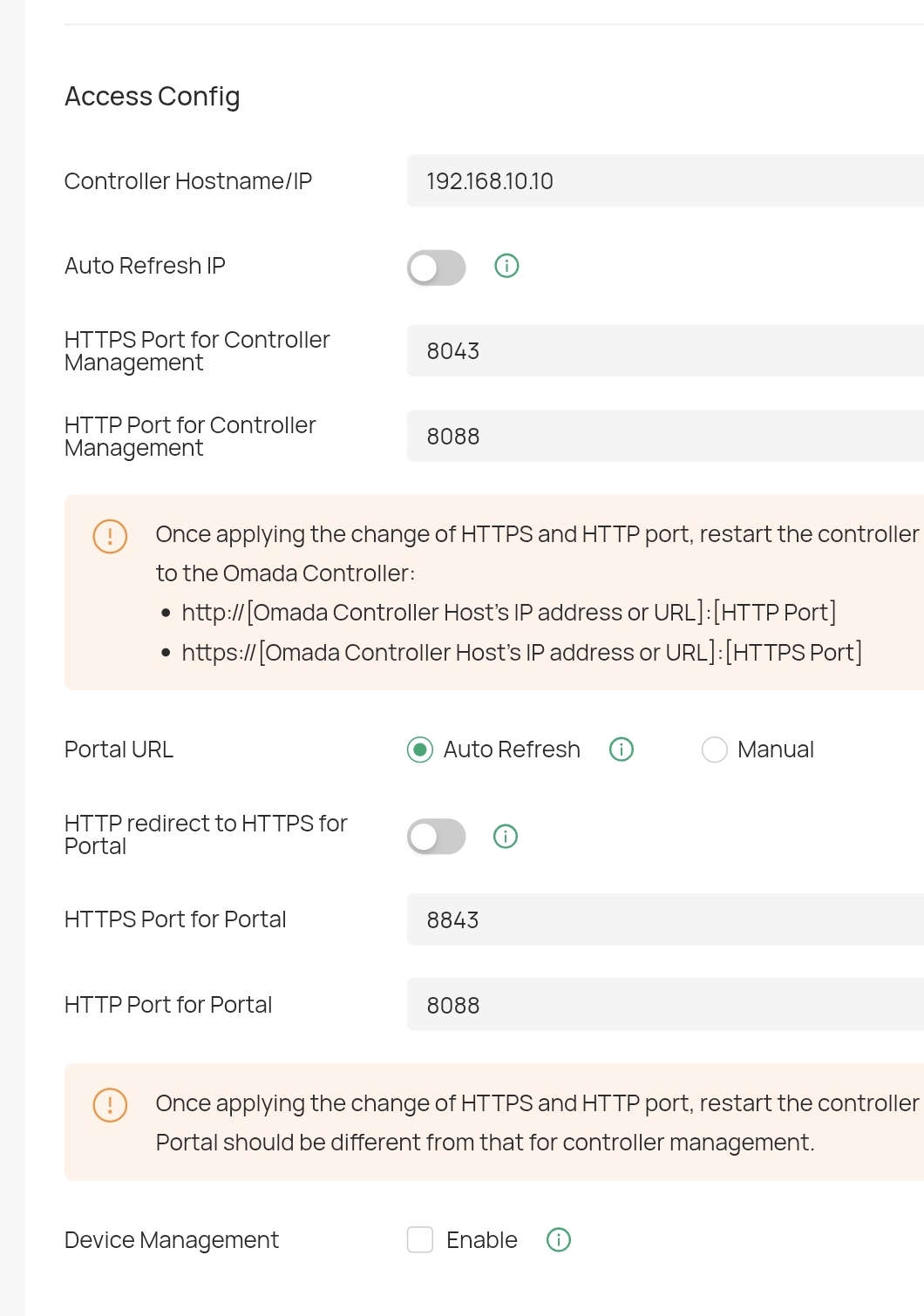
Is it possible to provide us with the network topology, the screenshots of the http and https ports of the Controller and the update error as well as the TCP/UDP ports 29810-29817 on your firewall for reference?

You may try to change the ports of http and https for your software Controller and restart it to make the change effective and try to upgrade again.

Best Regards! >> Omada EAP Firmware Trial Available Here << >> Get the Latest Omada SDN Controller Releases Here << *Try filtering posts on each forum by Label of [Early Access]*
  0  
  0  
#2
Options
Re:ER605 V2 firmware update failed due to HTTPS despite ports being open
2026-01-12 07:28:02 - last edited 2026-01-12 07:34:02

Hi @Hank21 


Have successfully upgraded the firmware all the way from brand new in box version all the way up to 2.3.2 - it's just the latest 2.3.3 that fails. Nothing had changed on the system other than the controller being version 6 now. 


I've tried with the controller firewall completely disabled and it still fails.


Topology just goes:


Internet --- ER605 --- POE switch --- 4 Port POE splitter --- server --- virtual machine hosting SDN Controller native 


There's no docker or snap, just Ubuntu 20.04 in a headless VM 


The question is, why did I have the exact same issue updating EAP access point firmware, disabled VM firewall, updated EAP firmware fine but ER605 still fails.


  0  
  0  
#3
Options
Re:ER605 V2 firmware update failed due to HTTPS despite ports being open
2026-01-14 01:25:50

Hi  @dazmatic 

Thank you so much for taking the time to post the issue on the TP-Link community!


To better assist you, I've created a support ticket via your registered email address and escalated it to our support engineer to look into the issue. The ticket ID is TKID260125821 please check your email box and ensure the support email is well received. Thanks!


Once the issue is addressed or resolved, welcome to update this topic thread with your solution to help others who may encounter the same issue as you did.

Many thanks for your great cooperation and patience!

Best Regards! >> Omada EAP Firmware Trial Available Here << >> Get the Latest Omada SDN Controller Releases Here << *Try filtering posts on each forum by Label of [Early Access]*
  0  
  0  
#4
Options
Re:ER605 V2 firmware update failed due to HTTPS despite ports being open-Solution
3 weeks ago - last edited 3 weeks ago

  @Hank21 


Issue resolved. Restarting the controller appears to have allowed the firmware update. 

Recommended Solution
  0  
  0  
#5
Options
Re:ER605 V2 firmware update failed due to HTTPS despite ports being open
a week ago

@Hank21  Unfortunately this issue has returned.


Replaced the ER605 with an ER707M2 V1.2 and now facing the same issue.


Disabled the firewall on the controller VM completely, updated to latest controller version and still unable update. 


It seemed like rebooting controller last time sorted it, but no dice this time

  0  
  0  
#6
Options