DNS Override missing (Omada 6.2.0.17)

DNS Override missing (Omada 6.2.0.17)

DNS Override missing (Omada 6.2.0.17)
3 weeks ago - last edited 3 weeks ago
Tags: #DNS
Model: ER7206 (TL-ER7206)  
Hardware Version: V1
Firmware Version: 1.4.3

Hi everyone,

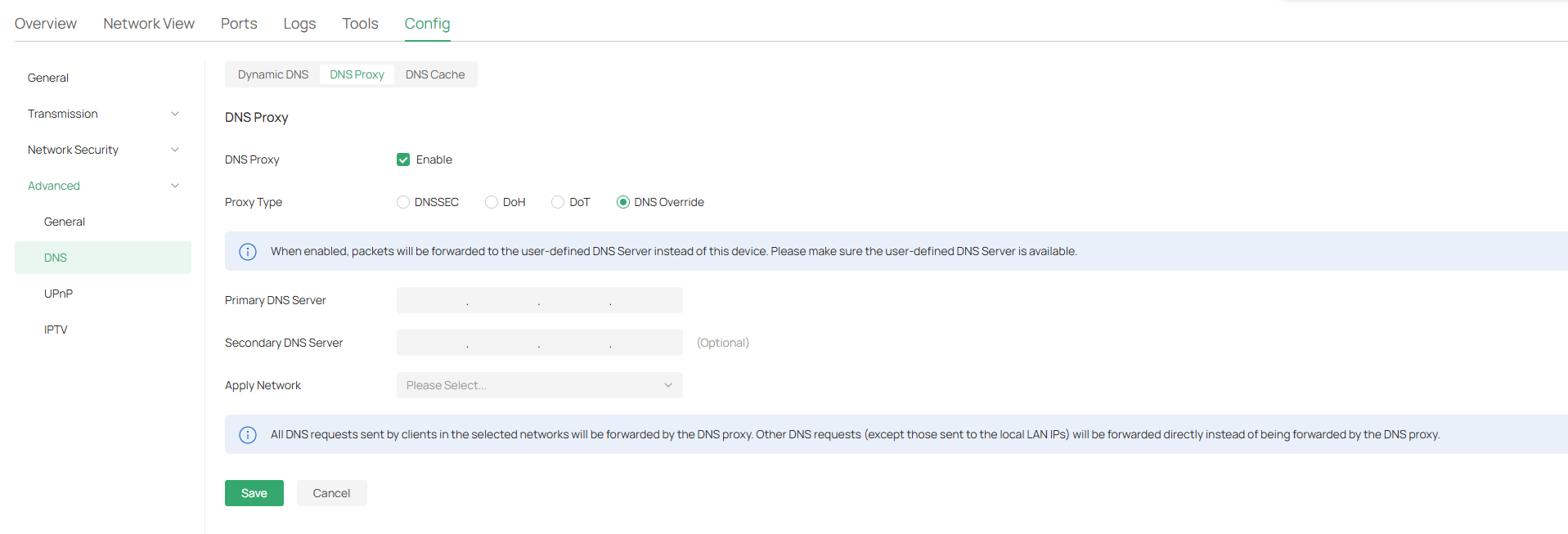
I'm trying to configure DNS Override, but the option is missing in my Omada SDN.


  • Controller: OC200 (v6.2.0.17)
  • Gateway: ER7206 V1


According to TP-Link’s FAQ I'm on a higher version than the V. 5.15 required. Additionally, the ER7206 documentation shows that DNS Override is supported.


Am I missing something here?
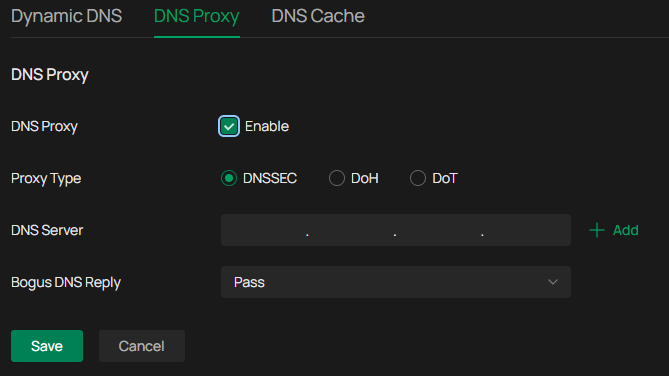
DNS Proxy


0
0
#1
1 Accepted Solution
Re:DNS Override missing (Omada 6.2.0.17)-Solution
3 weeks ago - last edited 3 weeks ago

  Er7206 v1 does not support it, that function needs adapted gateway firmware abd the 7206 v1 has been EOL for a couple years now


Recommended Solution
1
1
#3
3 Reply
Re:DNS Override missing (Omada 6.2.0.17)
3 weeks ago

  @ArthurSantee In Controller V6, the setting has been moved to the Gateway Config > Advanced > DNS. Does it show up for you there?

Check out our subreddit, r/Omada_Networks! Want to help test and give feedback on new products? Sign up for the US Enterprise Beta Program here! Need a ticket? Contact Technical Support
0
0
#2
Re:DNS Override missing (Omada 6.2.0.17)-Solution
3 weeks ago - last edited 3 weeks ago

  Er7206 v1 does not support it, that function needs adapted gateway firmware abd the 7206 v1 has been EOL for a couple years now


Recommended Solution
1
1
#3
Re:DNS Override missing (Omada 6.2.0.17)
3 weeks ago

  @GRL 
That makes sense, the product page sent me down a rabbit hole.
Thanks

0
0
#4