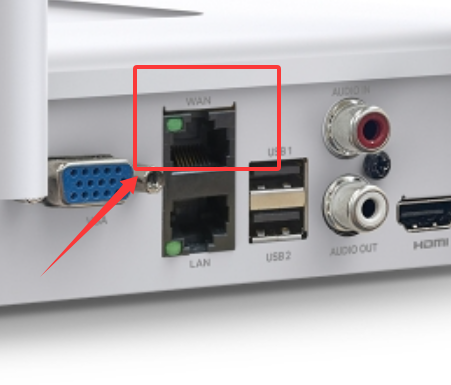
VIGI NVR1108H-W - Unable to gain access to internet

VIGI NVR1108H-W - Unable to gain access to internet

VIGI NVR1108H-W - Unable to gain access to internet
2 weeks ago - last edited Saturday
Model: VIGI NVR1108H-W  
Hardware Version: V1
Firmware Version: 1.2.1 Build 251019 Rel.62014n

Hi All,


I've been trying to set up my VIGI NVR1108H-W for a while with no success.  I'm sure it's most likely me as the issue, I'm no professional with networking, but I can manage my way through these things.


Topology 1st attempt:

ASUS RT-AXE7800 Router > Unify Switch > VIGI NVR1108H-W WAN Port


Topology 2nd attempt:

ASUS RT-AXE7800 Router > VIGI NVR1108H-W WAN Port


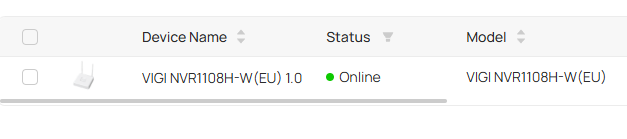
VMS Cloud picks up the NVR as binded to TP-LINK account.
 

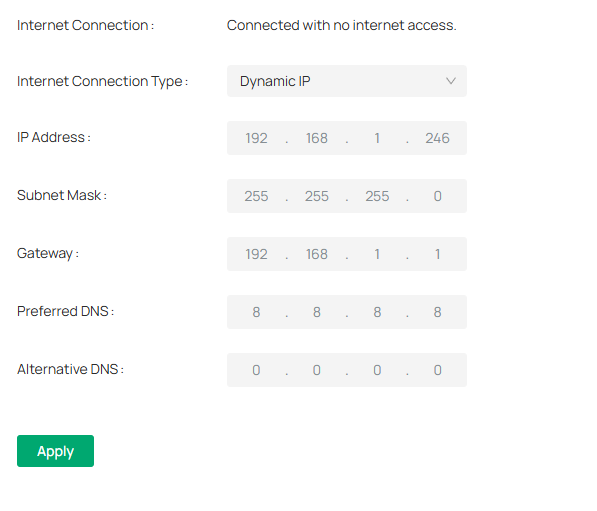
NVR is assigned a WAN IP but shows as Connected with no Internet access.
 

NVR is assigned LAN for management, but LAN port on NVR is not connected to anything
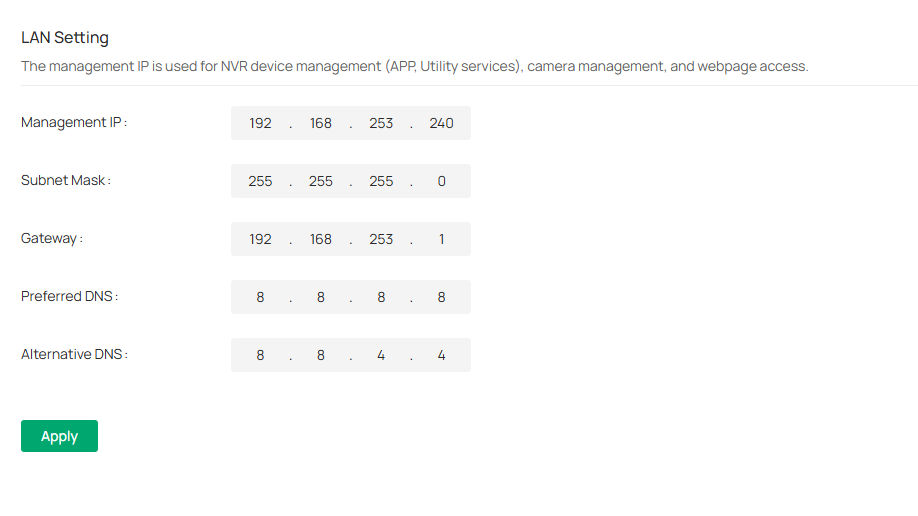


DHCP: Off


Neither the WAN nor LAN IP addresses can be reached via browser; the only access I can gain is directly from connecting a monitor to the NVR or via the VMS Cloud web portal: vms.tplinkcloud.com


Neither IP address can be pinged.


I run a PiHole on a custom DNS server at 192.168.1.77, but have also attempted to disable it with no effect.


Can anyone guide me as to where I'm going wrong and why I can't gain access?


Thanks so much

0
0
#1
1 Accepted Solution
Re:VIGI NVR1108H-W - Unable to gain access to internet-Solution
a week ago - last edited Saturday

Hi @Neesonn 

Thanks for reaching out to TP-Link Business Forums.


You can refer to the troubleshooting as follows:

1. Please wire a PC to the ASUS router's LAN and run ipconfig, check what IP address you can get from the router. Also, please run a ping 8.8.8.8 and see if you can get response from it.

If you can get 192.168.1.X and can access network, then use a short cat5e cable to connect NVR to the ASUS router as follows:

ASUS Router's LAN - - (WAN Port) NVR1108H-W

If you cannot access the network, then the issue is on the ASUS side.

2. Connect a monitor screen to the NVR and navigate to Settings > Network > WAN, set it as Dynamic IP

navigate to Settings > Network > LAN, set it with a different value/IP range from the router, just like 192.168.100.1/24

3. Enable DHCP Server on the NVR first and then connect a PC to the NVR's LAN. Run an ipconfig and check if you can get 192.168.100.X IP and perform a ping 8.8.8.8


Thanks for your understanding and cooperation.

Recommended Solution
0
0
#2
1 Reply
Re:VIGI NVR1108H-W - Unable to gain access to internet-Solution
a week ago - last edited Saturday

Hi @Neesonn 

Thanks for reaching out to TP-Link Business Forums.


You can refer to the troubleshooting as follows:

1. Please wire a PC to the ASUS router's LAN and run ipconfig, check what IP address you can get from the router. Also, please run a ping 8.8.8.8 and see if you can get response from it.

If you can get 192.168.1.X and can access network, then use a short cat5e cable to connect NVR to the ASUS router as follows:

ASUS Router's LAN - - (WAN Port) NVR1108H-W

If you cannot access the network, then the issue is on the ASUS side.

2. Connect a monitor screen to the NVR and navigate to Settings > Network > WAN, set it as Dynamic IP

navigate to Settings > Network > LAN, set it with a different value/IP range from the router, just like 192.168.100.1/24

3. Enable DHCP Server on the NVR first and then connect a PC to the NVR's LAN. Run an ipconfig and check if you can get 192.168.100.X IP and perform a ping 8.8.8.8


Thanks for your understanding and cooperation.

Recommended Solution
0
0
#2