OC200 + ER8411 v1.0 + ER706W -> how to "find" ER706W from remote site

OC200 + ER8411 v1.0 + ER706W -> how to "find" ER706W from remote site

OC200 + ER8411 v1.0 + ER706W -> how to "find" ER706W from remote site
Yesterday
Model: OC200   ER8411   ER706W  
Hardware Version: V1
Firmware Version: 1.39.9 Build 20260401 Rel.44730

On my main site i have OC200 + ER8411 v1.0 + Switch (layer 2, PPoE). Are are regular updated. OC200 is connected to switch rather to ER8411 (since it is powered thru PPoE). 

Now I want to add ER706W  to that existing organization. I have two sites. existing one (site A), and a new one (site B). New one (site B) is emtpy. 

I have done opened as described in manual the ports (thru config of ER8411 Manage Device - Config - NAT - Port Forwarding)... 
https://support.omadanetworks.com/us/document/13060/


(obviously using oc200 the actual location is a little bit different)


On both sides I have static IP.

I have tried for "finding" new gateway in site B:
- ip (like ip:443, ip:8043, ... and all combinations i could think of).
- thru URL (copy/paste from Organization side for specific site)
- did not try with omada utily (last resort)


Catch is that it worked in the past (a little bit different setup). So it is not like i am doing the first time. 


I can pinged from Site B to Site A so that I that B i can reach A.


As Source IP i have tried all or specific (site B - obviously for security reasons). Since we talk only one IP I assume that Site B IP / 32. 

OC200 has "Device Management Hostname/IP" from Site A. 


So my questions:
- how do i verify that Site A is availabe from Site B on those ports. Essentially i want to rule out that internet provided is not putting some "firewall" on Site B, that would prevent to access site A.
- Using Port Forwarding - is the right way to go? It worked in the past, but... And documentation indicates this is a way to go. So opening all the right "ports" should be ok.
- Do i need to do anything special between ER8411 and switch (like ACL)? 
- what i am missing...


Thank you for answers. 
Anton V


0
0
#1
2 Reply
Re:OC200 + ER8411 v1.0 + ER706W -> how to "find" ER706W from remote site
Yesterday

  @AntonV If you've set up the proper port forwarding already, can you try using ZTP instead?
Once ports 29810-29816 are opened, you should be able to use ZTP to adopt the gateway. 

How to Remotely Adopt Devices Using On-premises Controller Zero-Touch Provisioning | TP-Link


You shouldn't need to have any rules between the switch and the ER8411.

Check out our subreddit, r/Omada_Networks! Want to help test and give feedback on new products? Sign up for the US Enterprise Beta Program here! Need a ticket? Contact Technical Support
0
0
#2
Re:OC200 + ER8411 v1.0 + ER706W -> how to "find" ER706W from remote site
Yesterday - last edited Yesterday

  @AntonV 


Since you are using OC controller, ZTP wont actually work in that way since by default gateways dont initially look to cloud as it has to be manually enabled.


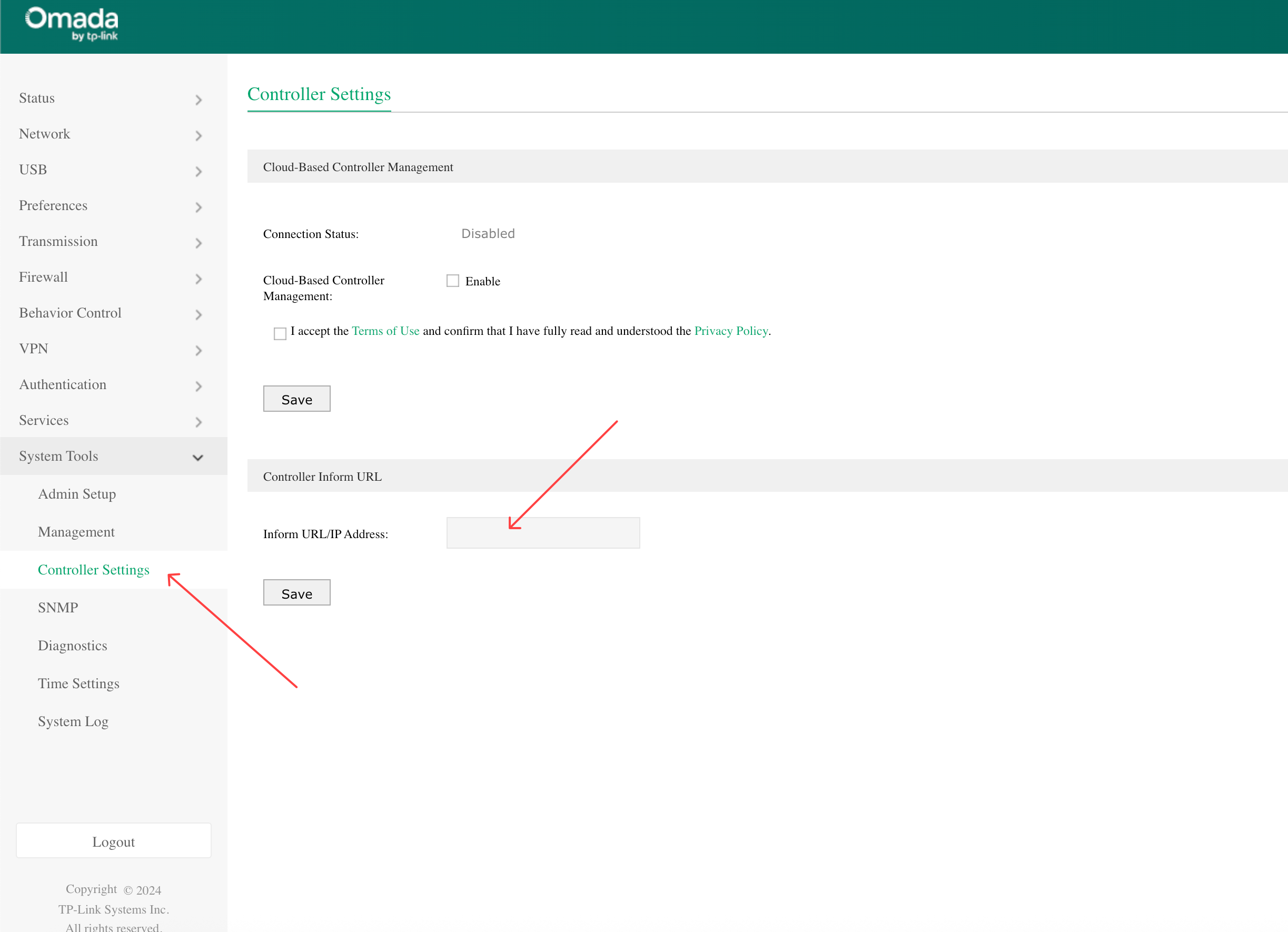
As long as your port forwarding is set correctly (TCP/UDP 29810-29817 forward to controller IP on main site), what you need to do is actually set the Controller IP on the second gateway manually, in standalone mode, and set it to the public IP of the main site


This will then make that second gateway actaully push its "hello here i am adopt me" packets to the right public IP, which the main site will forward to the OC200 - this will allow adoption.  Then, on the second site, configure your management vlan DHCP server to include the main site public IP in DHCP option 138 - this will allow new SDN devices at remote site to also broadcast adoption to the main site when you first connect them so they show up in device list.  Once adoptied, the contorller will take care of the rest.


One thing to note - have the WAN configuration correct on the second site in the controller before you adopt the gateway - as the first thing it does is push WAN config then reboot the gateway - if its settings are wrong and the WAN connection doesnt work after that, you will have to start over with a factory reset on the second gateway

0
0
#3