
Release notes published but no firmware binary

Hi all,
Release notes were published for ES206GP V1.2 and the omada controller also lists this as the latest firmware but no firmware files are available.
The release notes are here
Omada firmware upgrade throws an error. Manually tried to upgrade the firmware but can't find the files anywhere on the omada portals.
So it seems the metadata was published but not the actual firmware?
Kind regards,
Mr_R
- Copy Link
- Subscribe
- Bookmark
- Report Inappropriate Content


Hi @Mr_R
Due to this model's limited support for elliptic curve cryptography (ECC) algorithms, specifically supporting only the P-256 curve, it may not work well with the controller's certificate.
Please verify whether the certificate's encryption algorithm is supported by this model.
If not, you are advised to try the following suggestions:
1. Perform an upgrade in standalone mode;
2. Temporarily remove the custom certificate;
3. Use an RSA certificate or an ECC certificate with the P-256 curve.
Please note that changing or removing the controller's certificate requires a system restart to take effect.
We are planning to implement a fix in future firmware release, but there is currently no ETA available.
To ensure compatibility and stability, we suggest prioritizing option 3 (using RSA certificates or P-256 ECC certificates), as even after the fix is released, a firmware upgrade will be necessary. Using options 1 or 2 will require additional steps later on.
- Copy Link
- Report Inappropriate Content
Hi @Mr_R
Thanks for reaching out to TP-Link Business Forums.
May I confirm what's the exact hardware and current firmware version of your ES206GP?
When I navigate to ES206GP V1.0, I can see the latest firmware is V1.0.5; and for V1.2, the latest is V1.0.2.
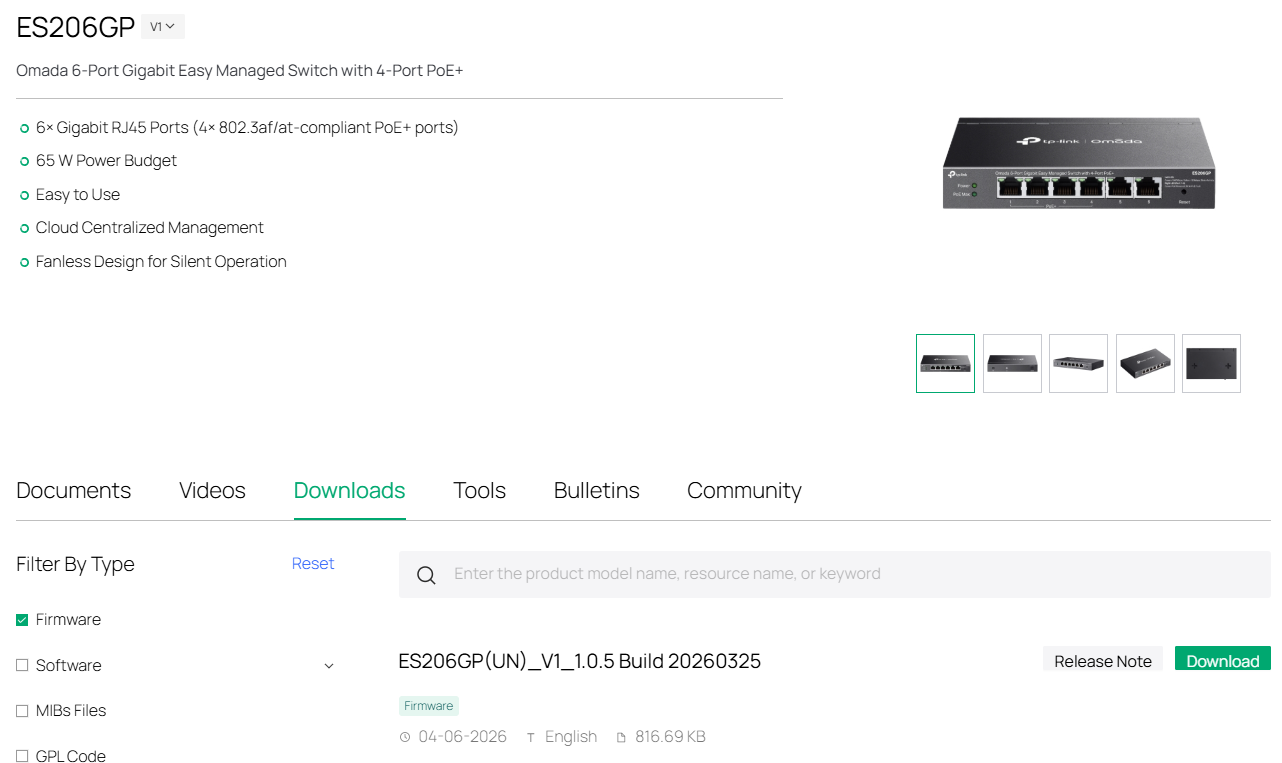
Which firmware you want it to upgrade to?
- Copy Link
- Report Inappropriate Content
@Gabriel-TP
Something seems to have changed. First of all, I'm runnning hardware version 1.2 but that wasn't a selectable option when I created this topic.
Right now if I goto Downloads I see the list below. That list was not there when I created the topic. Only the Discovery Utility was listed.
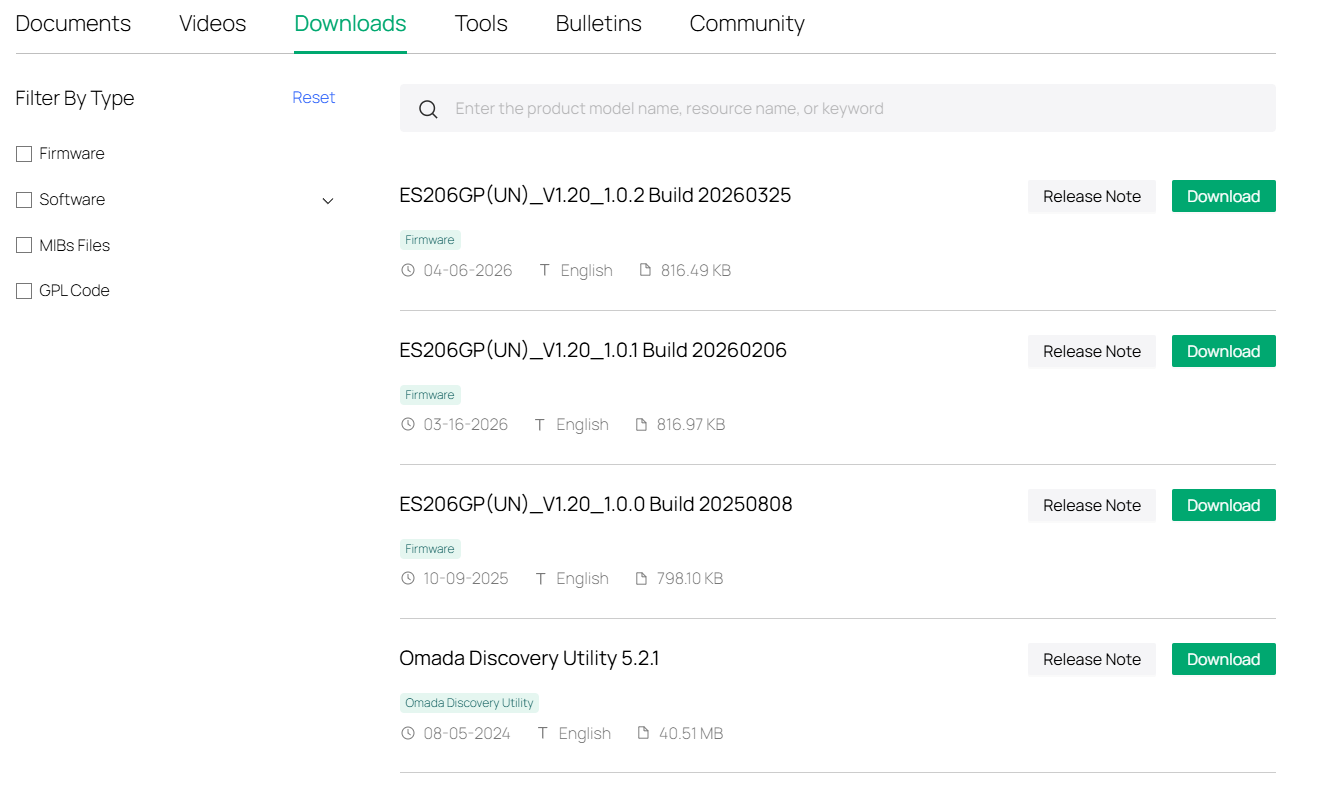
But whenever I click the upgrade button in Omada, i still get the error below:
The device failed to download the upgrade file,please check your network configuration and make sure the device can access the Controller's HTTPS Port for Upgrade.
I'll try to manually download the firmware from the url above and do a manual firmware upgrade in omada.
- Copy Link
- Report Inappropriate Content
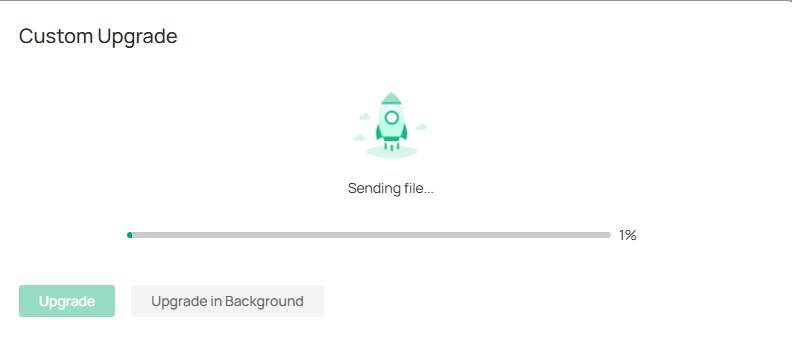
Manual firmware also failed. I went to the switch in Omada, selected Manage Device. Went to Action and selected Custom Upgrade. Selected the bin file I unzipped from the downloaded firmware and got the following error:
Upgrade Results
Failed(1)
SWITCH-01 upgrade failed: The device failed to download the upgrade file,please check your network configuration and make sure the device can access the Controller's HTTPS Port for Upgrade.
The switch and the controller are in the same subnet so connectivity should not be an issue. And I have multiple other devices (EAP610s, EAP225, switches) that work fine.
I don't think the error is correct anyway as this is a custom firmware upgrade where I select the firmware myself. The upload of the firmware to the device seems to commence (I see a progress bar) but it fails after a few percent with the error I mentioned.
- Copy Link
- Report Inappropriate Content
Hi @Mr_R
Per the error, it seems like the switch cannot access the upgrade port.
You may refer to the threads: Troubleshooting HTTPS Port Not Accessible Error and Causing Omada Firmware Upgrade Failure - Business Community
Make sure that the Port for upgrade 443/8043 is open.
- Copy Link
- Report Inappropriate Content
@Gabriel-TP
The switch and the controller are in the same subnet so no router/firewall in between and so connectivity should not be an issue. The controller listens on 8043 just fine and like I said, I have multiple other devices (EAP610s, EAP225, switches) that always worked fine (can't test now as they are already on the latest firmware) and are in the same subnet.
Anyway, I ended up doing a packet capture on the controller to see what's happening. There certainly is activity on 8043 from the switch (see TCP handshake below in line 6,7 & 8). I do see a TLS issue (line 12) but I don't know how the switches handle this and if it is actually a problem.
My controller uses a certificate from an internal PKI (as the management interface is only used internally of course). But I don't have an option to add my root to the trusted root store of the switches.

- Copy Link
- Report Inappropriate Content
Hi @Mr_R
Due to this model's limited support for elliptic curve cryptography (ECC) algorithms, specifically supporting only the P-256 curve, it may not work well with the controller's certificate.
Please verify whether the certificate's encryption algorithm is supported by this model.
If not, you are advised to try the following suggestions:
1. Perform an upgrade in standalone mode;
2. Temporarily remove the custom certificate;
3. Use an RSA certificate or an ECC certificate with the P-256 curve.
Please note that changing or removing the controller's certificate requires a system restart to take effect.
We are planning to implement a fix in future firmware release, but there is currently no ETA available.
To ensure compatibility and stability, we suggest prioritizing option 3 (using RSA certificates or P-256 ECC certificates), as even after the fix is released, a firmware upgrade will be necessary. Using options 1 or 2 will require additional steps later on.
- Copy Link
- Report Inappropriate Content
@Gabriel-TP
Yes this was the issue. I temporarily created a self-signed certificate for omada using RSA and assigned it. As soon as this was effective I could update the firmware from Omada.
Thanks for the help regarding this issue!
- Copy Link
- Report Inappropriate Content
Hi @Mr_R
Thanks for your update. It's glad to hear that you have now resolved the issue.
Please feel free to reach out to us again if you have any further concerns.
- Copy Link
- Report Inappropriate Content
Information
Helpful: 0
Views: 380
Replies: 8
Voters 0
No one has voted for it yet.