
Unsafe wifi network with omada

All my apple divices give a warning about an unsafe network for wifi through omada switch. I have no idea how to fix it....
- Copy Link
- Subscribe
- Bookmark
- Report Inappropriate Content


Hi @Anka82
Thanks for posting here.
Did you enable 6G only on your AP? Please enable both 2.4G and 5G; you will then see the corresponding options. Or you can share a screenshot of the whole SSID config page
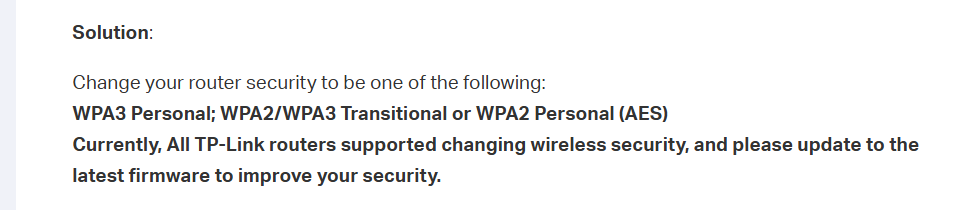
Please refer to the following to change the security mode for your wireless device.
The Weak Security and Privacy Warning on the iOS14 or iOS15
BTW, what's the model number and firmware version of your AP?
- Copy Link
- Report Inappropriate Content

@Anka82 Omada Switches do not broadcast Wi-Fi signals. Where are you seeing this error? If through the web browser, it's likely the website you are visiting does not have a proper security certificate. If in your Wi-Fi setting on your devices, are you referring to an "unsecured network" warning?
A screenshot of the error would be very helpful in narrowing down the issue.
- Copy Link
- Report Inappropriate Content
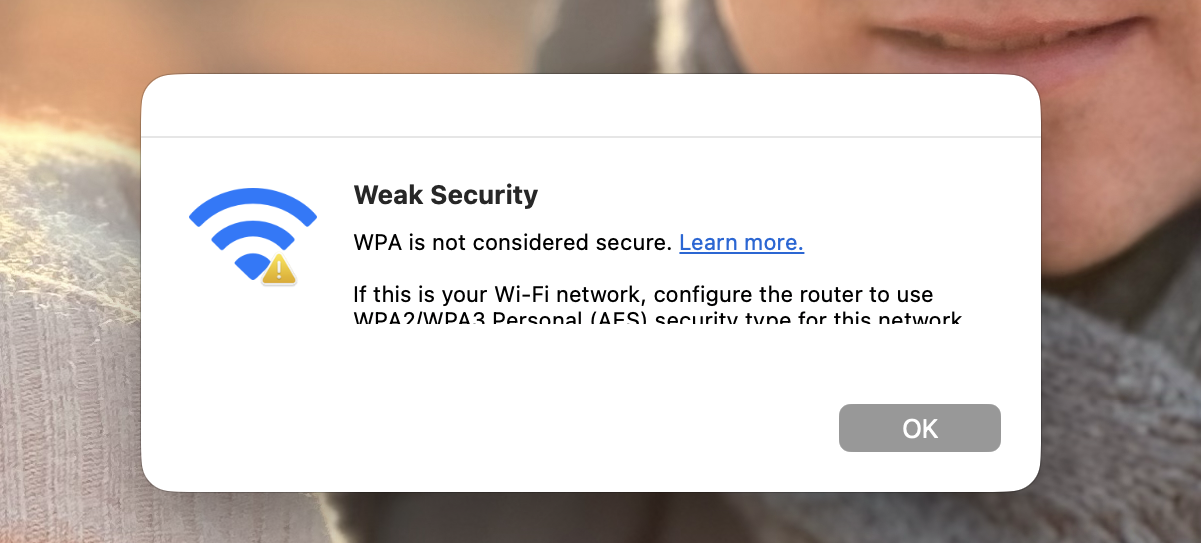 @NeilR_M
That's what's keeping popping up.
I have checked the settings of the router. The setting is WPA2 PSK.
How can I fix that?
Thanks in advance!
- Copy Link
- Report Inappropriate Content

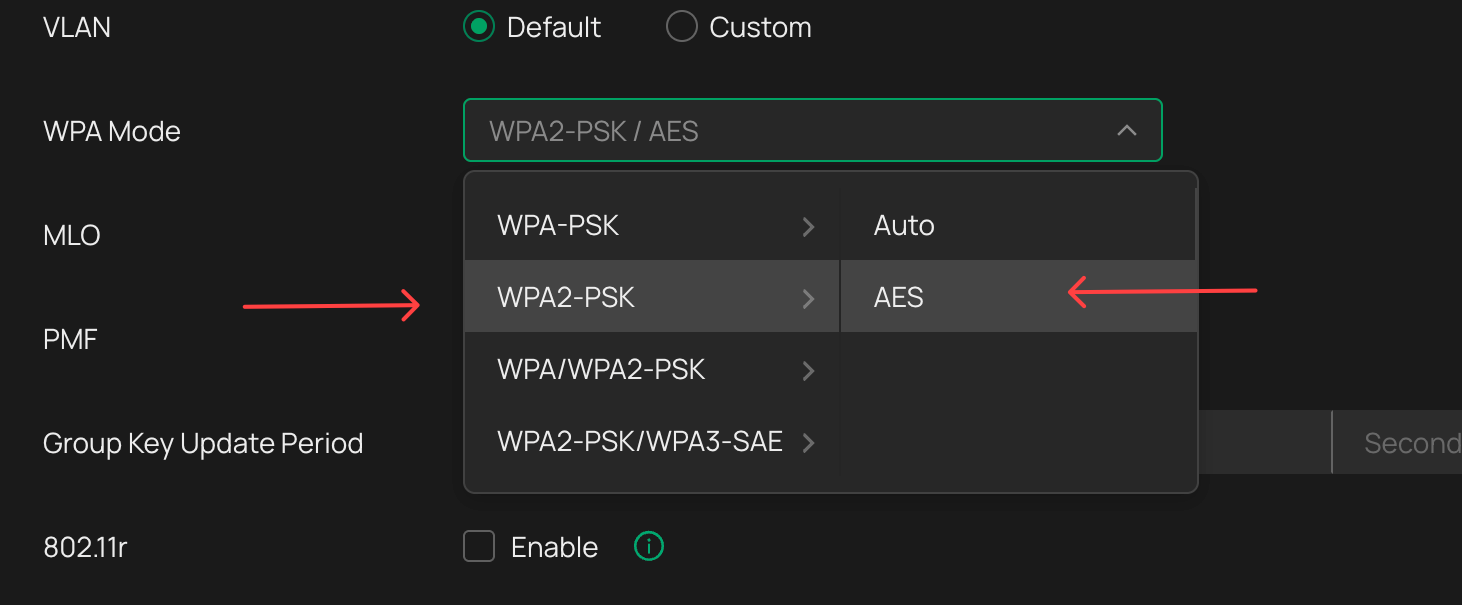
Are your WLANs (SSIDs) configured like this? - i dont get any of those warnings on any of my own, or customers, or visitors apple products
- Copy Link
- Report Inappropriate Content
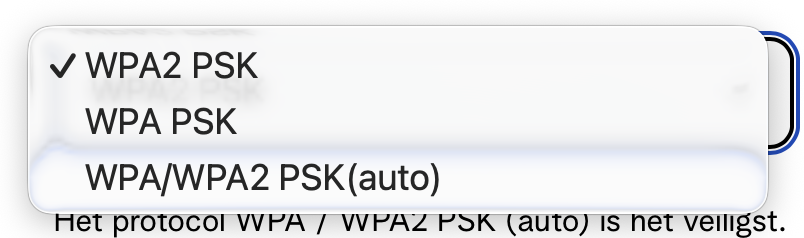
That's all than i can choose from...
- Copy Link
- Report Inappropriate Content
Hi @Anka82
Thanks for posting here.
Did you enable 6G only on your AP? Please enable both 2.4G and 5G; you will then see the corresponding options. Or you can share a screenshot of the whole SSID config page
Please refer to the following to change the security mode for your wireless device.
The Weak Security and Privacy Warning on the iOS14 or iOS15
BTW, what's the model number and firmware version of your AP?
- Copy Link
- Report Inappropriate Content
Information
Helpful: 0
Views: 340
Replies: 5
Voters 0
No one has voted for it yet.