
Unable to add camera to cloud

Hello everyone.
I am struggling with adding camera to cloud VIGI VMS.
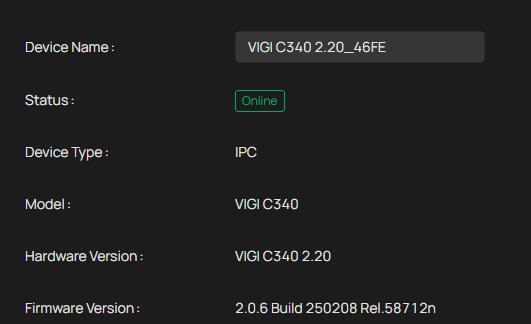
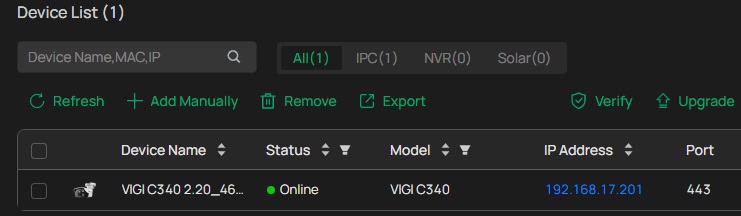
Camera is added to network, reacheable via browser and local VIGI VMS.
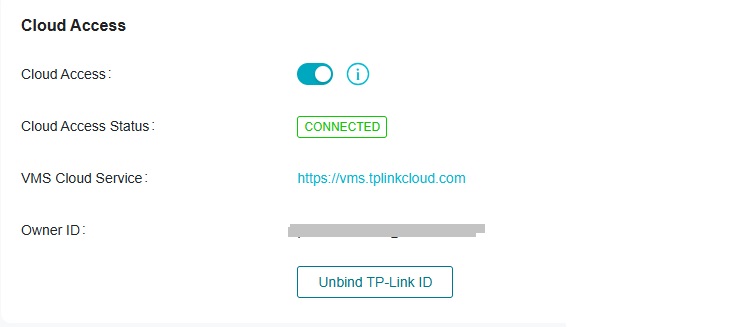
Status looks okay when I check directly on camera or via local VIGI VMS.
There is problem to add it to cloud.
You can see in last picture what is result...
Very strange and looks like bug in firmware.
Maybe I am missing something in the configuration.
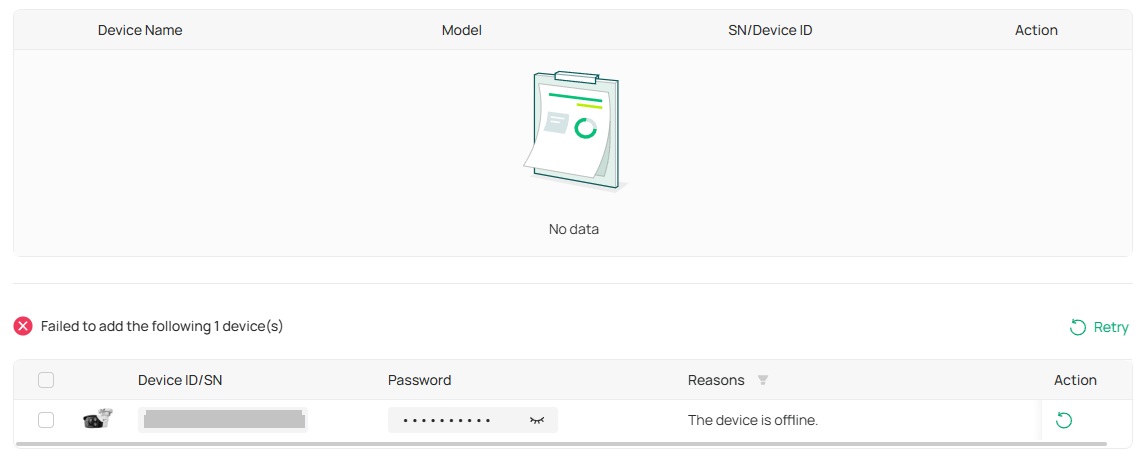
Same problem with mobile app, it says that device is offline...
- Copy Link
- Subscribe
- Bookmark
- Report Inappropriate Content


Hi,@Peterzweet
Thank you for posting on our business forum.
If you have already confirmed that your camera has been successfully connected to the Internet, you may try the following troubleshooting steps:
1.Please check whether the camera is already bound to another organization or My VIGI.
2.Try accessing the camera's web-based management interface via its IP address, navigate to the Cloud Service section, and complete manual addition directly on the camera side. If the camera is already bound, please unbind it first before proceeding.
3.If it is convenient for you, please try resetting the camera before adding it to VMS.
You may also refer to the guide below for instructions on adding the camera:How to add VIGI devices on VIGI Cloud VMS | TP-Link
- Copy Link
- Report Inappropriate Content
Hi,@Peterzweet
Thank you for posting on our business forum.
If you have already confirmed that your camera has been successfully connected to the Internet, you may try the following troubleshooting steps:
1.Please check whether the camera is already bound to another organization or My VIGI.
2.Try accessing the camera's web-based management interface via its IP address, navigate to the Cloud Service section, and complete manual addition directly on the camera side. If the camera is already bound, please unbind it first before proceeding.
3.If it is convenient for you, please try resetting the camera before adding it to VMS.
You may also refer to the guide below for instructions on adding the camera:How to add VIGI devices on VIGI Cloud VMS | TP-Link
- Copy Link
- Report Inappropriate Content
After resetting it works
Camera is now visible in cloud VMS.
Is it possible to be connected to local VMS in same time ?
- Copy Link
- Report Inappropriate Content
Hi, @Peterzweet
Thank you for your reply.
Currently, VIGI devices do not support being added to both Cloud VMS and Local VMS simultaneously. Once a VIGI device is connected to the VIGI Local VMS system, it will be automatically unbound from the TP-Link cloud.
You may also refer to the following FAQ:Frequently asked questions of VIGI VMS | TP-Link
- Copy Link
- Report Inappropriate Content
Information
Helpful: 0
Views: 98
Replies: 3
Voters 0
No one has voted for it yet.