
Configuration Guide Where to Configure LLDP for SDN Devices (Gateway, Switch and EAP) on Omada Controller?


Overview:
LLDP (Link Layer Discovery Protocol) is a standardized Layer 2 protocol that enables network devices to automatically discover and share information about their directly connected neighbors. By exchanging details such as device identity, port information, system capabilities, and management addresses, LLDP helps network administrators map network topologies, troubleshoot connectivity issues, and facilitate automated configurations. It operates in a vendor-neutral manner, making it compatible across devices from different manufacturers, and is particularly useful for maintaining visibility and managing local area networks (LANs) efficiently.
This post provides a guide on where to configure LLDP for SDN devices(gateway, switch and EAP) on Omada controller.
This Article Applies to:
Omada Controllers
Configurations
Here we will introduce where to enable/disable LLDP function for SDN gateway, switch and EAPs seperately.
Where to configure LLDP for SDN Gateway?
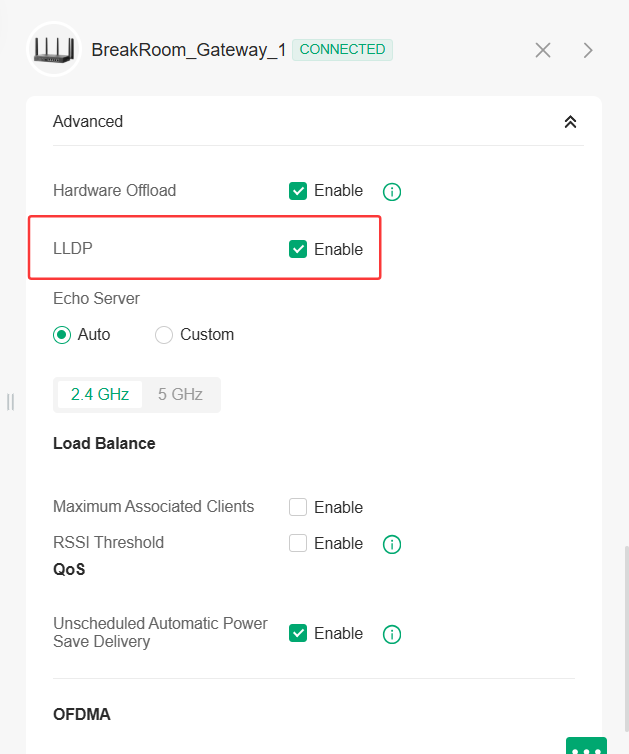
Go to Site View > Device page > click the gateway to open the side tab > Config > Advanced > LLDP. See below:
Where to configure LLDP for SDN switches?
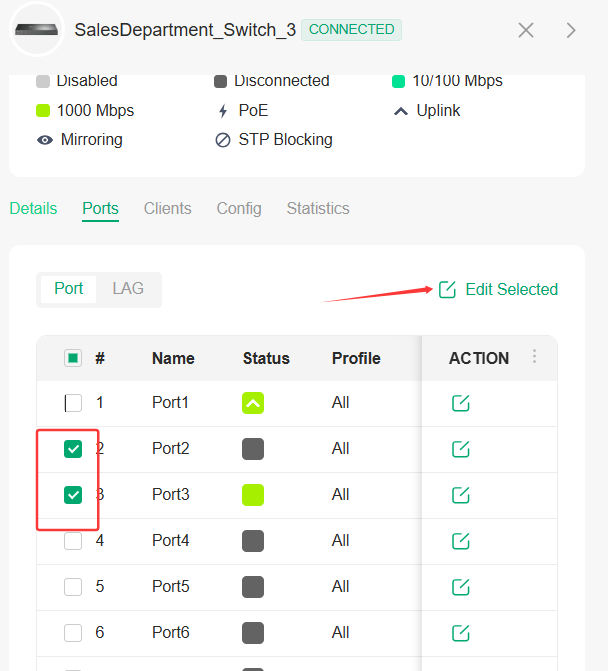
Go to Site View > Device page > click the switch to open the side tab > Ports, select the switch ports that you would like to configure, click Edit Selected Ports:
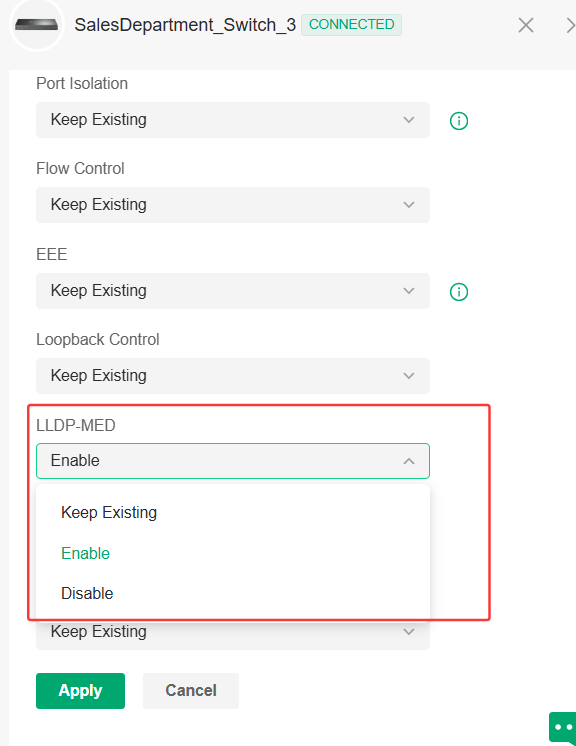
Then you will see the LLDP-MED option:
Where to configure LLDP for SDN EAPs?
Go to Site view > Settings > Site Settings > Wireless Features > EAP LLDP, see below:
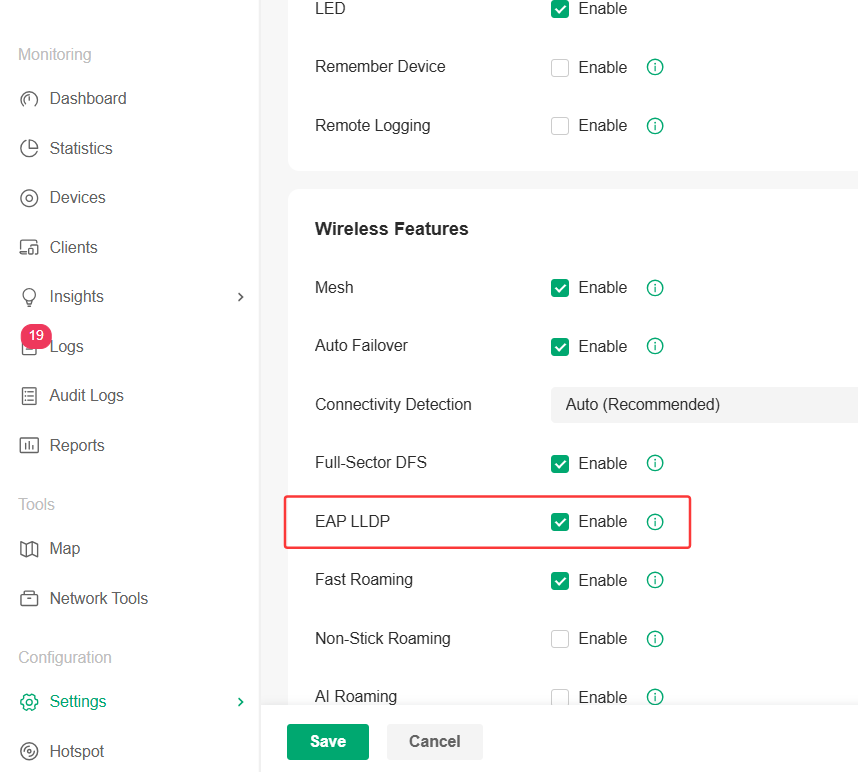
Enable this option, it will enable LLDP for all the EAP units adopted in this site.
Notes:
- LLDP only works on directly connected devices and does not propagate beyond a single hop.
- It does not provide detailed information about the entire network, only immediate neighbors.
Recommended Threads:
Troubleshooting Topology in Controller Is Not Recognized Properly
Feedback:
- If this was helpful, welcome to give us Kudos by clicking the upward triangle below.
- If there is anything unclear in this solution post, please feel free to comment below.
Thank you in advance for your valuable feedback!
------------------------------------------------------------------------------------------------
Have other off-topic issues to report?
Welcome to > Start a New Thread < and elaborate on the issue for assistance.