
EAP772-Outdoor issue with AFC / 6Ghz

Hi,
I recently bought an EAP772-Outdoor (US) v1.0 AP from my local distributor in Singapore. While setting up, I realized there is no way to enable 6Ghz wifi.
By default, AFC is enabled, but I get the following error on the 6ghz radio page (6 GHz Band Unavailable, Due to regulatory requirements, the 6 GHz band is unavailable since your AFC location cannot be obtained).
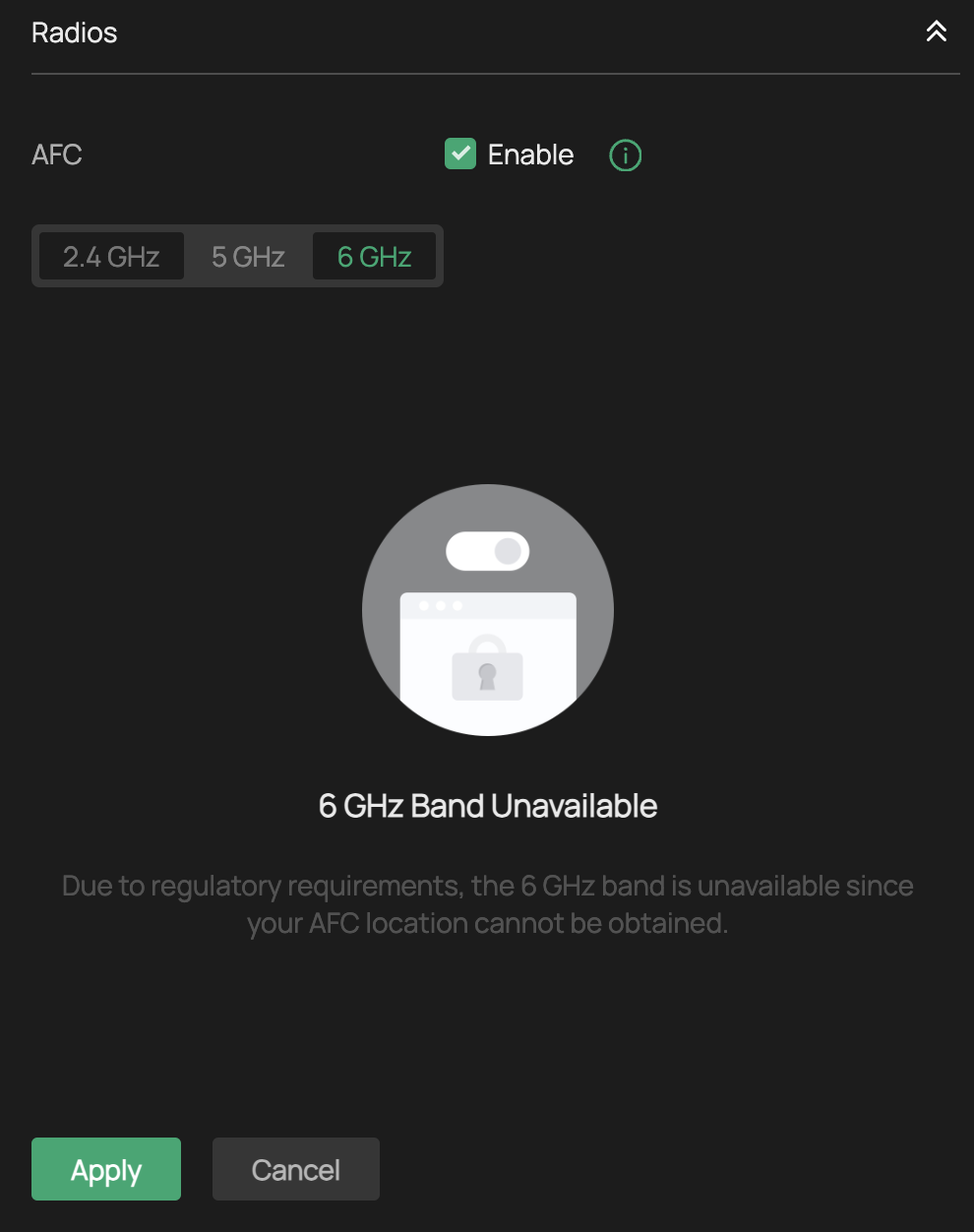
I tried turning of AFC to see whether 6ghz can be enabled without AFC, but it did not work too
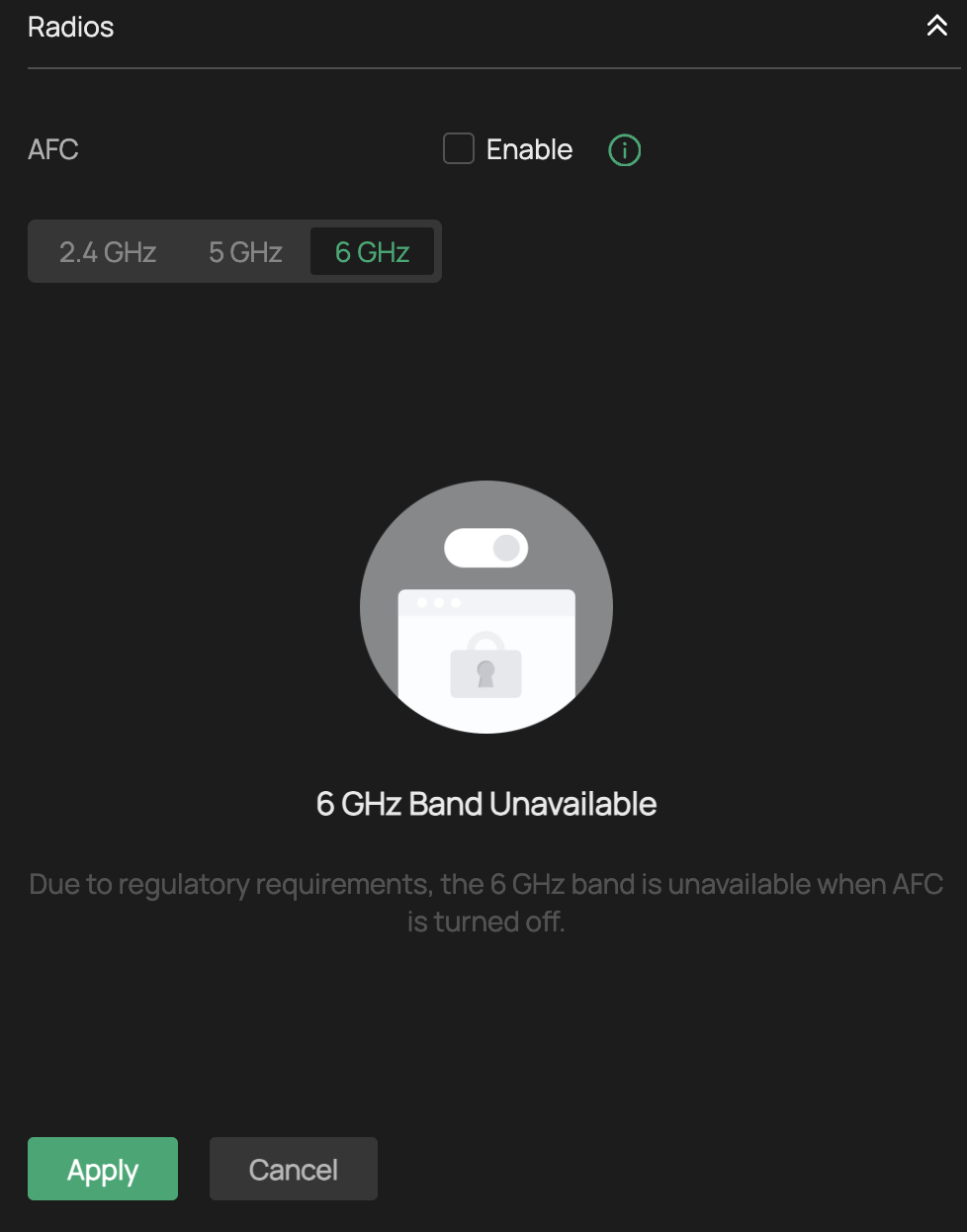
Can someone provide me some guidance on how I can make 6ghz work on this AP?
Thank you!
- Copy Link
- Subscribe
- Bookmark
- Report Inappropriate Content

I am unable to update to the new pre-release firmware EAP772-Outdoorv1_1.3.1_[20250904-rel58599]. I believe the reason for this, is that the confidential "test" firmware I was sent from support a couple of weeks ago has a version number HIGHER than 1.3.1, even though it is older, as you can see:

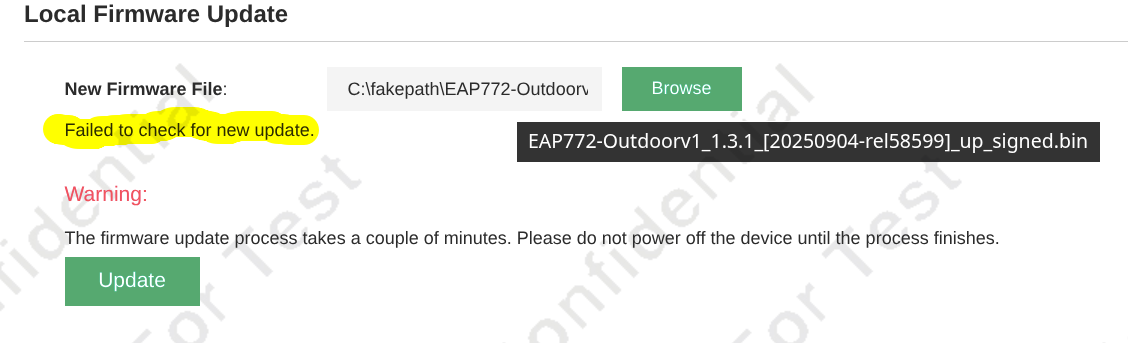
When support first sent me the test firmware, they had to modify it because I had already loaded 1.3.1, so they had to artificially change the version number to 1.3.90 (which is higher than 1.3.1) It seems once again I cannot load the NEWER 1.3.1. There appears to be a block in place preventing users from DOWNGRADING to a lower firmware version number.
I want to upgrade to this firmware because I'm unable to properly backup my settings on this "test" firmware.
For reference, my support ticket# was TKID250813878.
Thank you
- Copy Link
- Report Inappropriate Content


Hi @Rahzadan
To bypass this check, please downgrade to the official version 1.0.14 first. This should work.
After that, you can upgrade to the pre-release version succussfully.
Rahzadan wrote
I am unable to update to the new pre-release firmware EAP772-Outdoorv1_1.3.1_[20250904-rel58599]. I believe the reason for this, is that the confidential "test" firmware I was sent from support a couple of weeks ago has a version number HIGHER than 1.3.1, even though it is older, as you can see:
When support first sent me the test firmware, they had to modify it because I had already loaded 1.3.1, so they had to artificially change the version number to 1.3.90 (which is higher than 1.3.1) It seems once again I cannot load the NEWER 1.3.1. There appears to be a block in place preventing users from DOWNGRADING to a lower firmware version number.
I want to upgrade to this firmware because I'm unable to properly backup my settings on this "test" firmware.
For reference, my support ticket# was TKID250813878.
Thank you
- Copy Link
- Report Inappropriate Content
There does not appear to be a version 1.0.14 for the EAP772-Outdoor. I did notice there is a 1.0.14 for the EAP772 however, but I am reluctant to try that as it is not the same product.
Regardless, the latest non-beta public firmware for the EAP772-Outdoor appears to be EAP772-Outdoor(CA)_V1 _1.0.6 Build 20250416:
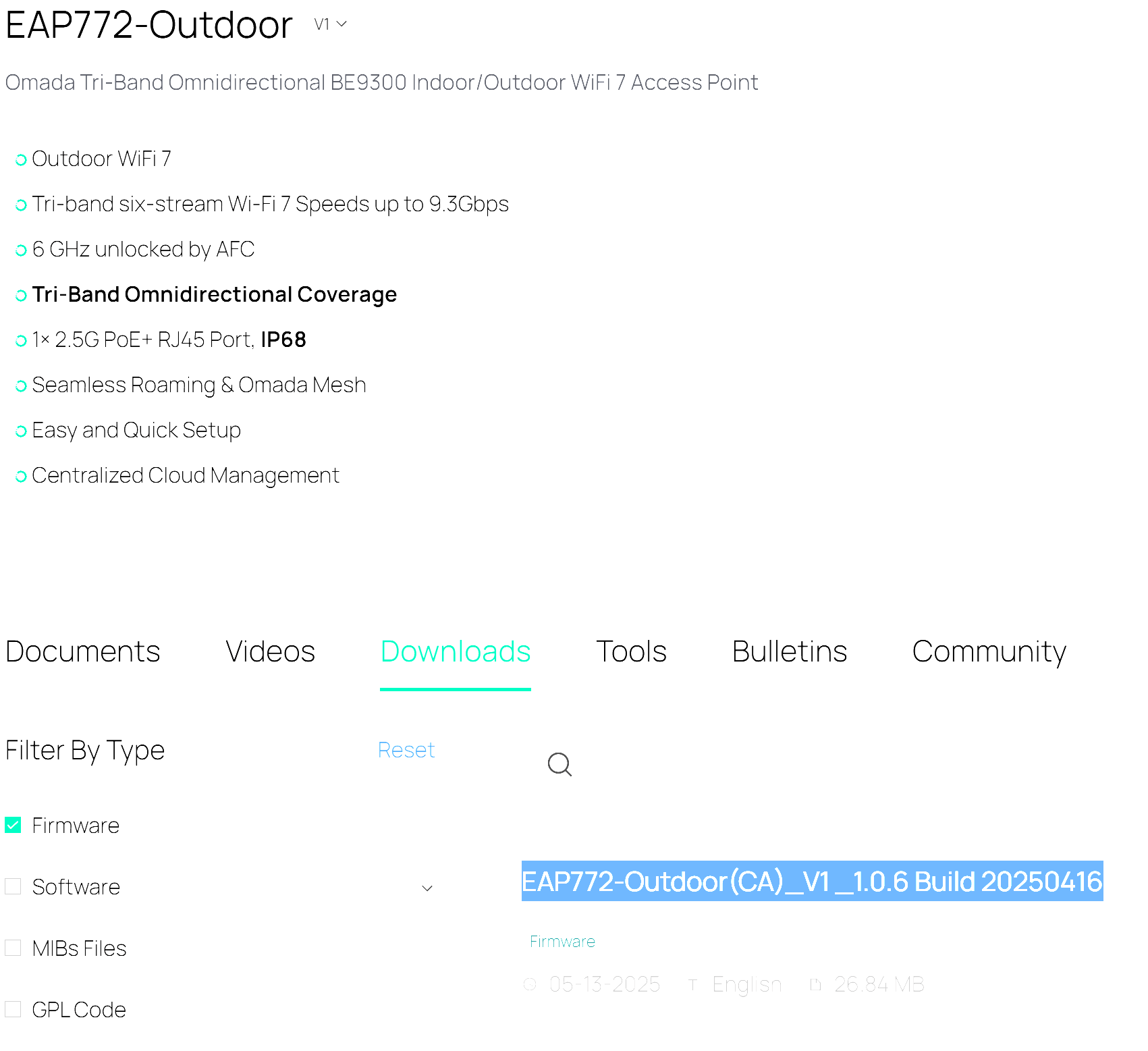
After attempting to load EAP772-Outdoor(CA)_V1 _1.0.6 Build 20250416, I still get the same error "failed to check for new update". I also tried the latest non-beta USA firmware, EAP772-Outdoor(US)_V1_1.0.4 Build 20250320 and this resulted in the same error.
I believe the firmware upgrade check is present on the TEST firmware support had originally sent me. It does not seem to allow changing to a firmware version lower than 1.3.90, even if it is not a test firmware.
I believe the solution is you will need to bump the non-test firmware version higher than 1.3.90, or send me another test firmware (with a version higher than 1.3.90) that does not have the downgrade check in place - but I am not sure.
Thanks
- Copy Link
- Report Inappropriate Content

@Vincent-TP I have tried to upload that firmware to my new EAP772-Outdoor, i installed it 2 days ago and updated to the latest firmware on the omada website which is 1.3.2, but now that i found the 1.3.1 beta firmware u posted, i cant upgrade to that, apparently is not letting me downgrade, i tried to downgrade to the 1.0.4 as well which is the previous posted on the website, but still doesn't let me.
Im in Mexico and im experiencing the same issue with the 6ghz band, its not letting me enable it cause of the AFC thingy :-(
- Copy Link
- Report Inappropriate Content
@Javito I had the same issue. The solution for me, as suggested by TP-Link support, was to upgrade to 1.3.4 using the EAP772 v2 firmware. It is identical to the EAP772-Outdoor firmware and works perfectly.
- Copy Link
- Report Inappropriate Content
@Rahzadan is it now... aight, let me go do that and get back to report results hehe
- Copy Link
- Report Inappropriate Content
@Rahzadan Cant find that firmware version on the omada website :-) could u please post the link to download?
- Copy Link
- Report Inappropriate Content
Strange. TP-Link seems to have removed the download from the US download site. It is still available on the UK site, however:
- Copy Link
- Report Inappropriate Content
I did the upgrade but sadly 6GHz is still disable for me :-(
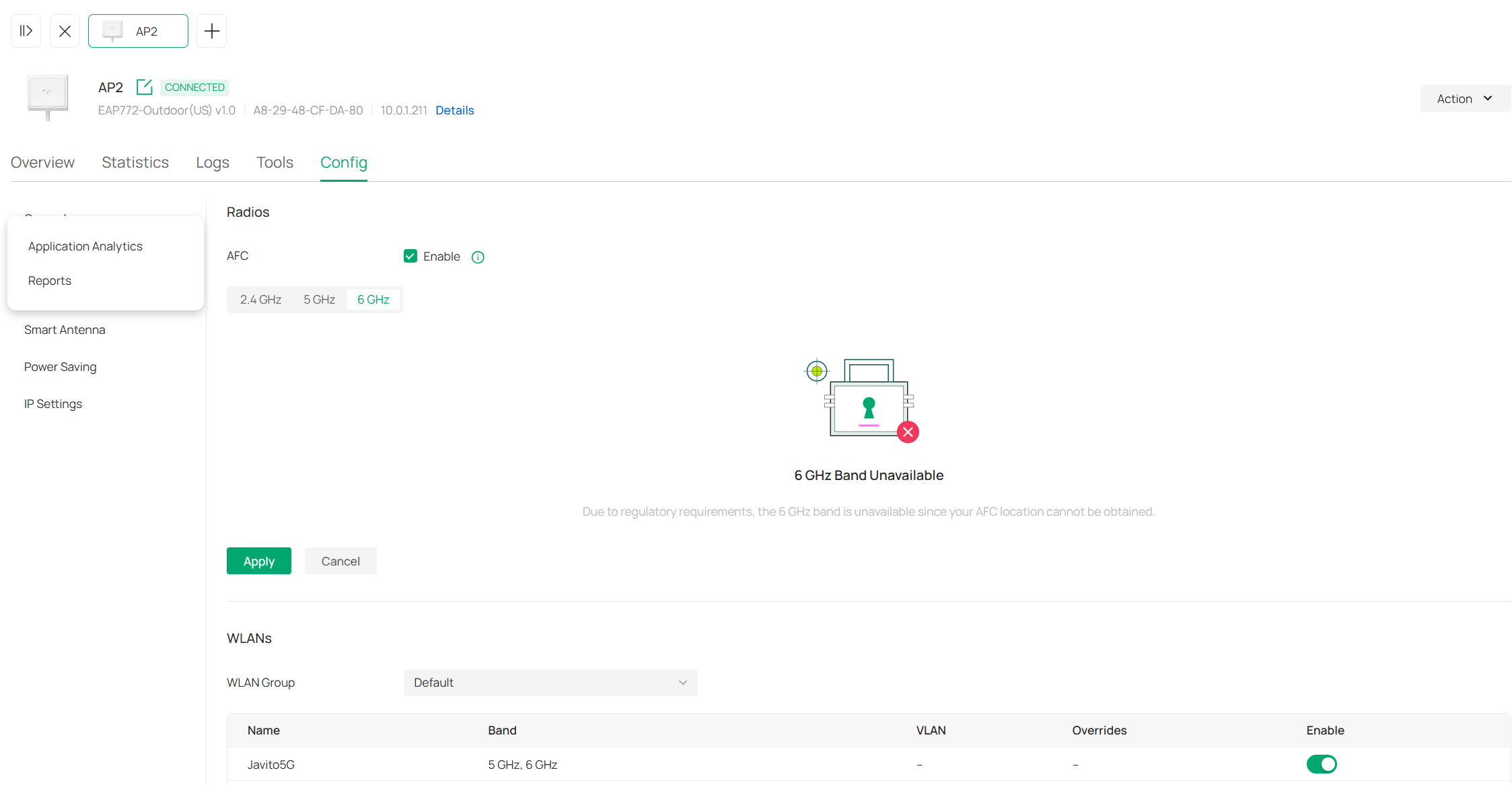
Which TPLink website r u visiting to get that firmware? i checked the us website and doesnt show anything on that site higuer than 1.2.2 :-(
- Copy Link
- Report Inappropriate Content
Try this one. Slightly different URL but same firmware version. The one I posted above (post #39) is from the UK site.. THIS one however is from the TW site, but it's marked as a "US" firmware.
I don't know why they removed this firmware from the US site. It was there a couple of days ago.
Here's where I got it on the Tiwanese site:
https://support.omadanetworks.com/tw/product/eap772/v2/?resourceType=download
To go to the UK site, just change "tw" to "uk" in the above URL.
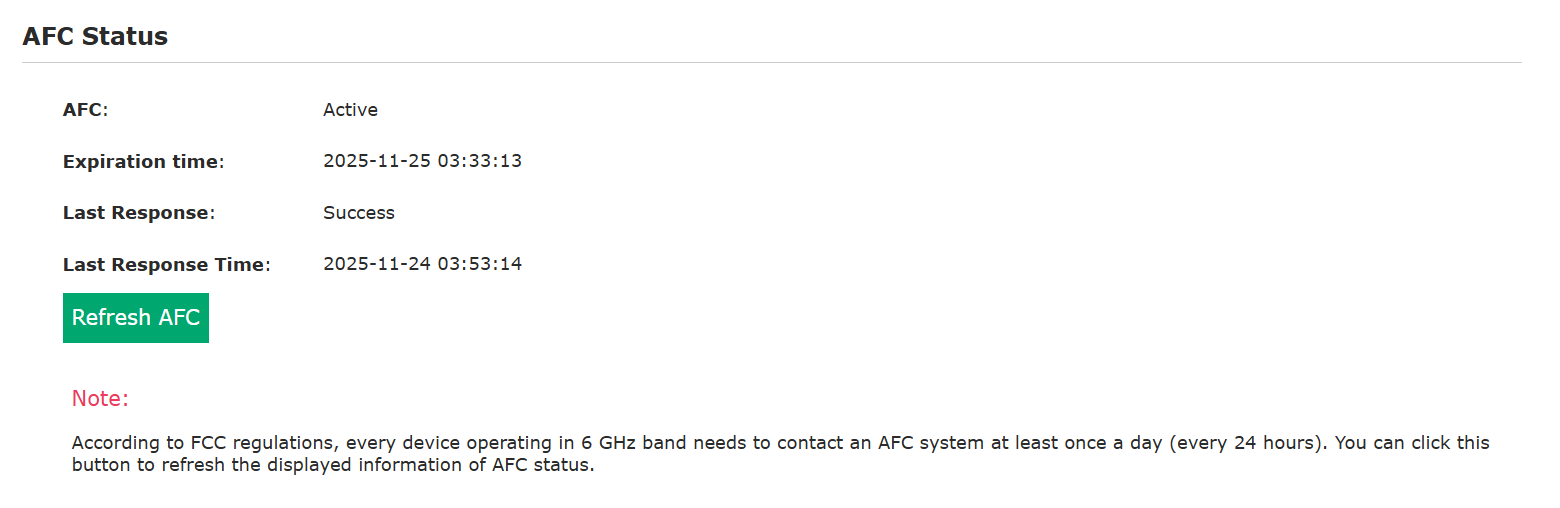
Using the US firmware, AFC is working well for me - and thus the 6G band works as well:
- Copy Link
- Report Inappropriate Content
Information
Helpful: 0
Views: 8112
Replies: 56
Voters 0
No one has voted for it yet.