
Early Access EAP773 | EAP783 v1.1.1 Pre-release Firmware_Closed
 This thread has been locked for further replies. You can start a new thread to share your ideas or ask questions.

This Article Applies to:
EAP783 V1, Fully Adapted to Omada SDN Controller v5.14 or above;
EAP773 V1, Fully Adapted to Omada SDN Controller v5.14 or above;
Release Notes:
New Feature/ Enhancement:
- Supported Portal Logout.
- Supported cluster deployment in Local Controller mode (Omada Central doesn’t support).
- Supported RADIUS Proxy(Global View> Server Settings> Radius Proxy Server).
- Supported OWE.
- Supported upgrading firmware through cloud in standalone mode.
- Supported Rate Limit with Portal Authentication.
- Supported disabling HTTP protocol in Standalone mode.
- Supported DHCP Option43.
- Supported multiple Radius servers when using MAC-Based Authentication (Site View Settings>MAC-Based Authentication).
- Added support for configuring NAS ID with WPA-Enterprise encryption.
- Supported DNS Queries (Network Tools>Network Check>DNSLookup).
- Supported DNS Adoption.
- Supported configuring the Device Name in Controller mode.
- Supported viewing status information and simple configuration through standalone management page when devices managed by the Controller.
- Supported displaying the maximum associated clients range in Controller mode(EAP Config>Advanced>Load Balance).
- Supported displaying the bandwidth of the EAP in Controller mode.
- Added Support for 11 a/n mixed mode for 5GHz radio in Controller mode.
- Supported multicast and broadcast data statistics.
- Supported disabling HTTP, HTTPS and APP discovery in Controller mode (Only with Pro controller).
- Supported Non-stick Roaming function.
- Supported authentication type of EKMS and Generic Radius with Unbound MAC for PPSK with Radius.
- Supports 1024 PPSK entries.
- Supported Multicast Filtering with IPv6 address.
- Supported Multicast/Broadcast Rate Limit
- Supported displaying Configuration Result.
- Optimized roaming function.
- Optimized Automatic Power Optimization function.
- Optimized the configuration of Beacon Interval.
- Optimized Portal Function.
- Optimized MLO connection stability.
- Improved Device and Network security.
- Improved time to configure SSID.
- Improved stability.
Bug Fixed:
- Fixed the issue that RSSI display error in WLAN Optimization.
- Fixed the issue that URL Filtering cannot work properly after TLS1.3 is enabled in the browser.
- Fixed the issue that HTTPS Redirection and Pre-Authentication Access don’t take effect when use portal.
- Fixed the issue that IPv4 multicast packets can’t be transmitted from mesh AP to root AP.
- Fixed the issue that one hop mesh AP’s client on SSID with VLAN would have slow Network speed.
- Fixed the issue that CoA doesn’t take effect with some MLO clients.
Pre-release Firmware Download
Attention
Please be sure you have read the Beta Test Agreement before upgrading the Beta firmware!
EAP783_V1_1.1.1_20251103 (Pre-release)
EAP773_V1_1.1.1_20250818 (Pre-release)
EAP783_V1_1.1.1_20250818 (Pre-release)
Notes:
(1) The above firmware is applied to EAP783 V1.
(2) Your device’s configuration won’t be lost after upgrading.
(3) The above firmware is fully adapted to Omada SDN Controller v5.14 and above
Update Log
4th Nov, 2025
Provide the pre-release link for EAP783
EAP783_V1_1.1.1_20251103 (Pre-release)
31th Oct, 2025
Remove the download links.
19th Aug, 2025
Provide the following pre-release link:
EAP773_V1_1.1.1_20250818 (Pre-release)
EAP783_V1_1.1.1_20250818 (Pre-release)
19th Aug, 2025
Update the release note.
Feedback
Any further feedback on the new firmware, please feel free to comment below or start a new thread from HERE.
To get better assistance, you may check Tips For Efficiently Reporting an Issue In The Community.
When reporting an issue, especially it's about firmware upgrade, it's suggested to include the following info:
- Management mode (Controller or Standalone)
- Device Model(s) and Hardware
- Device Firmware (previous and current)
Thank you in advance for your great cooperation and support.
Recommended Threads
Experience the Latest Omada EAP Firmware - Trial Available Here, Subscribe for Updates!
Current Available Solutions to Omada EAP Related Issues [Constantly Updated]
Get the Latest Omada SDN Controller Releases Here - Subscribe for Updates
- Copy Link
- Subscribe
- Bookmark
- Report Inappropriate Content

Iphone 17 pro still can't roam regardless if 802.11r is either on or off. ios is 26.2.
I would really be interested if this can be reproduced at another site?
- Copy Link
- Report Inappropriate Content
Hi @liviu2004
Thanks for the info.
We will test locally. Which EAP are you using? EAP773 or EAP783?
What firmware versions did you try?
How many EAP units do you have in total? How far are they installed between each other?
liviu2004 wrote
Iphone 17 pro still can't roam regardless if 802.11r is either on or off. ios is 26.2.
I would really be interested if this can be reproduced at another site?
- Copy Link
- Report Inappropriate Content
@Vincent-TP Thanks for continuous support.
I am using EAP783(EU) v1.0. Firmware 1.1.4. I thought this cannot be downgraded, reading the following release notes: 2. This firmware upgrade is irreversible. Contact Omada technical support if downgrade is required.
I have 2x EAP783 at this site and the distance between them is about 8 meters, with 2 reinforced 30cm concrete floors in-between. While doing testing, I move from EAP to EAP being within 1m between EAP and phone.
Hope this helps. Must be something related to this phone model only.
- Copy Link
- Report Inappropriate Content
Hi @liviu2004
We had tested it with the same wifi config with iPhone 17 Pro iOS 26.2, but couldn't reproduce this issue.
To isolate any other potential config factor, please send us a copy of your controller's config file. I have created a support ticket via your registered email; the ID is TKID251265972.
Please check your inbox. Thanks.
liviu2004 wrote
@Vincent-TP Thanks for continuous support.
I am using EAP783(EU) v1.0. Firmware 1.1.4. I thought this cannot be downgraded, reading the following release notes: 2. This firmware upgrade is irreversible. Contact Omada technical support if downgrade is required.
I have 2x EAP783 at this site and the distance between them is about 8 meters, with 2 reinforced 30cm concrete floors in-between. While doing testing, I move from EAP to EAP being within 1m between EAP and phone.
Hope this helps. Must be something related to this phone model only.
- Copy Link
- Report Inappropriate Content
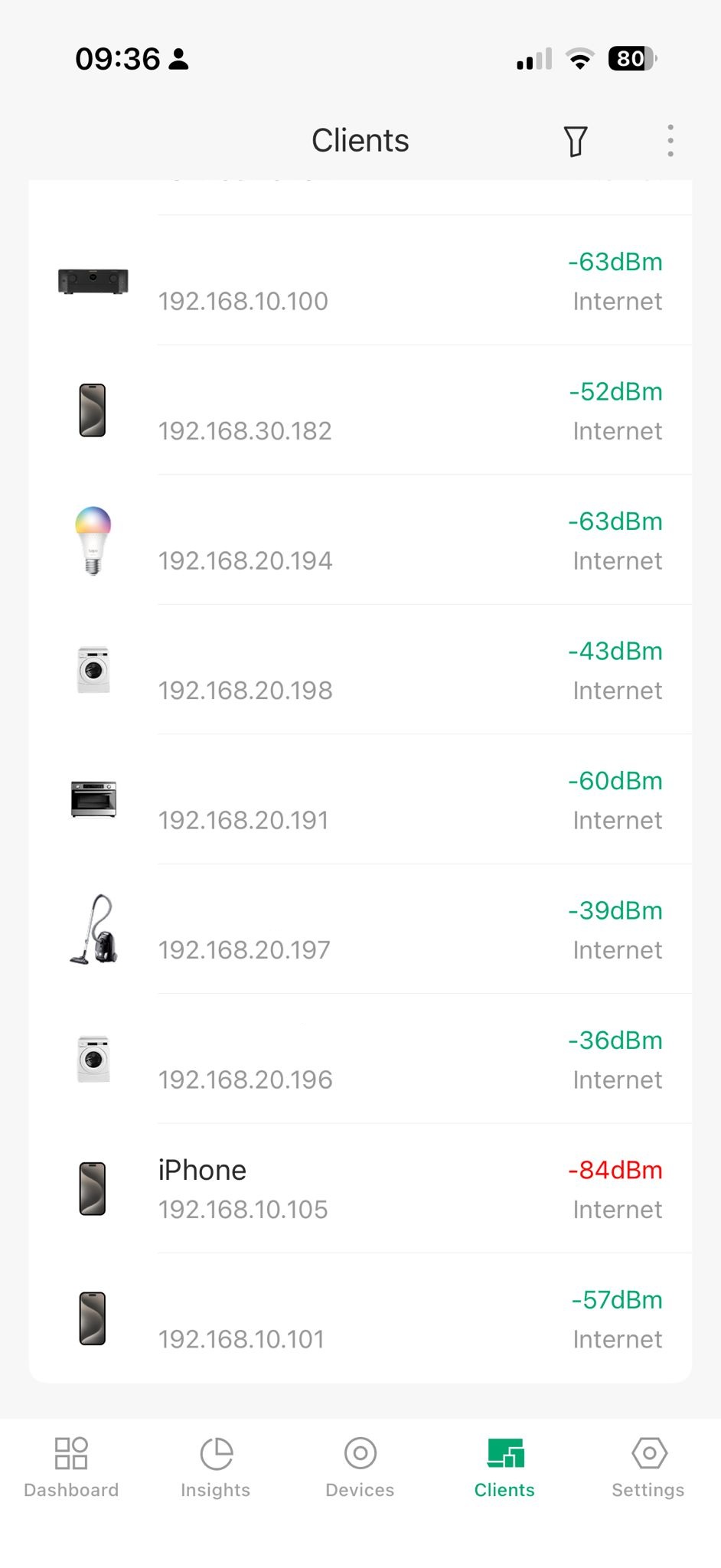
@Vincent-TP Thanks, email responded to, with a caveat. When I wanted to reproduce the problem this morning, of course, all was good! However, I have sent all logs, config, and 3 print screens I made from the iphone at that time when it did not work.
I will keep trying to reproduce the issue.
Attached here a photo taken at that time, phone was 1m from one of the APs. Bad signal was holding for a long time, it never changed.
- Copy Link
- Report Inappropriate Content

@Vincent-TP Thank you. I'll test the workaround when I'll be back home. Do you have an estimated date for this next release ?
- Copy Link
- Report Inappropriate Content
Hi @Benoit2r
No ETA yet. But won't be long. If you want, we can send you the beta version.
Benoit2r wrote
@Vincent-TP Thank you. I'll test the workaround when I'll be back home. Do you have an estimated date for this next release ?
- Copy Link
- Report Inappropriate Content

Hi Vincent,
I am reporting an issue regarding MLO (Multi-Link Operation) and band steering behavior on the EAP783 running firmware 1.1.2 Build 20251030 Rel. 58575.
Issue Details: Despite having Band Steering configured to "Prefer 5GHz/6GHz", I am seeing inconsistent behavior across different clients when MLO is enabled (2.4GHz/5GHz/6GHz):
- iOS/iPadOS Devices: iPhone and iPad connect to the 6GHz band as expected without any issues.
- Windows Laptops (HP and Lenovo): Multiple laptops from HP and Lenovo frequently prioritize and stay connected to the congested 2.4GHz or 5GHz bands, failing to utilize the 6GHz band properly.
Background: This issue was not present in the previous beta firmware version EAP783_V1_1.1.1_20250818 (Pre-release). In that version, these same laptops correctly prioritized the 6GHz band. The current official release (1.1.2) seems to have a regression in how it handles band steering for these specific clients.
Request: If you have a newer beta firmware available, could you please provide a link or send the firmware to me?
Thank you for your support.
- Copy Link
- Report Inappropriate Content
That beta version is no different from the current one in this regard. Could you please let me know how many clients are connected to the 2.4G, 5G, and 6G networks respectively? Please create a new thread for discussion. I will lock this thread. Thank you.
JIN_JPN wrote
Hi Vincent,
I am reporting an issue regarding MLO (Multi-Link Operation) and band steering behavior on the EAP783 running firmware 1.1.2 Build 20251030 Rel. 58575.
Issue Details: Despite having Band Steering configured to "Prefer 5GHz/6GHz", I am seeing inconsistent behavior across different clients when MLO is enabled (2.4GHz/5GHz/6GHz):
- iOS/iPadOS Devices: iPhone and iPad connect to the 6GHz band as expected without any issues.
- Windows Laptops (HP and Lenovo): Multiple laptops from HP and Lenovo frequently prioritize and stay connected to the congested 2.4GHz or 5GHz bands, failing to utilize the 6GHz band properly.
Background: This issue was not present in the previous beta firmware version EAP783_V1_1.1.1_20250818 (Pre-release). In that version, these same laptops correctly prioritized the 6GHz band. The current official release (1.1.2) seems to have a regression in how it handles band steering for these specific clients.
Request: If you have a newer beta firmware available, could you please provide a link or send the firmware to me?
Thank you for your support.
- Copy Link
- Report Inappropriate Content
Information
Helpful: 0
Views: 24685
Replies: 119
Voters 0
No one has voted for it yet.