
Dashboard Topology
 This thread has been locked for further replies. You can start a new thread to share your ideas or ask questions.
Hello all
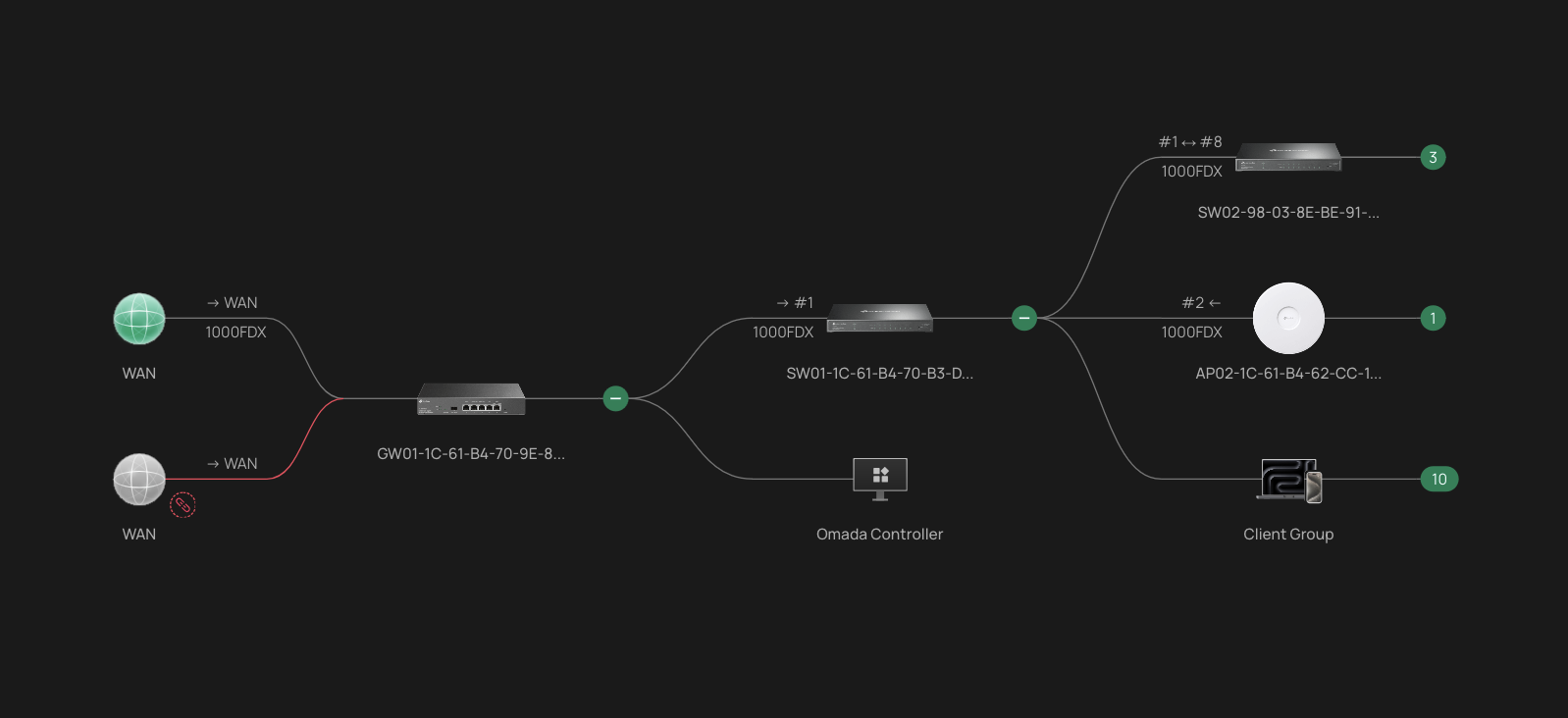
I've added second switch (same model as first one) to my network at home and noticed that switch 2 is using/registering switch one as up link but in reality both switches are connected directly to gateway.
This is how dashboard topology looks like :
but in reality its should be like this
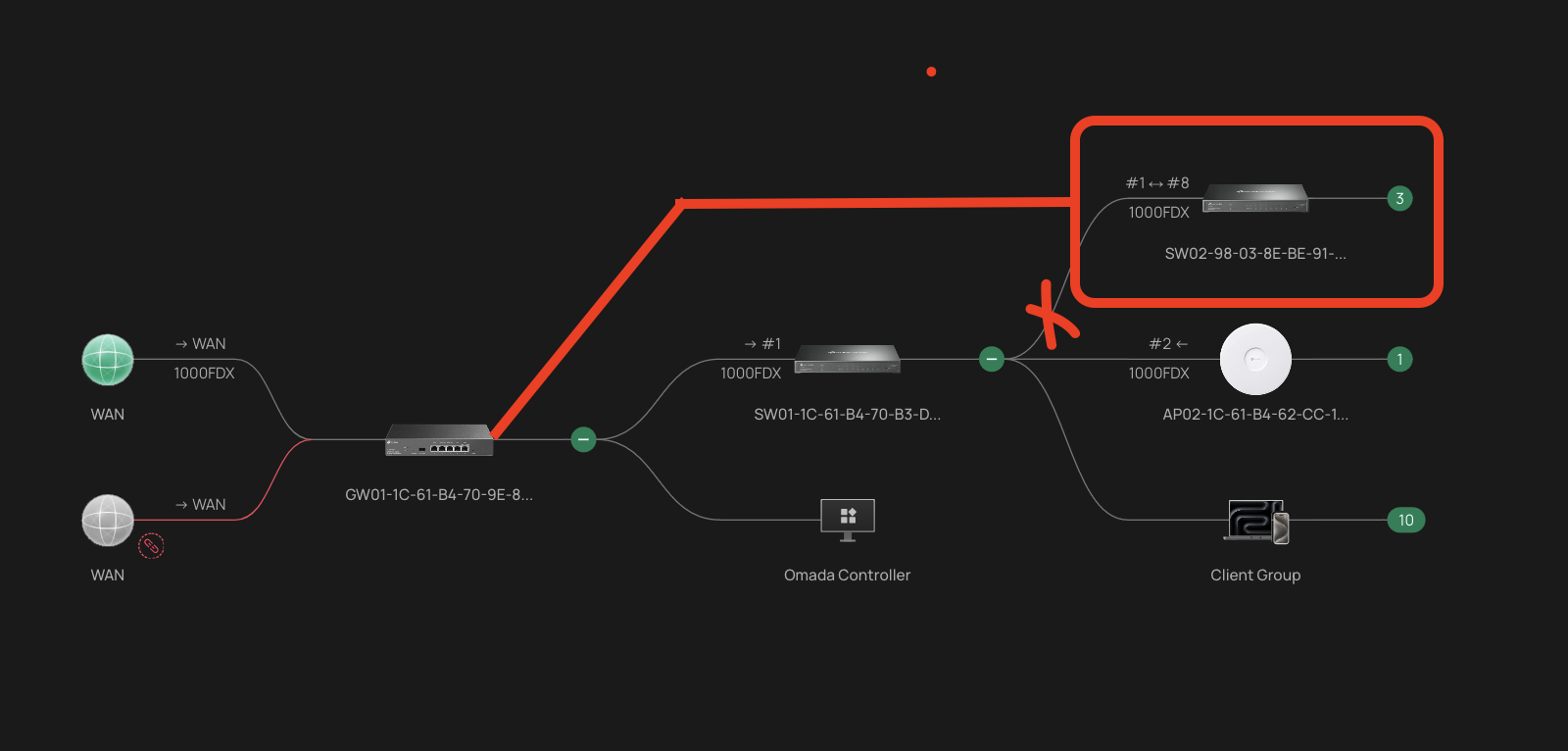
So question is why is this happening ?
Is this because LLDP mapping is actually LLDP-MED and not "true one" as on JetStream switch models ?
- Copy Link
- Subscribe
- Bookmark
- Report Inappropriate Content
I will check the ticket and respond to it.
Regarding third party devices question, there are none.
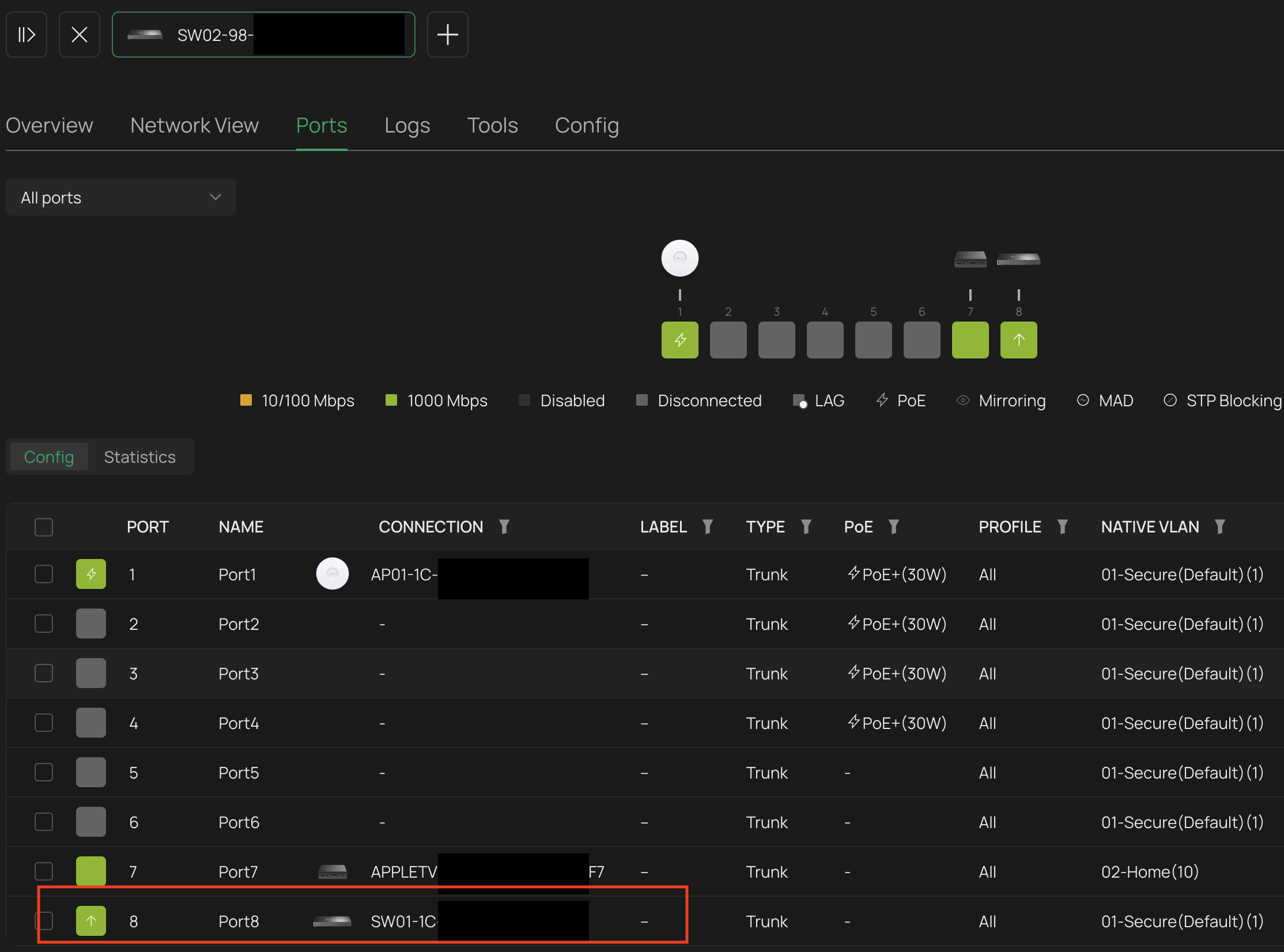
What really bugs me is that on port 8 it should show GW and not SW01 as it is connected to gateway.
- Copy Link
- Report Inappropriate Content

It looks like people are experiencing this issue in a variety of ways so I wanted to share that I stumbled across a setting that was not easy to locate or mentioned in the help documentation I reviewed when I first observed this problem.
On the Topology map for Omada Software Controller 6.0.0.24 in the upper right corner this is a row of 4 icons. It is not immediately clear what any of these should do but when I hovered over the 2nd from the right I got a tooltip popup that says 'Change Root Node'. I clicked this icon and it gave me a drop down menu selection of all 4 switches. I then set Switch-01 as my root node, because it is, and now the Topology looks correct.
This is a major improvement, although I would still like to see the ability to specify the gateway port on Switch 1 so my router would show up on the left as it logically should rather than lumped into the Switch 1 client group, but at least the rest of the network layout makes sense now after finding and changing this setting.
- Copy Link
- Report Inappropriate Content
@KocherJJ
Thanks for sharing, that is very interesting find.
I was trying to find same thing on my controller but I do not see it, I am running 6.0.0.342.22.10 Build 20251118 Rel.34511
Can you please post a screenshot ?
Thanks
- Copy Link
- Report Inappropriate Content

- Copy Link
- Report Inappropriate Content
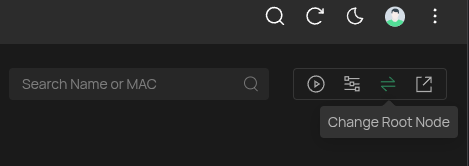
Here is a photo of the icon and hover tootip. I use Dark Mode.
This may or may not have been present in v5. In v5 the Topology showed up correctly so I never needed such a setting. It broke in v6, and this is the fix I found in v6.
- Copy Link
- Report Inappropriate Content

- Copy Link
- Report Inappropriate Content


This option is available only when your controller does not manage a gateway, and it allows you to manually select the root node. Since there can only be one root node, when a gateway is present, this node will always be the gateway.
ProSumerTester wrote
- Copy Link
- Report Inappropriate Content
- Copy Link
- Report Inappropriate Content
@ProSumerTester
This issue is now resolved. TP-link support team has reached out and suggested change that helped me to fix topology.
Issue was LLDP that was enabled on second switch, on port which was connected to gateway.
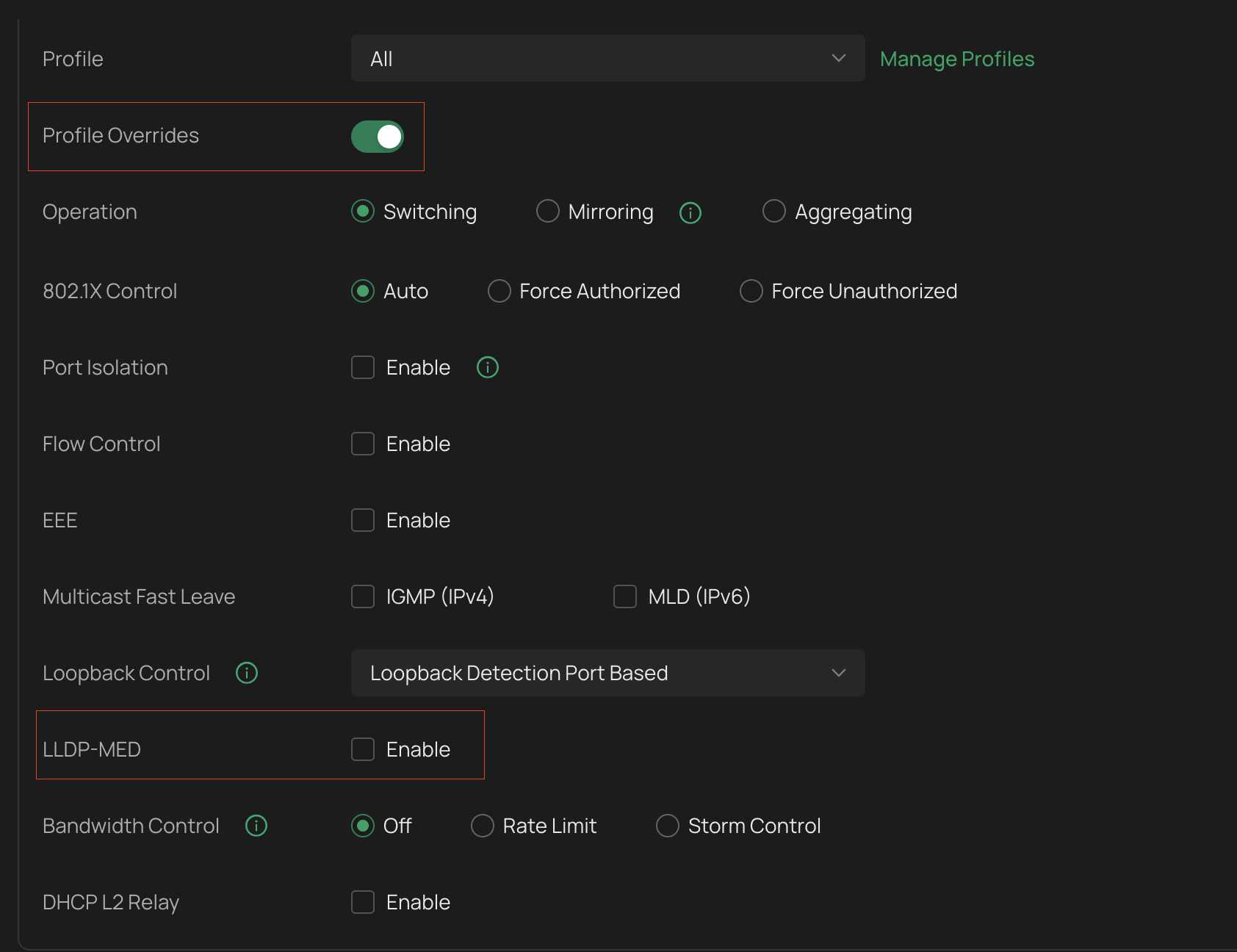
That said LLDP was not enabled as I was not using "Profile overrides" (so I thought) but to be able to disable LLDP one must ENABLE Profile overrides and then disable it.
Posting the solution as it might help someone else.
- Copy Link
- Report Inappropriate Content
Information
Helpful: 0
Views: 2262
Replies: 29
Voters 0
No one has voted for it yet.