
NVR not connecting via RTSP stream of CPPLUS camera (E-35A)

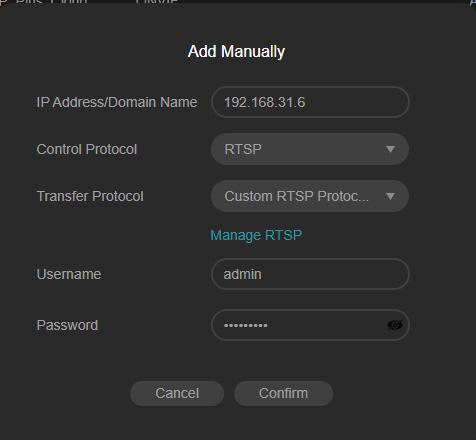
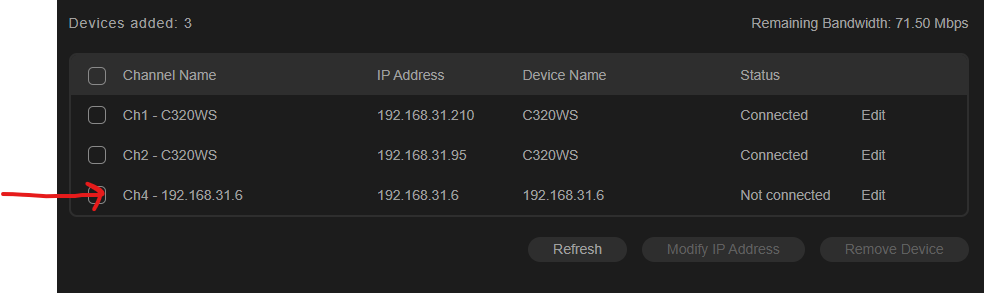
NVR is not connecting via RTSP url of CP PLUS camera(E-35A). The URL have been validated using VLC as well as ODM software. The stream works fine. But after adding the camera it always shows Not Connected
RTSP URL: rtsp://admin:admin1234@192.168.31.6:5543/live/channel1
✅ Other TP LINK Camera connections works fine.
- Copy Link
- Subscribe
- Bookmark
- Report Inappropriate Content


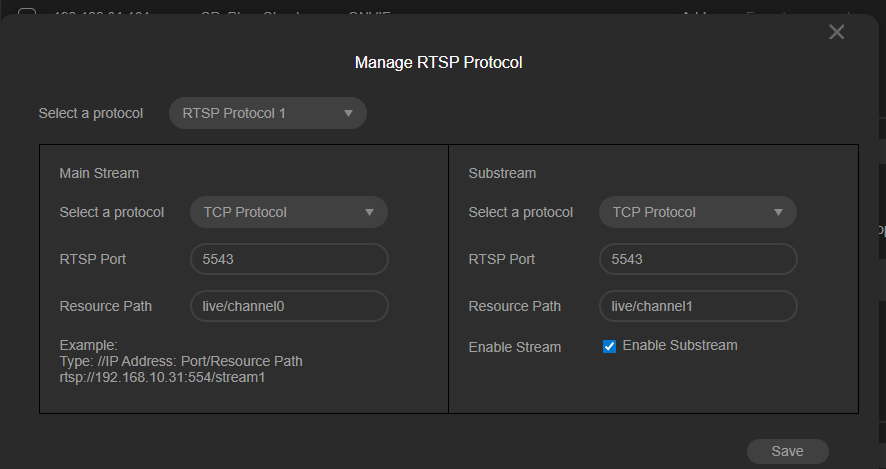
In the screenshot, the Resource field is filled with live/channel0(1). You also mentioned that the IPC’s RTSP URL rtsp://admin:admin1234@192.168.31.6:5543/live/channel1 plays normally, but this format differs from ours.
Our IPC and NVR RTSP URLs are:
- IPC: rtsp://ip:port/stream1
- NVR: rtsp://ip/live/ch/stream/avm
Therefore, when adding a VIGI IPC you can simply enter stream1 (main stream). It’s possible the VIGI NVR cannot recognize paths like live/channel. Please try replacing it with our format (stream1) and test again.
If it still fails, please:
1. Put a switch between the IPC and NVR.
2. Connect a PC to the same switch.
3. Mirror the IPC and NVR ports to the PC port.
4. Start Wireshark and capture the packet exchange while you configure the original live/channel path.
Also note down the MAC and IP addresses of both the IPC and NVR so we can easily filter the trace.
- Copy Link
- Report Inappropriate Content
During our testing we found that if the camera receives an incorrect password on the very first URL pull, it immediately blocks the IP of the requesting client (e.g., NVR or VLC). Even if the correct password is supplied afterward, the connection remains refused.
- Copy Link
- Report Inappropriate Content
In the screenshot, the Resource field is filled with live/channel0(1). You also mentioned that the IPC’s RTSP URL rtsp://admin:admin1234@192.168.31.6:5543/live/channel1 plays normally, but this format differs from ours.
Our IPC and NVR RTSP URLs are:
- IPC: rtsp://ip:port/stream1
- NVR: rtsp://ip/live/ch/stream/avm
Therefore, when adding a VIGI IPC you can simply enter stream1 (main stream). It’s possible the VIGI NVR cannot recognize paths like live/channel. Please try replacing it with our format (stream1) and test again.
If it still fails, please:
1. Put a switch between the IPC and NVR.
2. Connect a PC to the same switch.
3. Mirror the IPC and NVR ports to the PC port.
4. Start Wireshark and capture the packet exchange while you configure the original live/channel path.
Also note down the MAC and IP addresses of both the IPC and NVR so we can easily filter the trace.
- Copy Link
- Report Inappropriate Content
We have successfully reproduced the issue you reported in our lab and are currently analyzing it. I’ll let you know as soon as we have any feedback.
- Copy Link
- Report Inappropriate Content
During our testing we found that if the camera receives an incorrect password on the very first URL pull, it immediately blocks the IP of the requesting client (e.g., NVR or VLC). Even if the correct password is supplied afterward, the connection remains refused.
- Copy Link
- Report Inappropriate Content
than @Diptesh
I have tried in VLC multiple times, in my case the cameras are not getting blocked after delivering wrong passwords, but in my case it doesn't stand true anyways, as starting from the initial I am providing the correct password only.
The cameras supports ONVIF, but still not getting connected automatically by adding them, So I was trying the RTSP method.
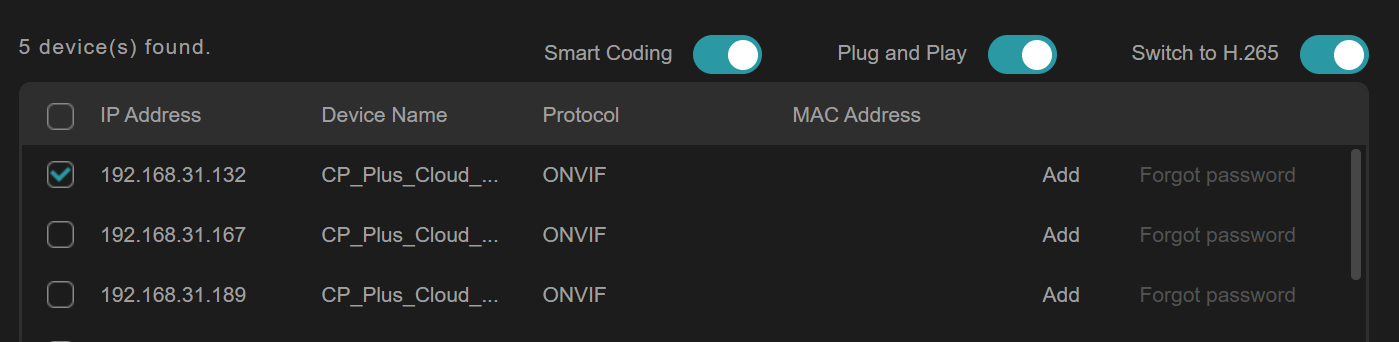
Using RTSP I can able to see the feed in VLC without any issue as referenced below
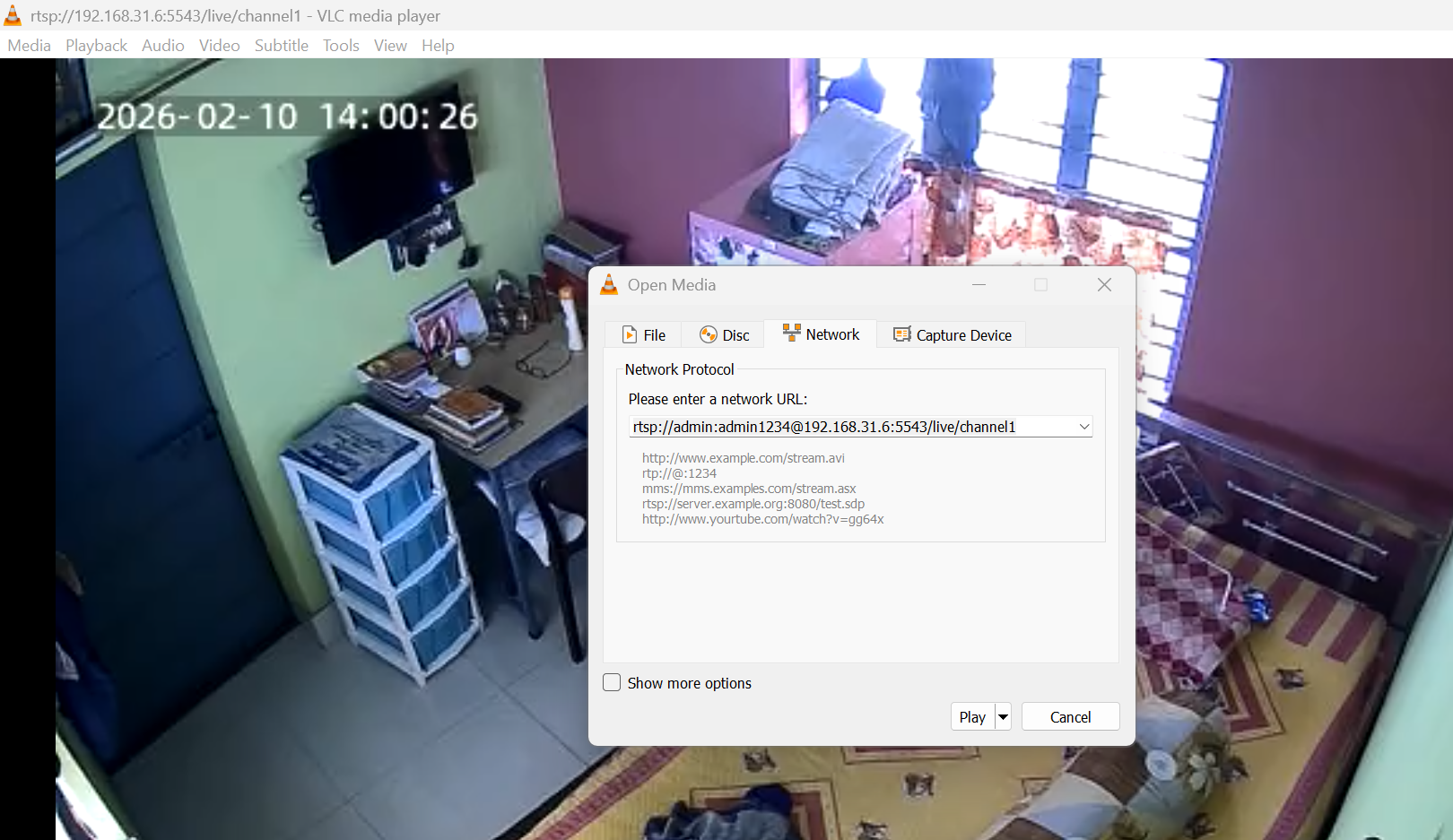
@Ethan-TP let me know if it doesn't support any other address other than stream1 (in my case it's live/channel1), the same is working perfectly in Hikvision DVR as also.
I have 12 CPPlus cameras (E35) which I cannot replace all at a time, so requesting your utmost support to make them work with this NVR.
- Copy Link
- Report Inappropriate Content
Dear TP-Link Support Team,
I recently purchased a TP-Link VIGI NVR1008H assuming it would work with my CP PLUS CP-E35A Wi-Fi camera since the camera supports ONVIF.
However, I have been unable to add the camera to the NVR. I attempted both ONVIF and RTSP configurations and tried many different stream and connection combinations, but none of them worked.
Interestingly, the RTSP stream works perfectly in VLC, which confirms that the camera’s RTSP service is functioning correctly. Despite this, the NVR is unable to detect or connect to the camera via ONVIF or manual RTSP configuration.
Could you please advise:
-
Whether the CP PLUS CP-E35A is compatible with VIGI NVR1008H?
-
If there are any specific RTSP/ONVIF settings or stream paths required for third-party cameras?
-
If there are any firmware updates or configuration steps needed to make this work?
I purchased the NVR specifically expecting ONVIF interoperability, so I would really appreciate your guidance in resolving this.
- Copy Link
- Report Inappropriate Content
@Diptesh is it worked for you ?
- Copy Link
- Report Inappropriate Content
Hi @Veeshno
Thanks for reaching out to TP-Link Business Forums.
Upon checking, NVR1008H does support ONVIF Profile S/T. As long as the CP PLUS IPC supports these protocol, they can work together.
You can refer to this article to learn how to add a third-party camera to VIGI NVR: How to add third-party cameras to VIGI NVR via RTSP | TP-Link
Please click on the article to make sure that you have upgraded the NVR to the latest firmware: How to upgrade the firmware of VIGI NVR | TP-Link
Hope tihs may help.
- Copy Link
- Report Inappropriate Content
- Copy Link
- Report Inappropriate Content
Hi @Gabriel-TP can you please help with the below points:
1. I have received a mail from Omada (tplink) stating that they have fixed this issue and send me a Updated firmware to check (Updated firmware). But while trying to install this it is showing an error as "Failed to verify the upgrade file". How to resolve this ?
2. Another thing I have noticed that the firmware of mine is currently as below:
Current Hardware version: VIGI NVR1016H(UN) 1.20
Current Firmware version: 1.4.3 Build 251121 Rel.34128n
But on tplink official website I can see new latest firmware is available : VIGI NVR1016H(UN)_V1.20_1.5.1 Build 260317
On clicking Check for Update it's showing that it's already up to date. Why this is happening ?
- Copy Link
- Report Inappropriate Content
Information
Helpful: 2
Views: 3615
Replies: 9
Voters 1
