
Local DNS is not working after applying the latest updates for ER605 V2

Local DNS is not working after applying the latest updates for ER605 V2.
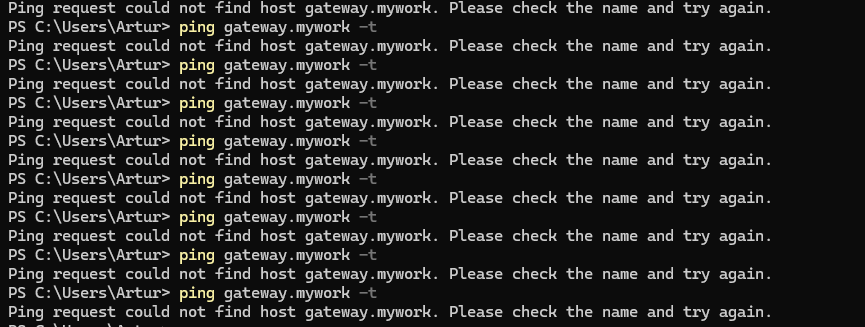
After updating ER605 V2 to version "2.3.3 Build 20251029 Rel.18054", I no longer have local DNS resolution.
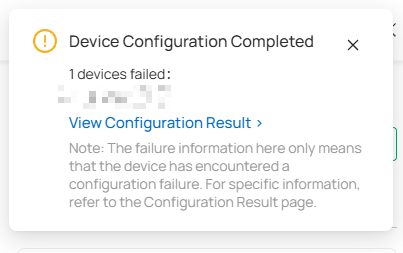
I thought about removing and re-adding the configurations I made, but every time I do that, I receive this error message in the application.
Is anyone else experiencing this?
- Copy Link
- Subscribe
- Bookmark
- Report Inappropriate Content


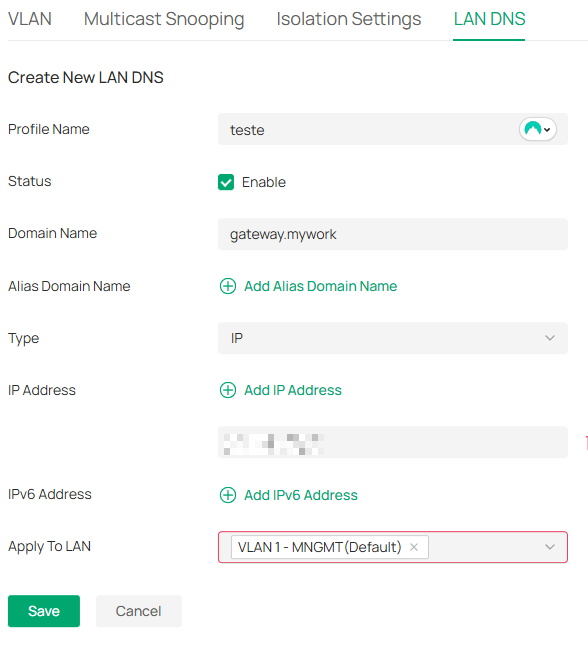
Thank you for your post. We attempted to reproduce the issue you reported in our lab and found that the LAN network name you configured appears to be invalid. Please change it to a name that starts with a letter and contains only uppercase/lowercase letters, numbers, and underscores, then push the full configuration again—this should restore normal operation.
- Copy Link
- Report Inappropriate Content
Thank you for your post. We attempted to reproduce the issue you reported in our lab and found that the LAN network name you configured appears to be invalid. Please change it to a name that starts with a letter and contains only uppercase/lowercase letters, numbers, and underscores, then push the full configuration again—this should restore normal operation.
- Copy Link
- Report Inappropriate Content
- Copy Link
- Report Inappropriate Content
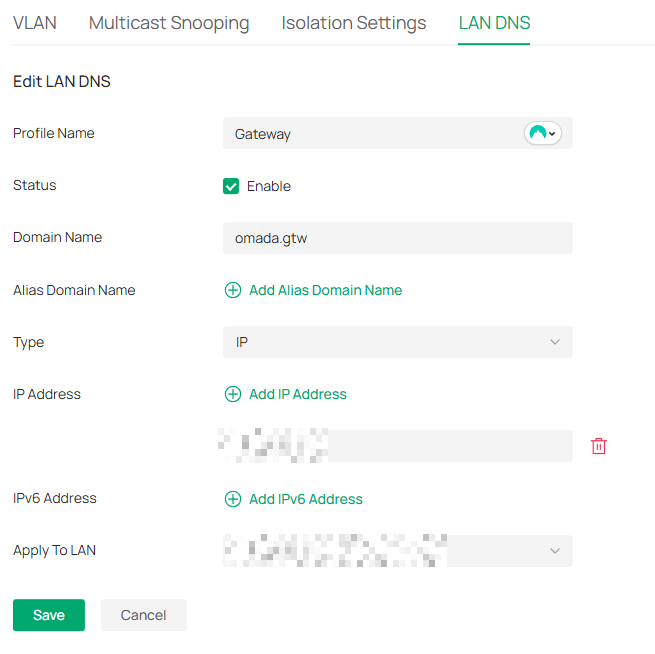
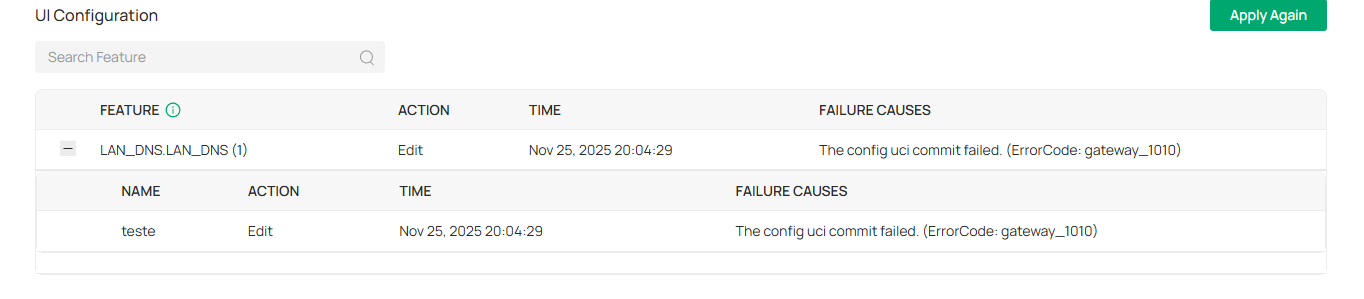
I deleted everything in LAN DNS.
I configured a new one now, but it's the same.
No responses and the same error.
In firmware version 2.31, it configured instantly. I could already ping. I'm doing everything right.
It took a VERY long time for this error to appear.
Oops.
I really don't want to roll back two firmwares.
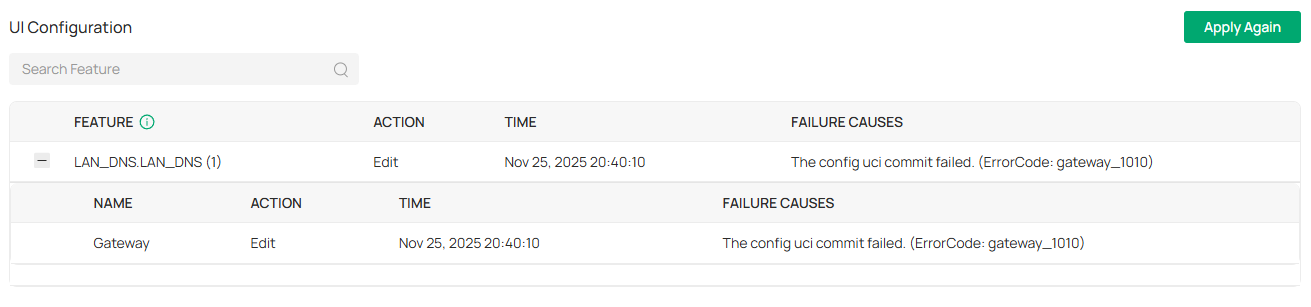
- Copy Link
- Report Inappropriate Content
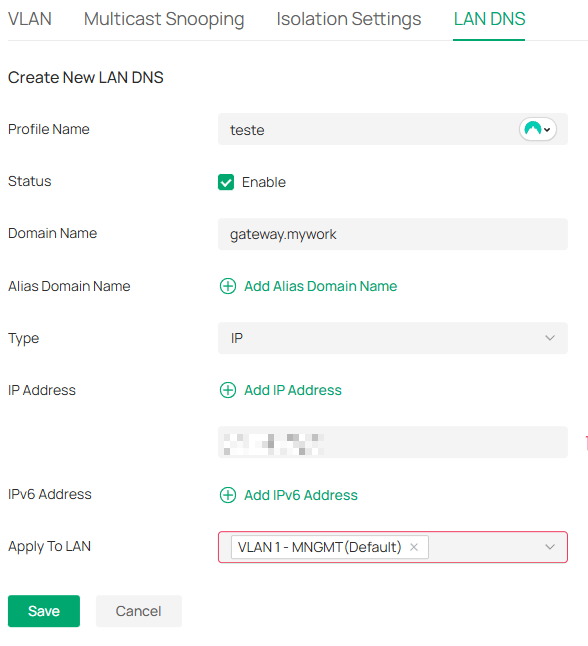
Please rename this LAN Network Name as previously advised, then push the configuration again.
- Copy Link
- Report Inappropriate Content
Hey!
Thank you for your attention.
I only just understood now.
I have a few points to add and others as suggestions.
1- I understand there will be no more spaces. I found this bad, because programmatically in the product, in its code abstraction layer, you could have resolved to keep the field result with double quotes (""). Ex.: "VLAN 1 - MNGMT" and this would not affect the client. I would like to understand the reason for the change;
2- Understanding item 1 as something that will be like this from now on, I suggest that there be a way to critique the field. Including, even for others that we need to compose a name and identification. If it will be like this with this field, I consider that it is necessary to be a standard for everything and that Omada critiques the existence of unacceptable characters for the field;
3- I noticed that just changing the identification as you suggested doesn't work. I had to delete the records I had and recreate them from scratch. Thus, they became functional.
Thank you my friend, for your kindness and attention as always.
It's resolved here.
I would like feedback regarding what I suggested.
- Copy Link
- Report Inappropriate Content
This is because the new version has added stricter security validation for certain input characters to prevent injection attacks and enhance overall safety.
- Copy Link
- Report Inappropriate Content
@Ethan-TP.
I understand.
Thank you.
- Copy Link
- Report Inappropriate Content
My dear sir,
Let me understand something, of course, if you can inform us.
Are you aware of which fields in the settings will follow these security changes? I consider what you are doing in this regard excellent and I want to get ahead of things so there are no more surprises.
- Copy Link
- Report Inappropriate Content
Information
Helpful: 0
Views: 1080
Replies: 8
Voters 0
No one has voted for it yet.