
Should I remove Omada to get packet capture working on router?

Hi Everyone!
I am new to TP-Link and Omada and need your help.
I have a small home network with one switch and one router - and a computer with Omada software controller (NOT pro!) connected to the router directly.
I have a problem with a heat pump controller connected to the network and I want to capture packets sent to and from Internet by this controller.
I found that to create a packet capture file I need PRO version of Omada controller or forget the router from Omada and use it alone!
Please, advise me: How can I get PRO version of the Omada controller? Or this Omada controller just a toy and should I get rid of it? Or I completely miss something?
I need this packet capture to troubleshoot the problem.
Thank you,
Gyula
- Copy Link
- Subscribe
- Bookmark
- Report Inappropriate Content


After confimation,omada gateways currently do not include a built-in packet-capture tool. Please follow this guide to set up port mirroring and perform the capture externally.How to Use Port Mirroring to Capture Packets in the Controller
- Copy Link
- Report Inappropriate Content
When the device is managed by Omada Controller, you can capture packets with the built-in Tools, or you can install Wireshark on a PC, set up port mirroring, and run the capture while the gateway remains under Controller management.How to use tools on the Omada Controller
By the way, if you’re using Omada Essential Controller, it doesn’t include the built-in packet-capture tool; you’ll need Omada Central Standard Controller instead. Omada Pro Controller cannot manage this device.
- Copy Link
- Report Inappropriate Content
@Ethan-TP Thanks for the suggestions - I tried exactly these with no luck.
My Omada Controller does not allow me to capture packets from my ER707-M2 router. I went into the Tools and chose the "Packet Capture". When I try to select the Router as the source, it just says "This device does not support packet capture." I am sure, an ER707-M2 can capture packets.
Similarly I cannot use port forwarding...
My software Omada controller (attached to this router directly) version is 5.15.24.18.
Maybe is it the Essential Controller and not the Central Standard Controller?  How can I tell them apart?
How can I download the Central Standard Controller if this is the problem? I do not even heard about this edition of the Omada controllers...
Thanks in advance,
Gyula
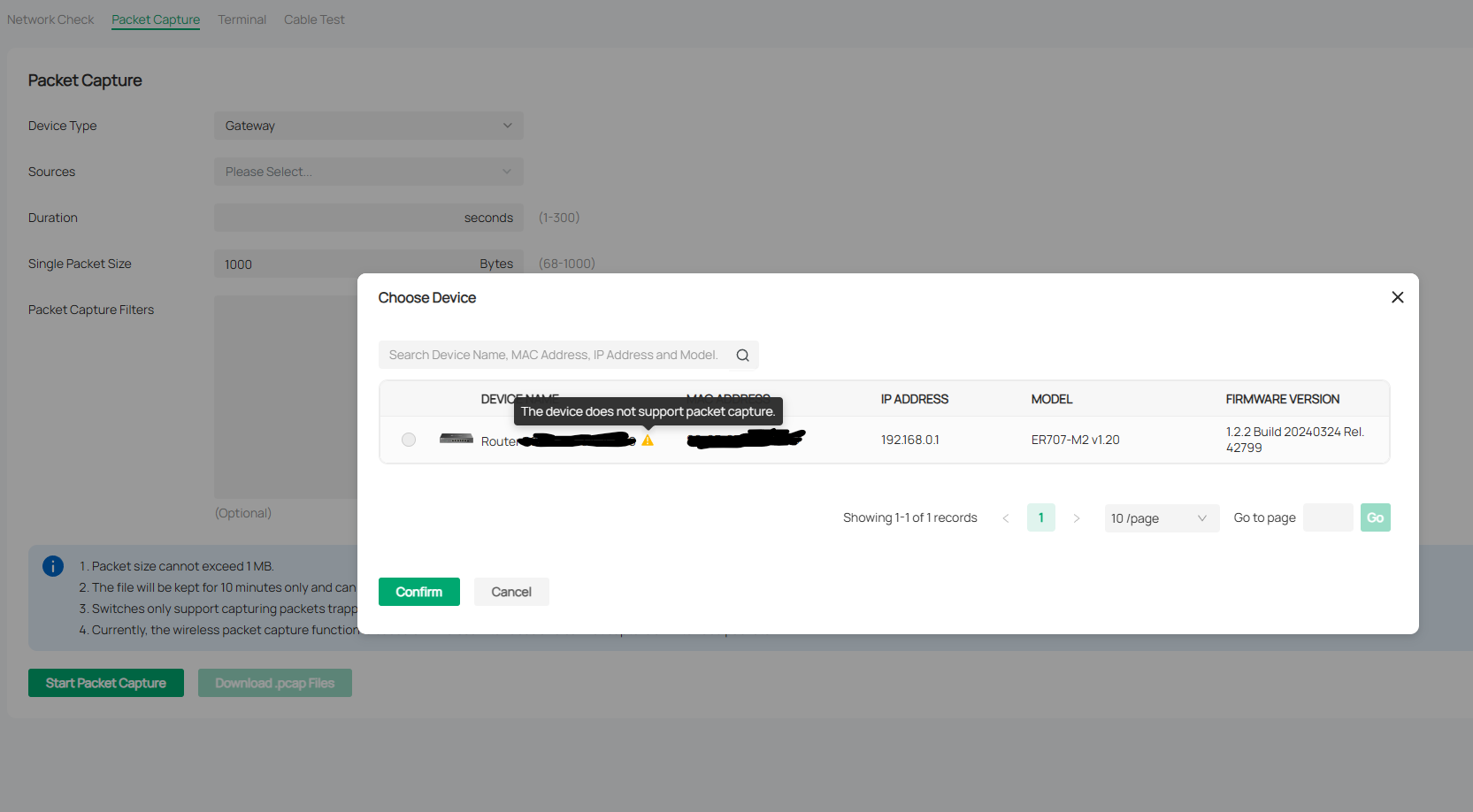
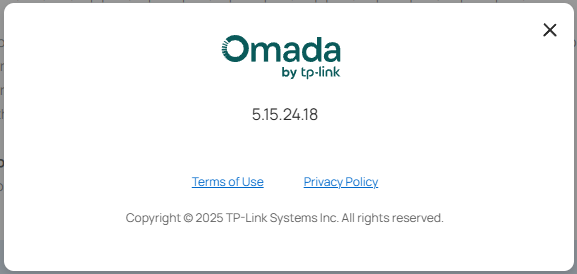
- Copy Link
- Report Inappropriate Content
- Copy Link
- Report Inappropriate Content
Your current firmware is outdated; the latest version is V1.3.1. Please try upgrading the firmware.
- Copy Link
- Report Inappropriate Content
@Ethan-TP Thanks for the tip! I upgraded the all the firmware (router, switch, APs) - it was a surprisingly easy process, with no data loss 
For example the cable test just started to work with the switch in the Omada controller. It did not work earlier if I remember correctly (?)
But when I tried the packet capture it showed the same message: "The device does not support packet capture."
Please help me, what would be the problem?
Thanks in advance,
Gyula
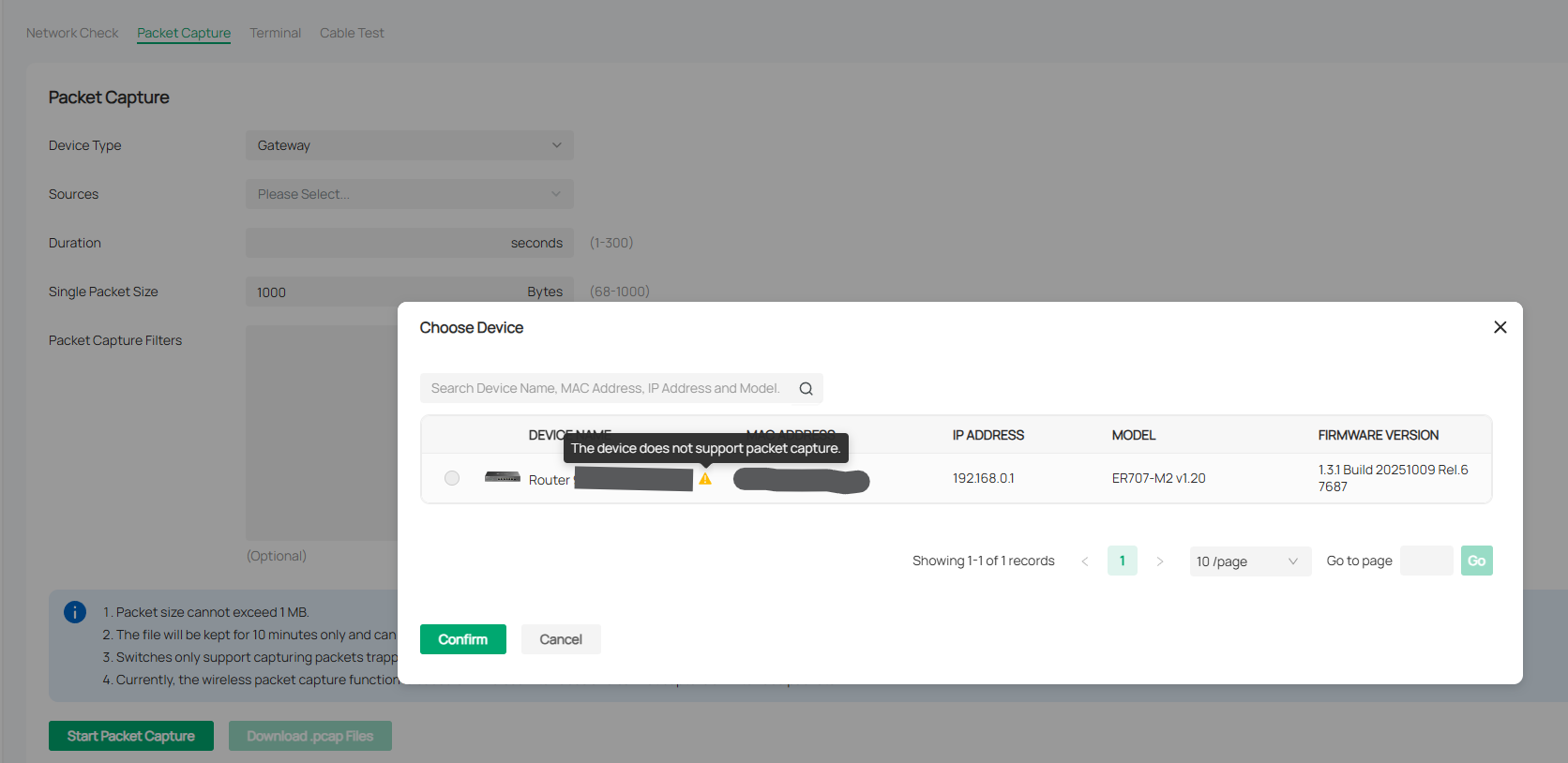
- Copy Link
- Report Inappropriate Content
After confimation,omada gateways currently do not include a built-in packet-capture tool. Please follow this guide to set up port mirroring and perform the capture externally.How to Use Port Mirroring to Capture Packets in the Controller
- Copy Link
- Report Inappropriate Content
@Ethan-TP I followed the guide you referred to and was able to collect all the information I wanted. It is now clear that the problem not at the network level, as all network communication are working as expected.
Thank you for your help, I really appreciate it!
Gyula
- Copy Link
- Report Inappropriate Content
Information
Helpful: 0
Views: 434
Replies: 7
Voters 0
No one has voted for it yet.