
OC200 do not show traffice history anymore
OC200 do not show traffice history anymore
OC200 do not show traffice history anymore
Posts: 5
Helpful: 0
Solutions: 0
Stories: 0
Registered: 2025-11-30

2025-11-30 17:13:44 - last edited 2025-12-12 09:26:53
Posts: 5
Helpful: 0
Solutions: 0
Stories: 0
Registered: 2025-11-30
OC200 do not show traffice history anymore
2025-11-30 17:13:44 - last edited 2025-12-12 09:26:53
Tags:
#Controller
Hello,
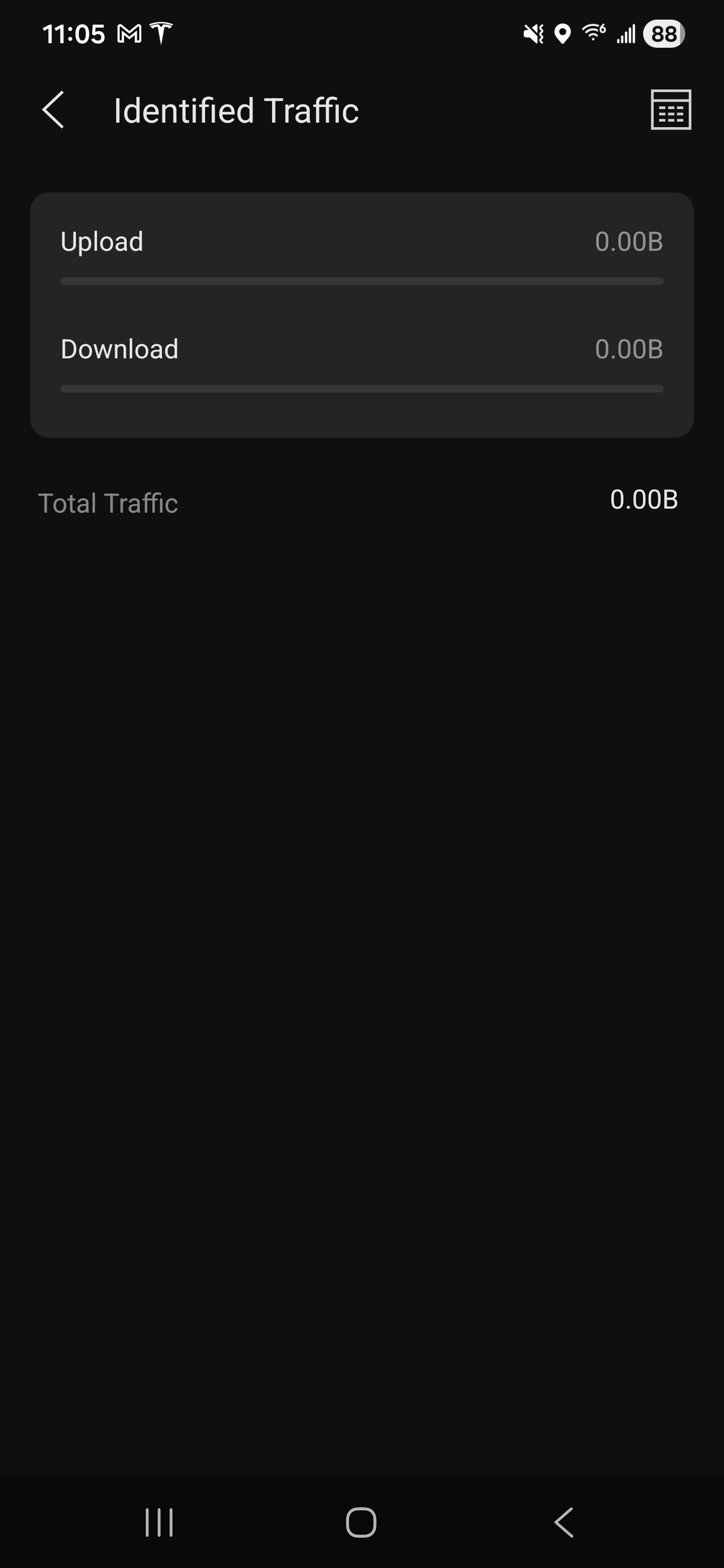
Recently I updated Omada OC200 controller to V6.0.0.34 firmware and I lost client traffic history.
Now is only shows 0B all the time. Previous firmware was showing this correctly
#1
Options
- Copy Link
- Subscribe
- Bookmark
- Report Inappropriate Content
Thread Manage
Module Manage
Announcement Manage
13 Reply
Posts: 4745
Helpful: 479
Solutions: 1517
Stories: 0
Registered: 2024-06-22


2025-12-12 09:22:46 - last edited 2025-12-12 09:26:53
Posts: 4745
Helpful: 479
Solutions: 1517
Stories: 0
Registered: 2024-06-22
Re:OC200 do not show traffice history anymore-Solution
2025-12-12 09:22:46 - last edited 2025-12-12 09:26:53
Hi @117luka_

This interface and the displayed data are new in the V6 version and show DPI data. If you haven’t enabled DPI, this is normal.
To check client traffic history, you can go to Logs page as ceejaybassist shared here:

Wish you a happy life and smooth network usage!
>Omada US Enterprise Beta Program Launch<
>Get the Latest Omada SDN Controller Releases Here<
>Experience the Latest Omada EAP Firmware<
Recommended Solution
0
We appreciate your feedback. Feel free to let us know more. Log in to submit feedback.
0
We appreciate your feedback. Feel free to let us know more. Log in to submit feedback.
#12
Options
- Copy Link
- Report Inappropriate Content
Thread Manage
Module Manage
Announcement Manage

Posts: 6
Helpful: 0
Solutions: 0
Stories: 0
Registered: 2024-02-15
Re:OC200 do not show traffice history anymore
2025-12-16 08:22:00
Need help with downgrade, even i have the same issue not able to see client history both on app and web.
How did you downgrade it?
0
We appreciate your feedback. Feel free to let us know more. Log in to submit feedback.
0
We appreciate your feedback. Feel free to let us know more. Log in to submit feedback.
#13
Options
- Copy Link
- Report Inappropriate Content
Thread Manage
Module Manage
Announcement Manage
Posts: 5
Helpful: 0
Solutions: 0
Stories: 0
Registered: 2025-11-30
Re:OC200 do not show traffice history anymore
2025-12-16 13:59:40
You need to download the previous firmware version and downgrade connecting directly to OC200.
There are few step by step guides how to do it.
0
We appreciate your feedback. Feel free to let us know more. Log in to submit feedback.
0
We appreciate your feedback. Feel free to let us know more. Log in to submit feedback.
#14
Options
- Copy Link
- Report Inappropriate Content
Thread Manage
Module Manage
Announcement Manage
Posts: 5
Helpful: 0
Solutions: 0
Stories: 0
Registered: 2025-11-30
2025-11-30 17:13:44 - last edited 2025-12-12 09:26:53
Posts: 5
Helpful: 0
Solutions: 0
Stories: 0
Registered: 2025-11-30
Information
Helpful: 0
Views: 894
Replies: 13
Voters 0
No one has voted for it yet.
Tags
Report Inappropriate Content
Transfer Module
New message