Strange switch Behavior

Strange switch Behavior

Strange switch Behavior
20 hours ago
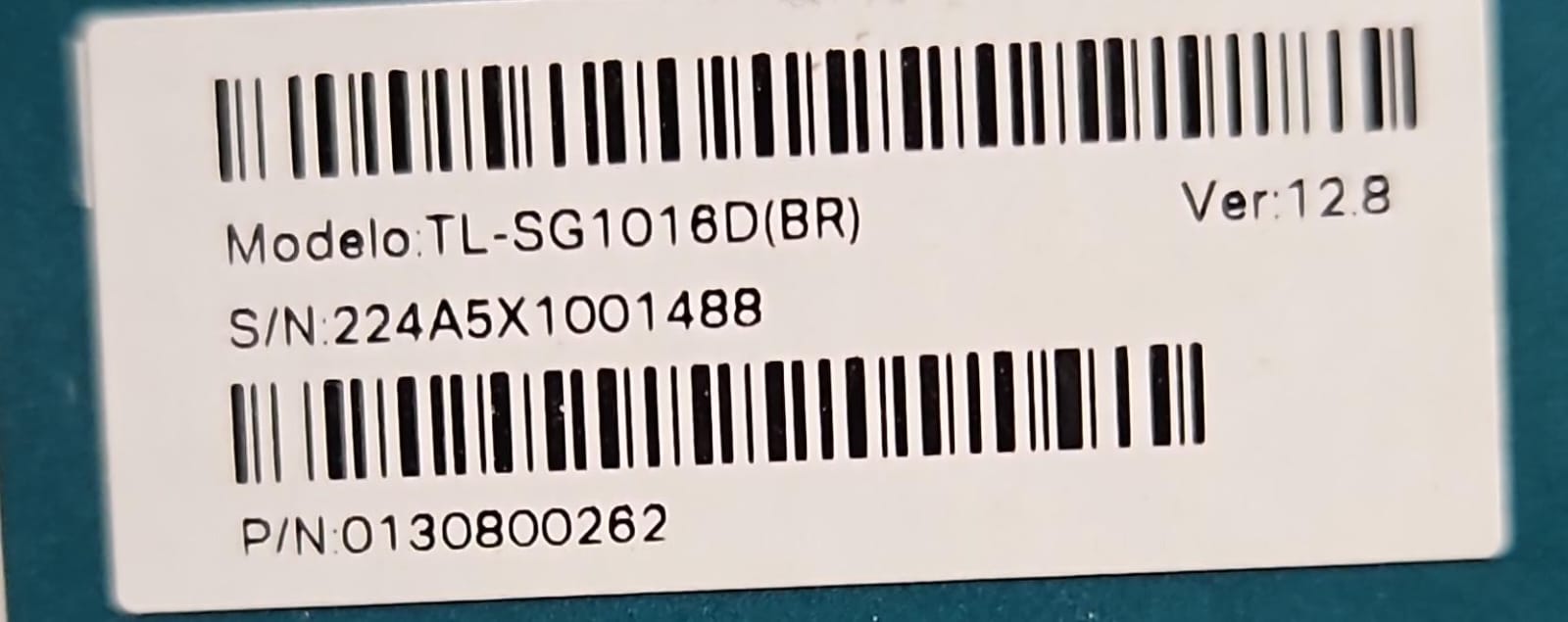
Model: TL-SG1016D  
Hardware Version: V12
Firmware Version:

Hi,


We have made a brand new installation to our local network with a simple setup:

WAN -> Router -> Switch (TL-SG1016D) -> 16x Clients (some windows pcs, some eap225 access points)

Initially some of the connected pcs was not reaching internet, so I did following tests in all problematic pcs:


ping from PC to Router -> 11ms responses with no packet loss. At some moments the ping drops to <1ms (the expected latency for a LAN)

ping from PC to PC -> always <1ms

ping from PC to 8.8.8.8 -> almost no response, but it responds fine at the same moment that the ping to router shows <1ms


So I spent a whole morning testing all cables, replacing patch cords, doing a lot of tests.


At some moment I realized that it might be an IP conflict (my router uses 192.168.0.1), so I made the following test:


Connected to port 1 of switch my router, and one other ports my PC. (just two cables into the switch, no interference of any other equipment)


1. Did a ping test to 192.168.0.1 and the same issue, high latency, no ping to 8.8.8.8)

2. Disconnected the cable that links the switch to the router, and did the ping to 192.168.0.1.

3. The ping STILL RESPONDS. 


So I'm assumming that for some reason the switch (although unmanaged) for some reason is responding to 192.168.0.1 address.


Did someone found any issue like this? I have exactly the same switch, router and access points in another site, and it just works fine.


This switch have port isolation and loop prevention, I tried enabling and disabling both, but the same result occurs.

  0      
  0      
#1
Options
14 Reply
Re:Strange switch Behavior
20 hours ago - last edited 20 hours ago

  @EliasSoares 


Are you sure that the switch is a TL-SG1016D and not a TL-SG1016DE?  If the switch is unmanaged, how did you enable and disable port isolation and loop prevention?  If the switch is a TL-SG1016DE, then you need to change its IP address.


1x ER7406 1x OC300 4x SG2008 1x EAP610 3x EAP650-Desktop
  0  
  0  
#2
Options
Re:Strange switch Behavior
20 hours ago - last edited 20 hours ago

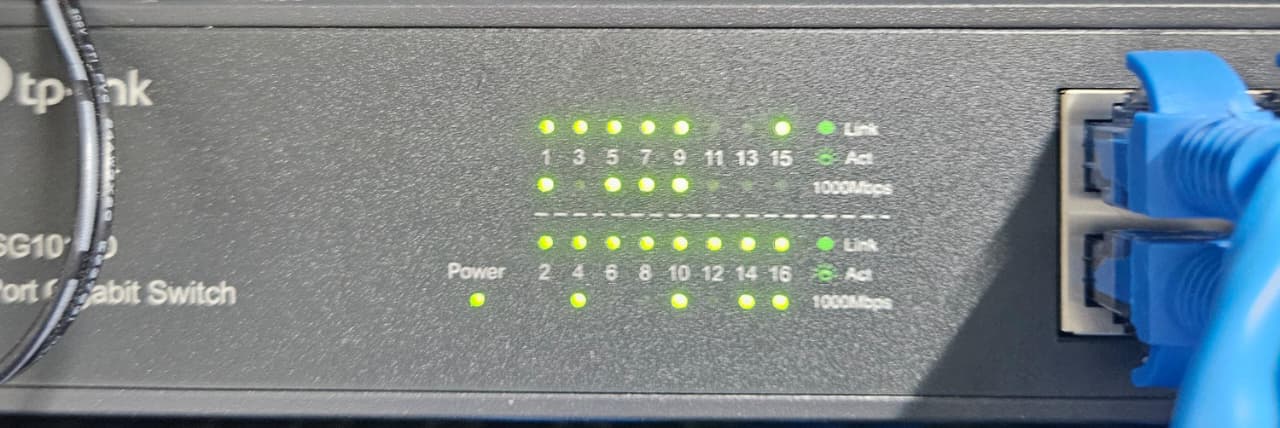
  @jra11500 yes, pretty sure, as you can see in the image from the box (and on the front image you can see that it ends with a D (covered with the wire, but it's a D)


Also the front of the switch doesn't have the reset button.


  0  
  0  
#3
Options
Re:Strange switch Behavior
19 hours ago

  @EliasSoares 


I am not familiar with that switch model and hopefully one of the Tp-Link moderators will be able to help you.


1x ER7406 1x OC300 4x SG2008 1x EAP610 3x EAP650-Desktop
  0  
  0  
#4
Options
Re:Strange switch Behavior
19 hours ago

 Hi @EliasSoares,


Just to rule this out... is your PC set to use static IP 192.168.0.1?

  0  
  0  
#5
Options
Re:Strange switch Behavior
19 hours ago

  @D-C no.


192.168.0.1 is my router (mikrotik, sorry) that serves DHCP to the LAN (192.168.0.2 ~ 192.168.0.254)

The PC is set-up to use DHCP provided ip.

  0  
  0  
#6
Options
Re:Strange switch Behavior
18 hours ago

@EliasSoares,


That switch model shouldn't respond to ping.  If the PC uses DHCP, it should use default to a link-local address and not even get a 192.168.0.x address to ping from.


If you unplug the PC from everything, does it still ping 192.168.0.1? Is the PC wifi capable?

Maybe also check the arp data on the PC to see if the 192.168.0.1 entry matches the switch's mac address.

  0  
  0  
#7
Options
Re:Strange switch Behavior
18 hours ago

  @D-C yes, it should not respond to the ping.

Note the reproduce steps on the original post:


1. connect both router and pc to the switch

2. the pc will get ip from routers dhcp, ping erratically the router (high latency, no ping to external ips)
3. disconnect the router from the switch (the pc will stay with the ip got from the router in the previous step, something like 192.168.0.2)

4. even with the router disconnected, the pc still can pin 192.168.0.1 with the same high latency

It HAS to be the switch responding to it, for some reason.


I did tried three different PCs and my personal laptop, same behavior.

  0  
  0  
#8
Options
Re:Strange switch Behavior
18 hours ago

  @EliasSoares i don't know if for some reason tplink shares this hardware with other models that responds to 192.168.0.1 for an admin panel or something else

  0  
  0  
#9
Options
Re:Strange switch Behavior
17 hours ago

@EliasSoares, I was going to ask ig the arp command showed the switch's mac address for the 192.168.0.1 address and then I realized that there's no MAC address on the label in the photo in a previous post.  If it's TCP/IP capable, it should have the mac address on the label too.  I can't explain what you're seeing, but I'm not convinced it's the switch yet.


Can you go back to testing only the PC connected to the switch...

  1. Unplug everything from the switch, power it off/on
  2. Set a static IP on the PC to 192.168.0.2
  3. Ping 192.168.0.1 (should fail)
  4. Plug PC into switch
  5. Ping 192.168.0.1


If ping step 3 fails and ping step 5 ping works, I'll be forced to agree the switch is somehow responding and TP-Link will need to explain.

  0  
  0  
#10
Options
Re:Strange switch Behavior
17 hours ago

jra11500 wrote

  @EliasSoares 


Are you sure that the switch is a TL-SG1016D and not a TL-SG1016DE?  If the switch is unmanaged, how did you enable and disable port isolation and loop prevention?  If the switch is a TL-SG1016DE, then you need to change its IP address.


@jra11500, this switch actually has two physical toggle swtches to enable/disable these features.

  0  
  0  
#11
Options