
LAN DNS not working
LAN DNS not working

Configured LAN DNS under Site > Network Config > LAN > LAN DNS.
I added two records with domains that need to resolve to the same LAN IP (a web server with virtual hosts).
[Record 1]
Domain name: domain1.internal
Type: IP
IP: 192.168.1.200
Apply to LAN: Private LAN (default)
[Record 2]
Domain name: domain2.internal
Type: IP
IP: 192.168.1.200
Apply to LAN: Private LAN (default)
Whatever I try, I can't get it to work. On connected LAN computers these domains cannot be resolved.
All computers use DHCP. In the Omada controller the DHCP settings are all default, so the assigned DNS address is the one of the router (ER707-M2, fw 1.3.1).
Looked up a few topics here on the community forums, but to no result unfortunately. Due to the extremely poor performance of the OC200, I migrated my entire controller to a virtual one but with the same end results.
nslookup results: *** UnKnown can't find x.local: Non-existent domain
Any suggestions?
- Copy Link
- Subscribe
- Bookmark
- Report Inappropriate Content


Hi @Theedoek
Thanks for posting here.
ipconfig/all, what's the DNS server address? Is it the LAN interface IP? Or a public IP? Could you please share a screenshot?
To understand the situation better, please also share a screenshot of the LAN DNS settings page. Thanks.
- Copy Link
- Report Inappropriate Content

@Vincent-TP Local IP adresses
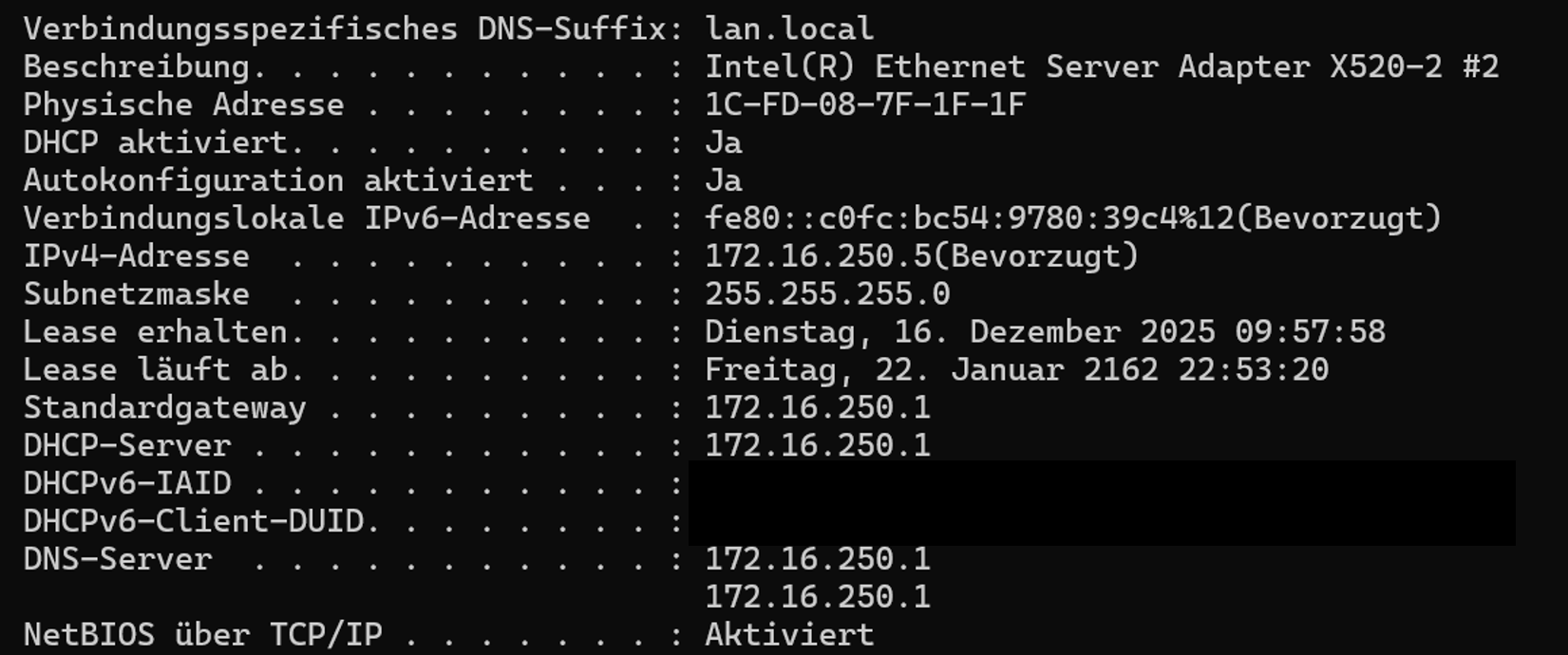
VLAN1: 172.16.250.0 /24 [Gateway+DNS Server IP is 172.16.250.1]
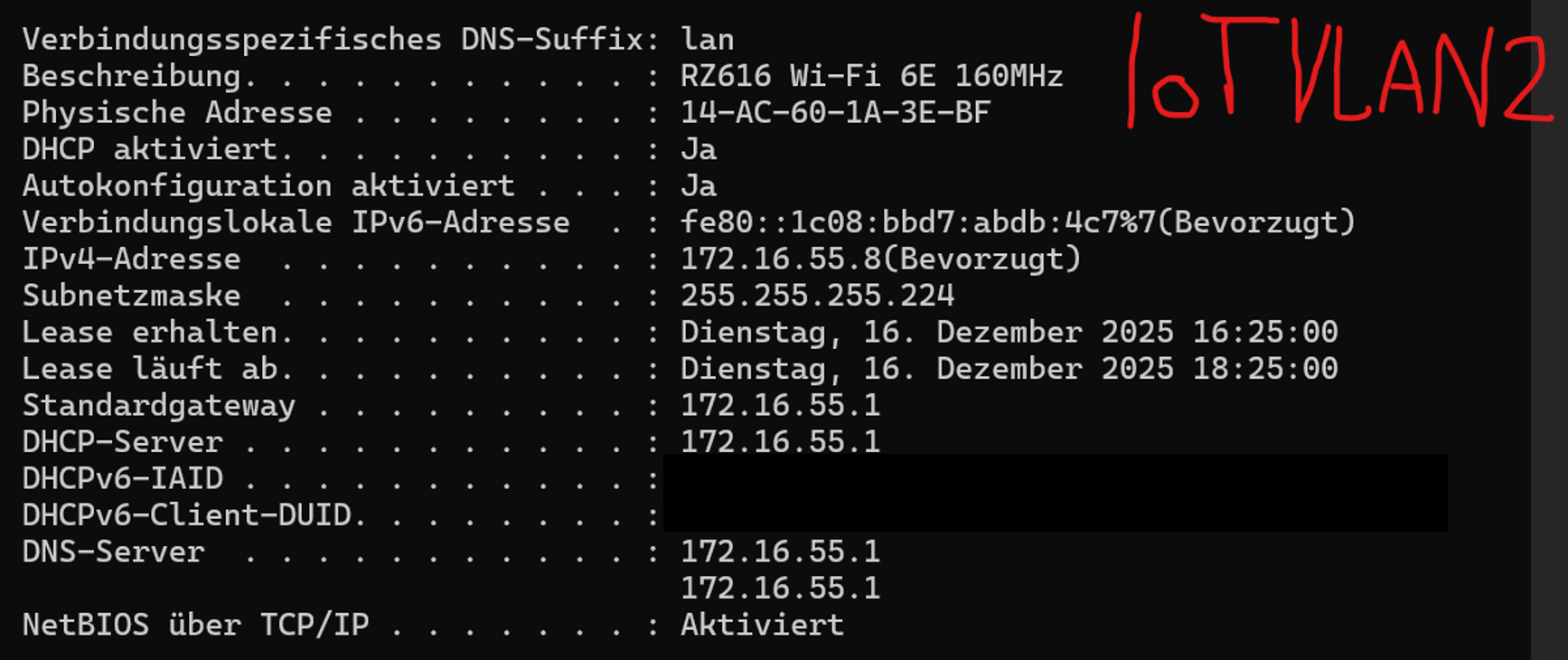
VLAN2: 172.16.55.0/25 [Gateway+DNS Server IP is 172.16.55.1]
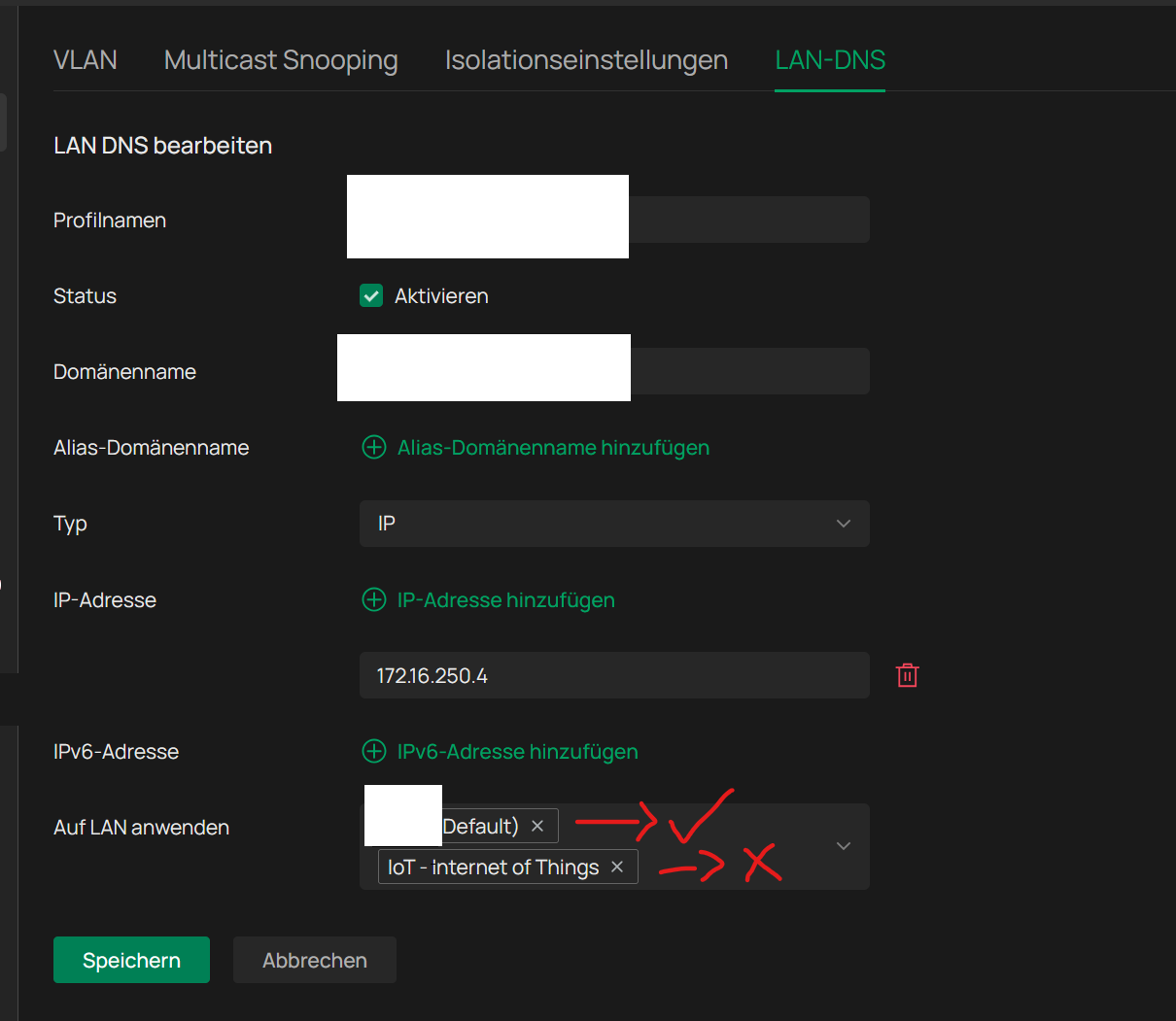
That is the screenshot of the non working Lan-DNS thinggy
The device is resolve it to is in the "main network", I tested it right now on my phone and laptop, on the IoT network I always get my public IP back (because the domain I use is resolved from external to my ip), instead of 172.16.250.4, in the 172.16.250.0/24 network I get 172.16.250.4
- Copy Link
- Report Inappropriate Content
@Vincent-TP I don't understand what you mean by a screenshot of it, do you mean with all Lan-DNS domains set up? If so I would like to share it as a private message since it is a domain that is publically reachable as well.
And here are the screenshots of ipconfig /all
- Copy Link
- Report Inappropriate Content
Private LAN (default VLAN 1): 10.0.0.0/24
Router IP: 10.0.0.1
A wired computer in the private LAN:
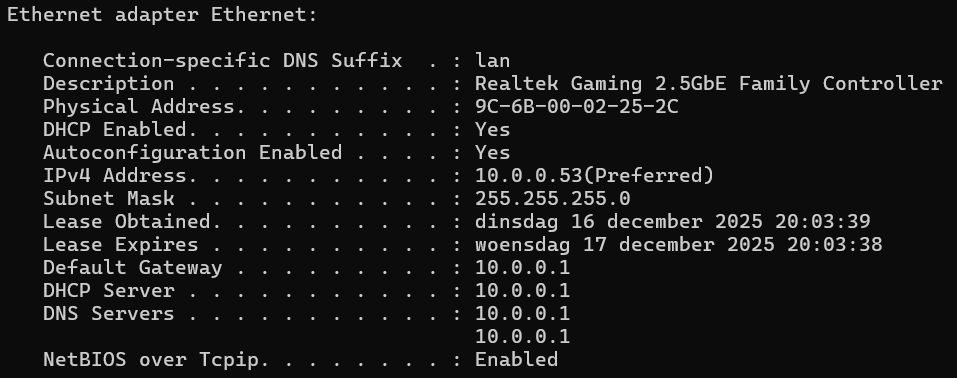
As shown above the DHCP server, gateway and DNS server are all pointing to 10.0.0.1 which is the IP of my ER707-M2 router:
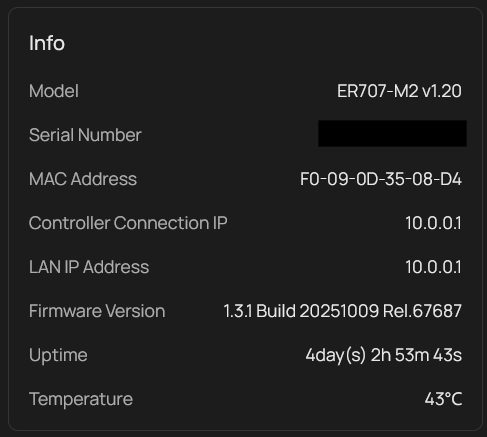
Domain 1:
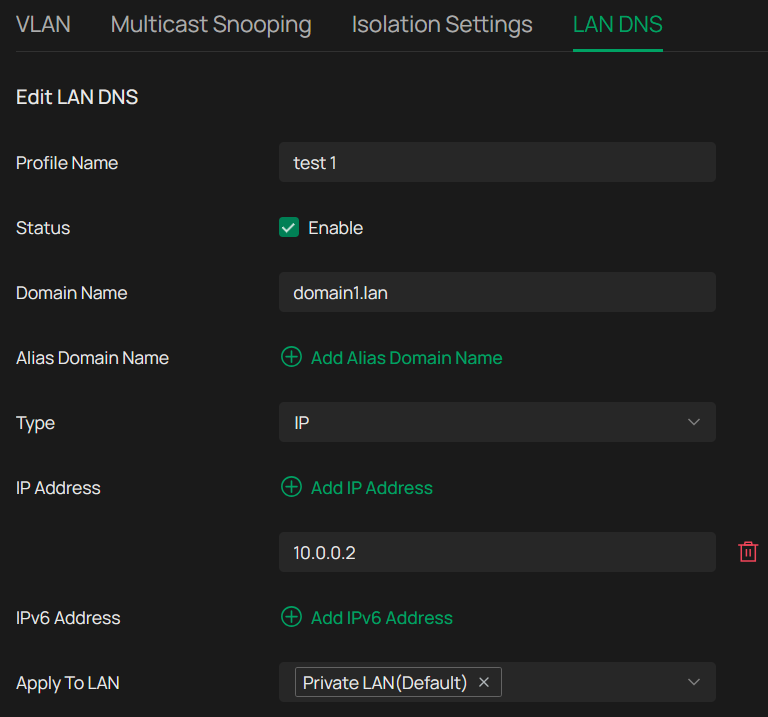

Domain 2:
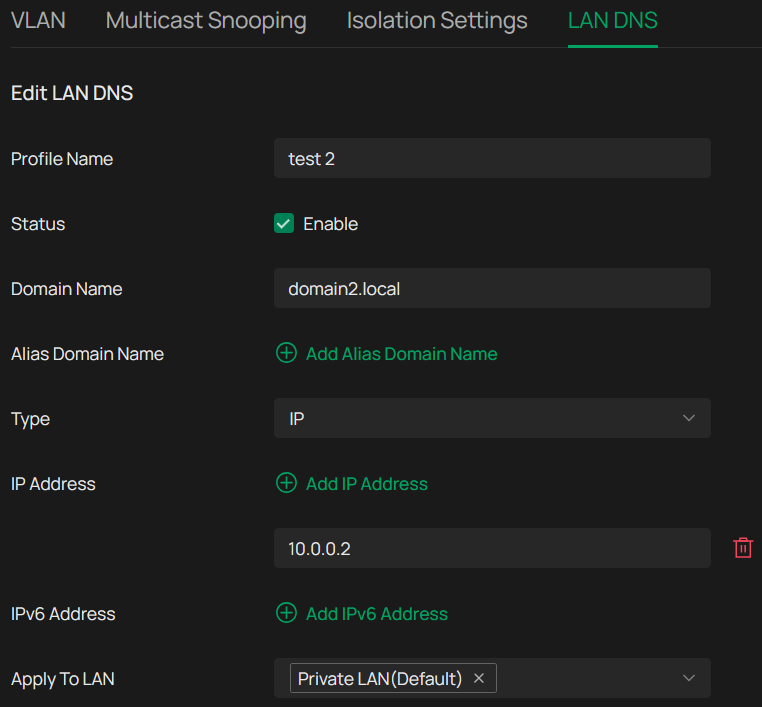

There are no issues reaching IP 10.0.0.2:
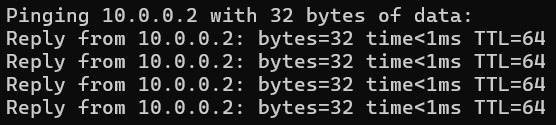
I sometimes get this error after a couple of seconds:
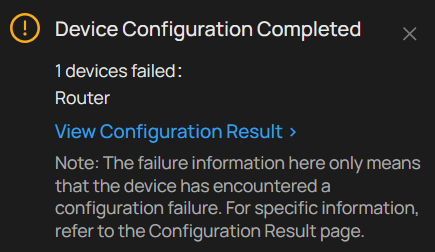
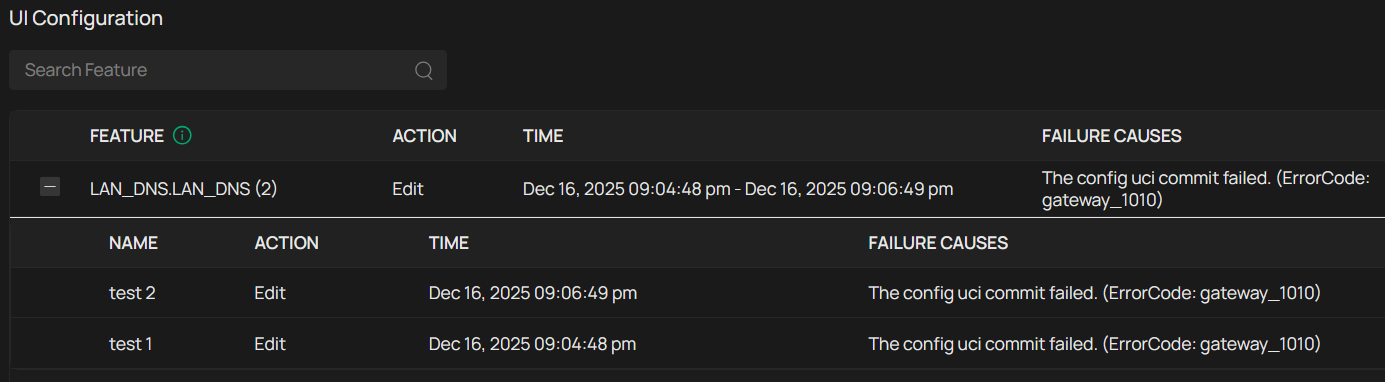
Clicking on "View Configuration Result" brings me to the logs and shows this:
- Copy Link
- Report Inappropriate Content
Thank you so much for taking the time to post the issue on the TP-Link community!
To better assist you, I've escalated your case to our support engineer to look into the issue.
Please check your email inbox and ensure the support email is well-received.
Once the issue is addressed or resolved, please update this topic thread with your solution to help others who may encounter the same problem as you did.
Many thanks for your excellent cooperation and patience!
- Copy Link
- Report Inappropriate Content
@Vincent-TP Thank you for escalating the topic to the engineering team. I have not received an e-mail yet, but I will surely keep an eye out.
I will provide updates in this topic once there is progress.
- Copy Link
- Report Inappropriate Content
Got in contact with the TP-Link support team and this is what they said:
After verification, this issue occurs because the Network Name configured for DNS LAN currently supports only a combination of numbers, letters, and underscores, and does not support spaces, hyphens, or other symbols.
Please try modifying the Network Name and then test again.
Initially I didn't immediatly understood his answer as I was focussed on the inputs of the LAN DNS entry which don't mention "Network Name" anywhere.
The Network Name however....is just the name of the network/VLAN (doh!) and I was looking in the wrong place.
As per his instructions I renamed the networks and removed illegal characters:
- Private LAN --> Private
- Guests LAN --> Guests
- IoT LAN --> IoT
This did not immediately solve the issue though. To make it work I removed all LAN DNS entries and recreated them. Now everything works as it should, great success!
- Copy Link
- Report Inappropriate Content
@Theedoek That fixed it for me as well!
"The Network Name used for DNS LAN supports only numbers, letters, and underscores, and does not support spaces, hyphens, or other special characters."
Many thanks for the good and fast support!
- Copy Link
- Report Inappropriate Content
Information
Helpful: 0
Views: 2186
Replies: 18
Voters 0
No one has voted for it yet.