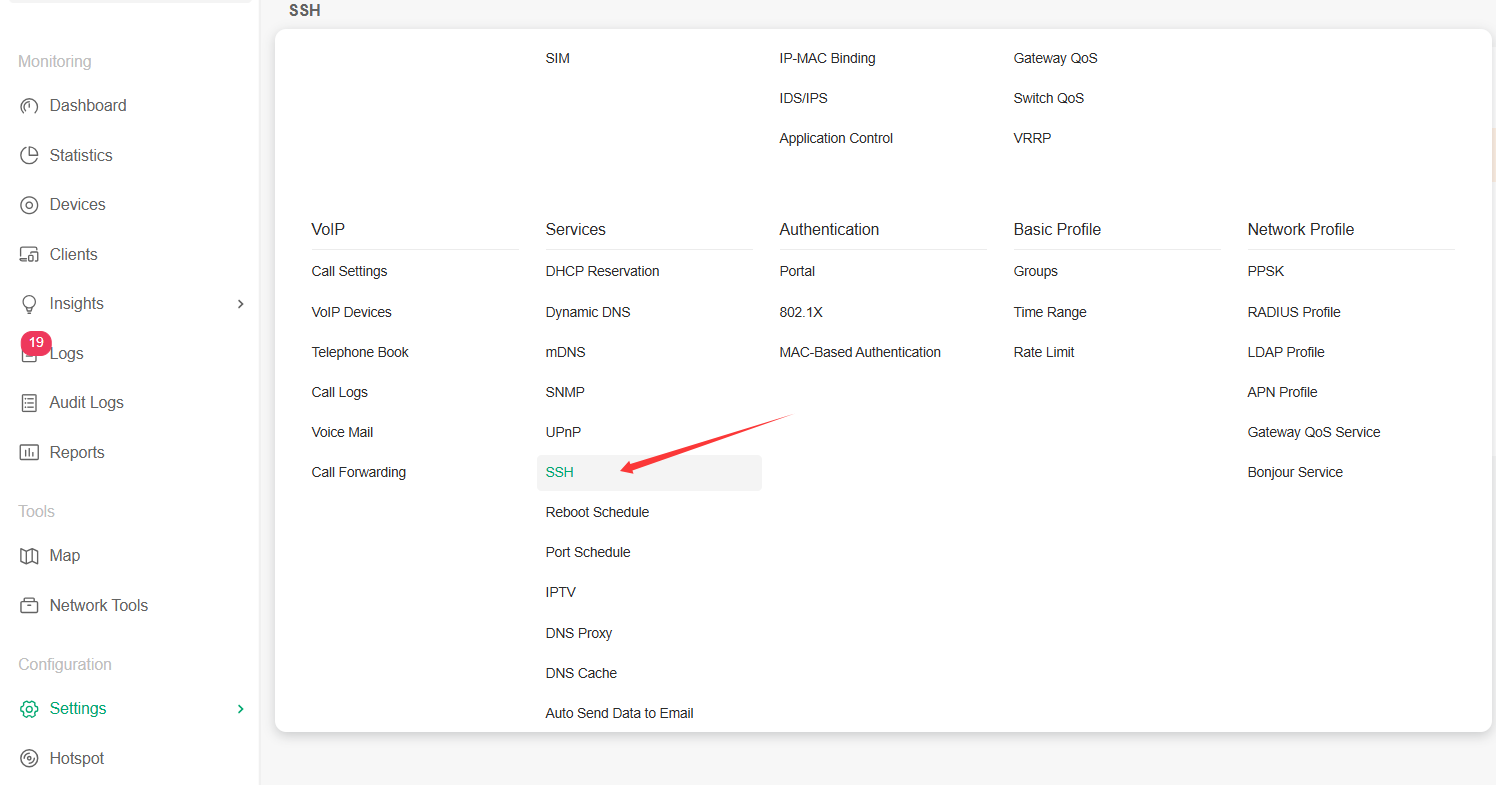
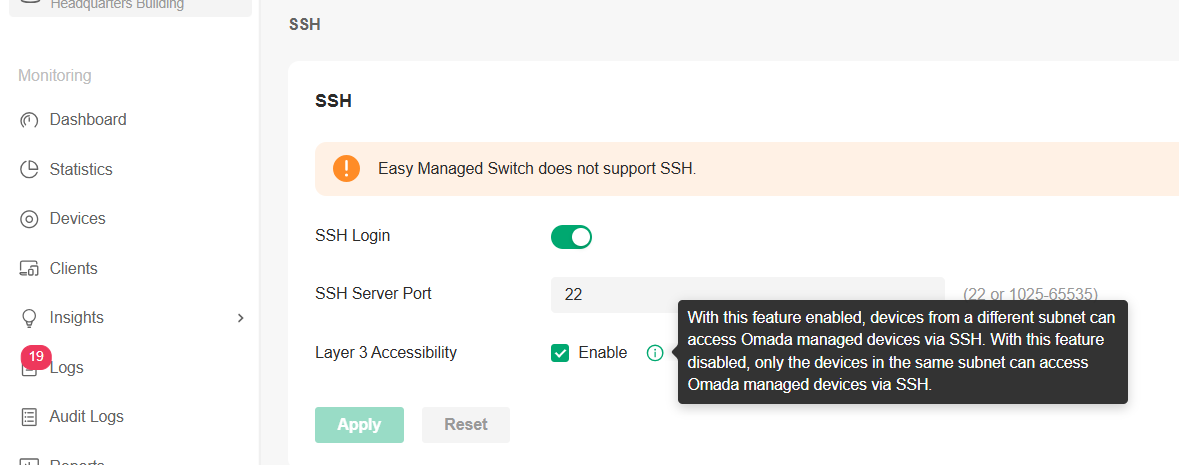
Where is "Allow Layer 3 Adoption" in Omada Controller v5.15.24.19? (AP Reachable but Not Discovered)
 This thread has been locked for further replies. You can start a new thread to share your ideas or ask questions.
Hello TP-Link Community,
I have a fresh installation of the Omada Software Controller, version 5.15.24.19 (Linux, .deb package). I am trying to adopt an EAP773 access point that is on a different subnet/VLAN.
The access point receives the correct DHCP option 43 pointing to the controller's IP (192.168.0.29), and there is full network connectivity between the subnets. However, the access point does not appear in the controller's "Devices" tab for adoption.
Based on documentation and previous versions, I understand I need to enable "Allow Layer 3 Adoption" and "Allow API Portal" in the controller settings. I have successfully found and configured the "Device Management Hostname/IP" under System Settings to 192.168.0.29 and enabled the Device Management checkbox.
My Issue: I cannot locate the "Allow Layer 3 Adoption" toggle anywhere in the web interface. I have exhaustively searched through:
-
Settings->System Settings->Access Config(IP set to192.168.0.29,Device Managementenabled). -
Settings->Controller Settings(only shows General, Status, and Maintenance-related options). -
Configuration-> All sub-menus (WLAN, Security, Services, etc.). -
Site Settings.
I am using Google Chrome in Ubuntu to access the Controller web page.
Diagnostic Evidence Confirming AP is Ready:
The network path is confirmed clear, and the AP is alive and listening for discovery. The controller is simply not accepting the connection.
-
AP IP:
10.10.100.21(Confirmed via switch ARP table and successful ping). -
AP Connectivity: Directly connected to switch port Gi1/0/3 (trunk, native VLAN 100).
-
NMAP Scan Results from Controller Host:
-
TCP Ports (8088, 8043, 29810-29817): All show as
filtered. This is the expected state for an unadopted AP. -
UDP Port 29810: Shows as
open|filtered. This confirms the AP is actively listening for controller discovery.
-
-
DHCP: The AP successfully obtained its lease with the correct
option 43. -
Network ACLs: Verified none are blocking traffic between the AP's VLAN (
10.10.100.0/24) and the controller (192.168.0.0/24).
My Question: In version 5.15.24.19, where is the "Allow Layer 3 Adoption" setting located? Is it under a different name, or is there another prerequisite step I am missing to make it appear in the interface?
System Details:
-
Controller Version: 5.15.24.19
-
Host OS: Ubuntu Linux
-
Network Setup: Controller on
192.168.0.29/24, AP on10.10.100.21/30.
The evidence strongly suggests the controller software is not configured to allow the connection. Any guidance on finding this critical setting would be greatly appreciated. Thank you.