
Enable logging ISP connection lost in Omada gateway

I would like to receive a notification by my mobile phone tp link app and/or e-mail when my gateway loses internet connection. Where can I set this up please?
Now I only receive a message through my phone app that teh OC200 controller is offline but I don't know why.
Thanks
- Copy Link
- Subscribe
- Bookmark
- Report Inappropriate Content

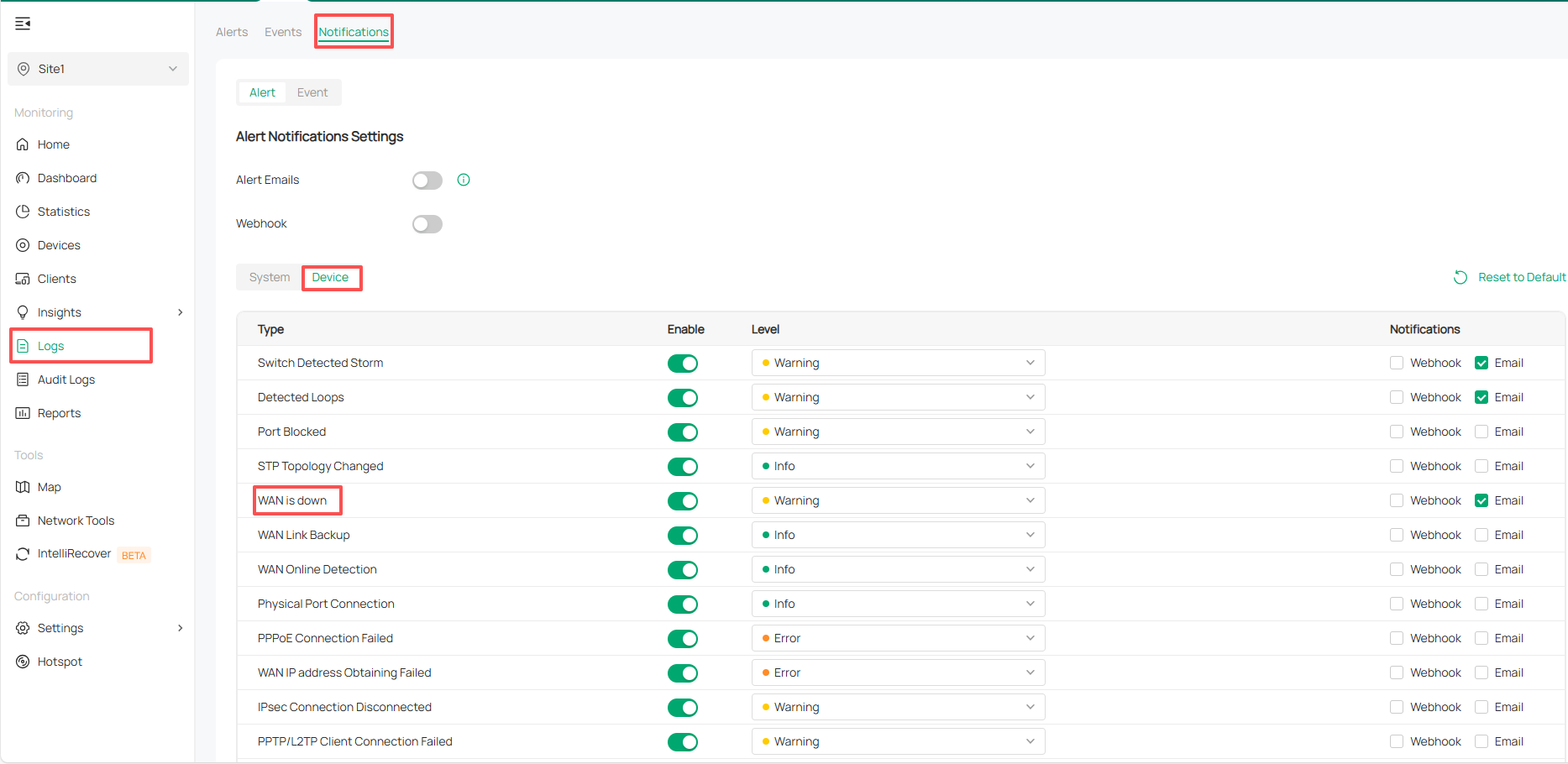
In the Omada controller’s log settings, there is an option related to “WAN is down”—see the attached image.
In addition, the OC200 controller showing as offline indicates that it has failed to connect to the network; you need to verify whether its network connection is normal.
- Copy Link
- Report Inappropriate Content
In the Omada controller’s log settings, there is an option related to “WAN is down”—see the attached image.
In addition, the OC200 controller showing as offline indicates that it has failed to connect to the network; you need to verify whether its network connection is normal.
- Copy Link
- Report Inappropriate Content
I do not see this screen. I control my site configuration through Omada Cloud management, On-premises systems then I select my Omada Controller site
- Copy Link
- Report Inappropriate Content
- Copy Link
- Report Inappropriate Content

It is there on OC200 regardless of access method (cloud / local IP)
Vincents screenshot shows you exactly where to find and enable it
- Copy Link
- Report Inappropriate Content
Information
Helpful: 1
Views: 612
Replies: 4
Voters 1
