
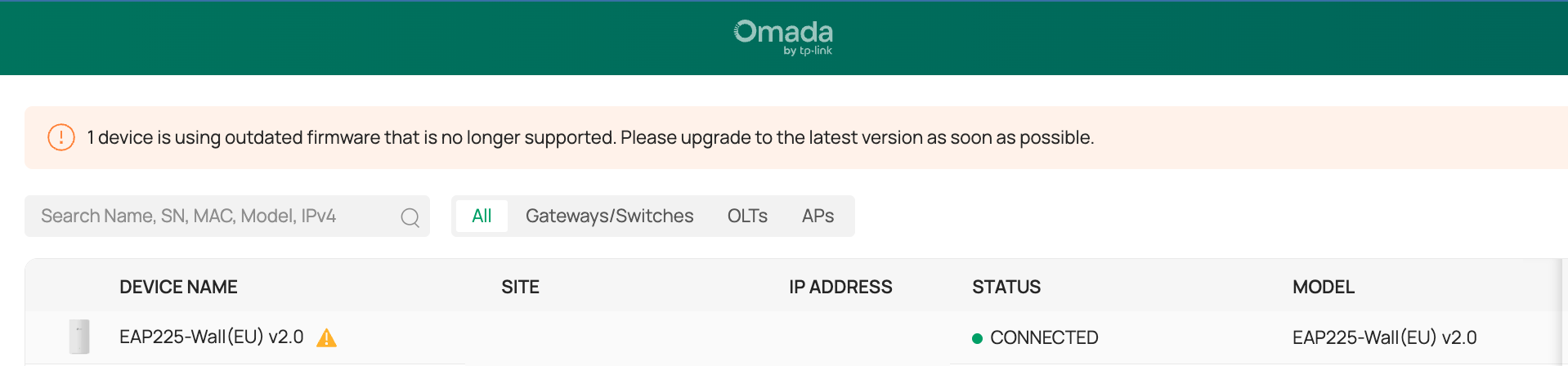
EAP225-Wall(EU) v2.0 Outdated firmware that is no longer supported. Its already using the latest.

My EAP225-Wall(EU) v2.0 is currently on firmware 5.0.3 Build 20210604 Rel. 53135 which is the latest one. Why am I getting this warning that my device needs to be updated and the current firmware is not supported. Kindly fix this TP-Link. Hoping to get a response from you ASAP. Thank you.
Model : OC200 1.0
Firmware Version : 1.38.7 Build 20251220 Rel.69979
- Copy Link
- Subscribe
- Bookmark
- Report Inappropriate Content


Hi @PiLYo1
Thanks for posting here.
You will get the answer from the following FAQ:
What should you do when the Omada Network v6 adopts device with outdated firmware?

- Copy Link
- Report Inappropriate Content

Hi @PiLYo1,
It would be nice if the message went away, but you can ignore it. See: https://community.tp-link.com/en/business/threads/topic/850768?replyId=1643656
- Copy Link
- Report Inappropriate Content
Hi @PiLYo1
Thanks for posting here.
You will get the answer from the following FAQ:
What should you do when the Omada Network v6 adopts device with outdated firmware?
- Copy Link
- Report Inappropriate Content
Hi @Vincent-TP
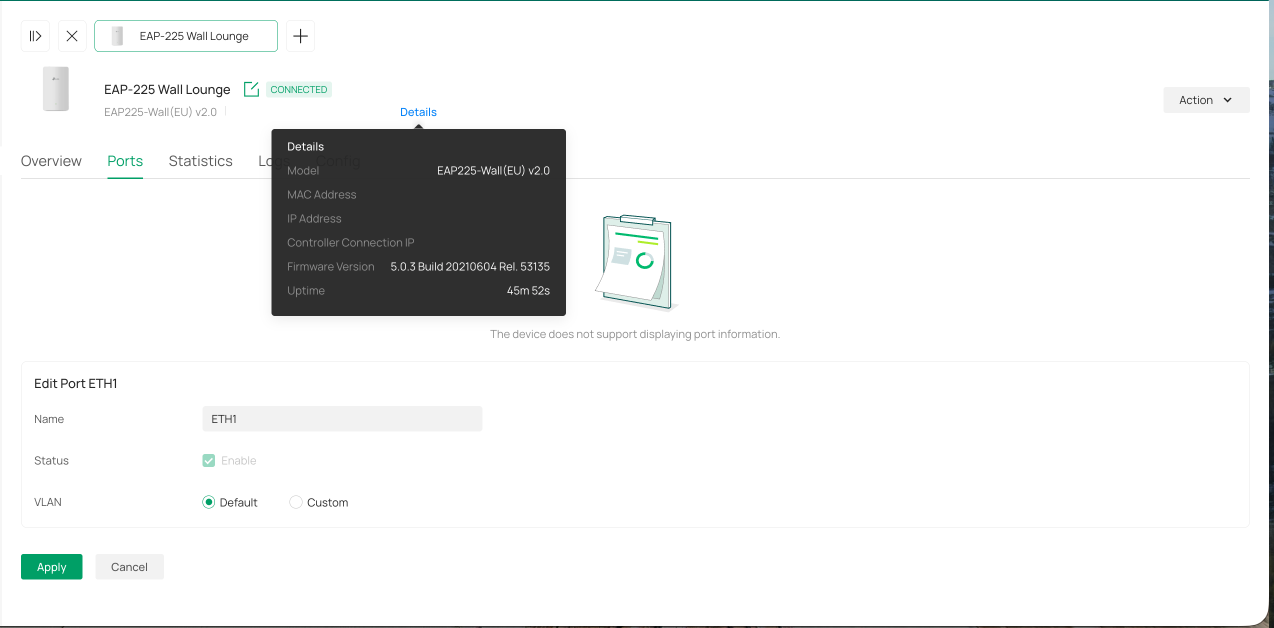
I followed your suggestion, but I’m encountering a failed upgrade error indicating that no device is ready for upgrading. I also attempted a manual update, but that didn’t resolve the issue.
Additionally, I noticed that the ports are not functioning, even though they appear to be set to Enabled. The enable checkbox is checked but grayed out and unclickable, so I’m unable to make any changes.
Given these issues, would it be safe to proceed with a downgrade?

- Copy Link
- Report Inappropriate Content

Sure, don't read the post, don't take 15 seconds to analyze it, don't address the specific issue, just post the same general answer that matches the keywords a second time. This really gets on my nerves.
Either make your due diligence, or don't answer.
I'm having this same issue.
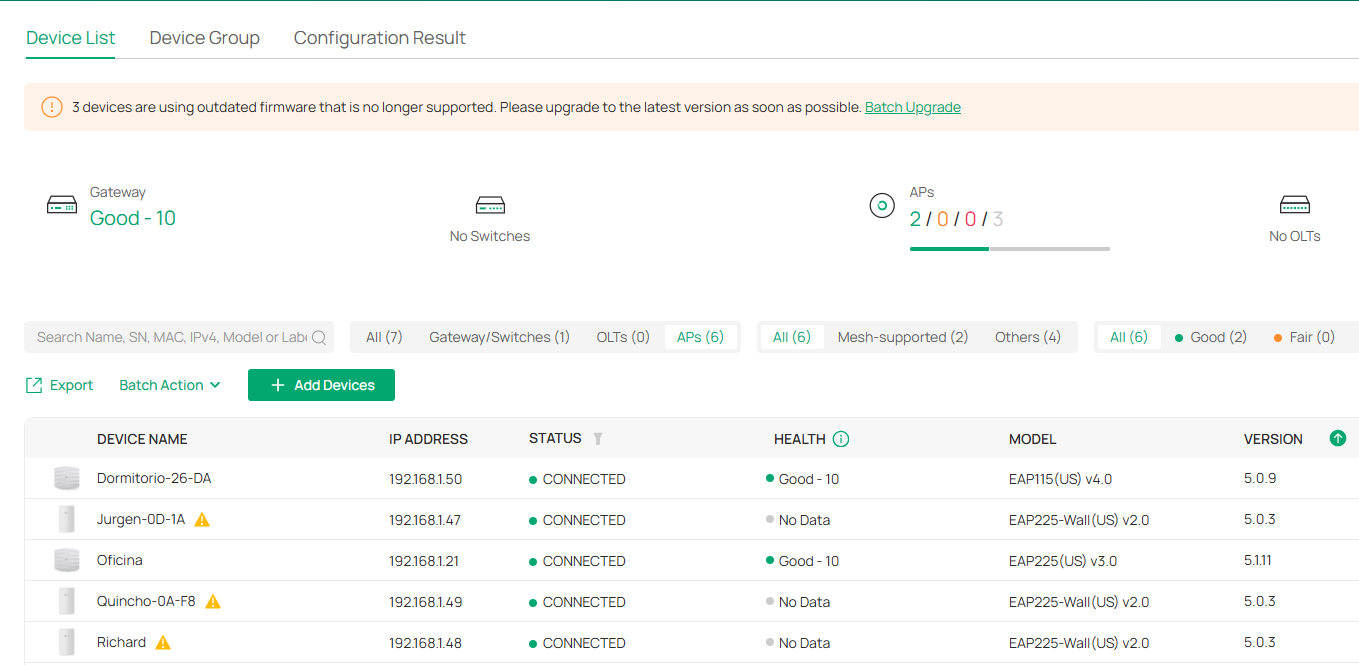
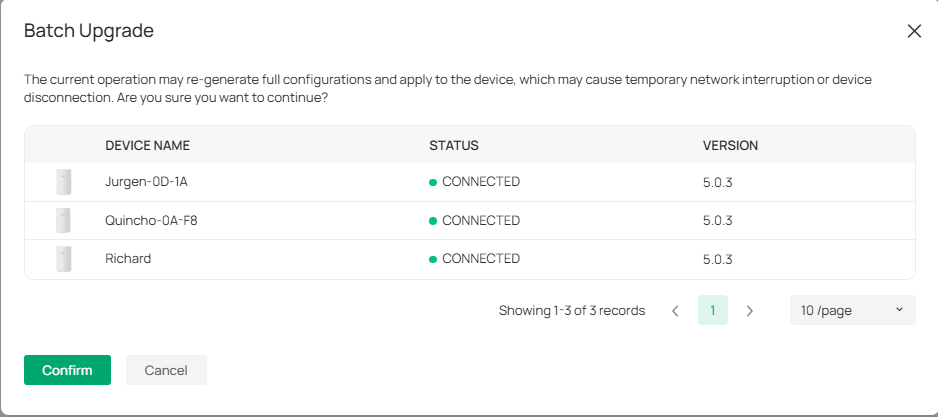
I click on the Batch Upgrade link and get this:
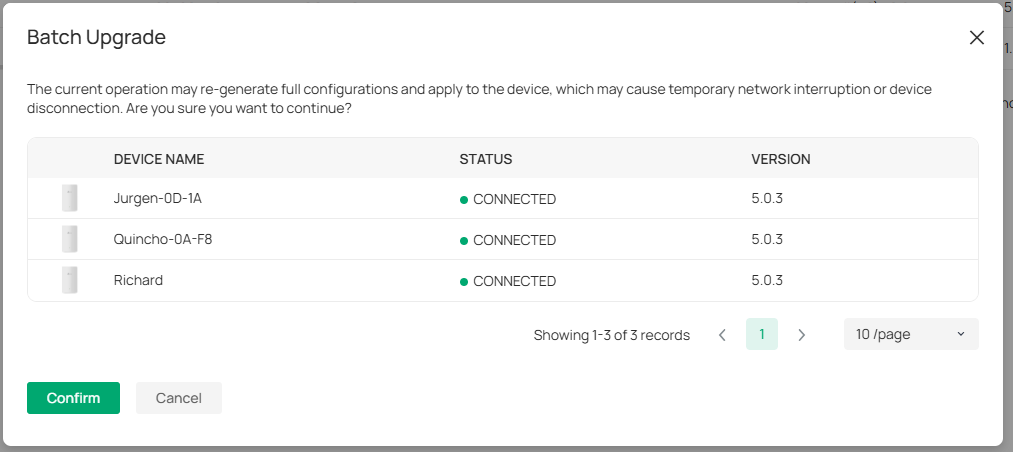
I confirm, but immediately get an error:

When I first started having this problem, trying to upload it in different remote ways as this is an external site (outside my OC300 LAN), among the "not supported" messages I concluded that I had to do a manual on-site standalone update for it to be recognized by the new Omada version. I remember this happening to me in the past, so I finally decided to travel to that site. Still no luck upgrading. I went through the ultimate annoying process: Forget the device, factory reset, standalone (web interface) initialization, trying to update, but failing anyways.
Well, then lets upgrade the firmre manually, EAP225-Wall V2 latest firmware is 5.0.3. It's from 2021. That's right, not new firmwares in over 4 years.
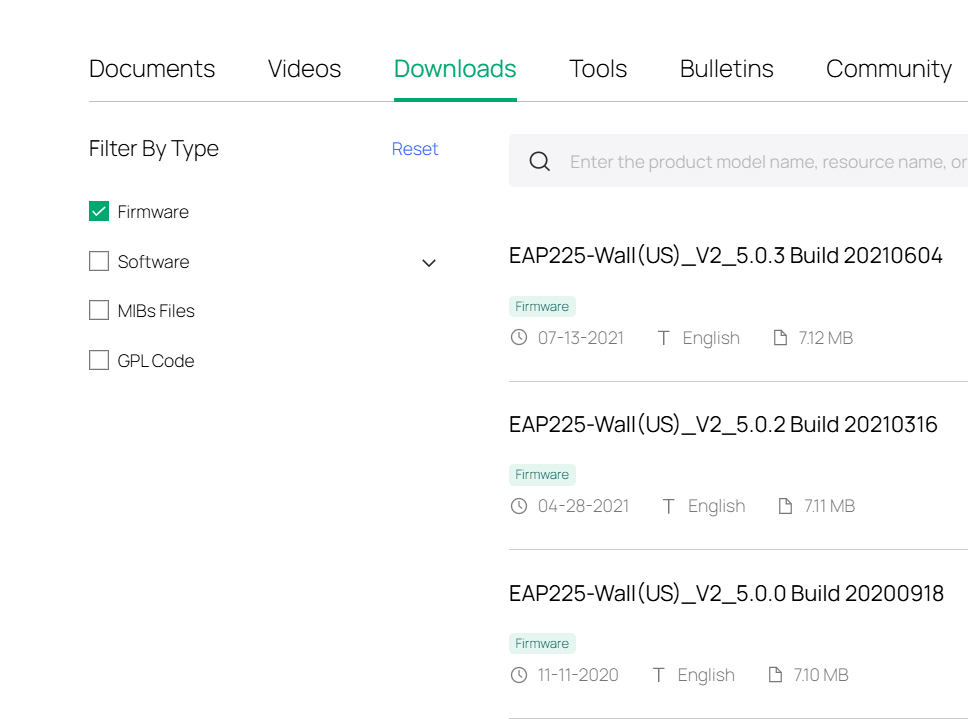
@PiLYo1 This is a BUG in the Omada interface. The reality is that EAP225-Wall reached EoL (End of Life) about February 2025 (according to google), meaning it will never get another upgrade, so it will never again be compatible with Omada, so we will have to throw them away and replace with newer versions, which is very worrying to me, as there are many older models still being sold, like the EAP110-Outdoor. Hell, I think I still have some unpacked EAP225-Wall laying around that I never used once I realized they don't support roaming, unlike all other EAP225 models. Last year I installed a few spare ones at my brother's house.
Also, for TP-Link not to have the deference of updating it for over 3 years before deciding to retire it completely is a great disservice to their clients.
@Vincent-TP will you please get the Omada developing team to stop wasting our time and textually warn us that the this hardware model (and any other in the same condition, like EAP110) is no longer supported, instead of having us jumping through hoops to try and solve this unsolvable issue.
- Copy Link
- Report Inappropriate Content

@Tintronic Small correction, the EAP225-Wall has been EOL since before 2018; it's catalogued as such in the EOLs FAQ:
TP-Link End of Life Products
That being said, I'd be happy to pass the feedback along to ensure that it is clear that the restriction is on the hardware, not any specific firmware. That clarification is a very logical one to have, and I'd love to see it implemented as well.
- Copy Link
- Report Inappropriate Content
@PiLYo1 See this related post: https://community.tp-link.com/en/business/forum/topic/849190
While there are likely small firmware differences within the EAP2xx family to account for hardware and device market differences, I suspect a minor amount effort is required to align across devices in the same family, if there is a business case to do so.
We get to a point where a legacy product will not provide all the necessary integration with the SDN controller's latest capabilities. I/we appreciate TP-Link's continued support for legacy product. Respectfully we ask that the nag be changed to correctly state the reality..... (you have an MD product that will never get a new FW update).
Change from this nag: "2 devices are using outdated firmware that is no longer supported. Please upgrade to the latest version as soon as possible."
To this: "2 manufacturer discontinued devices continue to benefit from Omada management within their original capabilities. Device replacement is necessary for full SDN features and benefits"
While I can open a new feature request...but this adjustment is logical, and left to TP-LINK to pursue if they wish.
- Copy Link
- Report Inappropriate Content
Several controller firmware versions later, and Omada is still reporting EoL products as having outdated FW and to upgrade them.
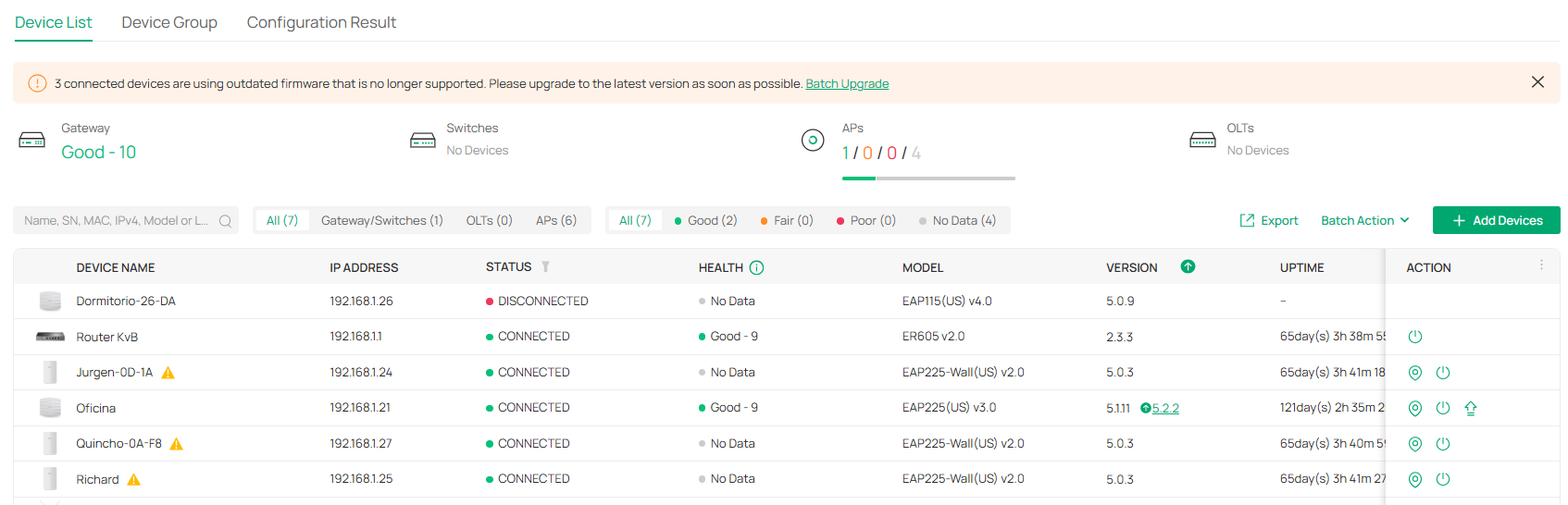
It offers a "batch upgrade" which is no longer an option in omada V6 as far as I can tell. In fact, when using the batch upgrade, the only supported device with a pending FW upgrade isn't even listed:
 1
1
Going along with the Batch Upgrade returns an error message that is both cryptic and false. There is no way a user encountering this problem is going to know that it's because it's an EoL device.
Same story with my brothers ER7212PC, updated while on vacation. It was previously still running an Omada v5 Firmware. He wouldn't have been able to figure it out.
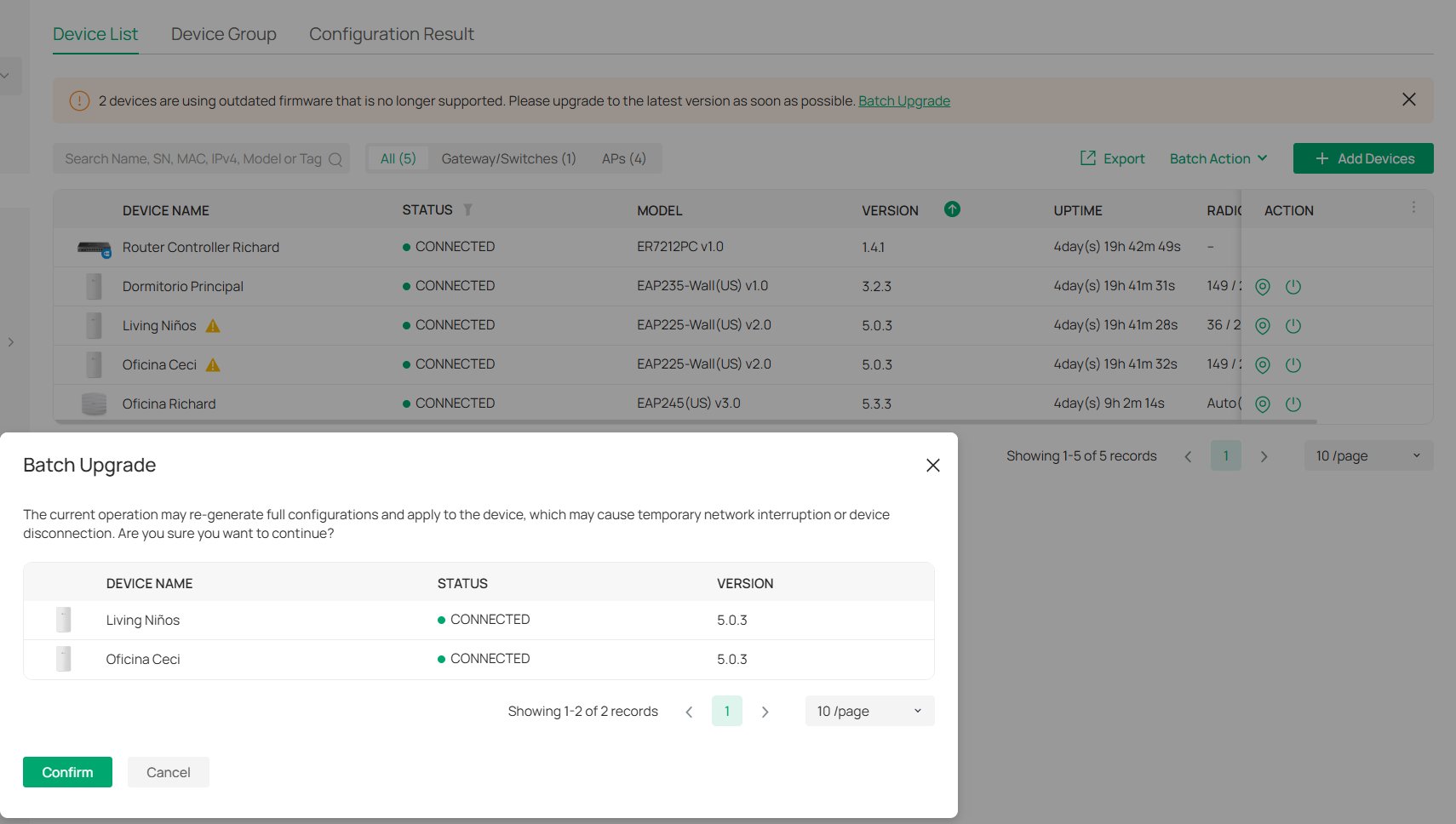
Why is it so hard for TP-Link to just say that the devices are EoL on the controller instead of pushing to do an unexisting upgrade through an already deprecated method?
- Copy Link
- Report Inappropriate Content
Information
Helpful: 0
Views: 2097
Replies: 7
Voters 0
No one has voted for it yet.