DHCP Issues

DHCP Issues

DHCP Issues
DHCP Issues
a week ago - last edited a week ago
Model: ER707-M2  
Hardware Version: V1
Firmware Version: 1.3.1

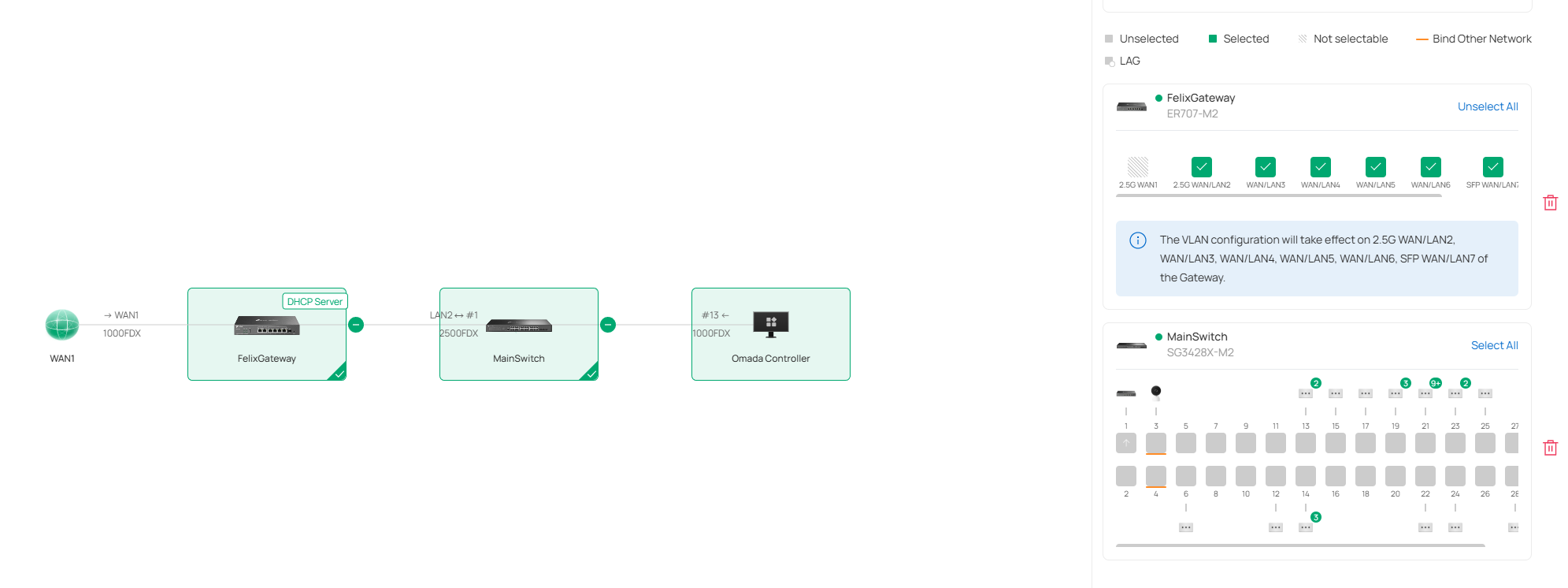
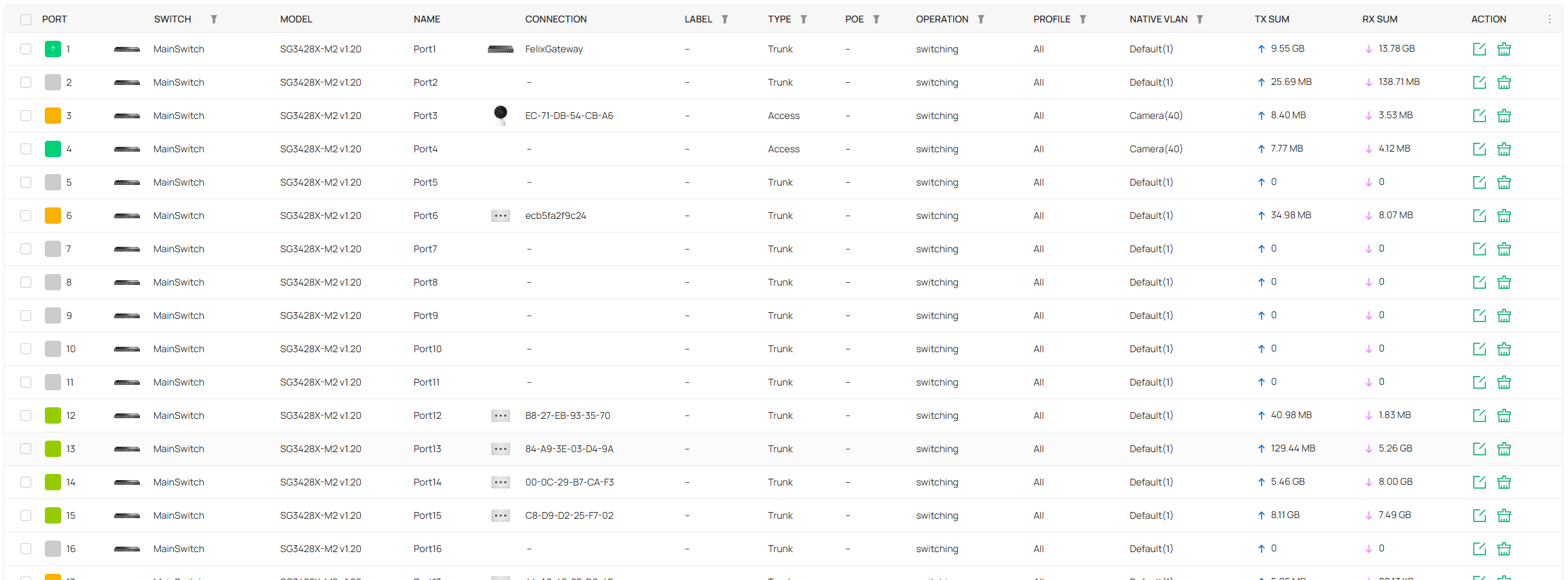
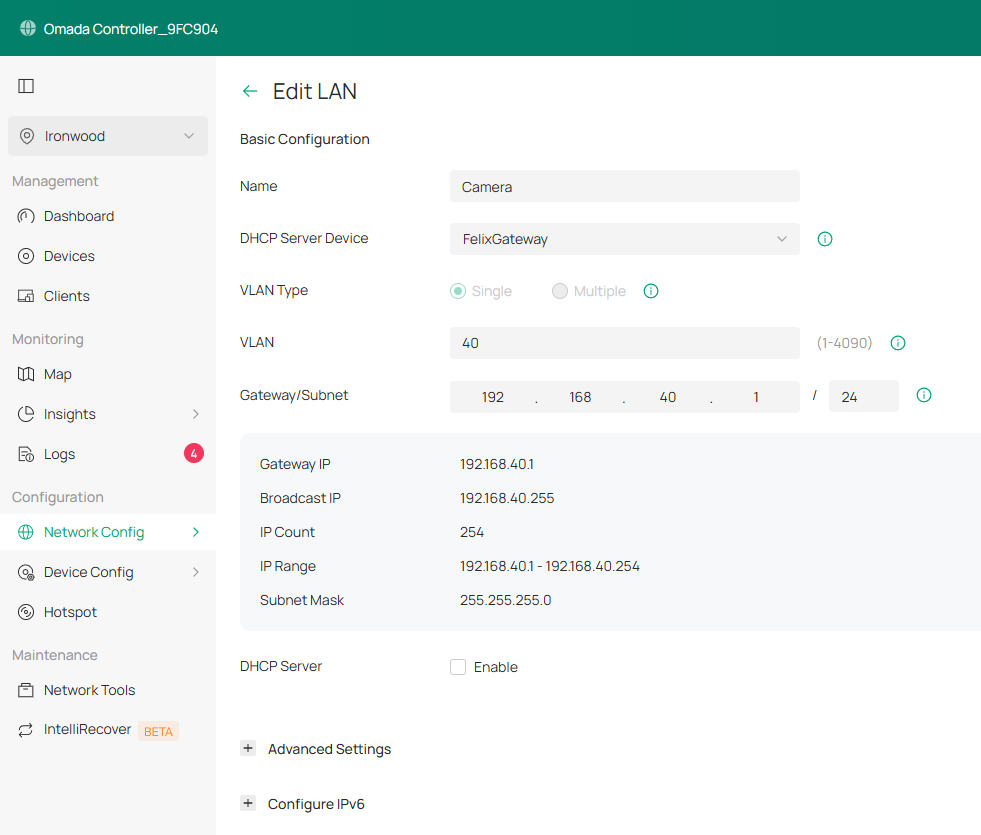
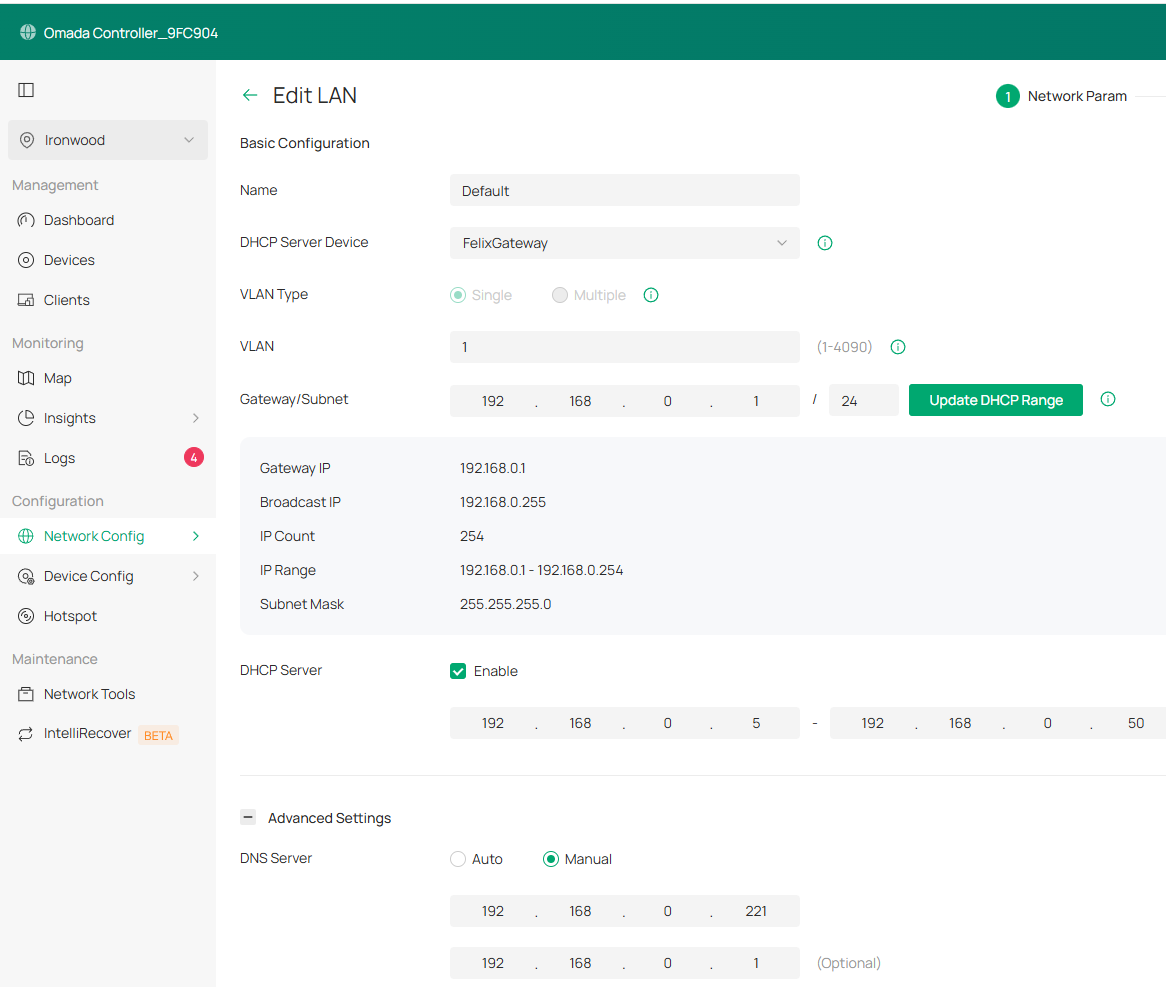
I just recently purchased an ER707-M2 gateway and a SG3428X-M2 v1.20 switch (running 1.20.15).  I have a software-based Omada controller (v6).  I have been struggling to get DHCP to actually work.  Network connectivity works fine as I can ping IP addresses and access the internet.  I also have an EAP720 that I am trying to get working on the camera VLAN (40).  The controller cannot see the EAP720 when on the camera VLAN.  However, if I move the EAP720 over to the default network, it can be configured.  Only two ports are set up in the Camera VLAN (ports 3&4 on the switch).  I'm not sure where to start troubleshooting as I have recreated the camera and reconfigured the network settings with no luck.  Here is the configuration and topology for the default and Camera networks:


  0      
  0      
#1
Options
1 Accepted Solution
Re:DHCP Issues-Solution
a week ago - last edited a week ago

I just realized that I turned off DHCP for the Camera (vlan 40) network.  This has been turned back on. 

Recommended Solution
  0  
  0  
#2
Options
2 Reply
Re:DHCP Issues-Solution
a week ago - last edited a week ago

I just realized that I turned off DHCP for the Camera (vlan 40) network.  This has been turned back on. 

Recommended Solution
  0  
  0  
#2
Options
Re:DHCP Issues
a week ago

  If I set up my Windows AD controller to run DHCP server, I can get clients to get an IP address on the Default network.  I also set up the domain controller to be on VLAN 40 and set up a DHCP scope for that network.  The switch and/or gateway is not forwarding DHCP requests.  I have set up the network so that DHCP requests are relayed to my AD controller on VLAN 40.  I am baffled as to why the switch is not forwarding DHCP requests.  

  0  
  0  
#3
Options