
How to configure DHCP server with range?
How to configure DHCP server with range?

Hello,
what is a seemingly easy question has become somewhat more complicated than expected on Omada. I have a switch and two APs on Omada.
Additionally, there is a home router (AVM FritzBox, IP 192.168.0.1) currently serving as the gateway and DHCP server.
I would like to move more functionality to the Omada devices, starting with moving DHCP server to the switch. DHCP on the FritzBox is now deactivated.
In Omada, I find two settings related to DHCP (cloud controler):
First, on the device itself, configured like:
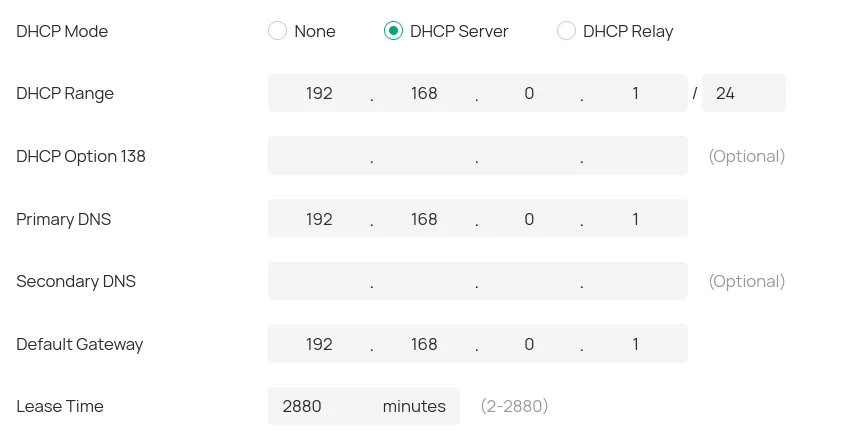
Most notably, the DHCP range is missing resp. is just a subnet setting. Where can I set the DHCP pool size?
It seems that I can do in the second DHCP setting: Network Config -> LAN -> my only VNET:
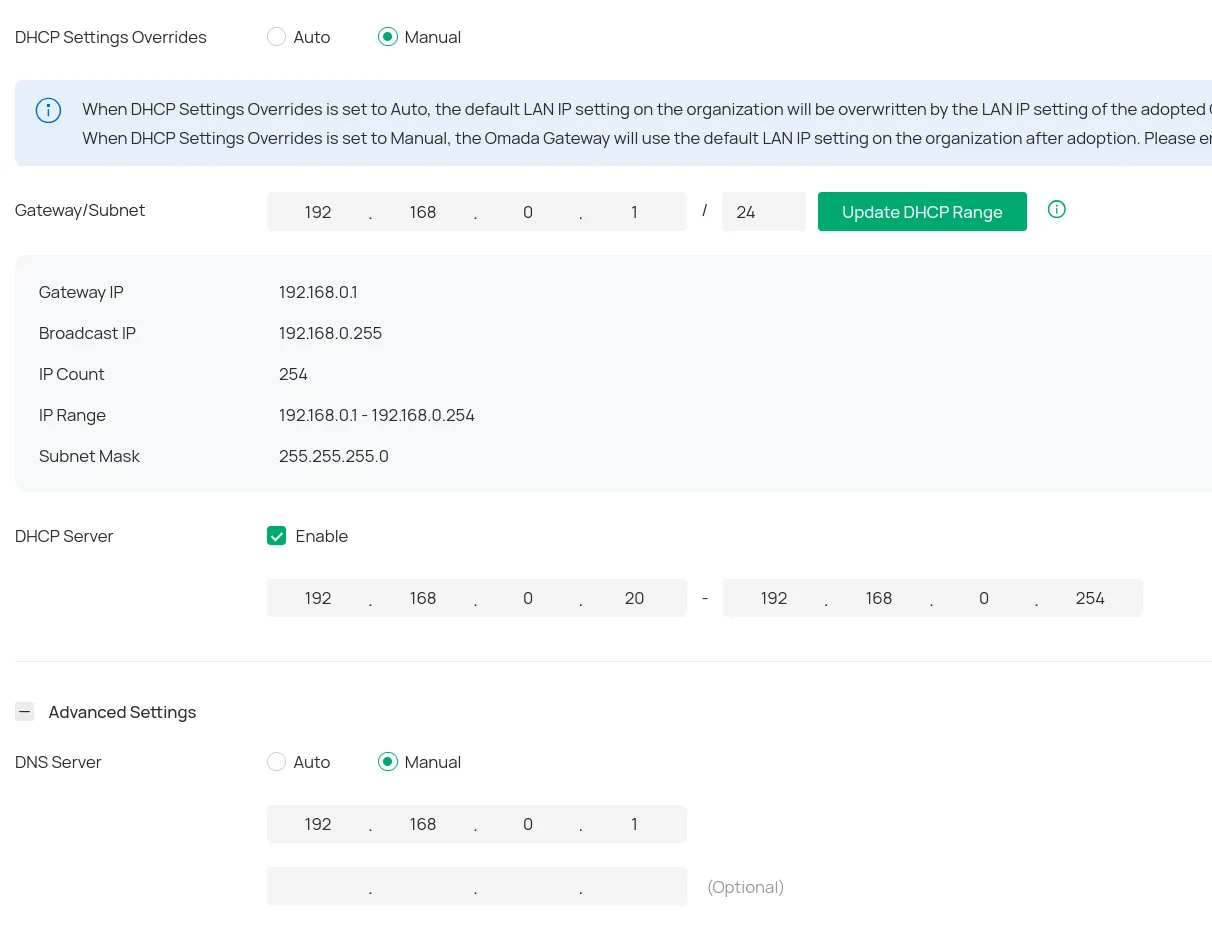
My observations so far:
- both settings need to be enabled (settings overrides to manual, mode to server) in order to have any DHCP server listening on the network
- The range in the second screenshot is ignored, I receive IP addresses outside this range, starting from 192.168.0.2
Can someone help me, how these two settings interact? How to correctly configure the DHCP server on the switch, so that it obeys the range I set.
Thanks!
- Copy Link
- Subscribe
- Bookmark
- Report Inappropriate Content
- Copy Link
- Report Inappropriate Content


@Horus107 There are no plans to make this available via GUI. However, manual binding is available in controller mode via CLI. Check out page 675 on the Managed Switch User Guide for instructions on how to accomplish this.
Managed Switch_User Guide | Omada Network Support
- Copy Link
- Report Inappropriate Content
Information
Helpful: 0
Views: 1984
Replies: 12
Voters 0
No one has voted for it yet.