
Logs is flooded by clients blocked or locked to AP

I'm using the blocking functionality to either block wireless clients or lock them to a certain AP. That works well, but it does flood my log because some devices are stubborn:
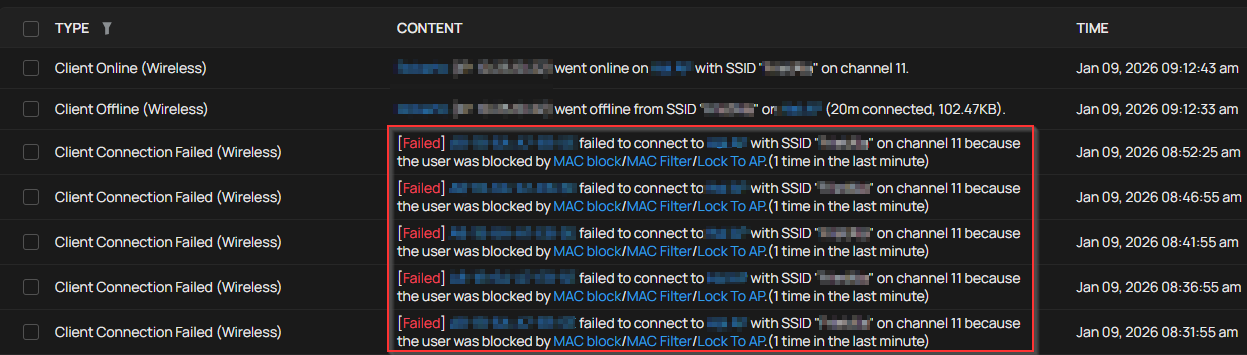
Is there a way to prevent the logging of such actions?
Giel
- Copy Link
- Subscribe
- Bookmark
- Report Inappropriate Content


Hi @Gilles2516
Thanks for posting here. You may turn off this kind of logging.
Logs > Settings > Events > Clients
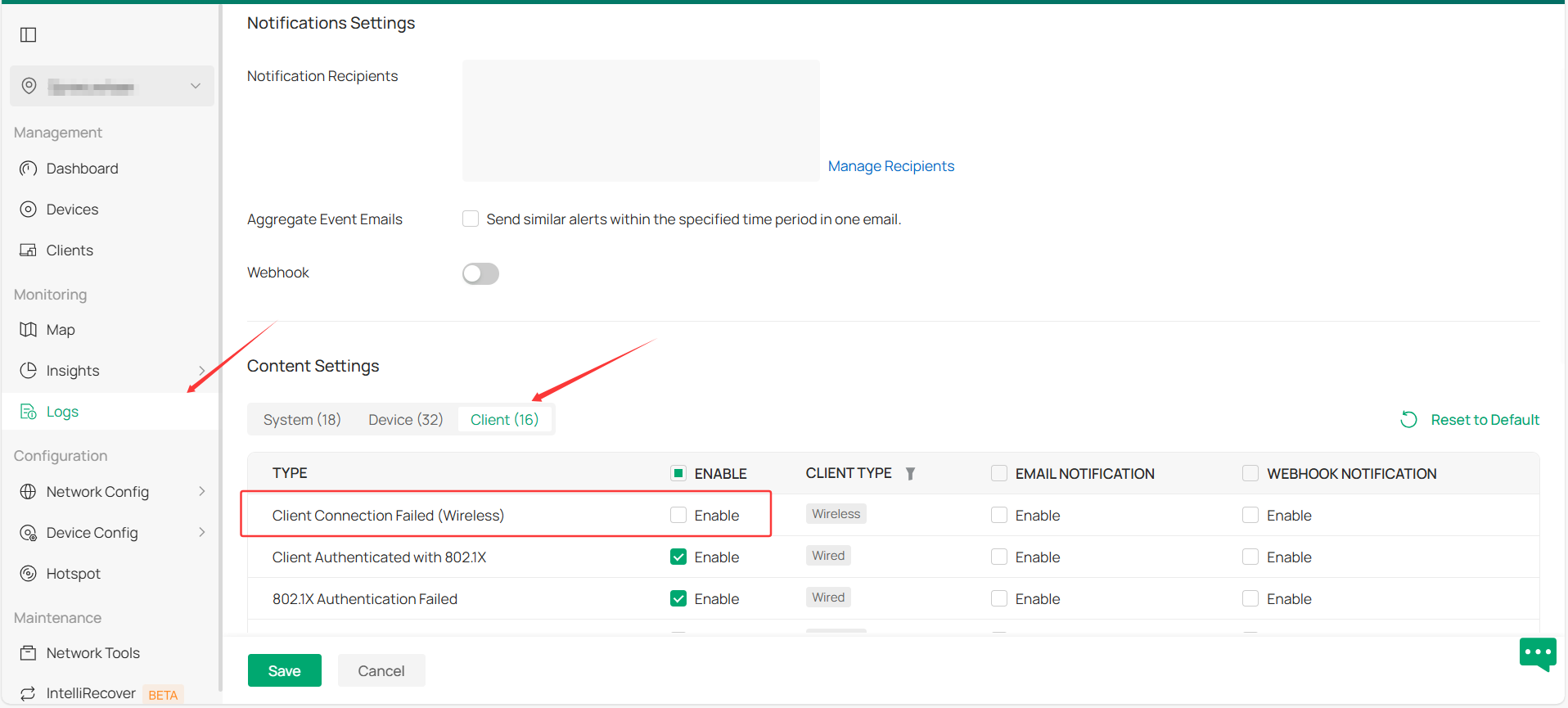
Note: this will block all wireless clients' logs of this kind.
- Copy Link
- Report Inappropriate Content
Hi @Gilles2516
Thanks for posting here. You may turn off this kind of logging.
Logs > Settings > Events > Clients
Note: this will block all wireless clients' logs of this kind.
- Copy Link
- Report Inappropriate Content
@Gilles2516 Hi, thanks for the suggestion. I turned the setting off now. It is a pity this indeed prevents me from investigating any other connection issues.
- Copy Link
- Report Inappropriate Content
Information
Helpful: 0
Views: 250
Replies: 2
Voters 0
No one has voted for it yet.