
Most functions are unavailable. Omada 6 + SG3452X

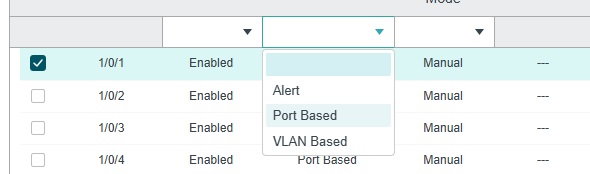
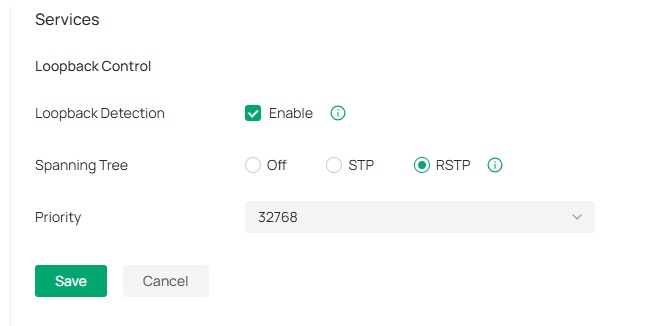
I have an OC200 (Omada 6) and a switch SG3452X v1.20. When I connect the switch to Omada, a large number of options are unavailable - for example, Loopback Detection → Operation Mode or Recovery Mode.
omada
- Copy Link
- Subscribe
- Bookmark
- Report Inappropriate Content


Hi @MikeSa1
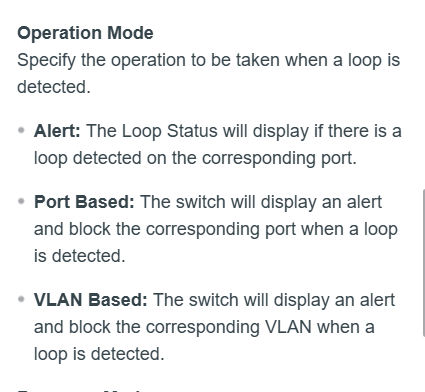
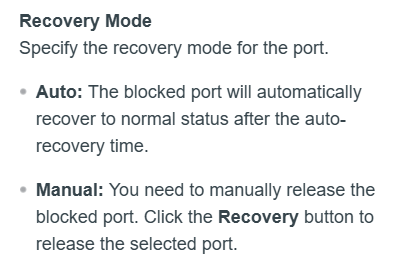
There are indeed some design differences between standalone mode and controller mode, and not all options are completely identical. You can choose the management mode based on your needs. For example, the difference you mentioned:
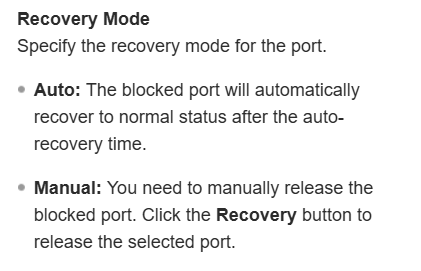
If these two settings are selected, when a loop is detected, manual intervention will be required to restore connectivity, as the device will not recover automatically, which is not very convenient when multiple devices are managed together. Therefore, the controller has not incorporated these options. May I ask what scenario do you require these two configurations?
MikeSa1 wrote
Do I understand correctly that it’s not possible to set Operation Mode to Alert and Recovery Mode to Manual?
- Copy Link
- Report Inappropriate Content
Hi @MikeSa1
In controller mode, you will find the corresponding options under Ports > Choose a Port > Edit > Config > Enable Profile Overrides:
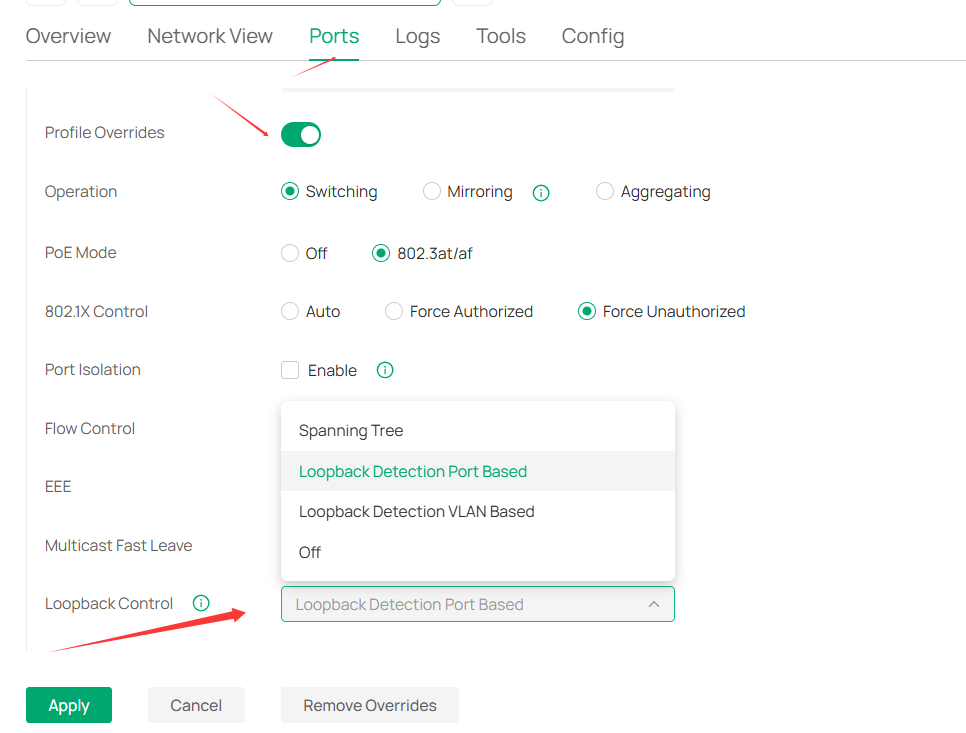
As for the recovery mode, it's Auto under controller mode.
- Copy Link
- Report Inappropriate Content
- Copy Link
- Report Inappropriate Content
Hi @MikeSa1
There are indeed some design differences between standalone mode and controller mode, and not all options are completely identical. You can choose the management mode based on your needs. For example, the difference you mentioned:
If these two settings are selected, when a loop is detected, manual intervention will be required to restore connectivity, as the device will not recover automatically, which is not very convenient when multiple devices are managed together. Therefore, the controller has not incorporated these options. May I ask what scenario do you require these two configurations?
MikeSa1 wrote
Do I understand correctly that it’s not possible to set Operation Mode to Alert and Recovery Mode to Manual?
- Copy Link
- Report Inappropriate Content
Information
Helpful: 0
Views: 245
Replies: 3
Voters 0
No one has voted for it yet.