ER605 (stand alone version) setup a p2p connection so a specific IP can only access one other IP

ER605 (stand alone version) setup a p2p connection so a specific IP can only access one other IP

ER605 (stand alone version) setup a p2p connection so a specific IP can only access one other IP
Saturday - last edited 5 hours ago
Model: ER605 (TL-R605)  
Hardware Version: V2
Firmware Version: 2.3.1 Build 20251015 Rel.78291

I have one IP (media player) with address 192.168.1.73 and this player can only access a server with IP 192.168.1.2 . There are unmanaged switches between the 2 devices. I have tried everything, but still not working. Like VLAN, (policy) routing, Access Control. Please help!

I have a default LAN VLAN 1 range: 192.168.1.1 /24 and one VLAN 2 range: 192.168.2.1 /24

The Synology NAS has 3 active lan connections: 1) 2 bonded to the default LAN and the 3rd connection to VLAN 2.

I would like the media play connect to the VLAN, but the assigned IP address is the default LAN. Even if I have the media player a DCHP reservation to VLAN2.


  0      
  0      
#1
Options
1 Accepted Solution
Re:ER605 (stand alone version) setup a p2p connection so a specific IP can only access one other IP-Solution
5 hours ago - last edited 5 hours ago

Hi  @Campo_alle 


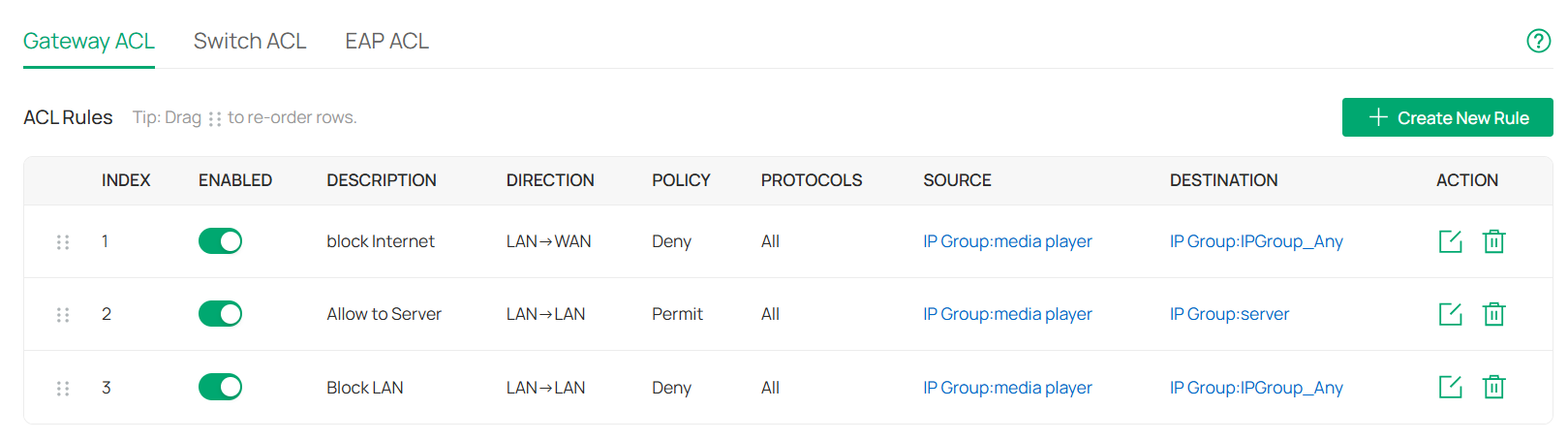
1. create a deny rule to block Internet access (Rule 1)

2. create a permit rule to allow access from media player to the server (rule2);

3. create a deny rule to block access from the media player to other LAN clients(rule 3).

Below is a summary:


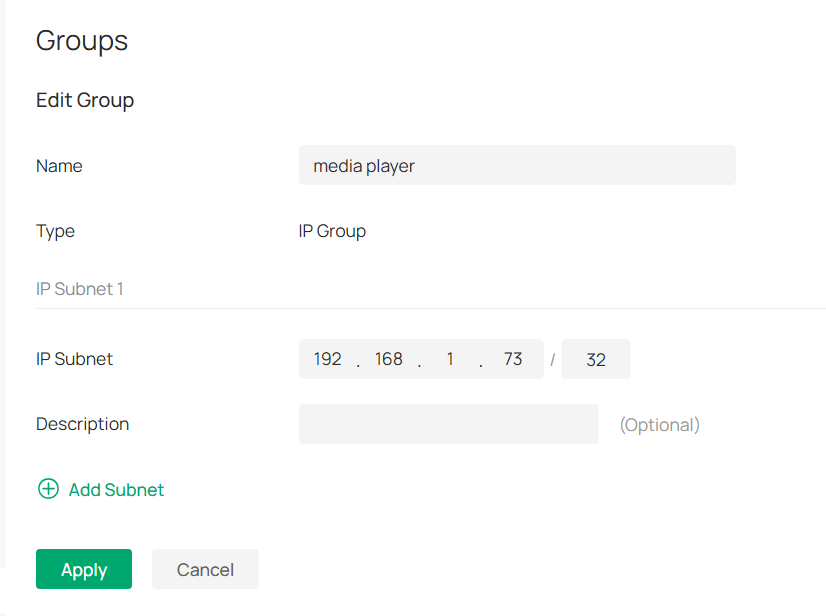
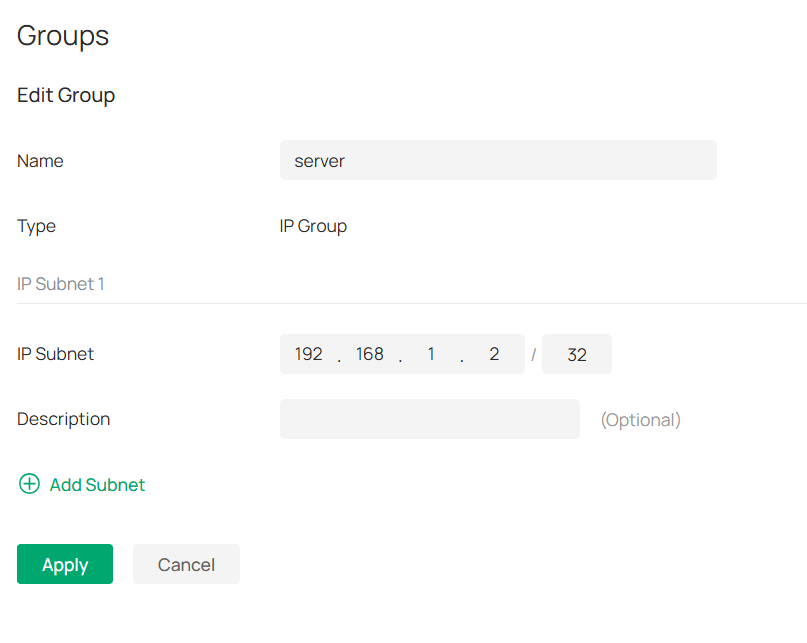
Below is the IP group profile config for your reference.


Recommended Solution
  0  
  0  
#3
Options
1 Reply
Re:ER605 (stand alone version) setup a p2p connection so a specific IP can only access one other IP-Solution
5 hours ago - last edited 5 hours ago

Hi  @Campo_alle 


1. create a deny rule to block Internet access (Rule 1)

2. create a permit rule to allow access from media player to the server (rule2);

3. create a deny rule to block access from the media player to other LAN clients(rule 3).

Below is a summary:


Below is the IP group profile config for your reference.


Recommended Solution
  0  
  0  
#3
Options