
Internet speed with:IDS/IPS+DPI+Traffic Logging enabled
Internet speed with:IDS/IPS+DPI+Traffic Logging enabled

Hello.
I have a question about internet speeds with the following features permanently enabled: IDS/IPS in detection and prevention mode, High mode + DPI + Traffic Logging. My ER706W throttles my connection to about 240MB – which is what the manufacturer states. This is understandable to me. However, I would like to be able to use the connection to its full potential and have at least 800-900MB.
I've heard that the ER707-M2, after a recent hardware update, supposedly uses about 900MB with all of the above features enabled (despite the manufacturer's specifications stating about 200MB). I'd like to verify this information.
Where does my question come from? Because I don't know whether to wait for some miraculous update of my ER706W, which despite all the above functions enabled will allow me to increase the internet speed, or maybe just replace my router with another one, but I don't know which one....
- Copy Link
- Subscribe
- Bookmark
- Report Inappropriate Content


Hi @Ronczkos
Thanks for posting in our business forum.
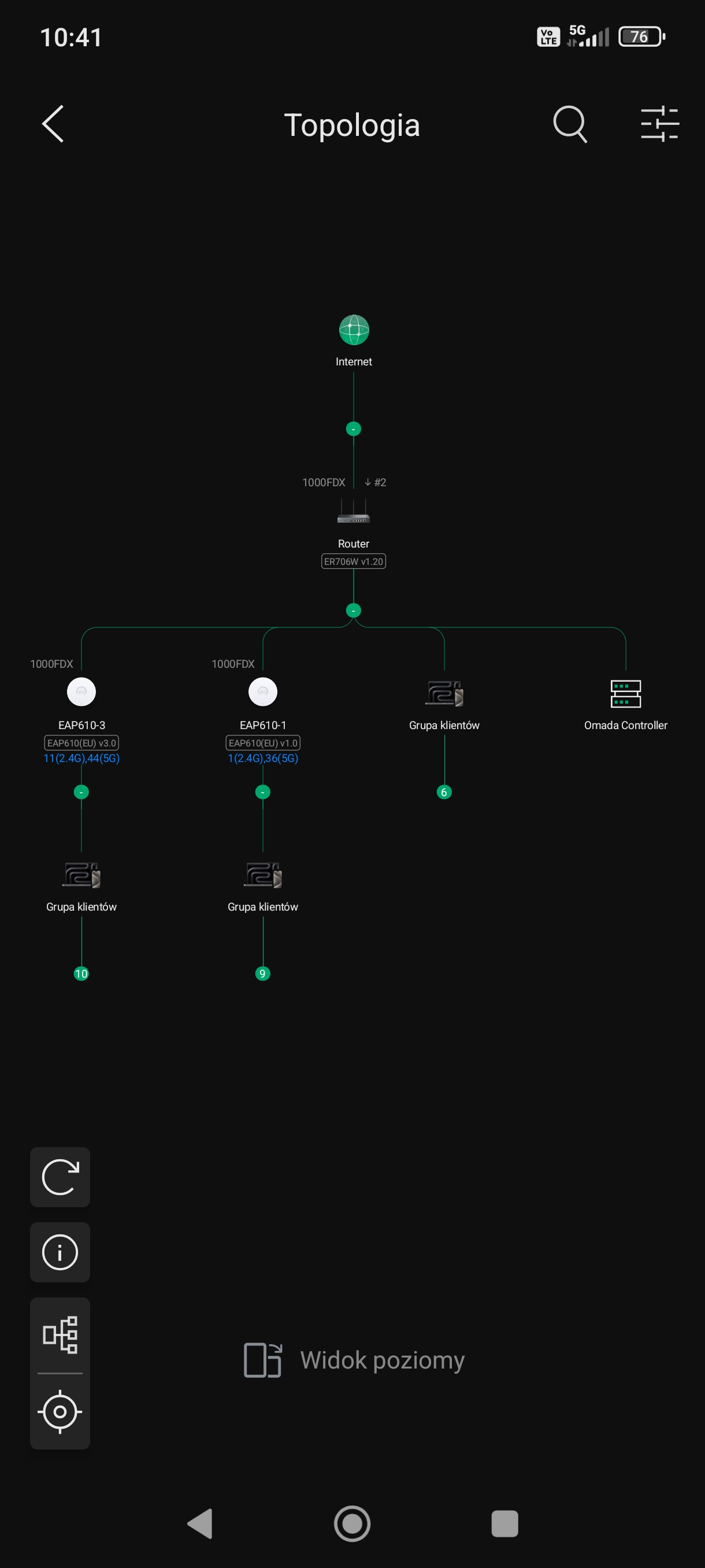
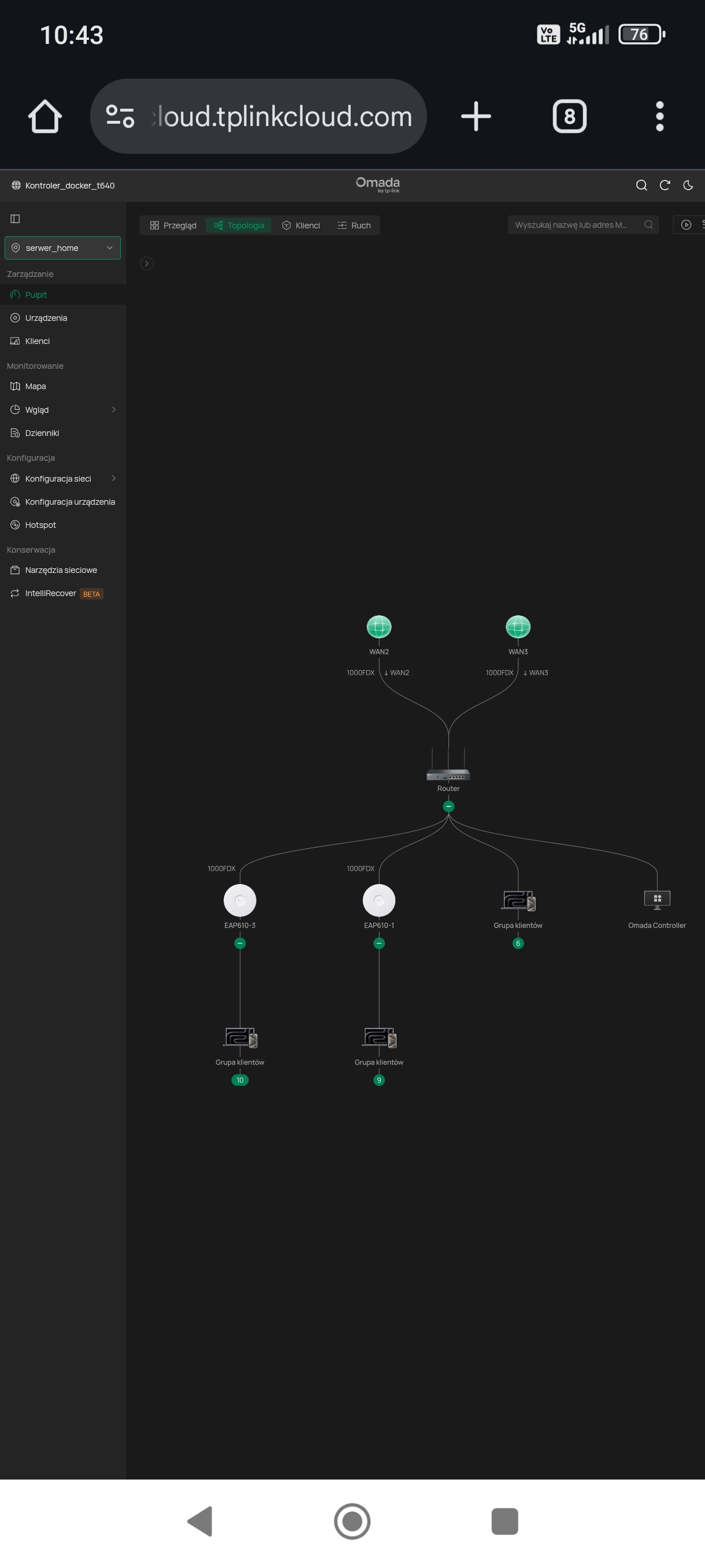
May I ask what is your network topology?
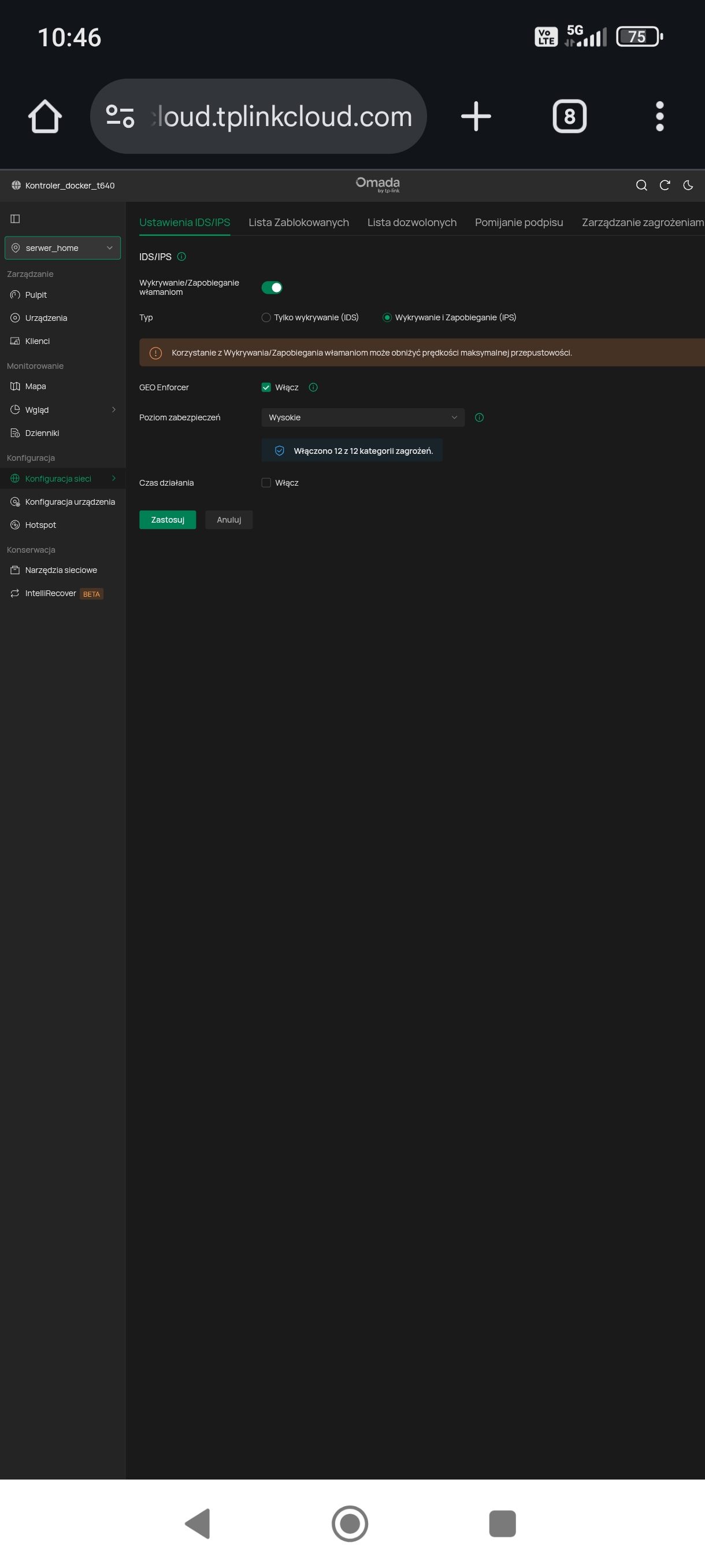
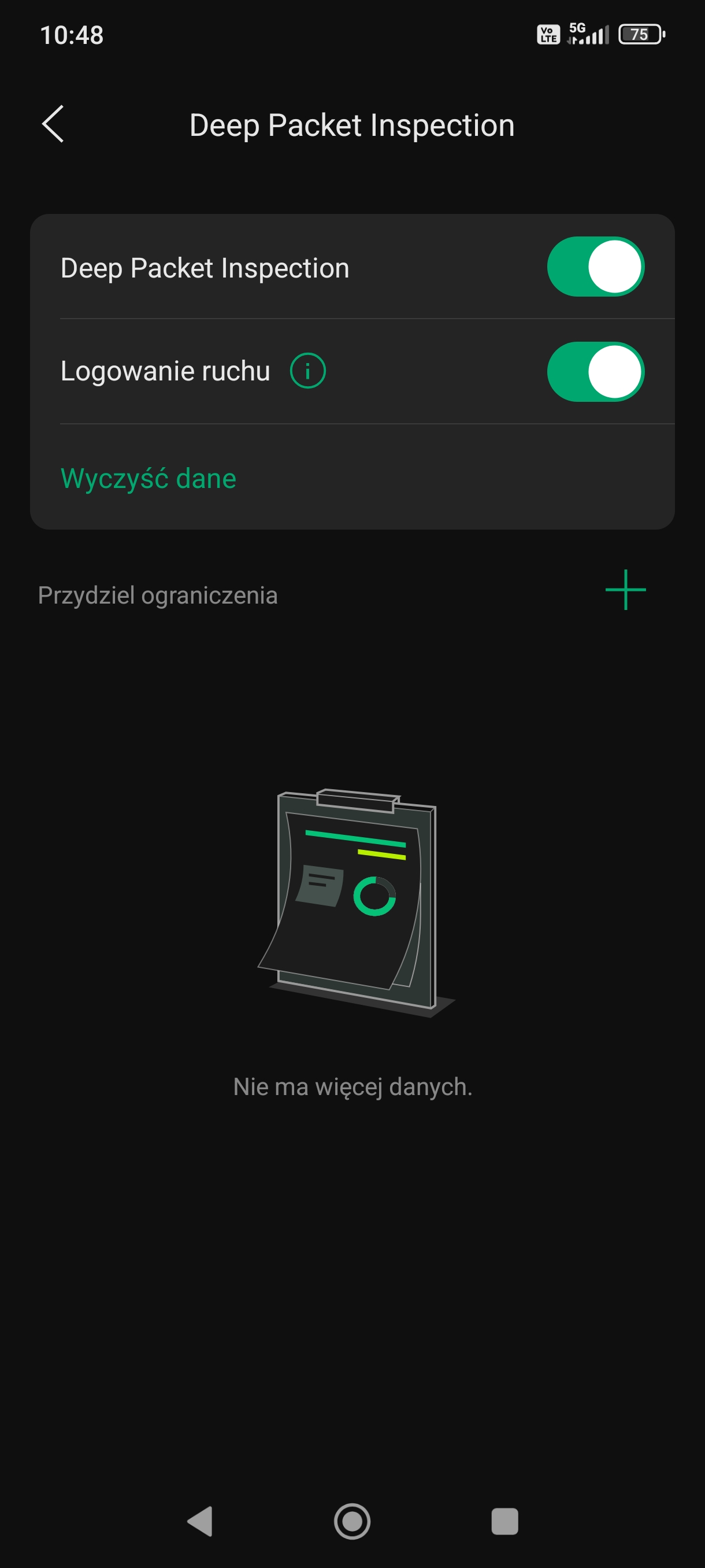
It would be much appreciated if you could provide any configuration screenshot of the IPS/IDS and DPI settings which decreased your Internet speed. Thus, we may try to test locally based on your situation.
- Copy Link
- Report Inappropriate Content
- Copy Link
- Report Inappropriate Content
- Copy Link
- Report Inappropriate Content
- Copy Link
- Report Inappropriate Content
- Copy Link
- Report Inappropriate Content
WAN2 port is the primary port from the fiber provider, while WAN3 port is the backup port from the 4G operator.
- Copy Link
- Report Inappropriate Content
Hi @Ronczkos
Thanks for your valuable reply.
To better assist you, I've created a support ticket via your registered email address and escalated it to our support engineer to look into the issue. The ticket ID TKID260145975 is please check your email box and ensure the support email is well received. Thanks!
Once the issue is addressed or resolved, welcome to update this topic thread with your solution to help others who may encounter the same issue as you did.
Many thanks for your great cooperation and patience!
- Copy Link
- Report Inappropriate Content
Thread update:
I've reset my device and, on a new 1000/300MB connection, I'm achieving internet speeds with IDS/IPS enabled in high mode and DPI of around 640/290MB (the maximum I can get from my connection).
TP-LINK technicians have also confirmed that the ER706W can operate with upload/download speeds of 900MB on a 1000MB connection with the aforementioned features enabled!
- Copy Link
- Report Inappropriate Content
Information
Helpful: 0
Views: 1397
Replies: 18
Voters 0
No one has voted for it yet.