EAP650 using mesh when not supposed to

EAP650 using mesh when not supposed to

EAP650 using mesh when not supposed to
2026-01-24 19:13:32 - last edited 2026-01-28 00:23:28
Tags: #Mesh #POE
Model: EAP650  
Hardware Version:
Firmware Version: 1.1.3 Build 20250326 Rel. 54048

Hi everyone,

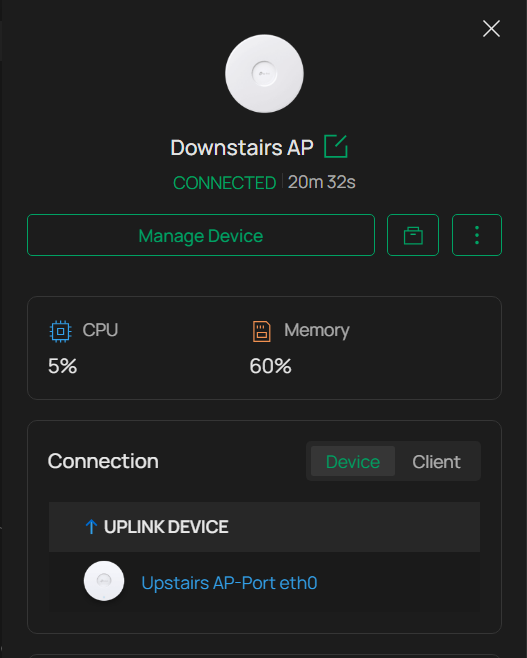
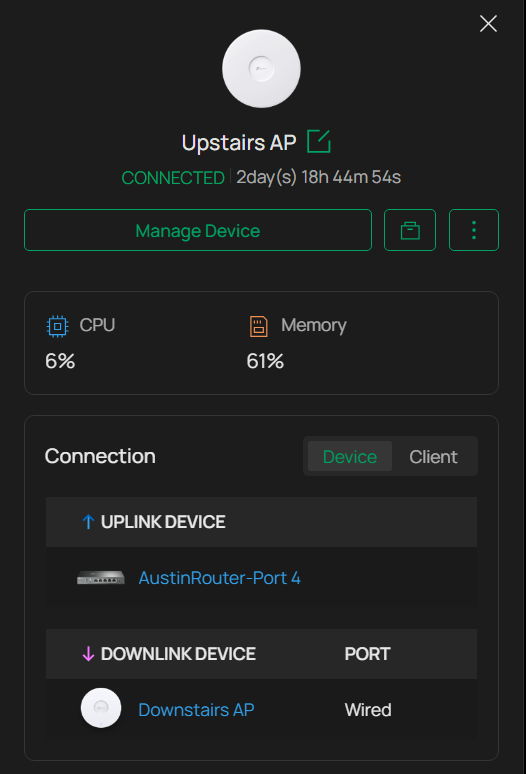
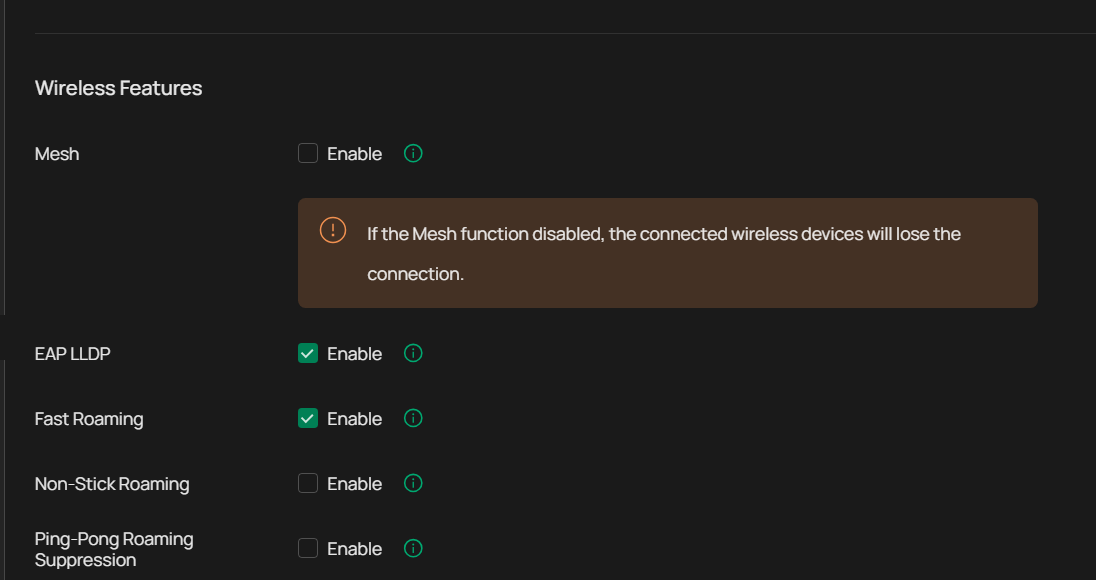
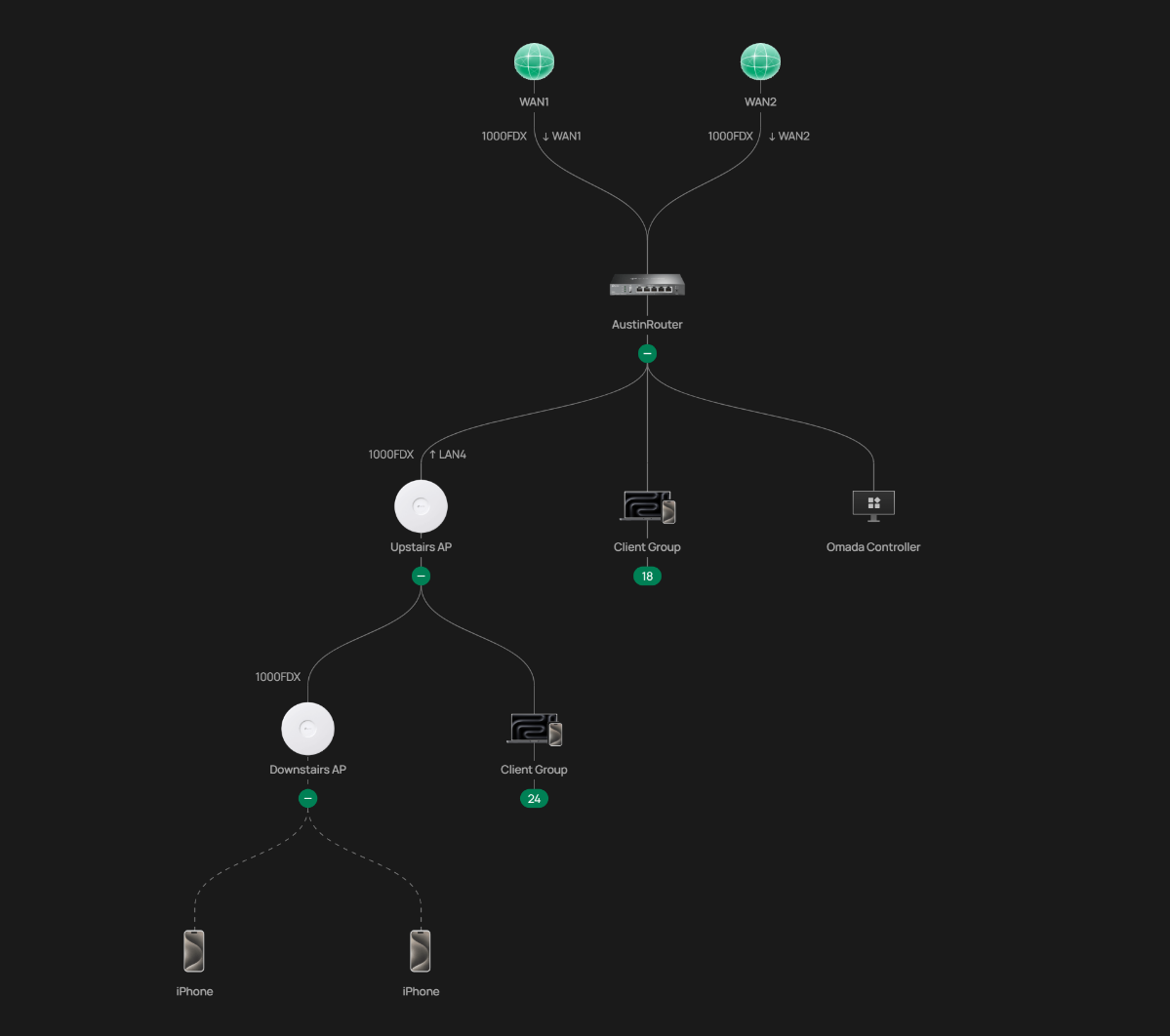
I’m running into an issue with my EAP650 access points where one AP consistently connects via wireless mesh, even though both APs are hardwired and mesh is disabled at the site level.
 

Network Setup:

  • Router: ER605 v2.20

  • Switch: Off-brand unmanaged PoE switch

  • APs: 2× EAP650

  • Controller: Omada Controller (software)

  • Both EAP650s are powered and connected via PoE

  • Mesh: Disabled (Site Settings)

  • EAP LLDP: Enabled

  • Fast Roaming: Enabled
     

Behavior:

  • Whichever EAP650 connects first behaves correctly and uplinks directly to the router.

  • The second EAP650 always shows as routing through the first AP (mesh uplink), even though it is physically connected via Ethernet.

  • This happens consistently and is visible in the Omada topology.
     

Important troubleshooting detail:

  • If I power one EAP650 with the wall adapter and bypass the PoE switch (Ethernet only), both APs immediately work correctly and uplink directly to the router as expected.

  • This confirms:

    • The Ethernet runs are good

    • The APs are capable of proper wired uplink

    • The issue appears to be related to PoE + switch behavior, not cabling
       

Why this is confusing:

  • Mesh is explicitly disabled

  • LLDP is enabled

  • The APs are physically wired

  • Yet Omada still forces the second AP to use a wireless uplink unless PoE is removed from one device
     

Questions:

  1. Is there a known issue where certain unmanaged PoE switches cause Omada to mis-detect wired uplinks?

  2. Does the EAP650 require a specific LLDP or PoE handshake that some off-brand switches don’t fully support?

  3. Is there a way to force Ethernet uplink per AP in Omada?

  4. Are there controller logs I should check to confirm why Omada believes the Ethernet uplink is unavailable?
     

I can make this work by using a wall adapter, but that’s not ideal for ceiling mounting, and I’d prefer to keep everything PoE as designed.

Hopefully I'm just overlooking something simple, but any insight from TP-Link staff or others who’ve seen this would be appreciated. Thanks!
f2c2576ca8a54e0ab825f56993774d40df1c5f38fb29401e810b00db10c610e0cfffc5d13b42442b810adf4e8a51ff61dd60c84773e842b59419d5260325b2ef

  0      
  0      
#1
Options
5 Reply
Re:EAP650 using mesh when not supposed to
2026-01-26 07:58:50 - last edited 2026-01-28 00:23:28

Hi  @BigDaddyHead 


Thanks for posting here.

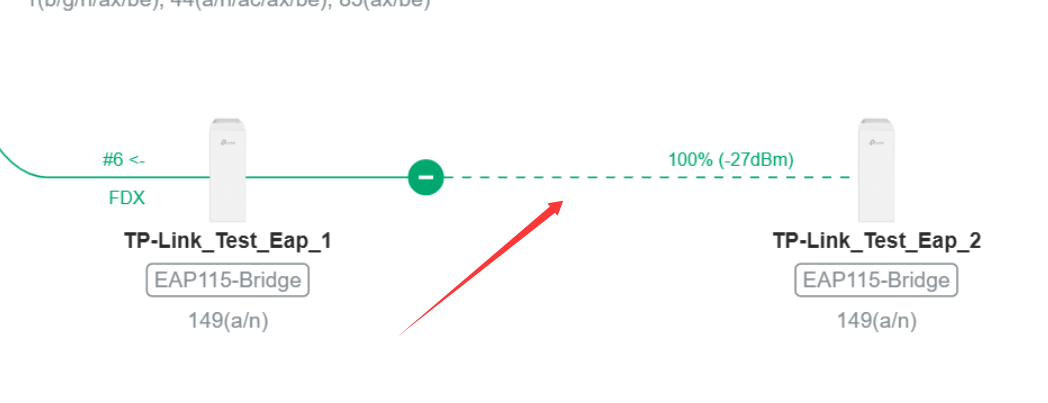
You have a slight misunderstanding about this issue. These two EAPs are not connected via mesh bridging. If they were mesh-bridged, the line between the two EAPs would be dashed. In the screenshot you provided, the line is solid, indicating that the two EAPs are connected via a wired connection. Additionally, if it were mesh bridging, there would be a WiFi icon next to the second EAP. The following two screenshots show how mesh bridging is displayed for your reference.


Therefore, in your case, the topology display is inaccurate. For more information on this situation, please refer to the following post:

Troubleshooting Topology in Controller Is Not Recognized Properly

  0  
  0  
#2
Options
Re:EAP650 using mesh when not supposed to
2026-01-28 00:22:07

  @Vincent-TP 

Thanks for the clarification regarding mesh vs. wired uplink — that makes sense, and I understand now that this is not wireless mesh bridging.
 

That said, my concern isn’t the type of link shown in the topology, but the uplink path being used.
 

Even though the connection is shown as wired (solid line), the second EAP is still routing traffic through the first EAP instead of directly to the router. This results in a measurable performance difference.
 

To clarify what I’m observing:

  • When both EAP650s are powered via the unmanaged PoE switch, one AP consistently acts as an upstream device for the other.

  • When I power one EAP using the wall adapter and connect it directly to the router (bypassing the PoE switch), both APs then uplink directly to the router and performance improves.

  • Speed tests confirm reduced throughput when one AP is effectively daisy-chained through the other versus when both have a direct uplink.
     

Given this behavior, I’d like to better understand:

  1. Why Omada chooses an AP-to-AP wired uplink path instead of a direct router uplink when both APs are connected to the same PoE switch.

  2. Whether this is expected behavior with unmanaged switches that lack STP/LLDP reporting.

  3. If there is any way to force or prioritize a direct wired uplink per AP.
     

My goal is to avoid any unintended bottleneck and ensure each AP has an independent, optimal uplink path.

Thanks again for the clarification and for any additional insight you can provide.
 

  0  
  0  
#3
Options
Re:EAP650 using mesh when not supposed to
2026-01-28 02:31:24

Hi  @BigDaddyHead 


Thanks for the reply.


Whether this is expected behavior with unmanaged switches that lack STP/LLDP reporting.

>>>Nope.


Regardless of whether this POE switch is present, the second AP will not forward data through the first AP. Adding this switch only causes an inaccurate topology display on the controller, but it does not affect the actual topology.

Regarding your mention of performance degradation after adding the switch, I believe you need to pay more attention to the reasons behind this issue.

Could you please specify how much performance has been reduced after adding the switch? What is the model of the switch? 


  0  
  0  
#4
Options
Re:EAP650 using mesh when not supposed to
2026-01-29 22:18:05

  @Vincent-TP 

Thanks for the clarification. I appreciate the explanation.
 

The PoE switch in use is a MokerLink 5-port Gigabit PoE switch (a low-cost Amazon purchase). Based on your feedback, I’ll chalk this up to an inaccurate topology display rather than actual traffic being forwarded AP-to-AP.
 

I’ll go ahead and replace it with an Omada POE switch, which should hopefully provide proper visibility and eliminate the topology confusion altogether.
 

Thanks again for taking the time to clarify this — much appreciated.

  0  
  0  
#5
Options
Re:EAP650 using mesh when not supposed to
2026-01-30 02:40:32

Hi  @BigDaddyHead 


Thanks for the info. Any  need in the future, don't hesitate to let me know.

  0  
  0  
#6
Options