
EAP mesh config
EAP mesh config

I have strange problem with my mesh network config ...
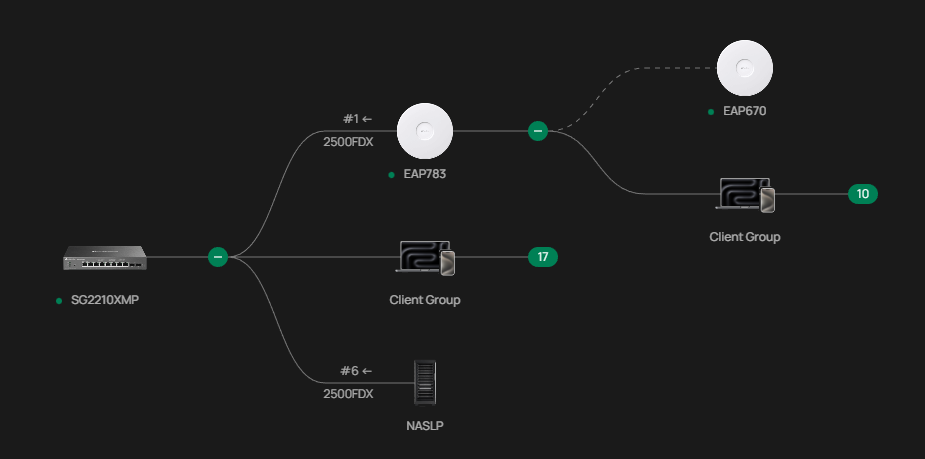
Network looks like on pic ... VLANs handled by router, port config on switch is correct .. since all WLANs working on EAP783 but when I am trying to connect to 5ghz network (mesh backhaul) connection is refused .. like no device is able to connect to 5ghz ... only SSIDs on 2,4ghz working (clients can connect)...
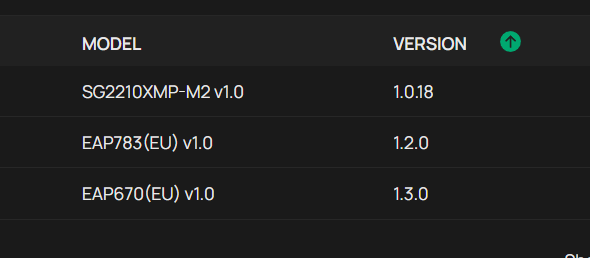
EAP783 using 1.2.0 fw and EAP670 1.3.0 fw... Anyone had simillar issue ?? and know maybe how to fix it ?
- Copy Link
- Subscribe
- Bookmark
- Report Inappropriate Content
@Vincent-TP
Hi,
My problem with mesh config is solved by support team. Flashed fixed firmware they provided and 5ghz works now.
- Copy Link
- Report Inappropriate Content
All VLANs I am using working only if they are assigned to SSIDs on 2,4Ghz. Anything that I set on 5Ghz (backhaul mesh) not working at all devices immediately disconected. So It looks like if 5Ghz is used for MESH can not be used for network access ??? strange ... It was working when switch was in standalone mode but once I added switch into omada controller that EAP670 started acting like this ...
- Copy Link
- Report Inappropriate Content

Hi @lukepo
Thanks for posting here.
Mesh does not affect the regular use of 5G. This is primarily due to improper configuration.
To better understand the situation, please let us know the following info:
1. A screenshot of the Device page of the controller, showing the firmware version of the SDN devices;
2. What kind of controller are you using? What's the firmware version?
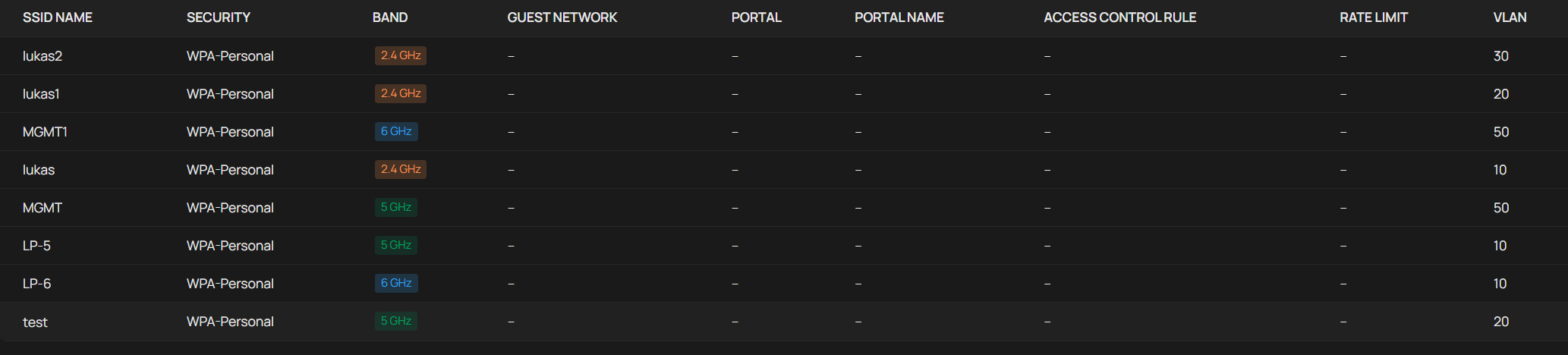
3. The screenshot of the 5G SSID config;
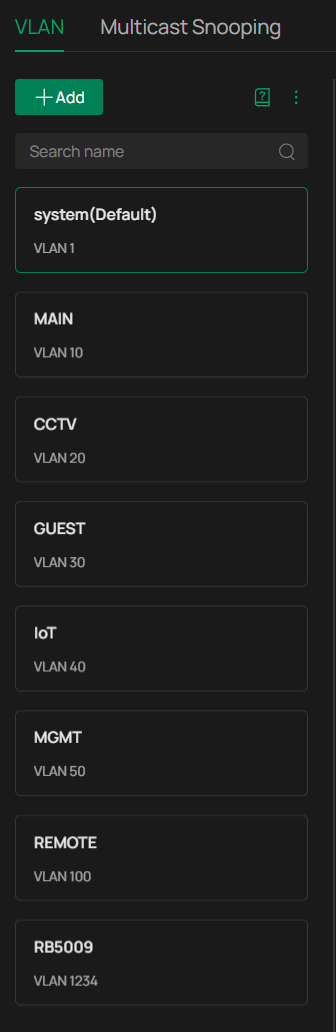
4. The screenshot of the VLAN config.
5. The screenshot of the switch port profile applied to the EAP port.
- Copy Link
- Report Inappropriate Content
Controller Version 6.1.0.19 running in docker
devices
WLAN config
VLANs
EAP783 connected to switch port 1
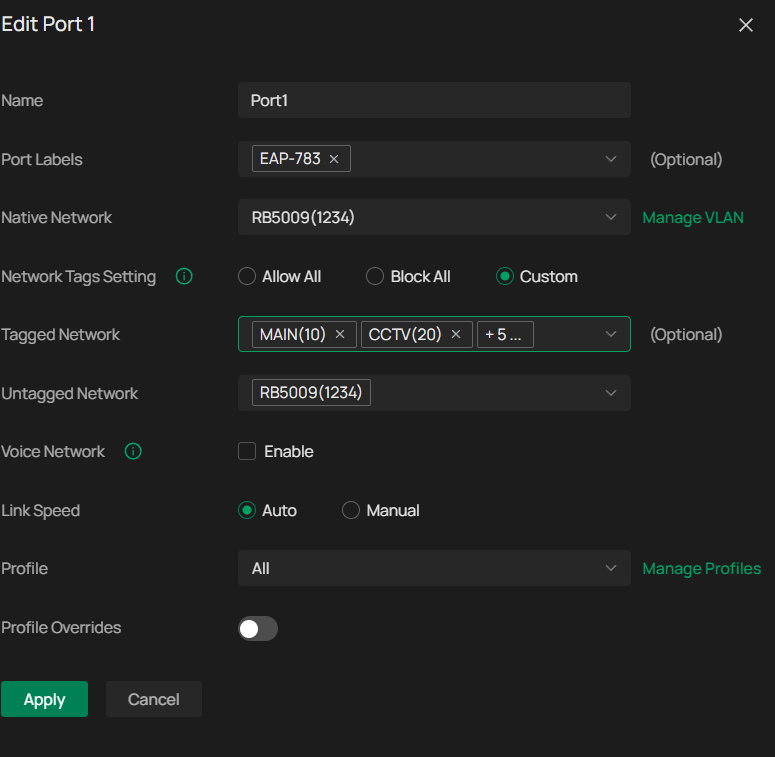
all vlans tagged 10,20,30,50,100
No issue on eap783 2,4ghz 5ghz 6ghz correct vlans/ips assigned
EAP783->wireless mesh->EAP670 only 2,4ghz working ... 5ghz broadcasting but devices cant connect ...
- Copy Link
- Report Inappropriate Content
I did factory reset readopted device upgraded to 1.3.50 fw .... still no change ... 5ghz refusing clients in a second I cant find any problem with config ... the only thing that possibly can be issue is VLAN setup ... I have management VLAN set to 50 ... VLAN1 that is default on switch is used for gateway for link between router > SFP switch1 > SFP switch 2 > SG2210XMP link ... than VLANs 10,20,30,50,100 for clients as tagged on APs ... I had problem with this setup to make it work because of that default VLAN1 so i made dummy VLAN1234 and I used that as native network since it can not be empty ...
But srange thing is how is possible that 2,4ghz network on EAP670 working without any problems ...
- Copy Link
- Report Inappropriate Content
Hi @lukepo
Thanks for the reply.
Did you test with a 5G SSID without any VLAN (choose the VLAN as Default)? like below:
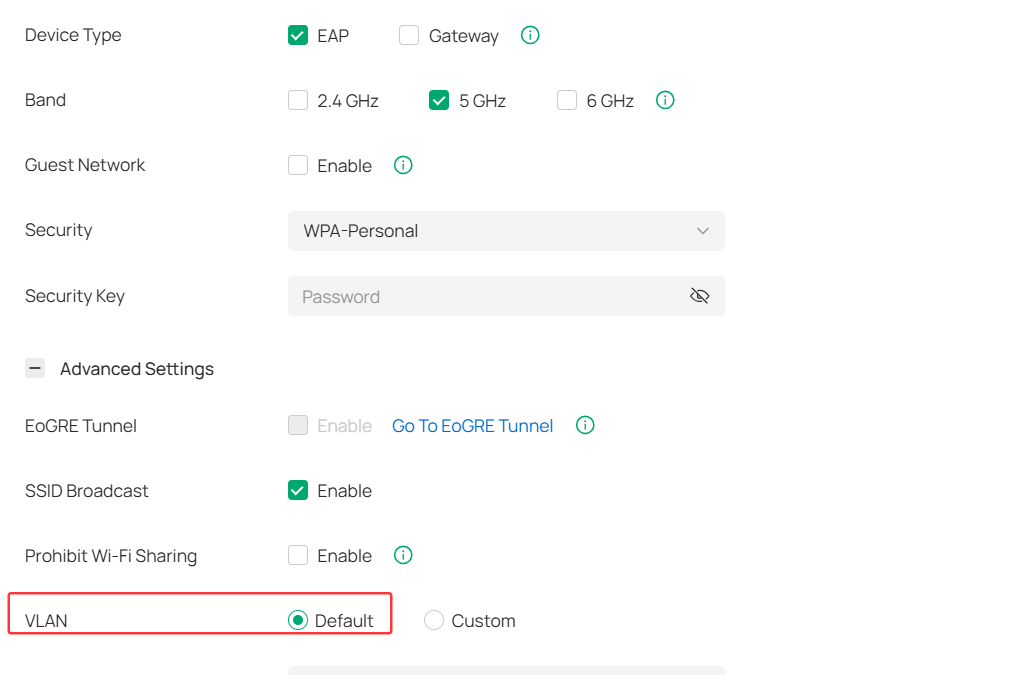
For the VLAN configs, please share a screenshot of this page showing their detailed configurations.
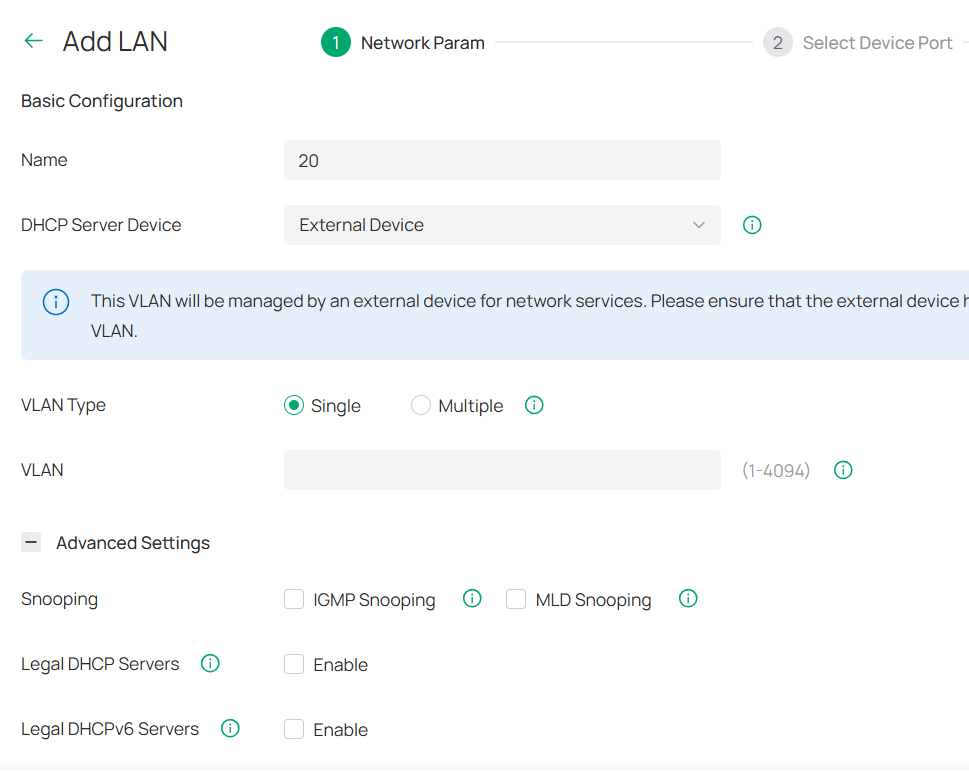
I want to know if they are in the same subnet or different ones. If other, what's the DHCP server in this network?
What's the behavior when the 5G SSID can't be connected? Will the wifi symbol display on the clients? Or always spin? Will the clients get a valid IP address, or 169.254.x.x?
- Copy Link
- Report Inappropriate Content
Hi @Vincent-TP
yes I tested already 5ghz SSID without vlan tag also with no encryption same result.
I rebooted controller yesterday (i am not sure if it has some impact ... or maybe that fw upgrade to 1.3.50) and what is happening now PC can connect to the 5Ghz SSID from EAP670 but it took like 30 sec to get IP. But IoT or smart devices phone tablet ... right after I tap to connect I get message unable to connect to the selected network so no IP no connection established ...
Main router is Mikrotik RB5009 that handling VLANs routing firewall ... I have management VLAN set to 50 on EAPs and switch. everything works fine while EAP670 is connected to switch directly .. but I have no option to use cable where I want to extend wifi ... One more thing ... EAP670 is not showing serial number in controller ... for some reason.
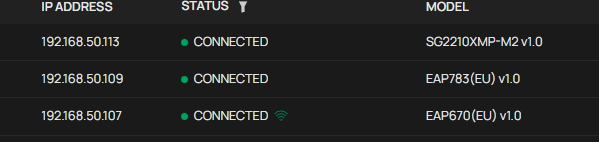

So now it looks like DHCP requests over 5Ghz are somehow delayed ? since PC will get IP after a while but smart devices wont connect if DHCP will not assign IP immediately ?
On VLANs I have DHCP server device set to none.
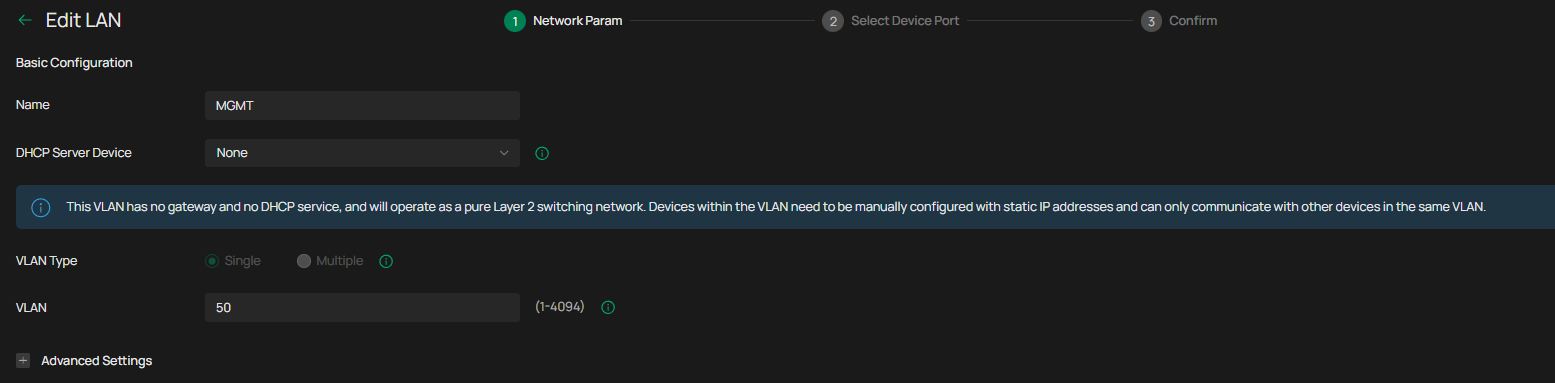
- Copy Link
- Report Inappropriate Content
Is it possible if signal from uplink device is weak lets say -66dBm than downlink device refusing clients on 5ghz network (mesh backhaul) ?
- Copy Link
- Report Inappropriate Content
Hi @lukepo
Thanks for the reply.
Currently, it appears that your VLAN configuration does not align with common scenarios. When “None” is selected, different VLANs are isolated by default, which may also block some devices from getting an IP address from the DHCP server. Are the different VLANs in your firewall router on separate IP subnets? You may try setting “None” to “external device” and see if that resolves the issue.
- Copy Link
- Report Inappropriate Content
- Copy Link
- Report Inappropriate Content
Hi @Vincent-TP
So I changed setting “None” to “external device” no difference
My config
for each VLAN dhcp pool
address=192.168.10.1/24 interface=MAIN network=192.168.10.0
address=192.168.20.1/24 interface=CCTV network=192.168.20.0
address=192.168.30.1/24 interface=GUEST network=192.168.30.0
address=192.168.40.1/24 interface=IOT network=192.168.40.0
address=192.168.50.1/24 interface=MGMT network=192.168.50.0
address=192.168.100.1/24 interface=REMOTE network=192.168.100.0
So now somehow PC is able to connect to EAP670 on 5Ghz with that "wait time 30s" and IP is correctly assigned. But all smart devices are still not able to connect.
I changed native network to VLAN30 and left taggged VLAN10,20,40,50,100. So with no VLAN set for test SSID i get correct IP for VLAN30 on PC ... if test SSID is set VLAN20 also correct IP but I need to wait that +- 30s to get IP on PC ... but smart devices cant connect at all.
Kinda lost now since there is no more options to check ... tested different channels different channel width still same result ....
When switch was in standalone mode and only EAPs managed by controller it was working as it should ...
- Copy Link
- Report Inappropriate Content
Information
Helpful: 0
Views: 1237
Replies: 13
Voters 0
No one has voted for it yet.