
Invalid date in update logs

Hi there!
I have "Invalid date" in firmware updates log. It starts after a 6 version of omada was installed by auto update. 
Always when new updates was installed to any of devices of the Omada system it looks like this - date is invalid.
I checked date in the system and it is ok.
This bug ONLY appears on tplinkcloud.com interface, not in local OC200 web server interface!
- Copy Link
- Subscribe
- Bookmark
- Report Inappropriate Content
- Copy Link
- Report Inappropriate Content


Hi @ITV111
Thanks for posting here.
We tested locally, and everything works correctly.

To better understand the situation, please give us the following info:
1.omada was installed by auto update.
>>Please share a screenshot so that we can know which page you updated the firmware.
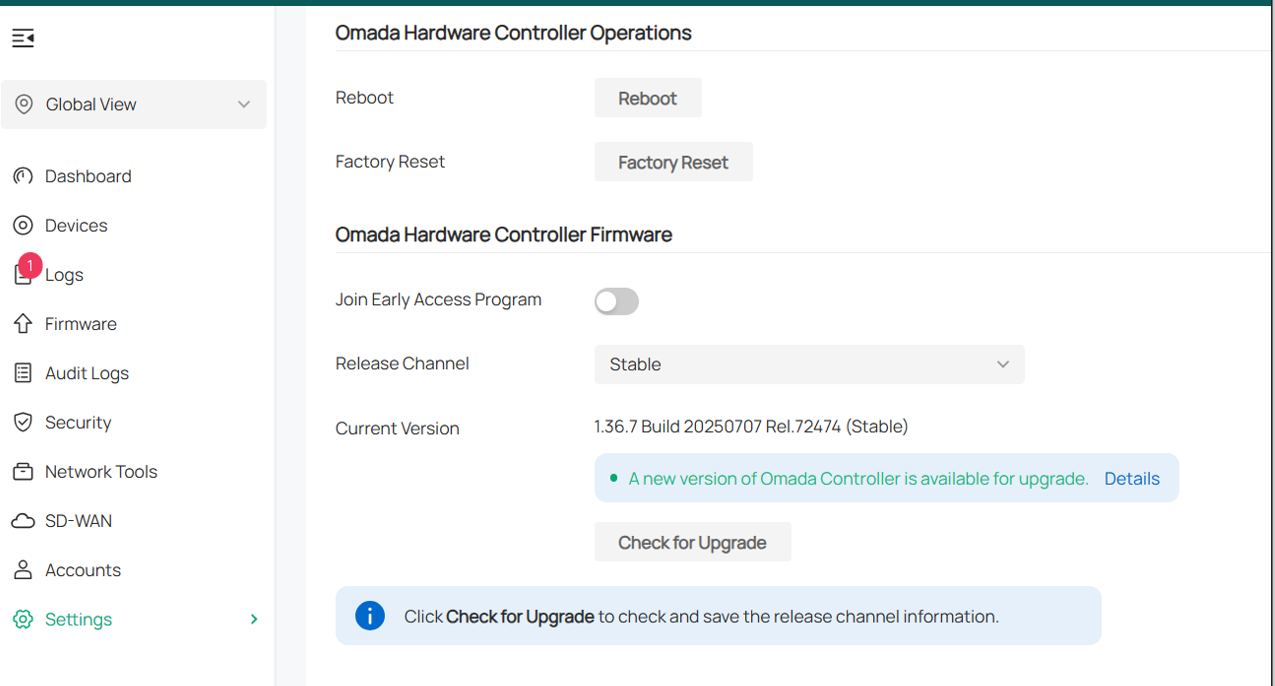
2. The hardware version and firmware version of the OC200;
- Copy Link
- Report Inappropriate Content
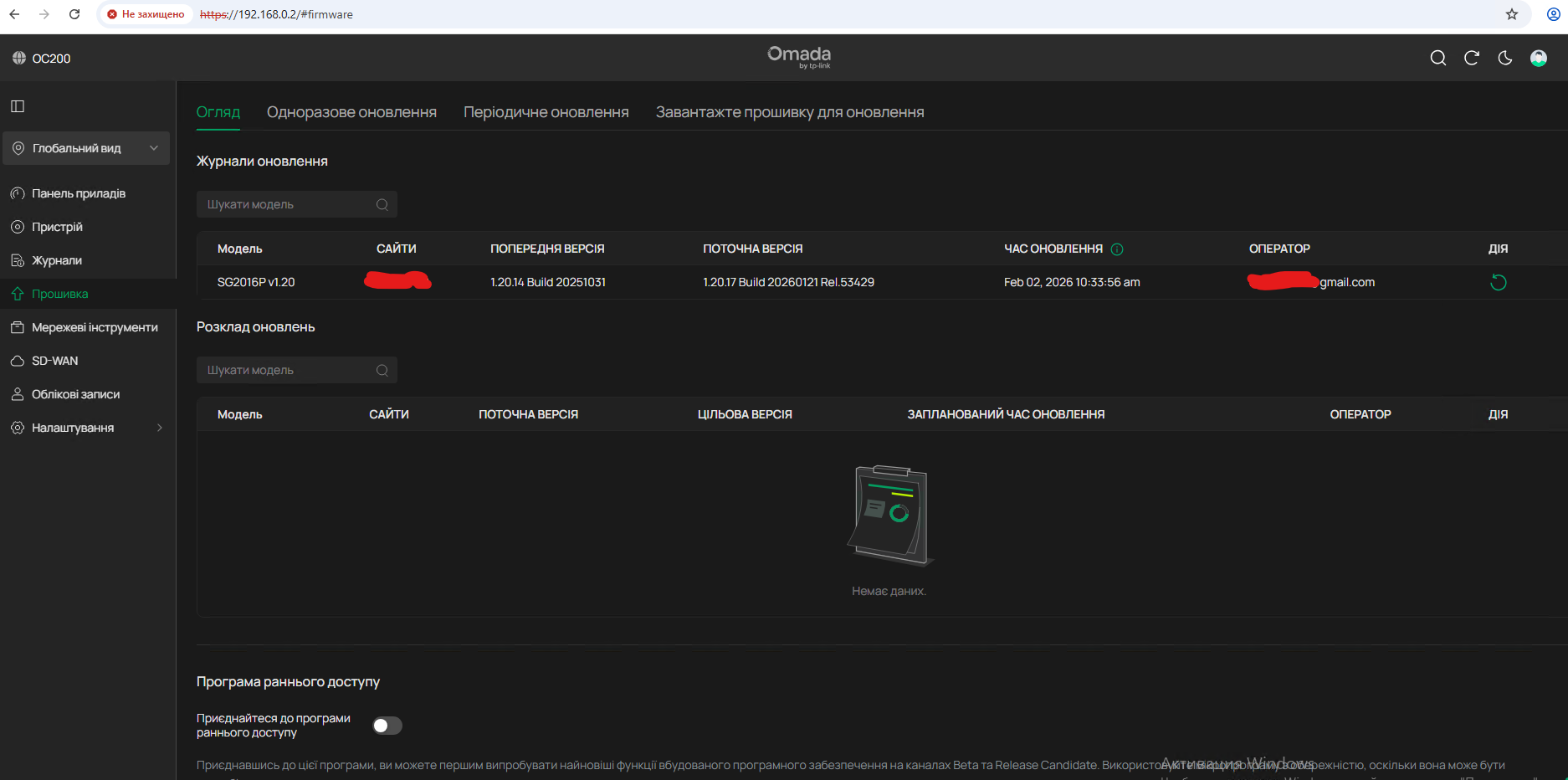
local
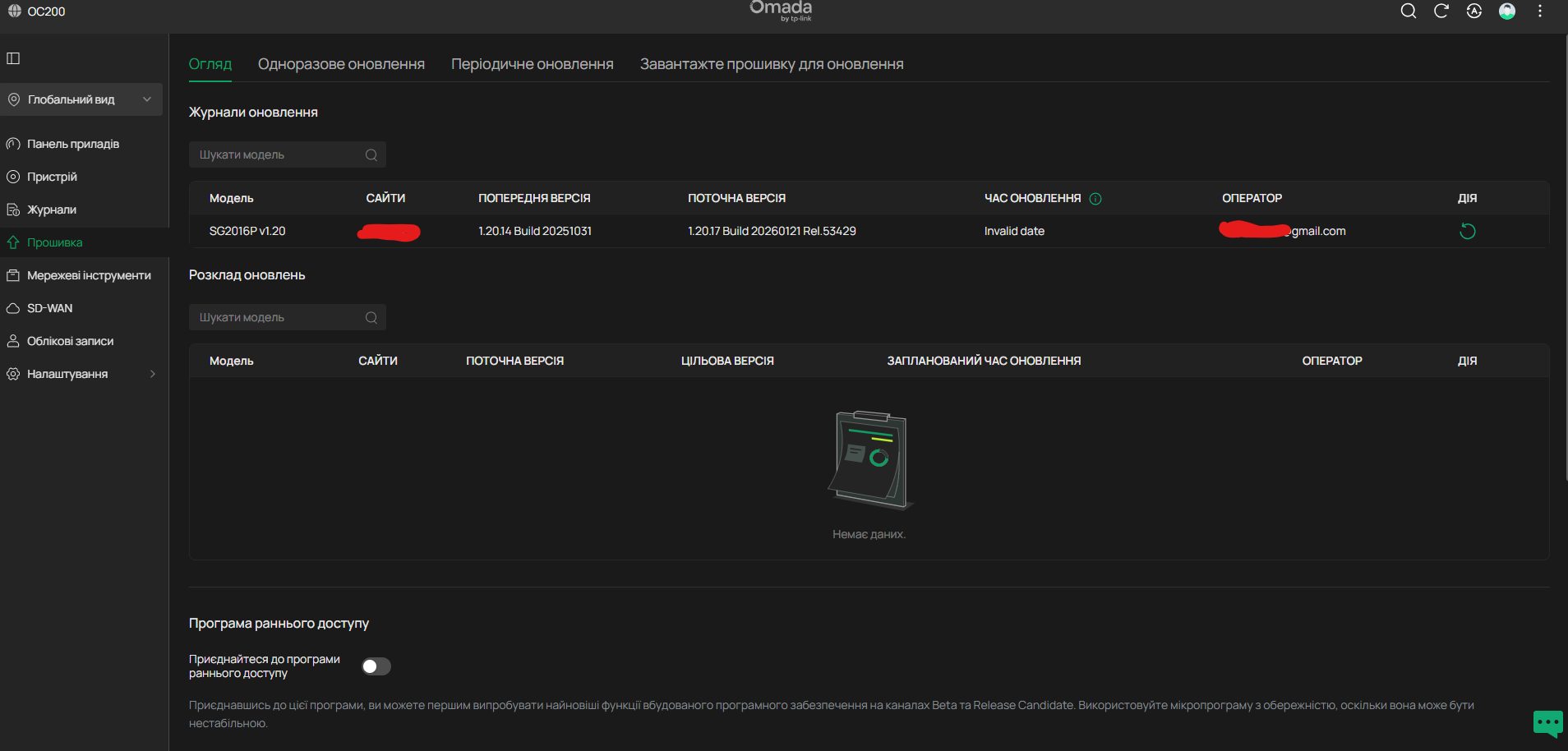
cloud
Firmware Version: 6.0.0.36
dont know how to check hardware version by the interface
- Copy Link
- Report Inappropriate Content
Hi @ITV111
You can check the hardware and firmware from this page:
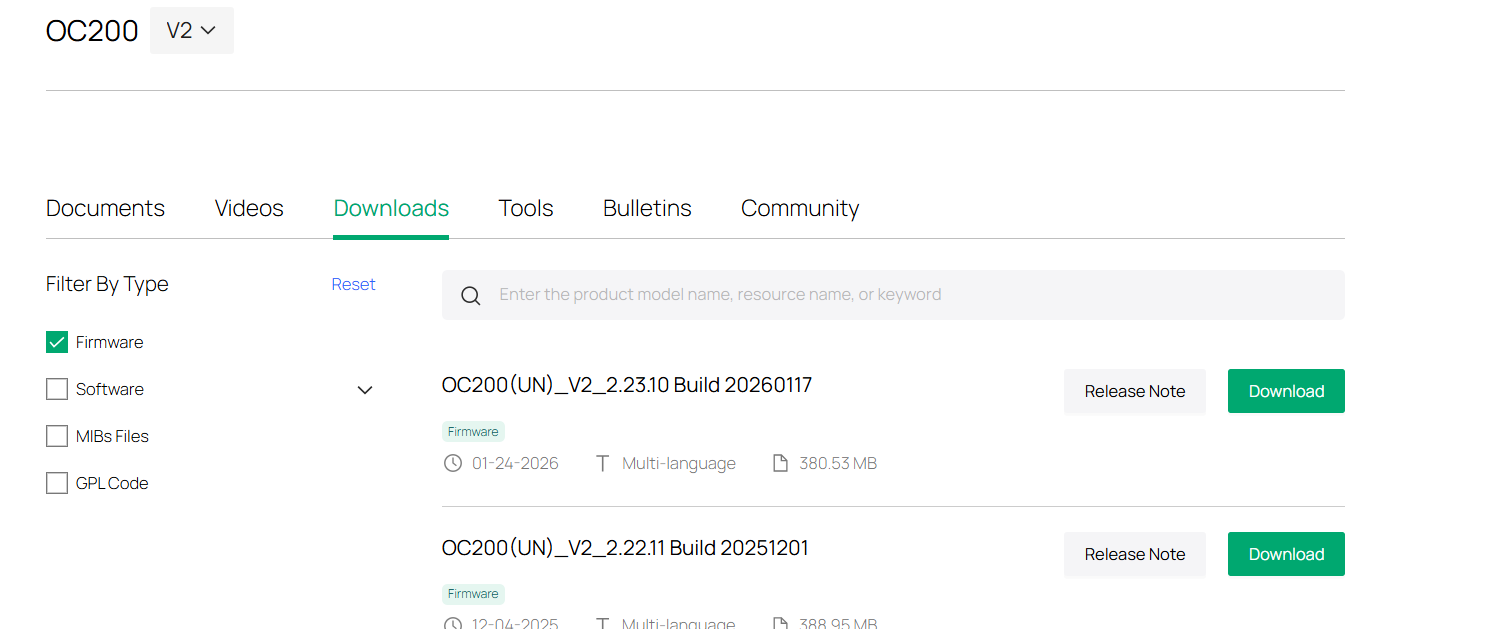
We released a new firmware for OC200. Would you please update it and check again?
- Copy Link
- Report Inappropriate Content
1.37.11 Build 20251201 Rel.43290
I'll apply update in next Monday and will answer then.
ty
- Copy Link
- Report Inappropriate Content
- Copy Link
- Report Inappropriate Content
- Copy Link
- Report Inappropriate Content
Information
Helpful: 0
Views: 403
Replies: 6
Voters 0
No one has voted for it yet.