
New config - no Auto Failover in Essentials console

Good afternoon. New to Omada and trying to configure a 4 AP mesh to start with a ES206 for power. I can provision the APs wired fine and all works as designed. One SSID, all works well. Tried to modify the setup to allow for wireless mesh. Checked "mesh" in site settings but no auto failover setting exists. I tried forgetting all the APs and reprovisioning AFTER mesh was selected for the site, no joy there either. This is in v6 of the essentials and everything that I can find online is for v5. Things have apparently moved and I can't find them maybe?
Yhis seems like it should be more simple than it's turning out to be, so I'm assuming I'm missing something.
Any assistance appreciated.
Thanks,
Bob
- Copy Link
- Subscribe
- Bookmark
- Report Inappropriate Content
Good morning, thanks for the reply. I probably should have provided a little more detail. I'm a retired networking professional (42 years, I started in mainframes and minis!), so I tend to assume everyone already knows what I'm talking about, sorry! Ikm coming from Meraki but don't want to spend that for my home. I'm aware of the difference between mesh and roaming. I was under the impression (based on instructions) the failover was required to enable mesh; that has proven not to be the case.
I put the equipment together as a testbed. It's eventually going to become the network in my mountain home in Panama. The main issue is it's a 3400 sq ft two story concrete structure with stone facing. All exterior walls and some interior walls are 6", the rest are 4" (it had an addition and the exterior walls became interior...). All that to say running cable is relatively painful but will at least be minimally necessary. My goal is wired, but realistically there will be some APs that require mesh. I'm hoping to use the mesh to bridge the floors and POE centrally on each floor to keep the hops down. So far it looks like I need at least 2-3 APs per floor to maintain sufficient coverage. I will also be placing APs for outdoor coverage at some point, and may need to extend the network to a remote control gate about 1/4 mile away.
I figured out I can link the isolated APs without the Auto Failover setting, so it's all good now.
I was thinking another POE switch for the other floor. Any other suggestions are welcome!
Thanks,
Bob
- Copy Link
- Report Inappropriate Content


Thanks for posting here.
Since you already have a switch and the APs are connected via wired links, the mesh function is not required.
Mesh is typically used when cabling is inconvenient. For your setup, what you need is the Roaming feature.
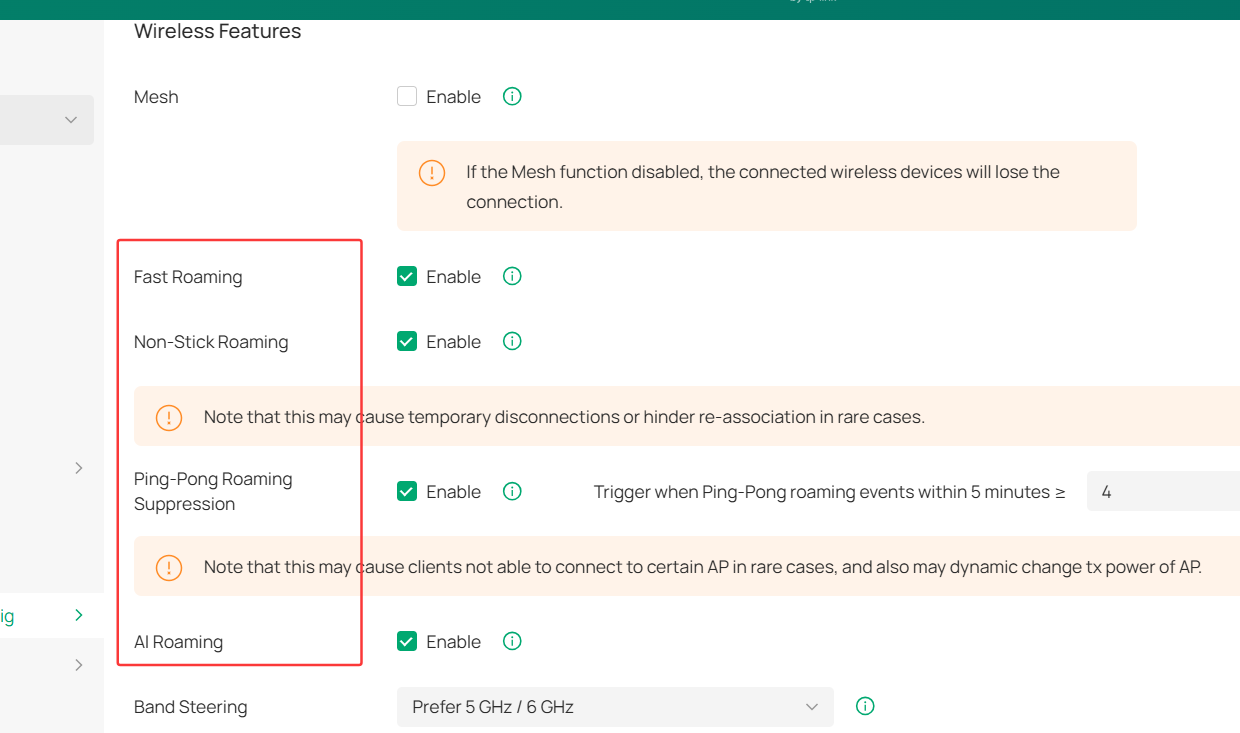
Below is an introduction of AP mesh and fast roaming for your reference:
Basic introduction to AP Mesh and Fast Roaming
- Copy Link
- Report Inappropriate Content
Good morning, thanks for the reply. I probably should have provided a little more detail. I'm a retired networking professional (42 years, I started in mainframes and minis!), so I tend to assume everyone already knows what I'm talking about, sorry! Ikm coming from Meraki but don't want to spend that for my home. I'm aware of the difference between mesh and roaming. I was under the impression (based on instructions) the failover was required to enable mesh; that has proven not to be the case.
I put the equipment together as a testbed. It's eventually going to become the network in my mountain home in Panama. The main issue is it's a 3400 sq ft two story concrete structure with stone facing. All exterior walls and some interior walls are 6", the rest are 4" (it had an addition and the exterior walls became interior...). All that to say running cable is relatively painful but will at least be minimally necessary. My goal is wired, but realistically there will be some APs that require mesh. I'm hoping to use the mesh to bridge the floors and POE centrally on each floor to keep the hops down. So far it looks like I need at least 2-3 APs per floor to maintain sufficient coverage. I will also be placing APs for outdoor coverage at some point, and may need to extend the network to a remote control gate about 1/4 mile away.
I figured out I can link the isolated APs without the Auto Failover setting, so it's all good now.
I was thinking another POE switch for the other floor. Any other suggestions are welcome!
Thanks,
Bob
- Copy Link
- Report Inappropriate Content
Thanks for the explanation. And happy to know that you have tested successfully.
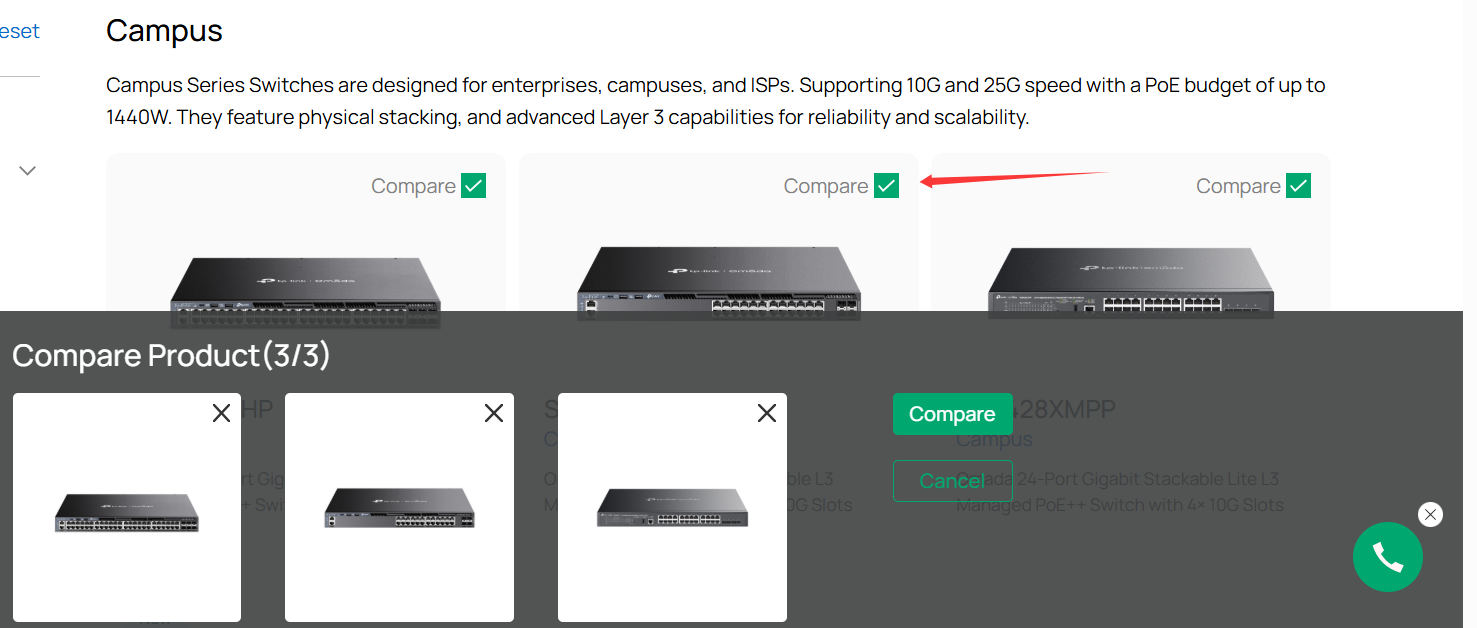
For POE switches, here is a list of our POE switches:
https://www.omadanetworks.com/au/business-networking/all-omada-switch/?filterby=5996
You can use the compare feature to pick one you like most:
may need to extend the network to a remote control gate about 1/4 mile away.
>>>I would recommend Omada wireless bridge products. Here is the link:
https://www.omadanetworks.com/au/business-networking/omada-wifi-wireless-bridge/
- Copy Link
- Report Inappropriate Content
Information
Helpful: 0
Views: 660
Replies: 3
Voters 0
No one has voted for it yet.