
Syslog

I'd like to download syslog data from the router regarding traffic passing through it. After enabling SYSLOG at the site and on the OMADA itself, I only see traffic from the AP Point
and configuration logs. I'm missing network logs from the router itself.
Is it possible to download them?
- Copy Link
- Subscribe
- Bookmark
- Report Inappropriate Content


Hi @vvilq
Thanks for posting in our business forum.
May I ask your network topology of your Omada network?
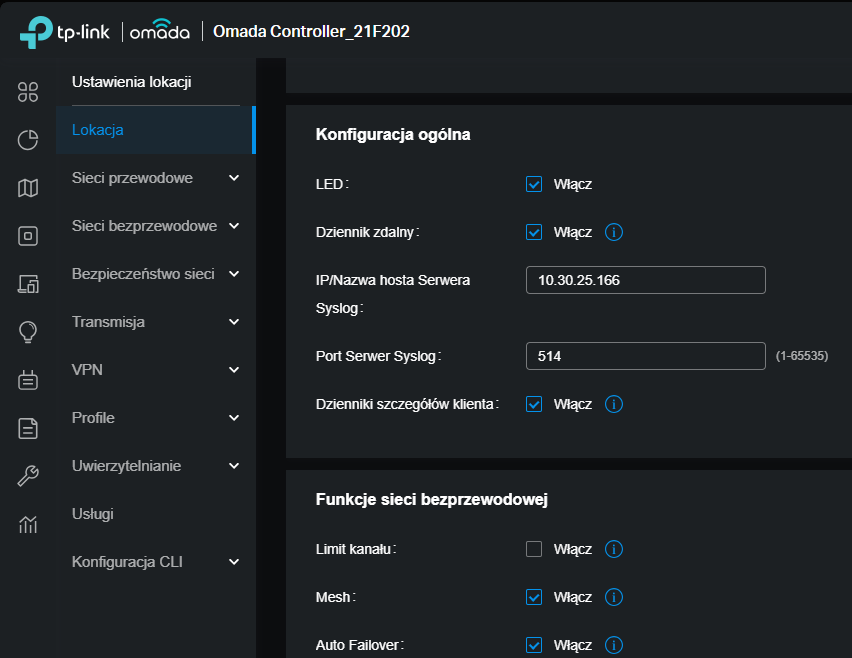
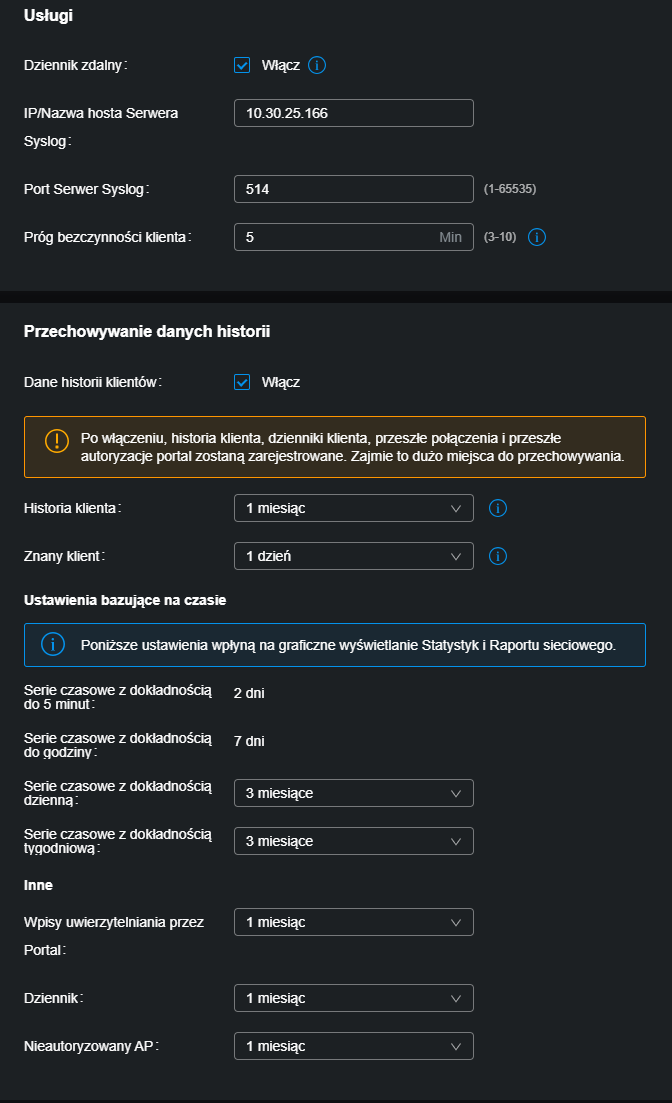
By the way, can you provide the configuration screenshot of your syslog as well?
- Copy Link
- Report Inappropriate Content
Thank you for your response.
My ER7212PC acts as the network edge device (router). Connected to it are:
-
an Access Point providing the WLAN network,
-
end hosts forming the LAN network.
My goal is to use syslog to remotely collect all outbound network events.
After enabling remote syslog logging on the ER7212PC, I can see the events I am interested in (network-related logs), however only for traffic passing through the Access Point. Events generated by hosts in the LAN network are not appearing in the syslog output.
The syslog configuration is basic / default:
-
remote logging enabled.
-
listening on port 514,
-
TCP and UDP enabled.
The attachment contains logs and syslog configuration.


- Copy Link
- Report Inappropriate Content
- Copy Link
- Report Inappropriate Content
Information
Helpful: 0
Views: 447
Replies: 3
Voters 0
No one has voted for it yet.