
C250 unable to connect to local VMS

C250 unable to connect to local VMS

C250 unable to connect to local VMS
Yesterday
Model: VIGI C250  
Hardware Version: V1
Firmware Version: 2.2.1 Build 251011 Rel.52563n

Hi all,

I can see the C250 on its web server and I can get an image and change all of its settings. This works fine

I run the local VMS software on my local win 10 pc, with the IP address listed below and it starts up and goes to its local server 127.0.0.1 etc. I login and try to add the C250 to the VSM. Every single time I get the following error, the device is not added to the VMS.
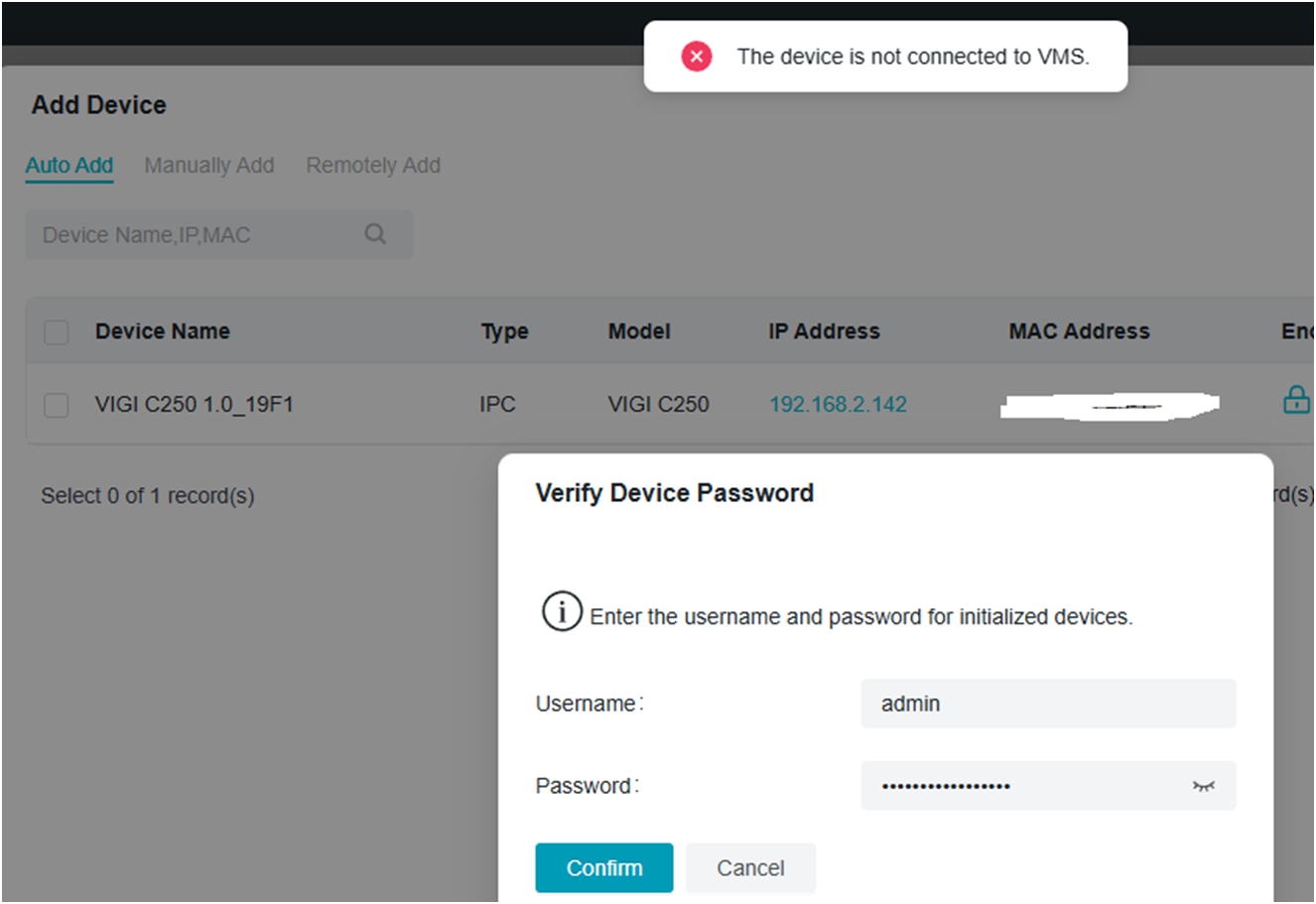
 

the pic below is from the C250, 192.168.2.142 in my network


I have tried adding the device to the cloud and it works fine, but I have tried running this setup on 2 different Win10 PCs and I always get the same error( yes I do change the location of the VMS IP address). This is just a personal home network, no domain etc, just a router and a POE hub.

I have added rules to the firewall to allow the VMS application total access ( windows firewall on 1 pc, zonealarm firewall on the other pc ). Something that is weird though, the c250 ip address does not show up in my router ( ASUS DSL-AX82U ) as being connected, the IP address is not listed, but I can connect to it.


Anyway, can someone please tell me how I can figure out how to connect the C250 to my local VMS?

Thanks

Stu

  0      
  0      
#1
Options
2 Reply
Re:C250 unable to connect to local VMS
Yesterday

Hi  @theStuman 

Thanks foo posting in our business forum.

It seemed that you forgot to attach the screenshot of the C250, but you may refer to the following guide and try to add the C250 to your VIGI local VMS again:
How to add VIGI devices to VIGI local VMS


If the issue still persists, please try to contact the local support and provide with the forum ID.

Best Regards! >> Omada EAP Firmware Trial Available Here << >> Get the Latest Omada SDN Controller Releases Here << *Try filtering posts on each forum by Label of [Early Access]*
  0  
  0  
#2
Options
Re:C250 unable to connect to local VMS
5 minutes ago
I managed to fix it. I uninstalled a HEAP of stuff on my home PC, removed zonealarm and avg antivirus etc. It runs much faster now. When i used the built in windows firewall it seemed that the java runtime was blocked. I opened it up and it worked. Now just a general question, if I run the VMS on my local PC, will all the alarms/events/video captures be automatically saved to my local PC or does the camera need an SD card and the VMS downloads it from the SD card? Thanks Stu
  0  
  0  
#3
Options