
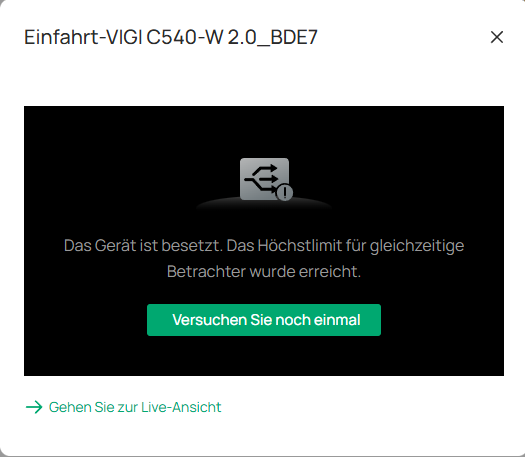
C540 Fehlercode 52405

Hello, perhaps someone can explain why I don't have access to the live stream? Where can I see who is using the live stream?
If there are restrictions, where can the participants be managed?
Why are there restrictions?
I'm no longer buying Tapo because the cameras are problematic. Is it starting with VIGI now too?
Third-party cameras work better in the Omada system than TP-Link cameras.
We're talking about business products here.
What kind of stupid system is this?
- Copy Link
- Subscribe
- Bookmark
- Report Inappropriate Content


@VolkerS Can you ping the camera from the device you're trying to view from? Are you managing the camera through the online VMS?
- Copy Link
- Report Inappropriate Content
Hello, I can access the camera normally and retrieve the saved events. Only the live stream isn't available on my phone.
The NVR is recording normally.
- Copy Link
- Report Inappropriate Content
- Copy Link
- Report Inappropriate Content
The live stream is unavailable. Even for cameras I can still access in the app. What kind of limit is this?
What's the point of it?
Why don't other cameras have this?
What's the point of this nonsense? The doorbell rings, and I can't see who's at the gate because a limit has been reached.
Of course, everyone in charge is notified, and naturally, everyone wants to see who it is so they can take action. The result: nobody can see anything. Who programs something like this? Where is this mentioned in the description?
Where is the limit managed?
This is supposed to be a business product?
- Copy Link
- Report Inappropriate Content
@VolkerS The specifications page does provide a limit of 3 Main Streams and 3 Sub-Streams for simultaneous live view. 
Assuming this has not been reached, were there any changes on the network prior? Were you ever able to view the streams beforehand?
- Copy Link
- Report Inappropriate Content
If this point hasn't been reached yet, were there any changes to the network beforehand?
There were no changes to the network.
These conditions must refer to simultaneous streams, not potential ones.
There are two NVRs running.
VIGI records in HD. VIVOTEK has recently switched to SD only, as its HD stream failed.
Therefore, there would still be four simultaneous streams available, but they are never used simultaneously.
Even the granted device permissions weren't exceeding the limit.
As a test, I revoked them.
That didn't change anything.
Were you ever able to view the streams before?
Yes.
This is a business product. If it has restrictions, the administrator must be able to manage them, and ideally, so should the user.
Example:
The motion detector reports a break-in, or the fire alarm reports a fire. However, this cannot be verified because the camera only indicates that it is occupied and no other viewer is permitted.
``` Are there actually any professionals programming these business products?
The NVR is just as underdeveloped as Tapo or the Wi-Fi issue.
Support has had access to the Tapo camera and the OMADA system for some time now. Surely a solution should be possible.
Unless, of course, that's fundamentally impossible. In that case, they need to say so, with the corresponding consequences.
What good is a connection rating of "Good-10" if I can't see anything on the camera?
The programmers should probably reconsider this.

- Copy Link
- Report Inappropriate Content
@VolkerS At this point, I am unsure as to why your device is not allowing you to view the streams. If you could make a ticket by contacting support here, that would be great. If you have done so already, if you provide me your ticket number, I can ensure this is followed up on.
TP-Link Support
- Copy Link
- Report Inappropriate Content
Information
Helpful: 0
Views: 482
Replies: 7
Voters 0
No one has voted for it yet.