ER605 v2.20 – WAN2 “Connected/Link Up” but Online Detection shows Offline

I have an Omada ER605 (hardware v2.20) running firmware 2.3.3 (Build 20251029 Rel.18054).
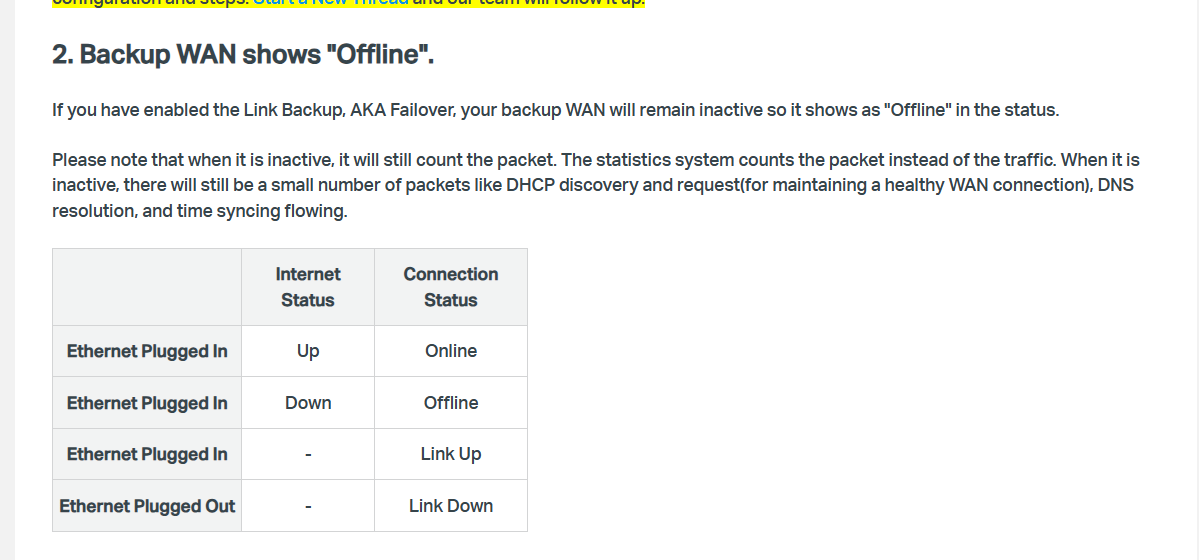
I’m using Dual-WAN with load balancing and link backup/failover. WAN1 (Vivo) works normally, but WAN2 (WAN/LAN2 – Claro) shows a mismatch:
-
On System Status / WAN IPv4, WAN/LAN2 shows Link Up and Connected, receives IP via DHCP, and has a valid gateway/DNS.
-
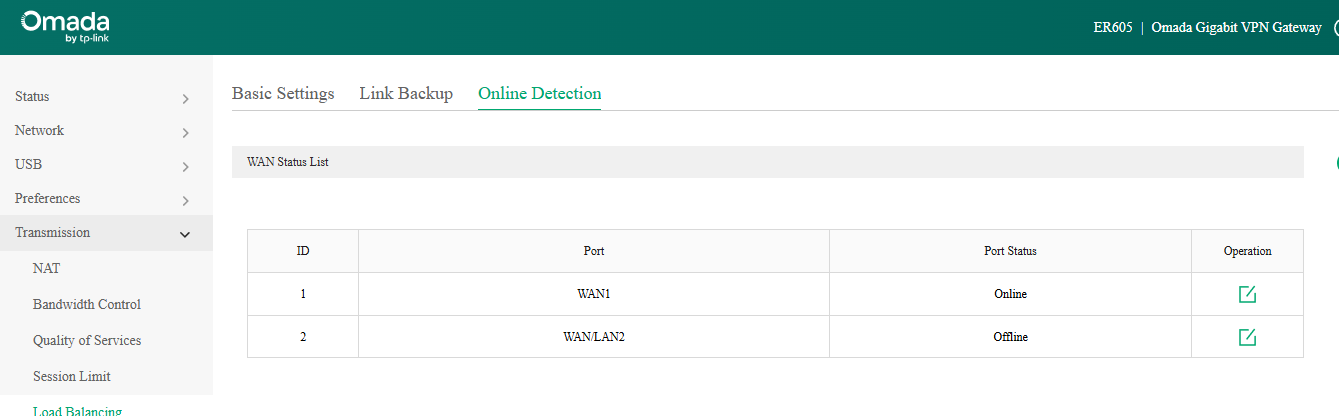
On Transmission → Load Balancing → Online Detection, WAN/LAN2 stays Offline, even though the internet on that WAN is working.tp-link+1
What I tested:
-
Set Online Detection to Manual on WAN/LAN2.
-
Configured Ping = 1.1.1.1 and DNS Lookup = 0.0.0.0 (to disable DNS Lookup as per TP-Link guidance).
-
Also tried other combinations (Ping/DNS targets like 8.8.8.8 / 1.1.1.1), but WAN/LAN2 still shows Offline in Online Detection.
-
Using the built-in Diagnostic Tool → Ping with Interface = WAN/LAN2, I can successfully ping 8.8.8.8 with stable replies, confirming WAN2 connectivity.
Impact:
-
If I set WAN/LAN2 to Always Online, it masks real WAN2 outages (WAN2 actually went down yesterday), causing intermittent connectivity for Wi‑Fi clients because the router keeps trying to use WAN2 when it’s not really available.
It looks like Online Detection may get “stuck” Offline or is not properly updating the WAN status, despite WAN2 having working connectivity and successful pings from the router itself. This breaks the expected behavior of failover/load balancing.