EAP110 and X50-Outdoor

EAP110 and X50-Outdoor

EAP110 and X50-Outdoor
Saturday - last edited Yesterday
Model: EAP110   Deco X50  
Hardware Version:
Firmware Version:

I am wanting to place a Ring Camera at my gate which is 70 metres away from my current X50-Outdoor Mesh node.


The current camera connects to the X50 fine at around 70% signal strength (shown at the camera). However, the current camera has twin antennae. Taking the Ring Camera to the gate shows a poor signal, likely due to the lack of external antenna.


In the cupboard, I have an old EAP110 that I used before getting the X50-Outdoor and 5 other Deco for indoors. Is it possible to utilise this to improve the signal to the gate?


My idea is to use the EAP with the X50-Outdoor. The way I am thinking is to use the PoE Injector in the normal way, but to plug the Ethernet from the EAP110 PoE injector to the second Ethernet port of the X50-Outdoor. The EAP110 will be mounted as close as I can get to the Ring Camera at the gate (the front of my garage). I relaise it won't "Mesh" but I have the Omada software to sort out the connection. Will ths work? I assume EAP110 is not EasyMesh, it doesn't appear to be?


From what I can recall, the EAP110 range was better than the X50-Outdoor, would people agree/disagree? Is it just more sensible to ditch the X50-Outdoor in favour of the EAP110 and use a Powerline Adaptor to get the signal from my (detached) garage to the house?


Any other suggestions?

  0      
  0      
#1
Options
4 Reply
Re:EAP110 and X50-Outdoor
13 hours ago

Hi  @SteveWex 


Are you using EAP110 or EAP110-outdoor?


I’d like to point out that the EAP110 is an indoor access point with a wireless coverage radius limited to around 12 meters.

To use this EAP110, you must install it approximately 10 meters from the camera. If running an Ethernet cable is inconvenient, the EAP110 might not be suitable because it does not support RE (Range Extender) mode and requires a wired uplink connection.

You may consider using wireless adapters, such as TL-WPA8631 KIT. Below is a link:

https://www.tp-link.com/en/home-networking/powerline/


If you are using the EAP110-Outdoor model, it can be configured in RE mode. 

How to configure Omada EAP in Repeater mode


  0  
  0  
#2
Options
Re:EAP110 and X50-Outdoor
13 hours ago

It's an EAP110 outdoor. I used to use it with a Powerline Adapter to strengthen the outdoor signal for cameras until moving the household to Deco.


As I said above, my idea is to use the EAP alongside the X50-Outdoor with a unique SSID, using the PoE Injector in the normal way, but to plug the Ethernet from the EAP110 PoE injector to the second Ethernet port of the X50-Outdoor, will this work?

Or should I just ditch the Deco X50 outdoor and go back to using the EAP110 outdoor with a Powerline Adapter?


The EAP110 will still be some 50 metres from the camera.

  0  
  0  
#3
Options
Re:EAP110 and X50-Outdoor
11 hours ago

  @SteveWex 


As I said above, my idea is to use the EAP alongside the X50-Outdoor with a unique SSID, using the PoE Injector in the normal way, but to plug the Ethernet from the EAP110 PoE injector to the second Ethernet port of the X50-Outdoor, will this work?

>>>Yes. To clarify, the topology would be as below:


Main network )))((( EAP110-outdoor_RE mode----Deco outdoor)))(((camera

  0  
  0  
#4
Options
Re:EAP110 and X50-Outdoor
10 hours ago
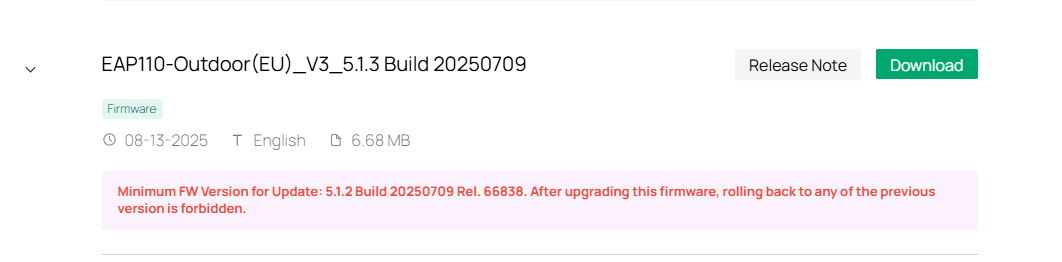
I do not believe I have RE mode. My device is a V3 EAP110-Outdoor, I can only find v5.0.1 which does not appear to allow RE mode, is this right?
  0  
  0  
#5
Options