Wi-Fi connection with a strong signal, but the internet keeps dropping,wired network works perfectly

Wi-Fi connection with a strong signal, but the internet keeps dropping,wired network works perfectly

Wi-Fi connection with a strong signal, but the internet keeps dropping,wired network works perfectly
Wednesday - last edited Thursday
Model: EAP245   EAP225   OC200  
Hardware Version: V1
Firmware Version: 1.38.10 Build 20260117 Rel.60495 (Stable)

I've been recommending the Omada system and all its features and benefits for a long time, and I even have a YouTube channel promoting the tool. For over a year, however, I've been facing the problem of the Wi-Fi connecting with a strong signal, but the internet connection remains unstable.


But the curious thing is that the wired network works perfectly. I even saw a post where several people reported the same problem I have, but the response from TP-LINK through the moderator @Vincent-TP  It was said that there is no problem and that it is interference.


Yes, there is a problem. I have several clients using the Omada system who are experiencing the same issue... but let me illustrate the scenario.


Please note that everything is up to date.
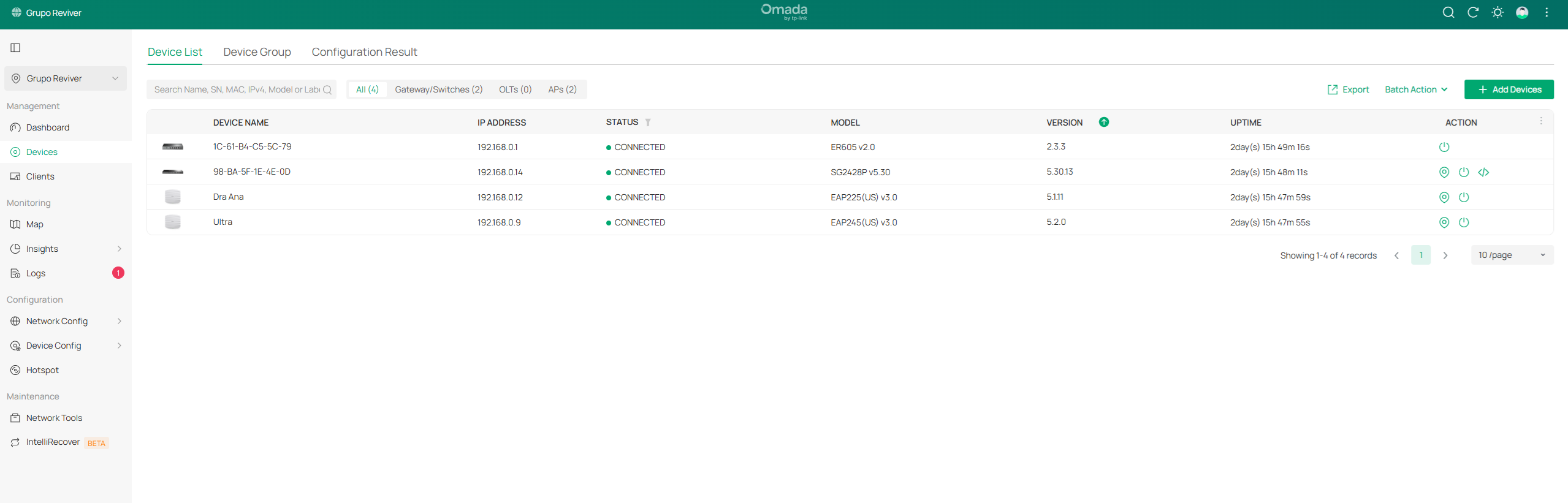
 

Notice that I separated the SSIDs into 5GHz and 2.4GHz.
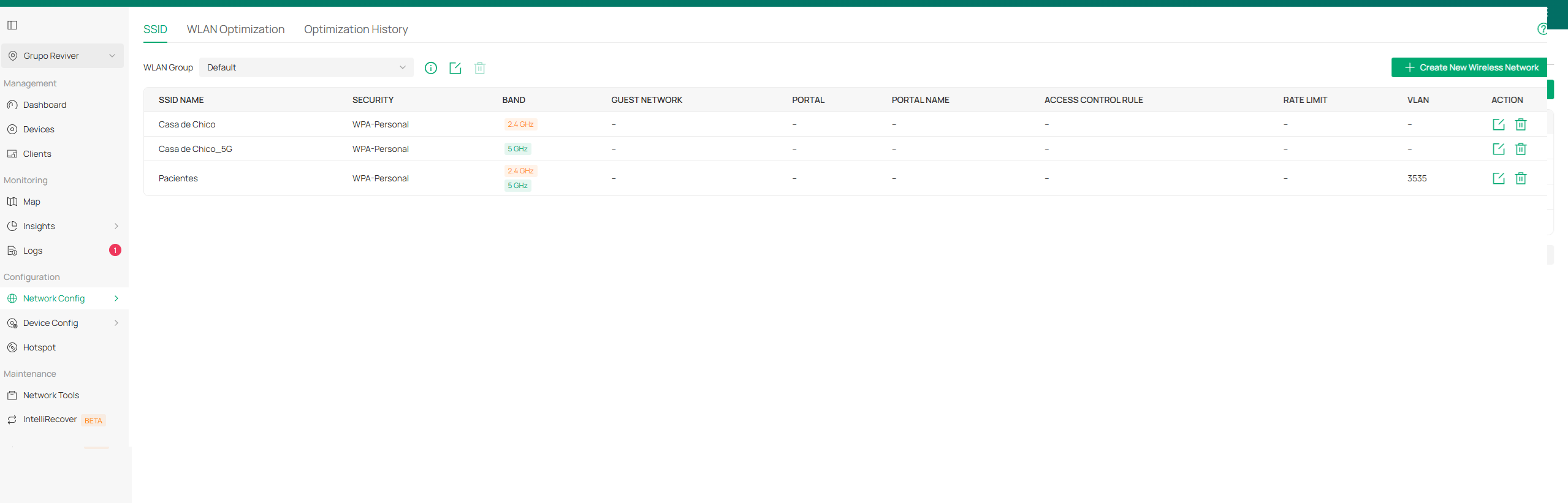
 

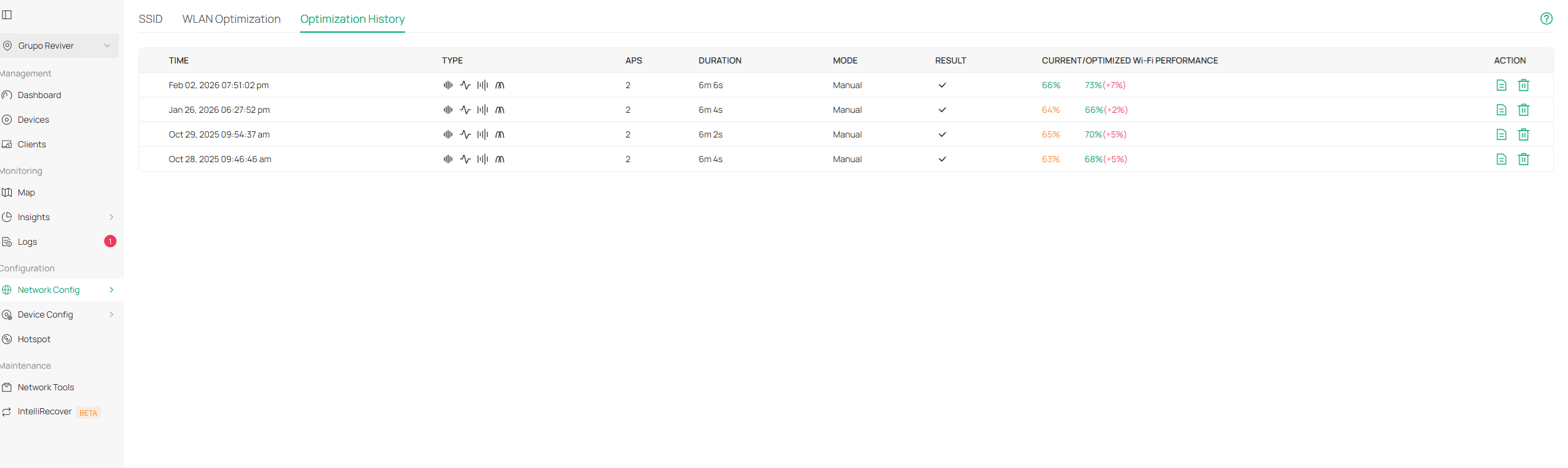
The Auto WLAN Optimization  with adaptive helped a lot, but it didn't solve the problem.
 

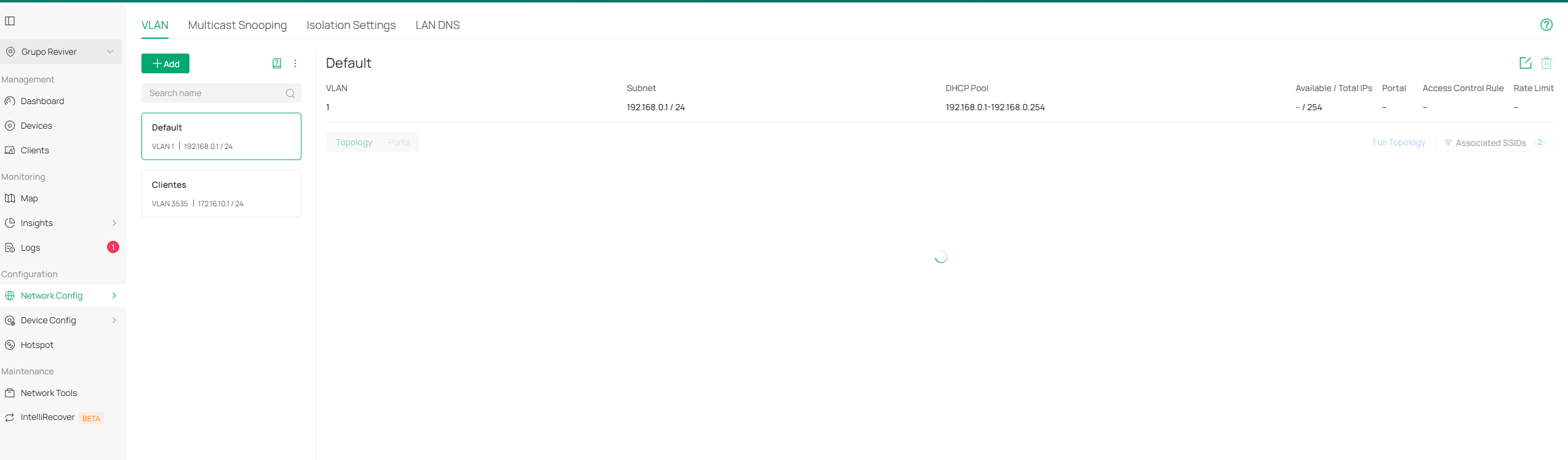
I use a VLAN for clients, but I always access the default network via 5GHz Wi-Fi (it's not a hybrid network, just 5GHz).
 

I have more than one company where this problem persists, some more frequently than others. My scenario involves more than one EAPs in the same building, separated by concrete walls.


Even though I believe it could be interference, given the problem that I and some other Brazilians have been experiencing for over a year (my YouTube channel and Telegram community), after so many tests I believe the interference problem is between the TP-LINK EAPs themselves connected to the Omada.


I hope that TP-LINK will truly give this case the importance it deserves, because I'm not the only one facing this same unresolved problem.


Others are having the same problem:


https://community.tp-link.com/en/business/forum/topic/717720

I have more cases in Brazil.


Note: If I remove the Wi-Fi from the Omada router and replace it with a home router like the Archer AX53, the Wi-Fi network will work perfectly.

  0      
  0      
#1
Options
4 Reply
Re:Wi-Fi connection with a strong signal, but the internet keeps dropping,wired network works perfectly
Friday

Hi  @Bug_do_Ti 


Thanks for your posting.


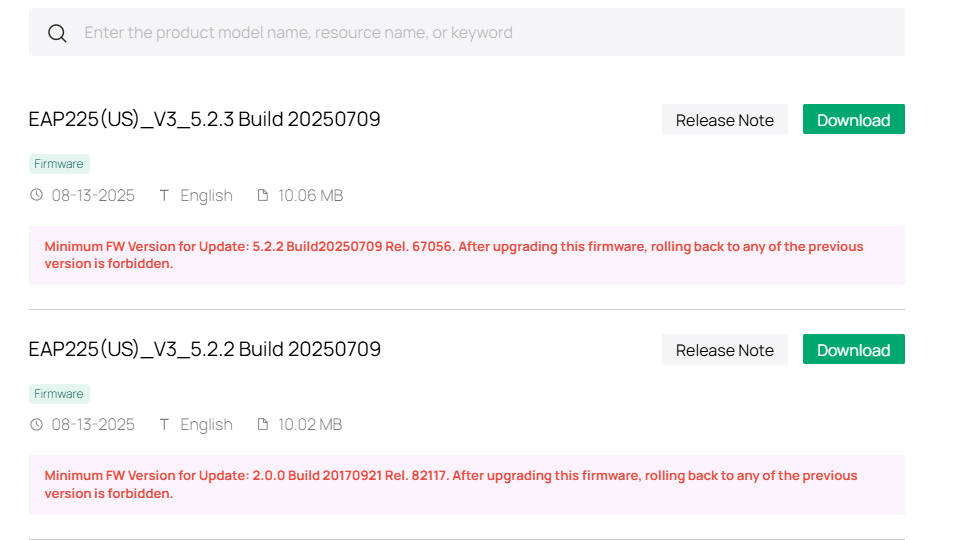
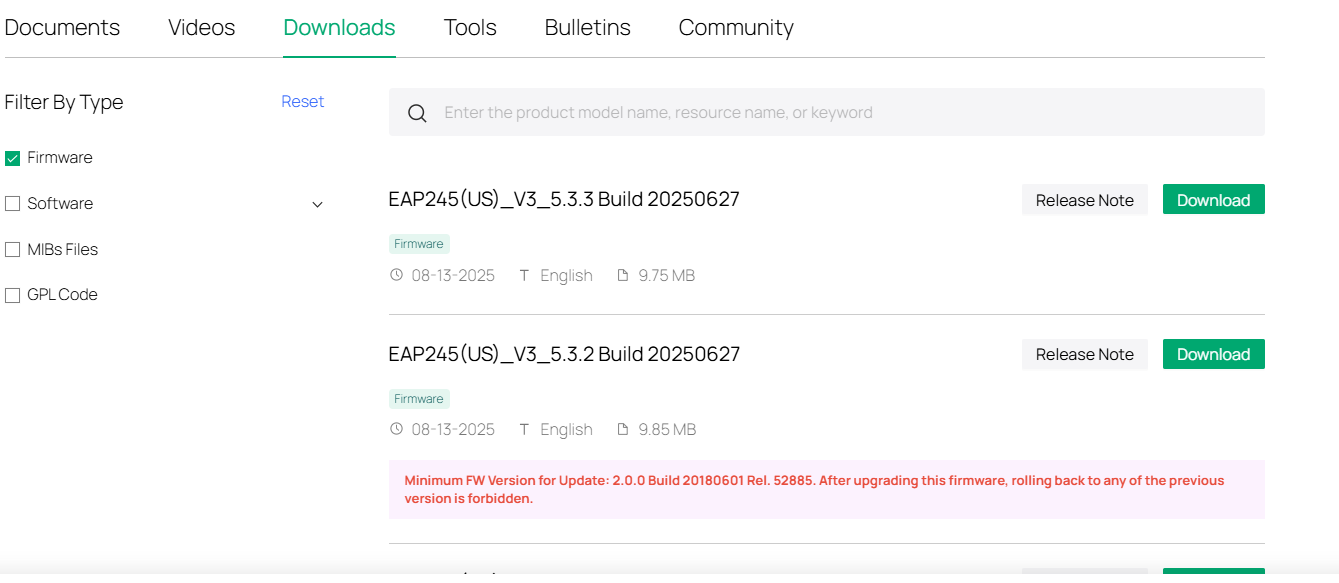
Thanks for your feedback. Your EAP's firmware are not the latest.


It is recommended that you first upgrade them to the latest version and then observe their performance.

https://support.omadanetworks.com/us/product/eap225/v3/?resourceType=download

https://support.omadanetworks.com/en/product/eap245/v3/?resourceType=download


Below is an article discussing the relationship between wireless signals and network performance; you can take a look at it.
RSSI vs. SNR: What Really Determines Your Wi-Fi Speed? 


You mentioned that switching to the AX53 wireless network stabilized the connection. We need to compare the wireless settings of the AX53 and the EAP to ensure both configurations are identical, as well as their installation location.  Next time, you can record the wireless settings of the AX53, apply them to the EAP, and then compare the EAP's performance. If the issue persists, please provide more details about the wireless connection drops, for example:

1. How often will the disconnection issue happen?
2. When the issue happened, will the SSID disappear, or still show on the wifi list?
3. How will the connection be recovered? Will it be recovered automatically, or will a reboot be required?
4. When the issue happened, would all wireless clients lose internet connection simultaneously, or would some clients still be working?
5. What's the IP address of the clients when the issue happened? Still correct IP, or 169.254.x.x?

  0  
  0  
#2
Options
Re:Wi-Fi connection with a strong signal, but the internet keeps dropping,wired network works perfectly
Yesterday

  @Vincent-TP  

Thank you for your reply.

You've just discovered another problem, this time with the Omada controller.


After your observation, I realized that Omada isn't updating the EAP225 v3 or v4 with firmware 5.1.11, and also the EAP115 v4 with firmware 5.0.9... I trusted the Omada system so much that I believed the mentioned devices were up-to-date, but I realize that Omada isn't finding the updates, forcing me to go to all the Omada websites and update them manually, device by device.


How can I trust the updates made by Omada?

  0  
  0  
#3
Options
Re:Wi-Fi connection with a strong signal, but the internet keeps dropping,wired network works perfectly
18 hours ago

  @Bug_do_Ti A common issue many users face is having a Wi-Fi connection with a strong signal while the internet keeps dropping, even though the wired network works perfectly. This usually indicates that the router’s wireless settings, channel interference, outdated firmware, or device compatibility problems are affecting the stability of the Wi-Fi connection rather than the internet service itself. Nearby networks, incorrect router placement, or bandwidth congestion can also cause intermittent drops despite showing full signal strength. Updating the router firmware, changing the Wi-Fi channel, restarting the router, or reconnecting the device can often resolve the problem. If the connection is stable on Ethernet but unreliable on Wi-Fi, optimizing wireless settings becomes essential, especially for users who rely on consistent connectivity for streaming platforms like Moviebox, where uninterrupted internet is necessary for smooth viewing experiences.

  0  
  0  
#4
Options
Re:Wi-Fi connection with a strong signal, but the internet keeps dropping,wired network works perfectly
17 hours ago

  @hawkrobertt Thank you very much for your reply, everything you said makes sense, but because I trusted the Omada tool too much and was informed that there were no pending updates for my EAP225 (there are several in various companies). 


I believed they were all up to date. But yesterday, I had to perform all the necessary updates due to a possible failure in the Omada system regarding this potential update issue.


I believe the updates made yesterday will solve the problem, but I ended up creating a new post about the Omada update issue:


https://community.tp-link.com/en/business/forum/topic/859290

  0  
  0  
#5
Options