IPS & blocking

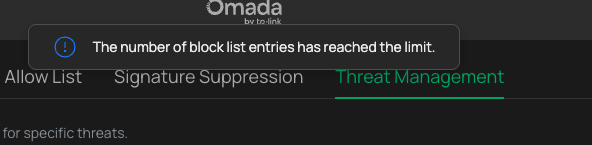
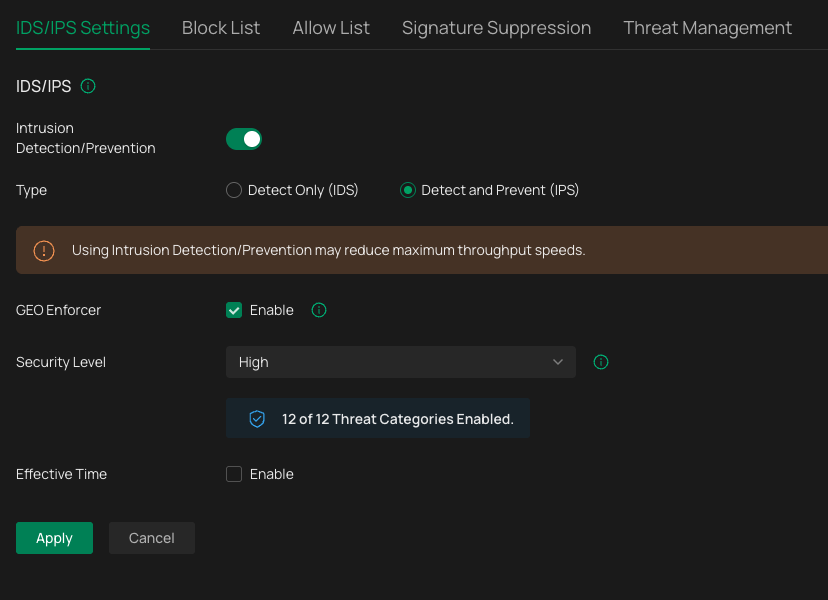
I'm fairly new to the Omada ecosystem having migrated from a Netgate switch that died and a handful of lower-end Unifi switches, so I'm still trying to learn and apply what I know from other platforms. I'm using the above device as a gateway to a small-ish HOME network where I host about a dozen services for friends & family. I've enabled IDS/IPS and configured it for HIGH security level. I might simply not be fully understanding the whole IDS/IPS process in Omada, but if I look at the Threat Management tab in the Omada dashboard, I see lots of things like "misc-attack" from DShield, low-severity policy-violations, etc. Are these indications that the controller has taken action and BLOCKED those attacks and policy violations? Or, do I need to explicitly do a manual action to add those IP addresses identified into the Block List tab? If so, why is the block list so severely limited in capacity (like I can only seem to select those DShield results and select "block" to add them to the Block List tab). If I DO have to explicitly add those IP addresses to the block list, is there a way to increase the number of block list entries? I think if I try to add more than 20 or so, I start getting alerts that the block list is full.
If it's simply my misunderstanding about how the IDS/IPS stack works in Omada, can anyone point me to any sort of good documentation so I can learn more? Googling doesn't help much and always seems to just point be back to the forums here, for specific issues others have posted about.
Thanks in advance!
I'm fairly new to the Omada ecosystem having migrated from a Netgate switch that died and a handful of lower-end Unifi switches, so I'm still trying to learn and apply what I know from other platforms. I'm using the above device as a gateway to a small-ish HOME network where I host about a dozen services for friends & family. I've enabled IDS/IPS and configured it for HIGH security level. I might simply not be fully understanding the whole IDS/IPS process in Omada, but if I look at the Threat Management tab in the Omada dashboard, I see lots of things like "misc-attack" from DShield, low-severity policy-violations, etc. Are these indications that the controller has taken action and BLOCKED those attacks and policy violations? Or, do I need to explicitly do a manual action to add those IP addresses identified into the Block List tab? If so, why is the block list so severely limited in capacity (like I can only seem to select those DShield results and select "block" to add them to the Block List tab). If I DO have to explicitly add those IP addresses to the block list, is there a way to increase the number of block list entries? I think if I try to add more than 20 or so, I start getting alerts that the block list is full.
If it's simply my misunderstanding about how the IDS/IPS stack works in Omada, can anyone point me to any sort of good documentation so I can learn more? Googling doesn't help much and always seems to just point be back to the forums here, for specific issues others have posted about.
Thanks in advance!