
SD Card not detected after reboot (and FTP upload non-existent)
SD Card not detected after reboot (and FTP upload non-existent)

so i bought this (nonsense) device which is claiming to have FTP support just to find out that all you can get through FTP is a very low res screenshot, not even full HD.
i bough the SD card thinking it would record to the card then upload but no, it does not do it either.
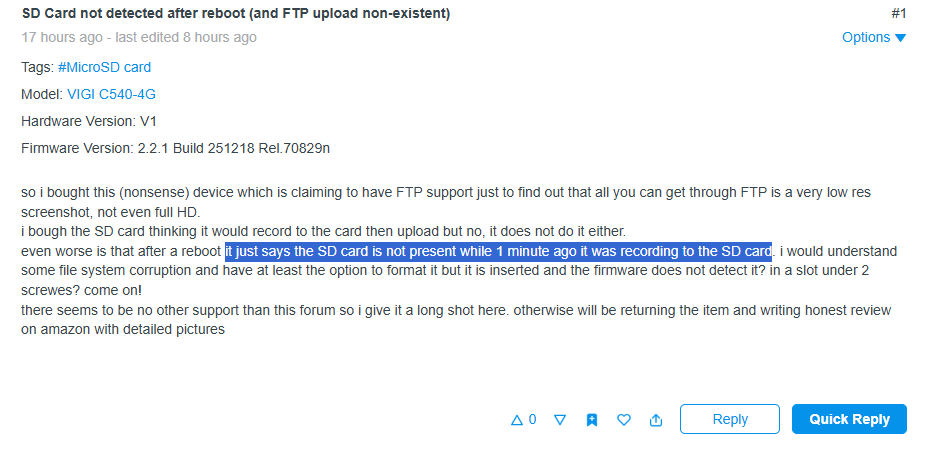
even worse is that after a reboot it just says the SD card is not present while 1 minute ago it was recording to the SD card. i would understand some file system corruption and have at least the option to format it but it is inserted and the firmware does not detect it? in a slot under 2 screwes? come on!
there seems to be no other support than this forum so i give it a long shot here. otherwise will be returning the item and writing honest review on amazon with detailed pictures
- Copy Link
- Subscribe
- Bookmark
- Report Inappropriate Content
- Copy Link
- Report Inappropriate Content


Hi @theruck
To begin with, you can try to check your SD card with this guide:
How to Verify Fake Micro SD Cards When Using with VIGI Cameras
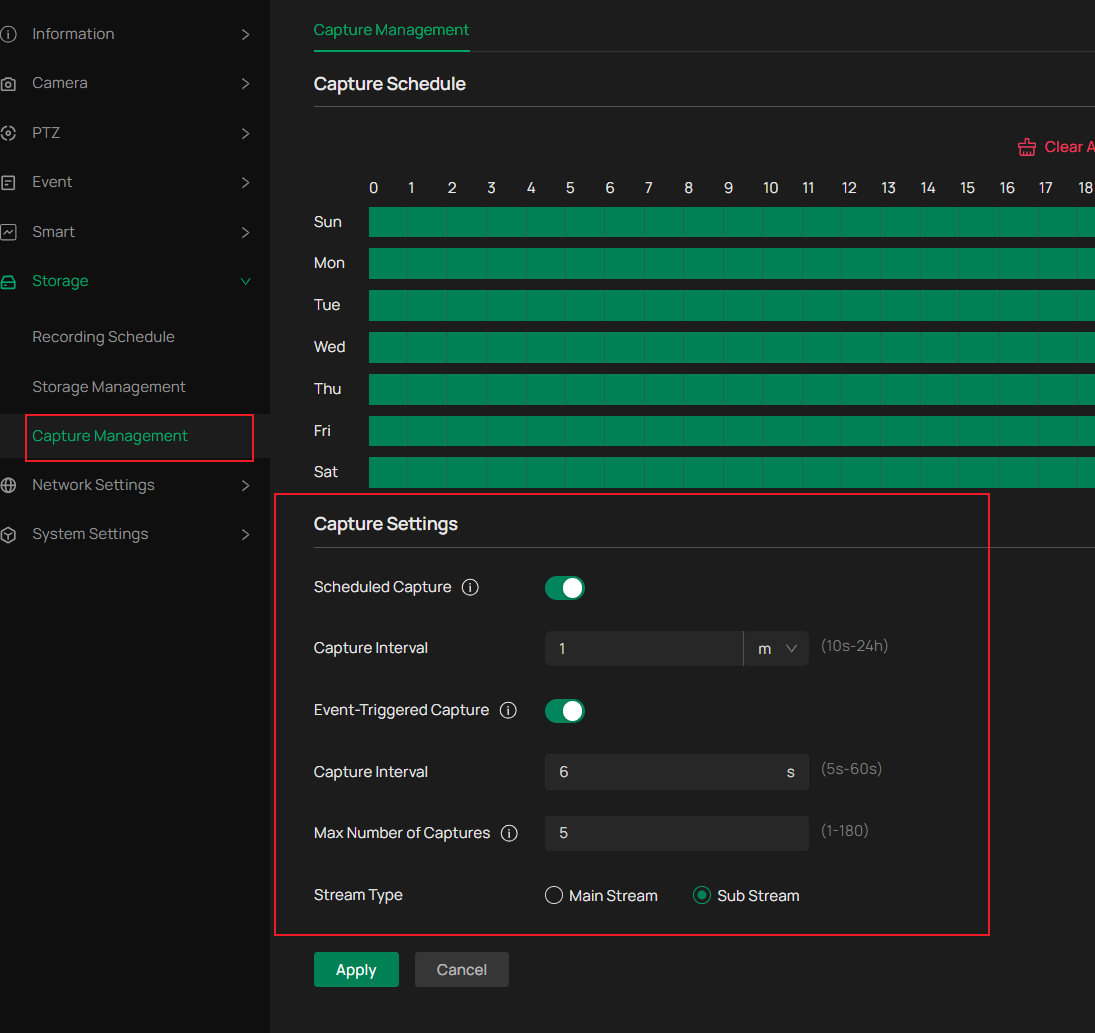
If the SD card works, please try to check the cpature management and storage management. Basically , if you choose main stream and the resolution would be better.
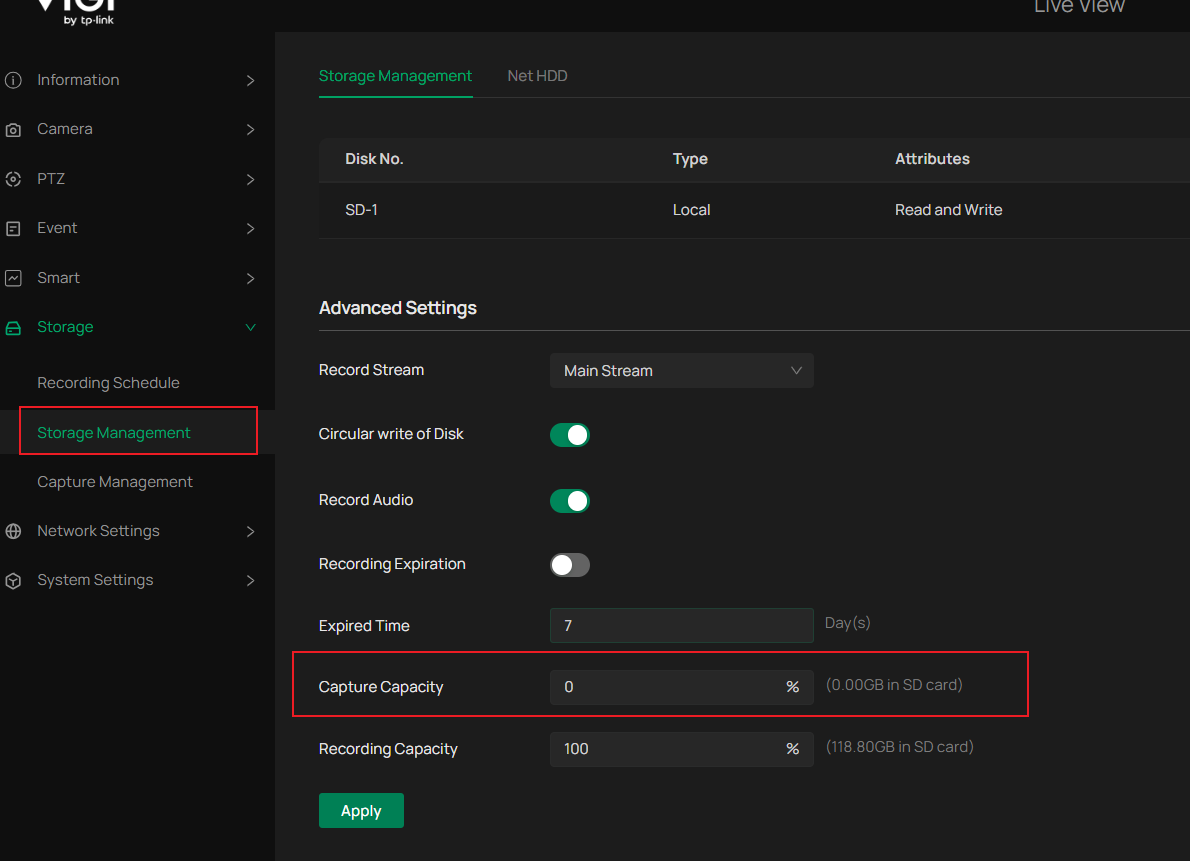
For your information, the "capture capacity" under the storage management it 0% by default, so you may try to set it to 100% and format the SD card to make image captured can be uploaded completely to your SD card.
- Copy Link
- Report Inappropriate Content
- Copy Link
- Report Inappropriate Content
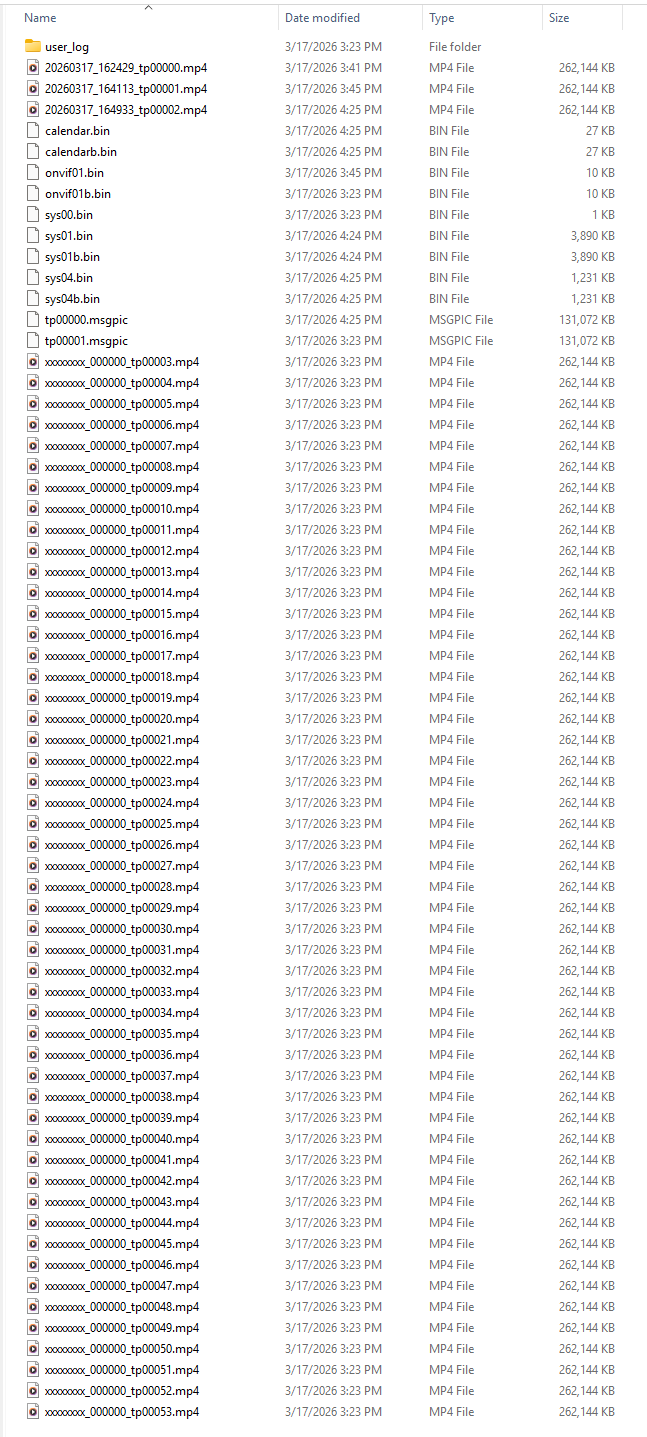
this is the SD card context after putting it to the PC. obviously a firmware problem on the camera creating all the files with same time and not being able to do the rotation of the files anyway. returning the item this is bad device. good luck everyone having to deal with it.
- Copy Link
- Report Inappropriate Content

Hey @theruck
Sorry to hear you're experiencing abnormal or unexpected behavior when inserting the SD card into the camera. I hope you have not returned it yet.
Regarding this SD context, you may check the explanations here. Q2: Why can the video recordings not be played?
If the camera fails to detect the SD card, please try taking it out from the camera and inserting it back to check whether it can be detected.
You can also restart the VIGI C540-4G.
BTW, can I have the brand and model of the SD card you're using? The list in the following FAQ is the brands and models that we have tested to be supported by our camera:
- Copy Link
- Report Inappropriate Content
- Copy Link
- Report Inappropriate Content
My sincere apologies for missing some details in your initial post.
Sorry to hear that you have returned the camera.
I will absolutely report this unexpected behavior to the development team for further analysis. While I would still appreciate it if you could provide the brand and model of the SD card you're using with the camera.
Thank you very much.
- Copy Link
- Report Inappropriate Content
the SD card vendor is irrelevant as you can see the files on the camera were not created by the vendor of the SD card but by your firmware 
the card was detected formatted and written by the camera itself so there is 0 reason to investigate the SD card vendor as the vendor SD card works in every other device
it is Verbatim #44092 and it is working just fine in the new camera i bought instead of this nonsense
- Copy Link
- Report Inappropriate Content
Thanks very much again for all the information you've provided. We appreciate it!
I've reported the unexpected behaviors to the development team, and they will investigate them.
It's a pity you've returned the camera, while I'm happy to see you've got a new one that works as expected.
- Copy Link
- Report Inappropriate Content
- Copy Link
- Report Inappropriate Content
theruck wrote
your developers know about it for over a year https://community.tp-link.com/en/business/forum/topic/738104
Thank you very much for linking to an old topic.
The unintended behavior described in that thread is different, while I understand what you want to say. It also seemed like abnormal behavior when used with an SD card. In that case, as far as I can tell, it hasn't been confirmed or followed up on since the reporter didn't respond.
We will keep close attention to such abnormal behaviors and hope to get it clarified soon.
- Copy Link
- Report Inappropriate Content
Information
Helpful: 0
Views: 1007
Replies: 13
Voters 0
No one has voted for it yet.